Screen Time Control: Mute
Block Apps, Stop Doomscrolling
Conçue pour iPhone
Gratuit · Achats intégrés
- Classification d’âge4+
- CatégorieForme et santé
- DéveloppeurYUTO OKURA
- LanguesAnglais+ 1 de plus
- Taille57,4 Mo
Renvoie vers la page App Store officielle
Download.org n’héberge aucun fichier de Screen Time Control: Mute. Le bouton ouvre la page de l’application sur App Store, où YUTO OKURA la publie. Fiche vérifiée pour la dernière fois le 25/11/2026.
Captures d’écran
À propos
Le développeur n’a pas fourni ce texte dans votre langue.
Ever open an app without meaning to?
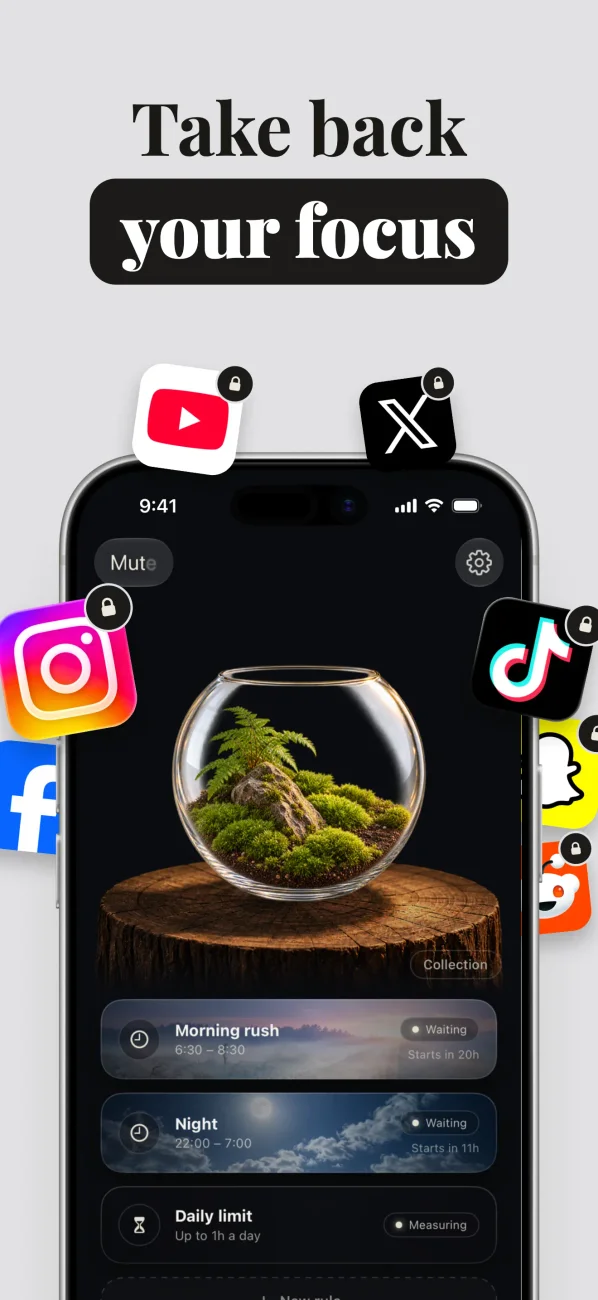
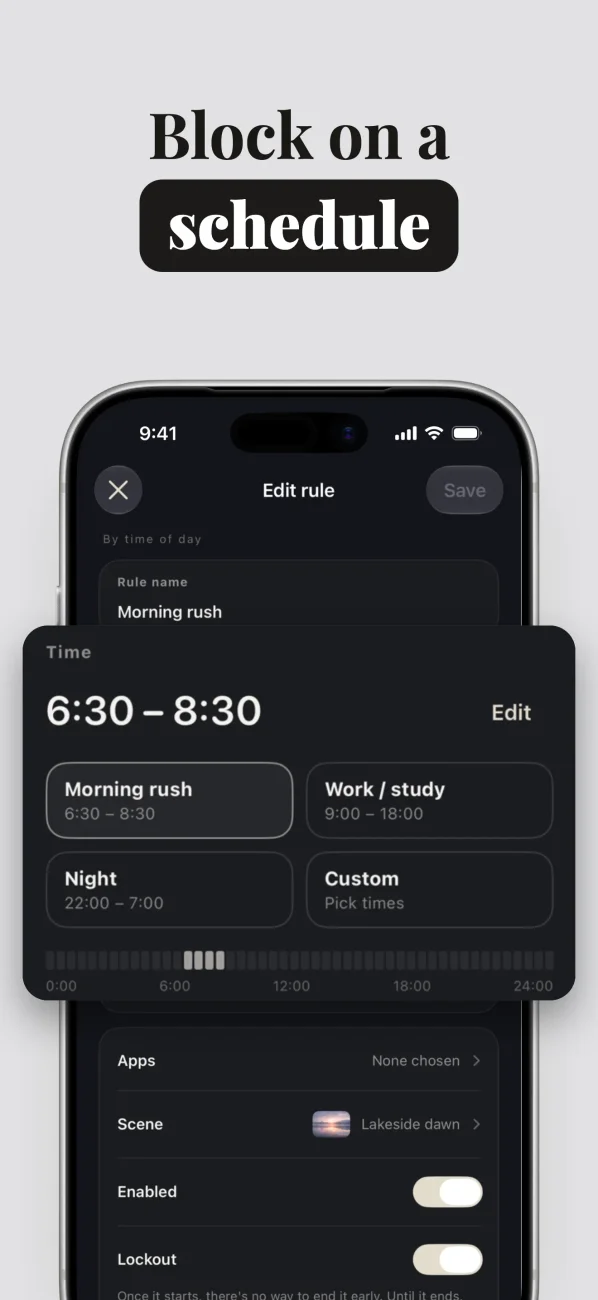
Mute makes the apps you choose unavailable during the hours you choose.
Not willpower. A wall.
THREE WAYS TO STOP
- Schedule: block apps during set hours, like 10 PM to 7 AM, or weekday mornings. Pick the days.
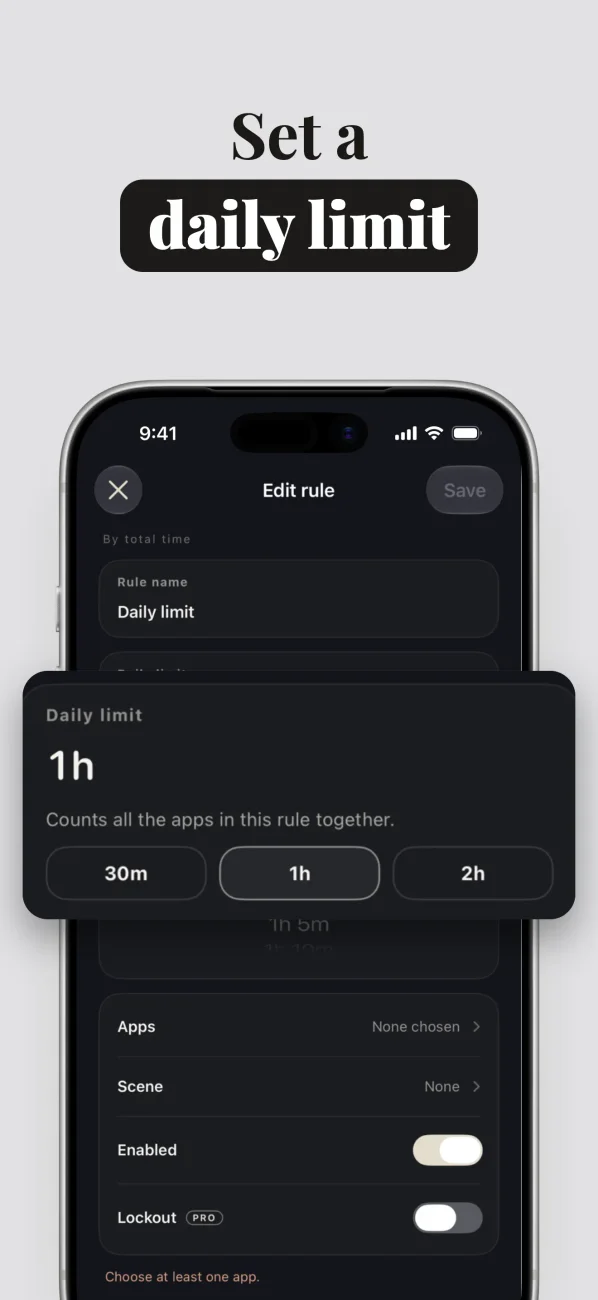
- Daily limit: "one hour a day." When you use it up, that app stays closed until midnight.
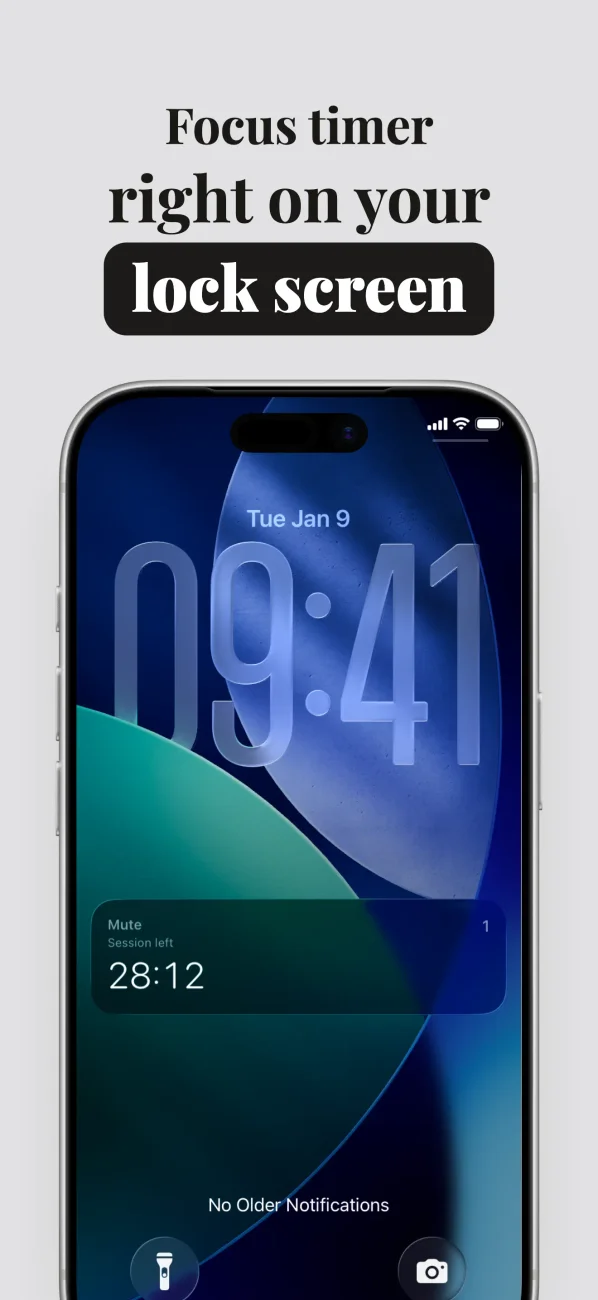
- Focus timer: any length from 15 minutes up, in 5-minute steps. Leave it open-ended with ∞. The countdown lives on your lock screen and in the Dynamic Island. Ending early takes one breath first.
BLOCKED MEANS QUIET
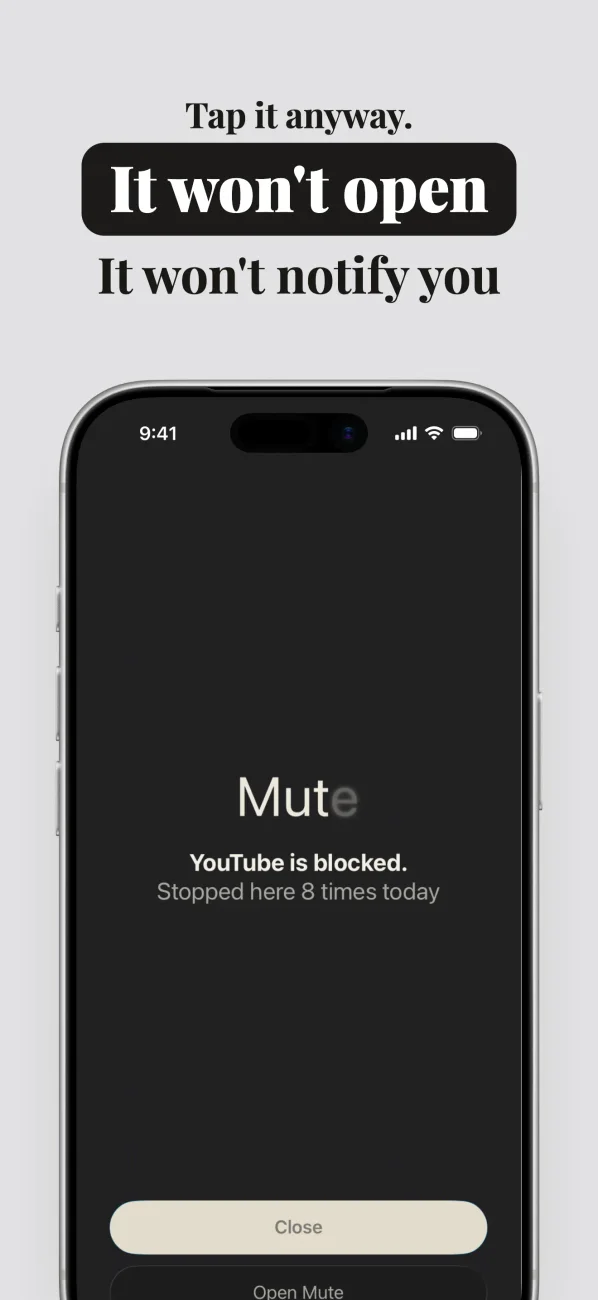
Mute uses Apple's Screen Time framework. While an app is blocked, it can't be opened, and its notifications stop arriving. Nothing on your lock screen pulling you back in. Websites in Safari can be blocked by domain, too.
LOCKOUT (MUTE PRO)
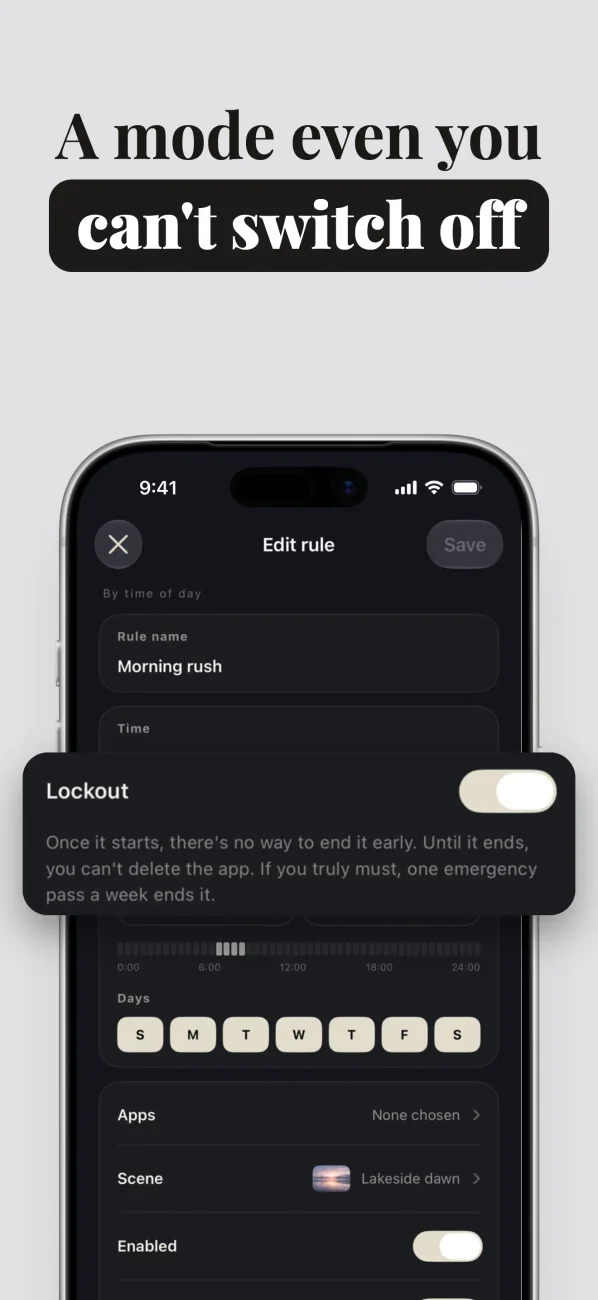
Turn on Lockout, and a rule or timer can't be switched off, edited, or deleted until it ends. Not from inside the app, not by deleting Mute, not by changing the clock. For the moment you genuinely need out, there's one emergency pass a week.
TIME TAKEN BACK, AND YOUR STREAK
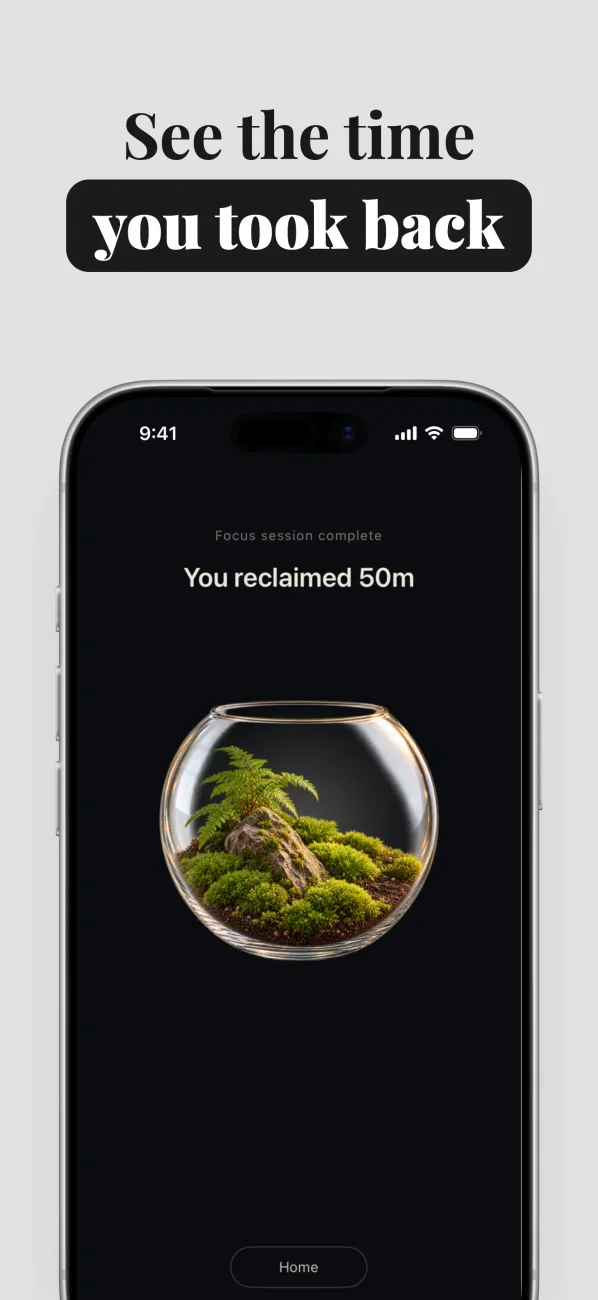
When a timer ends, Mute shows the time you took back. Keep your rules running day after day and your streak grows; Mute lets you know at milestones like 3, 7, and 30 days. Home also shows how much time went to which apps today.
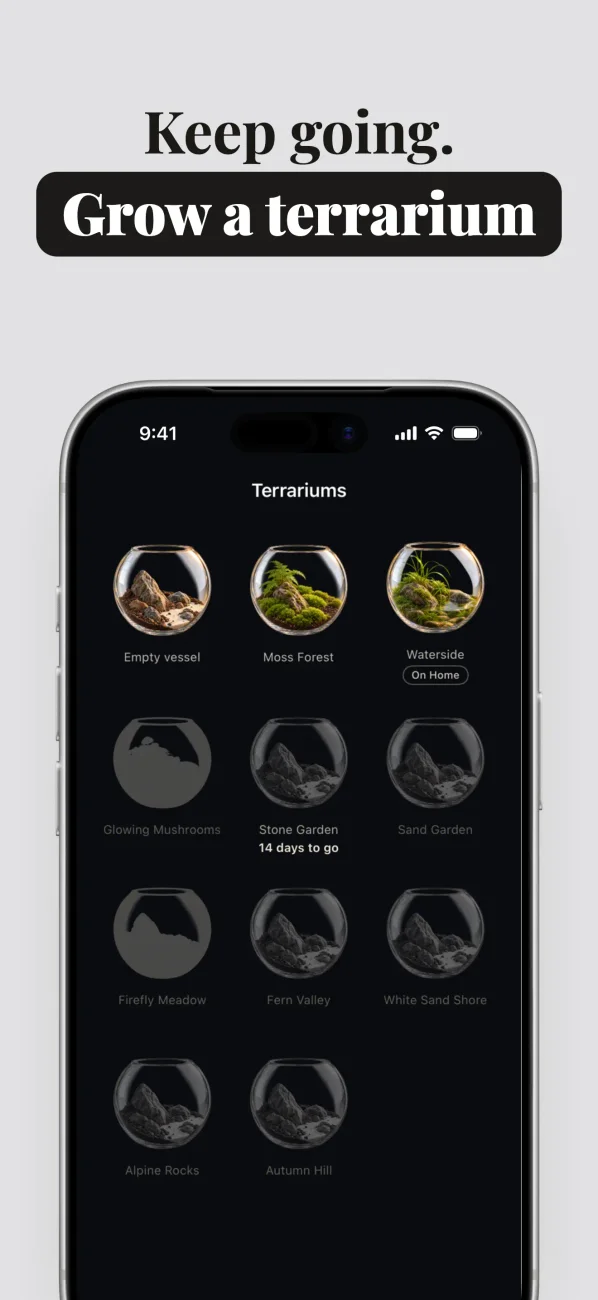
THE TERRARIUM
A terrarium is a small garden sealed in glass: moss, a few tiny plants, a world you can hold in one hand. Your home screen in Mute holds one. As you take back time and your streak reaches milestones, you earn new terrariums and choose which one to display. No pep talks. A quiet, growing scene.
YOUR USAGE STAYS ON YOUR PHONE
Mute never sends records of which apps you use, when, or for how long to our servers. The apps you block are stored as tokens issued by Apple, and we can't turn them back into app names. No account, no email address. Delete everything from Settings whenever you like.
IF THIS SOUNDS LIKE YOU
- An hour of scrolling before bed you didn't plan
- Opening social media between tasks without deciding to
- Losing your focus every time a notification lands
- Setting a Screen Time limit, then tapping "Ignore Limit"
FREE AND MUTE PRO
Free includes two rules and the focus timer without limits. Pro removes the rule limit and unlocks Lockout.
GOOD TO KNOW
- Requires iOS 26.5 or later and Screen Time access.
- Mute Pro prices and billing periods are shown in the app. Subscriptions are charged to your Apple ID when you confirm the purchase and renew unless auto-renew is turned off at least 24 hours before the current period ends. Manage subscriptions in Settings → Apple ID → Subscriptions.
- Terms of Use: https://blossom-railway-09b.notion.site/Term-of-Use-3d137c58801d80788f90dddd1e760888
- Privacy Policy: https://blossom-railway-09b.notion.site/Privacy-Policy-3d137c58801d80ac910ce254e0843bf6
Nouveautés
Version 1.2.1 · 25/11/2026
• Fixed an issue where a rule could occasionally stop working. If it happens, Mute now restores it when you open the app.
• Made the buttons on the screen shown while apps are blocked easier to read.
• Other small improvements.
Confidentialité de l’application
Ce que YUTO OKURA déclare sur l’App Store au sujet du traitement des données par cette application.
-
Données établissant un lien avec vous
Peuvent être collectées et liées à votre identité.
- Achats
- Emplacement
- Contenu utilisateur
- Identifiants
- Données d’utilisation
- Diagnostic
- Autres données
Les pratiques en matière de confidentialité peuvent varier, notamment en fonction des fonctionnalités que vous utilisez ou de votre âge.
Informations
- Vendeur
- YUTO OKURA
- Catégorie
- Forme et santé
- Version
- 1.2.1
- Mis à jour
- 25/11/2026
- Publié
- 18/09/2026
- Taille
- 57,4 Mo
- Nécessite
- iOS 26.5 ou version ultérieure
- Classification d’âge
- 4+
- Prix
- Gratuit
- Achats intégrés
- Oui
- Langues
- Anglais, Japonais
- Copyright
- © 2026 Mute
Vous aimerez peut-être aussi
-
 GemStep: Step Counter CrystalForme et santé
-
 Fade: Relax & SleepSons pour dormir et se relaxer
-
 UpUp : Réveil à pompesRappels au coucher et blocage
-
 WakeZen : Réveil & AlarmeMissions pour gros dormeurs
-
 Réveil & Suivi Sommeil: FedodoAlarme à missions anti-snooze
-
 Onezen: Respiration guidéeCohérence cardiaque, stress
-
 Pushbuddy: Bloqueur d'AppsPompes contre Temps d'Écran
-
 StatikForme et santé
-
 On Sleepless - 5 Min to PeaceForme et santé
-
 お菓子我慢ウォッチ-節約額が一目でわかる!Forme et santé