
- Classification d’âge4+
- CatégorieUtilitaires
- DéveloppeurWensheng Teng
- LanguesAnglais+ 3 de plus
- Taille10,0 Mo
Scrollet n’est peut-être pas disponible sur App Store pour le moment
La fiche de la boutique était inaccessible lors de notre dernière vérification. Le lien mène toujours à la page App Store officielle.
Captures d’écran

À propos
Le développeur n’a pas fourni ce texte dans votre langue.
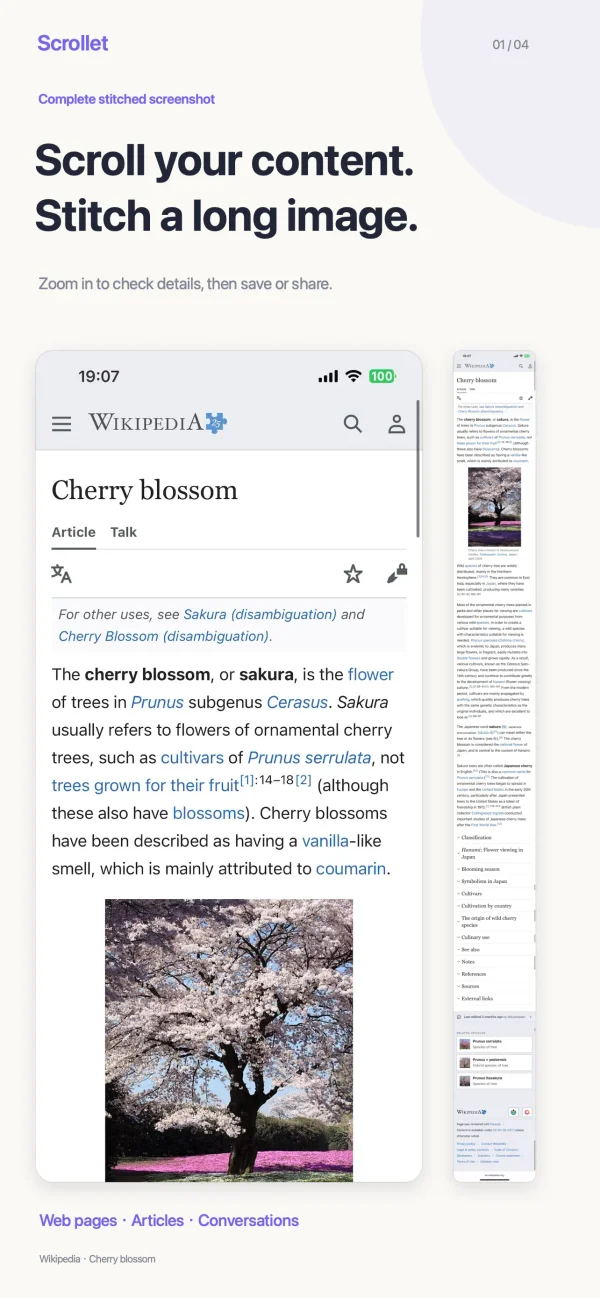
Turn a scrolling page into one long screenshot. Scrollet captures your screen as you scroll and stitches overlapping views together, making webpages, articles, and conversations easier to save and share.
SCROLL, CAPTURE, STITCH
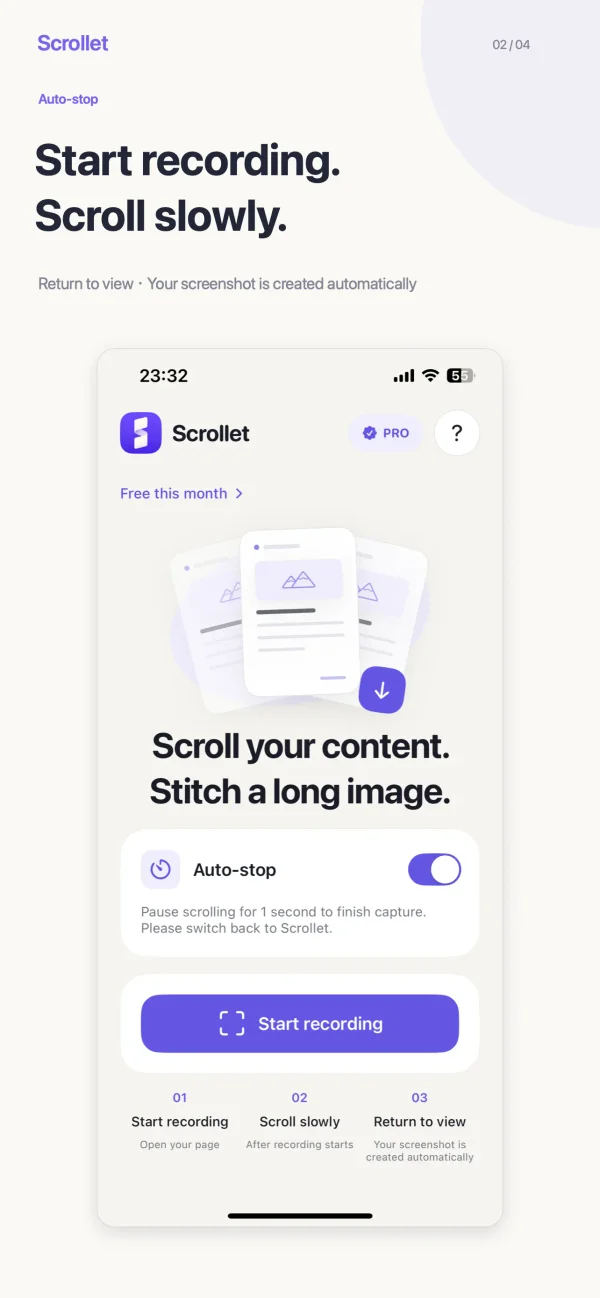
Confirm screen recording in the system panel, then switch to the page you want to capture. Once capture begins, scroll at a steady pace. After capture finishes, manually switch back to Scrollet and your long screenshot will be generated automatically.
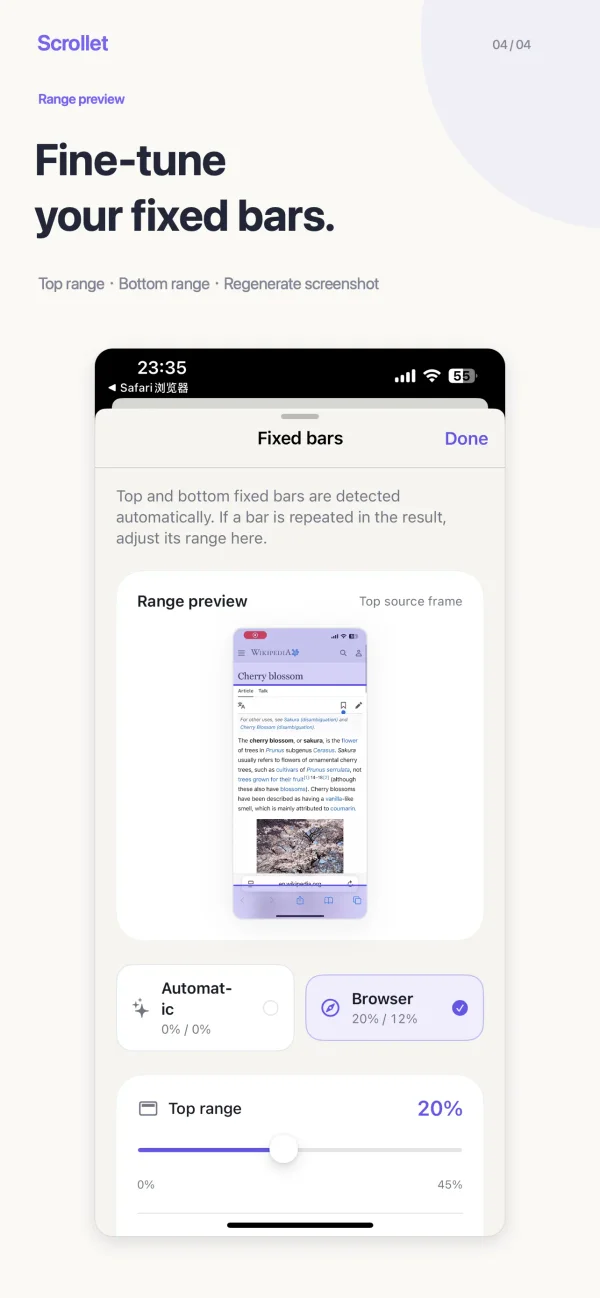
ADJUST YOUR RESULT
Fixed areas at the top and bottom are detected automatically. If you need to refine the result, adjust their ranges using the preview and regenerate the screenshot. Zoom in to inspect details, then save to Photos or share.
EXTRACT AND COPY TEXT
Recognize text in your long screenshot, read the result, and select a passage or copy all text. Content language is detected automatically, with support for Chinese and English or Japanese and English. Image stitching and text recognition run on your device.
AUTOMATIC ENDING
With automatic ending enabled, capture completes after you pause scrolling for 1 second. Please manually switch back to Scrollet to view the result, or wait about 5 seconds and tap the button in the system end prompt to return to the app. You can also stop recording manually with the system control.
FREE TO TRY, PRO WHEN YOU NEED IT
Each month, you can export 3 long screenshots for free, with a separate allowance of 3 free text recognition uses. Pro removes the usage limits for long-image exports and text recognition. Choose a monthly subscription, an annual subscription, or a one-time purchase. Prices and purchase terms are shown in the app before you buy.
For reliable stitching, scroll steadily. Protected content, fast scrolling, or changing page layouts may result in incomplete capture or stitching. Save important results before starting a new recording, which replaces the previous capture.
Terms of Use (Apple Standard EULA):
https://www.apple.com/legal/internet-services/itunes/dev/stdeula/
Confidentialité de l’application
Ce que Wensheng Teng déclare sur l’App Store au sujet du traitement des données par cette application.
-
Données non collectées
Le développeur ne collecte aucune donnée à partir de cette application.
Les pratiques en matière de confidentialité peuvent varier, notamment en fonction des fonctionnalités que vous utilisez ou de votre âge.
Informations
- Vendeur
- Wensheng Teng
- Catégorie
- Utilitaires
- Version
- 1.0
- Mis à jour
- 28/10/2026
- Publié
- 27/10/2026
- Taille
- 10,0 Mo
- Nécessite
- iOS 17.0 ou version ultérieure
- Classification d’âge
- 4+
- Achats intégrés
- Oui
- Langues
- Anglais, Japonais, Chinois simplifié, Chinois traditionnel
- Copyright
- © 2026 Scrollet
Vous aimerez peut-être aussi
-
 UOOK BMSUtilitaires
-
 Network Monitor - 快速网络监测工具Utilitaires
-
 Digital Service PlatformUtilitaires
-
 Loud Alarm: The LoudestUtilitaires
-
 Bareilly-311Utilitaires
-
 Scroll - Auto Scroll BrowserUtilitaires
-
 ArcGIS AppStudio PlayerUtilitaires
-
 Text Remover & Editor - QutuUtilitaires
-
 VitOS ManagerUtilitaires
-
 Rose Early AccessUtilitaires