
- Age rating4+
- CategoryUtilities
- DeveloperWensheng Teng
- LanguagesEnglish+ 3 more
- Size10.0 MB
Links to the official App Store page
Download.org hosts no file of Scrollet. The button opens its official App Store page, published by Wensheng Teng. Listing last checked on Nov 14, 2026.
Screenshots

About
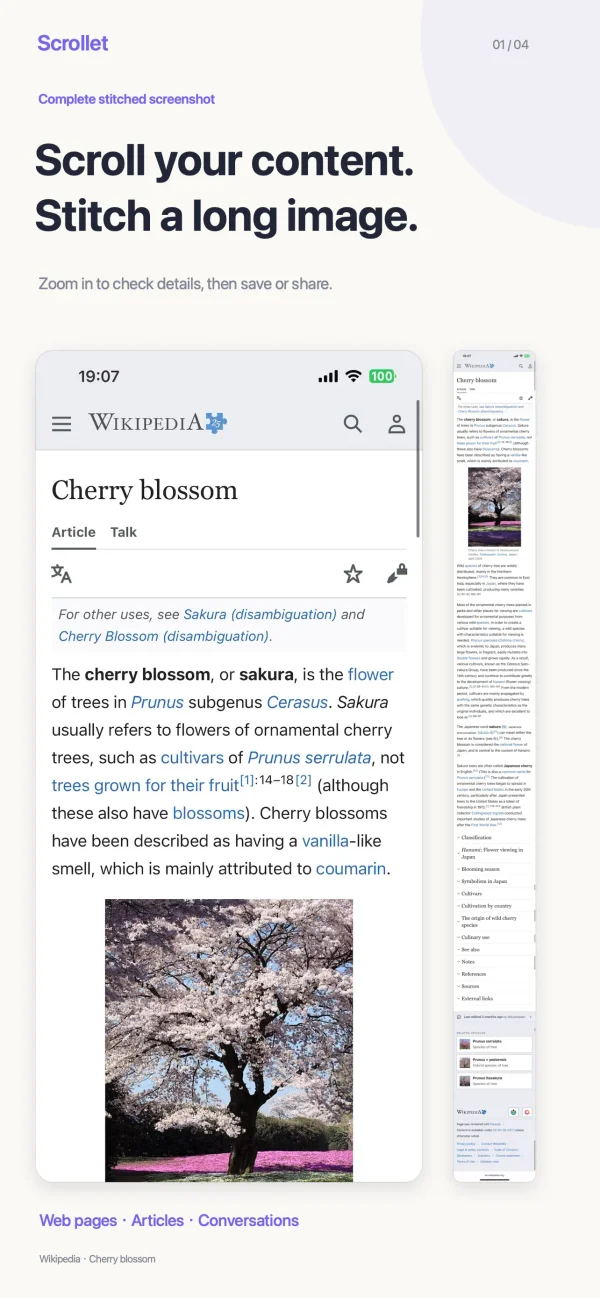
Turn a scrolling page into one long screenshot. Scrollet captures your screen as you scroll and stitches overlapping views together, making webpages, articles, and conversations easier to save and share.
SCROLL, CAPTURE, STITCH
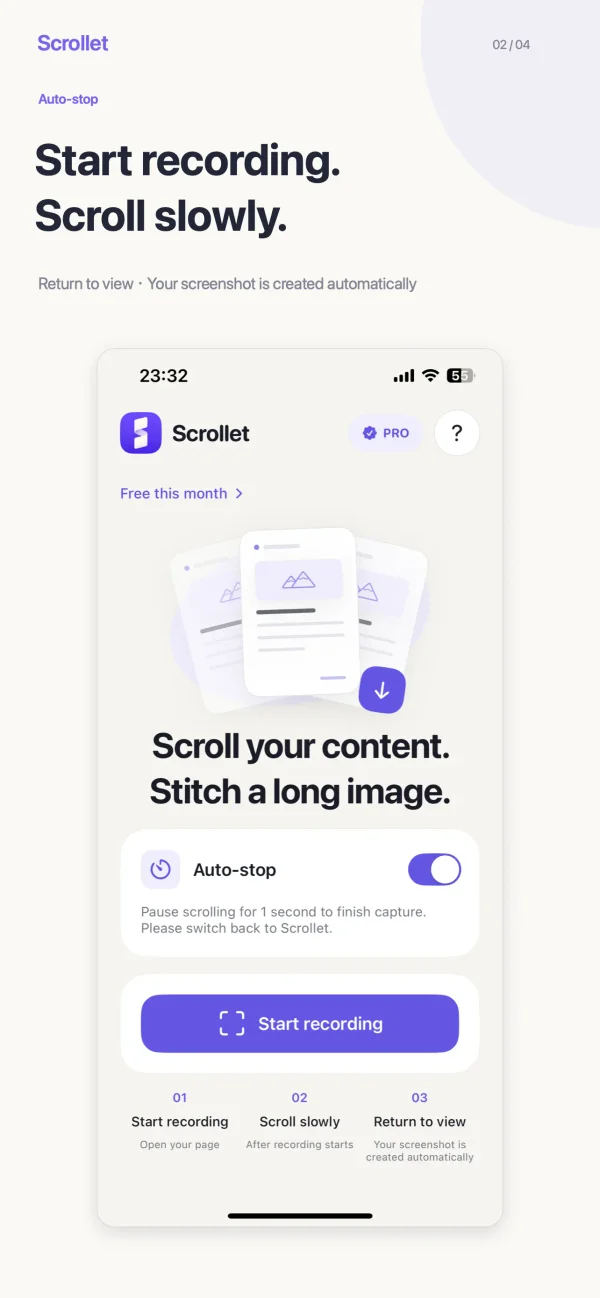
Confirm screen recording in the system panel, then switch to the page you want to capture. Once capture begins, scroll at a steady pace. After capture finishes, manually switch back to Scrollet and your long screenshot will be generated automatically.
ADJUST YOUR RESULT
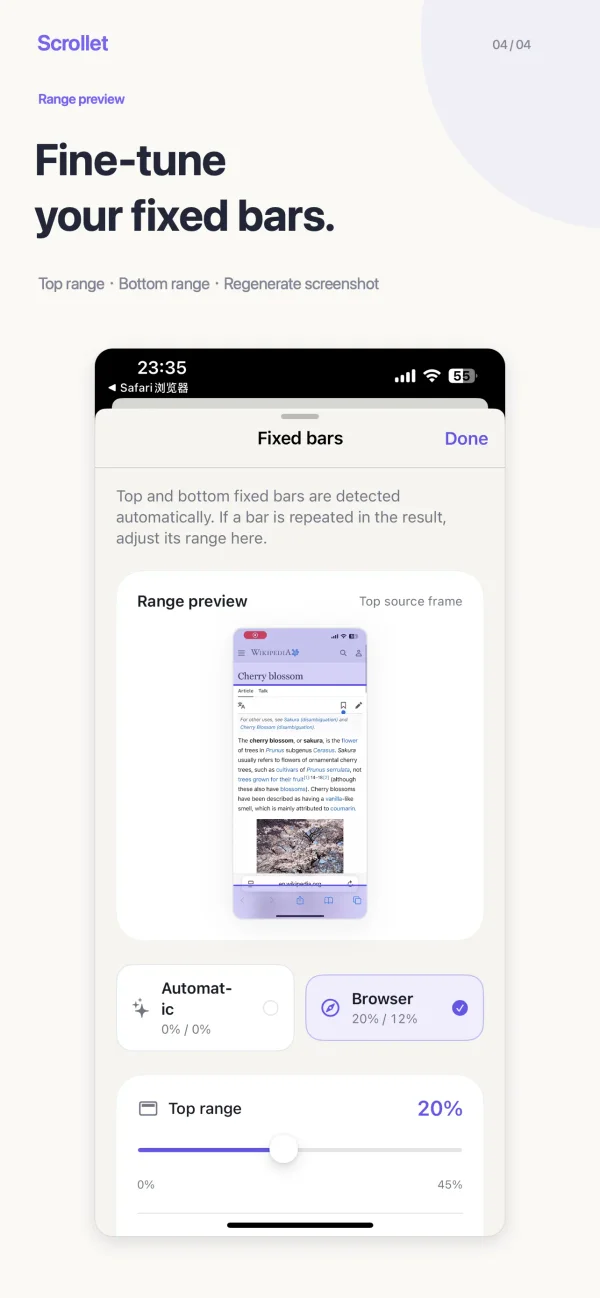
Fixed areas at the top and bottom are detected automatically. If you need to refine the result, adjust their ranges using the preview and regenerate the screenshot. Zoom in to inspect details, then save to Photos or share.
EXTRACT AND COPY TEXT
Recognize text in your long screenshot, read the result, and select a passage or copy all text. Content language is detected automatically, with support for Chinese and English or Japanese and English. Image stitching and text recognition run on your device.
AUTOMATIC ENDING
With automatic ending enabled, capture completes after you pause scrolling for 1 second. Please manually switch back to Scrollet to view the result, or wait about 5 seconds and tap the button in the system end prompt to return to the app. You can also stop recording manually with the system control.
FREE TO TRY, PRO WHEN YOU NEED IT
Each month, you can export 3 long screenshots for free, with a separate allowance of 3 free text recognition uses. Pro removes the usage limits for long-image exports and text recognition. Choose a monthly subscription, an annual subscription, or a one-time purchase. Prices and purchase terms are shown in the app before you buy.
For reliable stitching, scroll steadily. Protected content, fast scrolling, or changing page layouts may result in incomplete capture or stitching. Save important results before starting a new recording, which replaces the previous capture.
Terms of Use (Apple Standard EULA):
https://www.apple.com/legal/internet-services/itunes/dev/stdeula/
App privacy
What Wensheng Teng declares on the App Store about how this app handles data.
-
Data not collected
The developer does not collect any data from this app.
Privacy practices may vary, for example with the features you use or your age.
Information
- Seller
- Wensheng Teng
- Category
- Utilities
- Version
- 1.0
- Updated
- Oct 28, 2026
- Released
- Oct 27, 2026
- Size
- 10.0 MB
- Requires
- iOS 17.0 or later
- Age rating
- 4+
- Price
- Free
- In-app purchases
- Yes
- Languages
- English, Japanese, Simplified Chinese, Traditional Chinese
- Copyright
- © 2026 Scrollet
You might also like
-
 UOOK BMSUOOK ELECTRONICS INC.
-
 Network Monitor - 快速网络监测工具Utilities
-
 Digital Service PlatformUtilities
-
 Loud Alarm: The LoudestActually wakes you up
-
 Bareilly-311Utilities
-
 Scroll - Auto Scroll BrowserLong Reads, Articles, Manga
-
 ArcGIS AppStudio PlayerUtilities
-
 Text Remover & Editor - QutuErase,Edit & Change Photo Text
-
 VitOS ManagerUtilities
-
 Rose Early AccessUtilities