Secure Vault: Private Docs
Encrypted Document Vault
Conçue pour iPhone, iPad
Gratuit · Achats intégrés
- Classification d’âge4+
- CatégorieProductivité
- DéveloppeurSUN TEAME PTE. LTD.
- LanguesAnglais
- Taille12,4 Mo
Renvoie vers la page App Store officielle
Download.org n’héberge aucun fichier de Secure Vault: Private Docs. Le bouton ouvre la page de l’application sur App Store, où SUN TEAME PTE. LTD. la publie. Fiche vérifiée pour la dernière fois le 15/11/2026.
Captures d’écran
À propos
Le développeur n’a pas fourni ce texte dans votre langue.
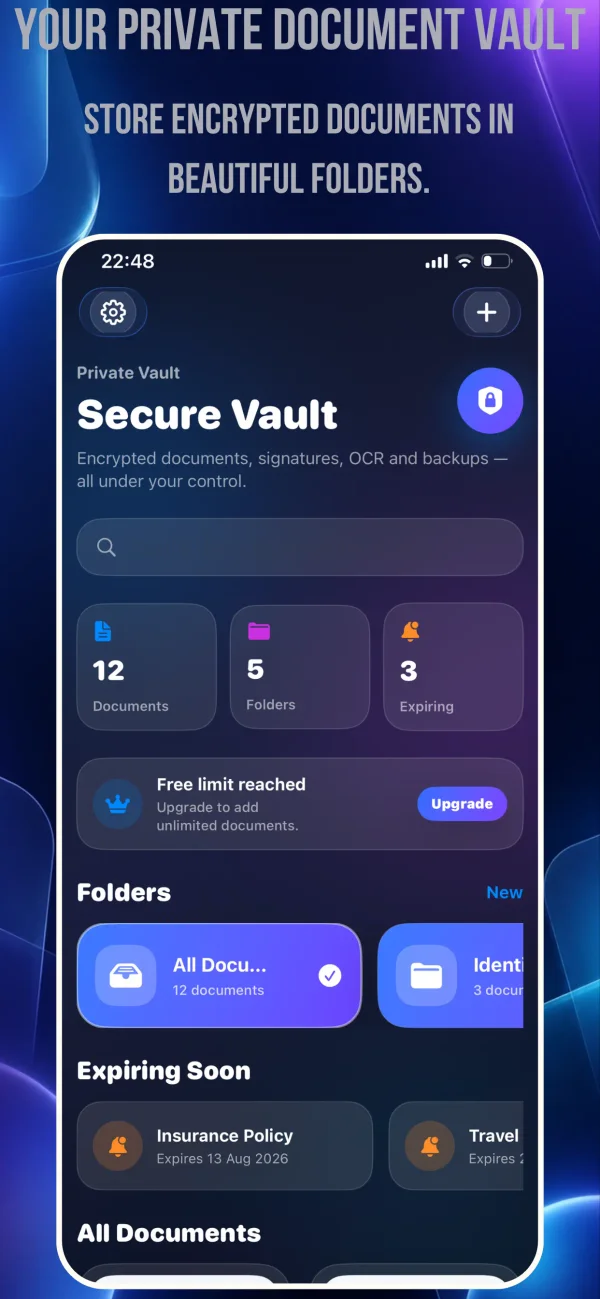
Secure Vault is a private document vault for iPhone, built for people who want to keep important documents organized, searchable, signed and protected.
Store passports, IDs, driver licenses, bank cards, contracts, diplomas, certificates, insurance papers and other personal documents in one secure place.
PRIVATE BY DESIGN
Secure Vault is built around local-first privacy. Your documents are stored on your device and encrypted on disk. The app does not require an account, does not use its own backend, and does not collect analytics.
You stay in control of your files.
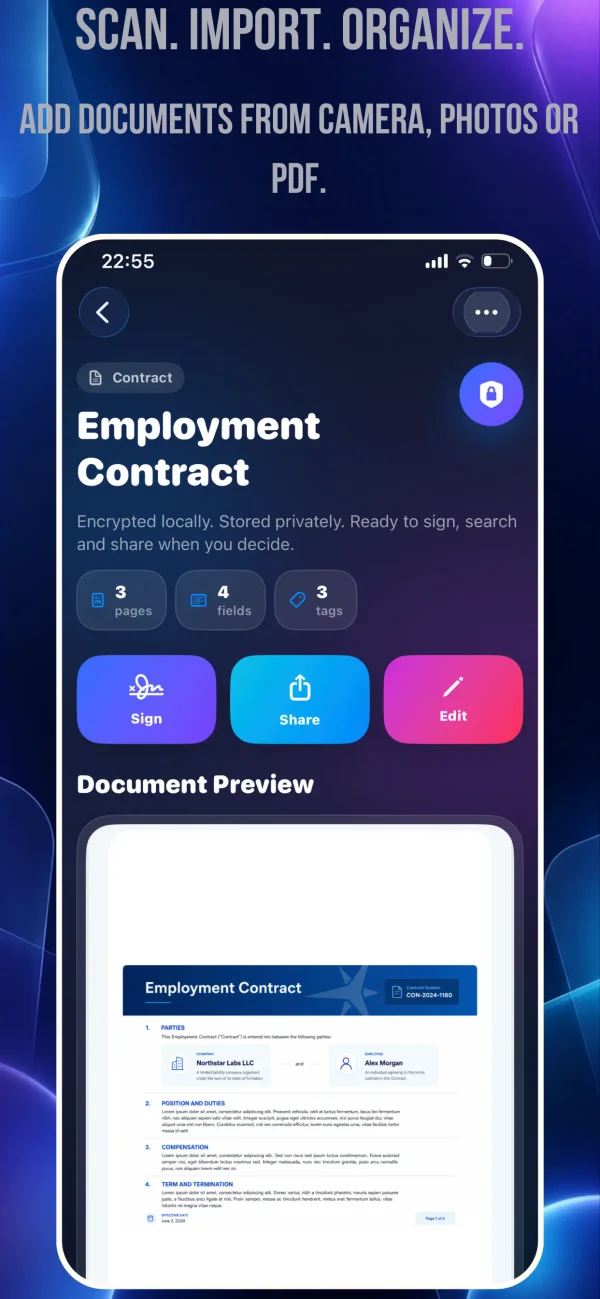
SCAN AND IMPORT DOCUMENTS
Add documents in multiple ways:
• Scan paper documents with the camera
• Import PDF files from Files
• Import photos from your photo library
• Convert scans and images into PDF documents
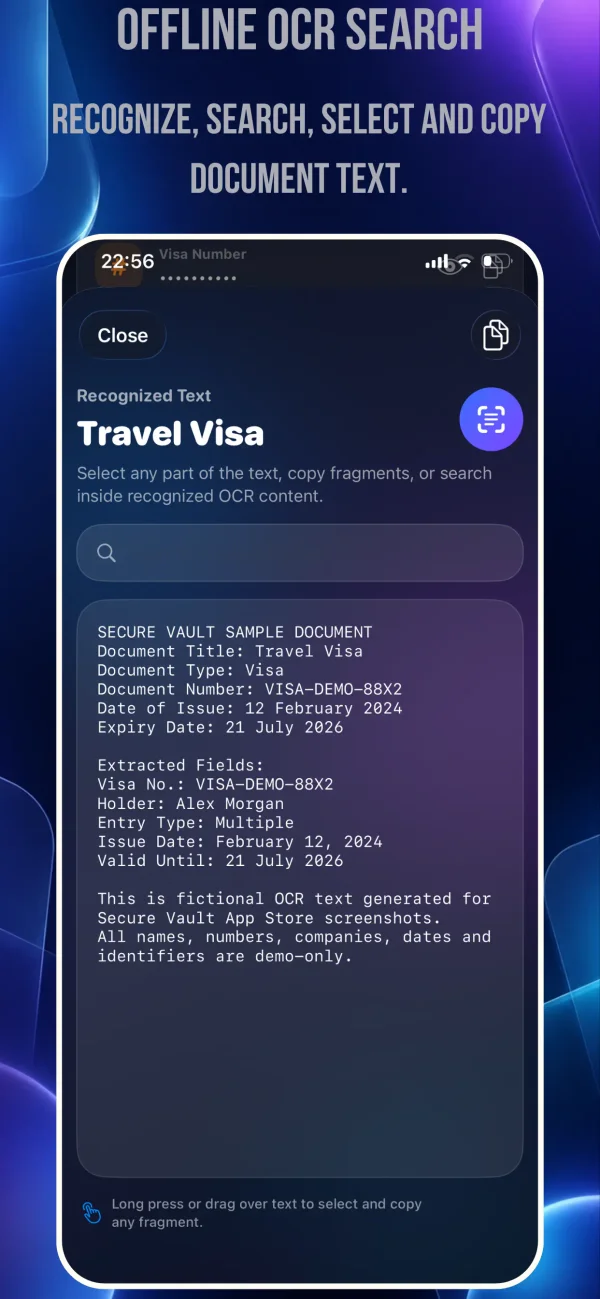
OCR TEXT RECOGNITION
Secure Vault uses Apple Vision to recognize text from scans and PDFs directly on your device.
Recognized text can be used for:
• Searching documents
• Viewing extracted content
• Copying selected text fragments
• Auto-filling document information when possible
The app can help detect useful information such as document type, document number, issue date and expiration date.
ORGANIZE YOUR VAULT
Keep your documents structured with beautiful folders and metadata.
You can organize documents by:
• Folder
• Document type
• Tags
• Title
• Expiration date
• Custom fields
Supported document types include passports, national IDs, driver licenses, tax IDs, bank cards, contracts, diplomas, certificates, insurance documents, vehicle documents and more.
CUSTOM SECURE FIELDS
Different documents need different information. Secure Vault supports custom fields so you can store exactly what you need.
For sensitive information, such as document numbers, card data, CVC or PIN codes, values are encrypted.
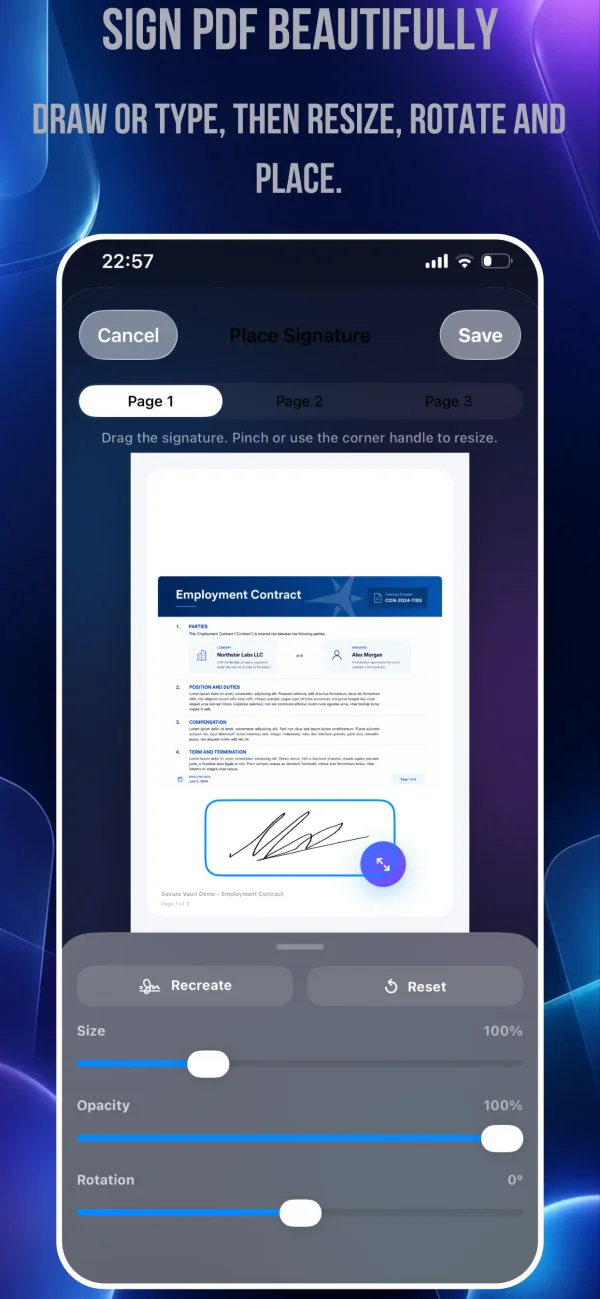
SIGN PDF DOCUMENTS
Create a signature once and place it on your document.
You can:
• Draw a signature with your finger
• Type a text-based signature
• Place the signature on any PDF page
• Move, resize, rotate and adjust opacity
• Save the signed PDF back into your vault
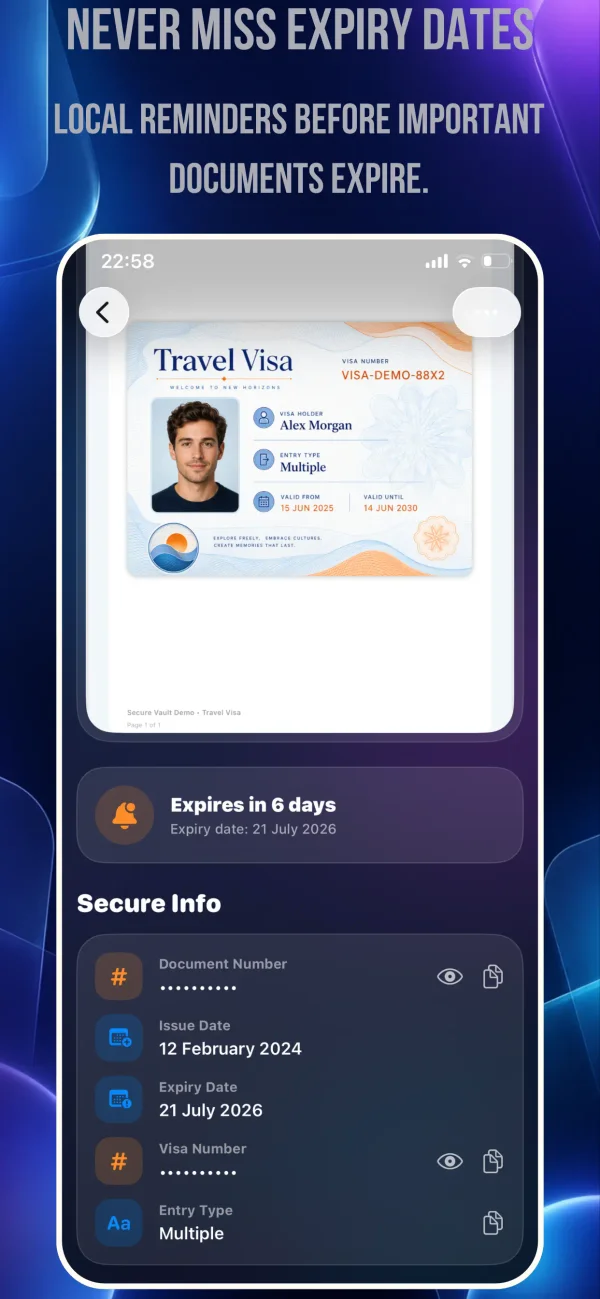
EXPIRATION REMINDERS
Secure Vault helps you stay ahead of document expiration dates.
You can receive local reminders before a document expires, including:
• 30 days before
• 7 days before
• 1 day before
• On the expiration day
Reminders are handled locally using iOS notifications.
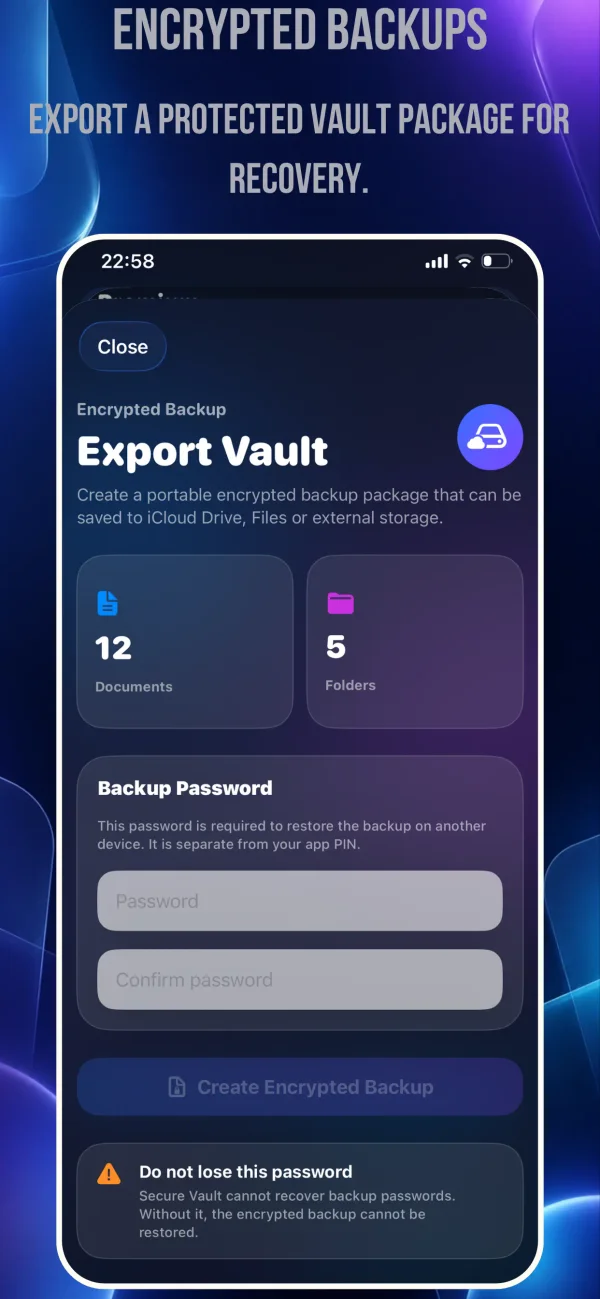
ENCRYPTED BACKUPS
Create an encrypted backup package and save it manually to Files, iCloud Drive or another storage provider.
Backup packages are encrypted locally with a backup password chosen by you. This allows you to restore your vault if you change or lose your device.
IMPORTANT: Keep your backup password safe. Secure Vault cannot recover forgotten backup passwords.
Secure Vault Premium unlocks:
• Unlimited encrypted documents
• Unlimited scans and imports
• Unlimited OCR document storage
• PDF signing tools
• Encrypted backup packages
• Expiration reminders for all documents
Secure Vault is designed for personal privacy, document organization and peace of mind.
Subscription Plans:
- Payment will be charged to your App Store Account at confirmation of purchase.
- Your subscription will automatically renew unless auto-renew is turned off at least 24 hours before the end of the current subscription period.
- Your account will be charged for renewal within 24 hours prior to the end of the current subscription period. Automatic renewals will cost the same price you were originally charged for the subscription.
- Manage or cancel your subscription from your user settings in the App Store at any time after purchasing.
- Any unused portion of a free trial will be forfeited if you purchase a subscription.
Privacy Policy: https://sunteame.com/privacy-policy/
Terms of Use: https://sunteame.com/terms-of-service/
Confidentialité de l’application
Ce que SUN TEAME PTE. LTD. déclare sur l’App Store au sujet du traitement des données par cette application.
-
Données non collectées
Le développeur ne collecte aucune donnée à partir de cette application.
Les pratiques en matière de confidentialité peuvent varier, notamment en fonction des fonctionnalités que vous utilisez ou de votre âge.
Informations
- Vendeur
- SUN TEAME PTE. LTD.
- Catégorie
- Productivité
- Version
- 1.0
- Mis à jour
- 23/07/2026
- Publié
- 22/07/2026
- Taille
- 12,4 Mo
- Nécessite
- iOS 17.0 ou version ultérieure
- Classification d’âge
- 4+
- Prix
- Gratuit
- Achats intégrés
- Oui
- Langues
- Anglais
- Copyright
- © 2026 @ Sun Teame Pte. Ltd.
Vous aimerez peut-être aussi
-
 Day By Day - Parallel LivesProductivité
-
 KineoAppProductivité
-
 Film RecognizerProductivité
-
 Meetly : Notes de réunionDictaphone et transcription
-
 Interprète de miaou de chatTranslate your cat's meow
-
 Baby Cry TranslatorPourquoi le bébé pleure-t-il ?
-
 MLC ChatProductivité
-
 Authenticator ShieldCodes 2FA et mots de passe
-
 Temps d’ecran - se concentrerBloquer application - focus
-
 Strongbox - Password ManagerKeePass & Password Safe Vault