Secure Vault: Private Docs
Encrypted Document Vault
Được thiết kế cho iPhone, iPad
Miễn phí · Mua hàng trong ứng dụng
- Độ tuổi4+
- Danh mụcHiệu Suất
- Nhà phát triểnSUN TEAME PTE. LTD.
- Ngôn ngữTiếng Anh
- Kích thước12,4 MB
Liên kết đến trang App Store chính thức
Download.org không lưu trữ tệp nào của Secure Vault: Private Docs. Nút này mở trang ứng dụng trên App Store, nơi SUN TEAME PTE. LTD. phát hành ứng dụng. Trang được kiểm tra lần cuối: 15/11/2026.
Ảnh chụp màn hình
Giới thiệu
Nhà phát triển chưa cung cấp nội dung này bằng ngôn ngữ của bạn.
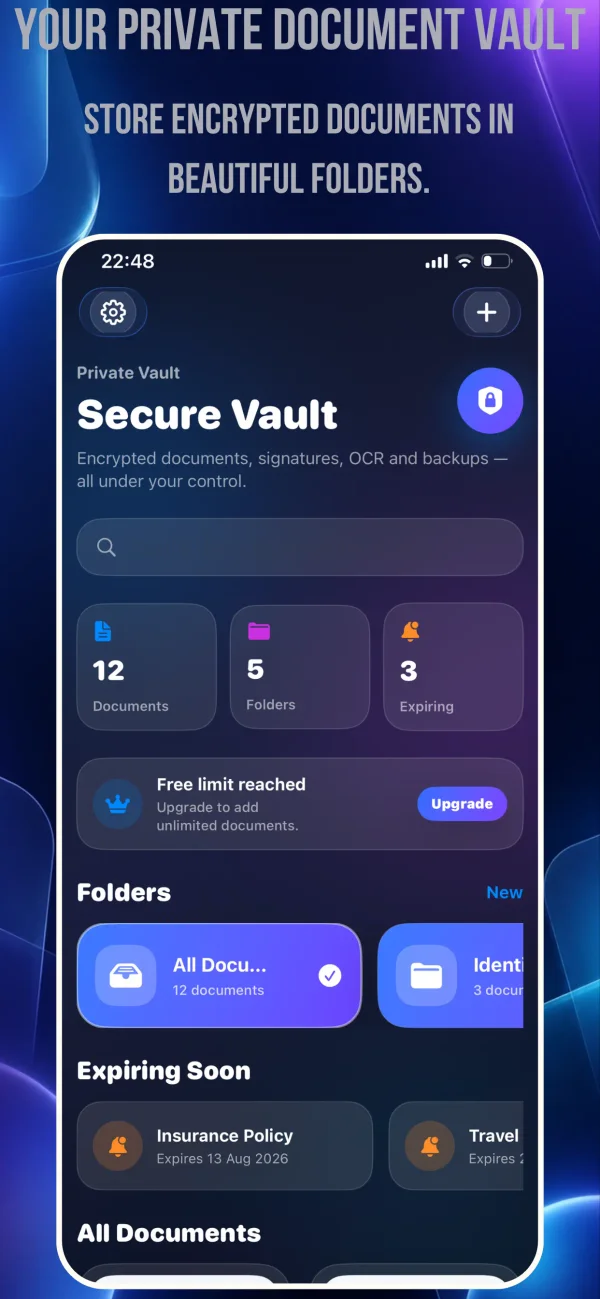
Secure Vault is a private document vault for iPhone, built for people who want to keep important documents organized, searchable, signed and protected.
Store passports, IDs, driver licenses, bank cards, contracts, diplomas, certificates, insurance papers and other personal documents in one secure place.
PRIVATE BY DESIGN
Secure Vault is built around local-first privacy. Your documents are stored on your device and encrypted on disk. The app does not require an account, does not use its own backend, and does not collect analytics.
You stay in control of your files.
SCAN AND IMPORT DOCUMENTS
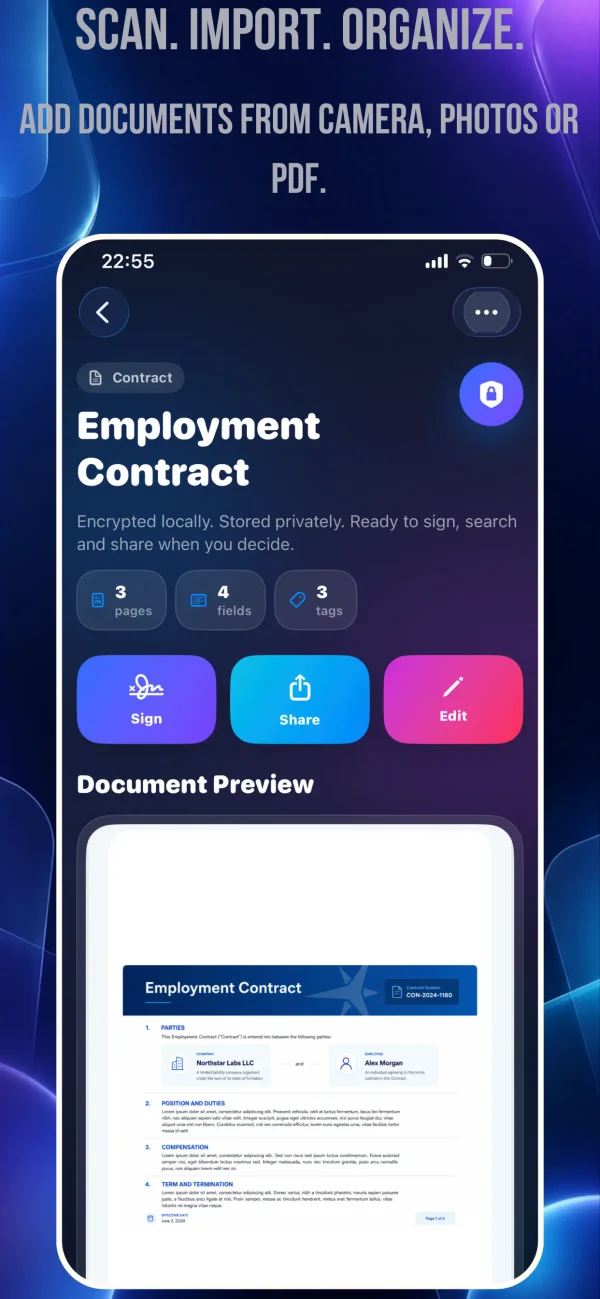
Add documents in multiple ways:
• Scan paper documents with the camera
• Import PDF files from Files
• Import photos from your photo library
• Convert scans and images into PDF documents
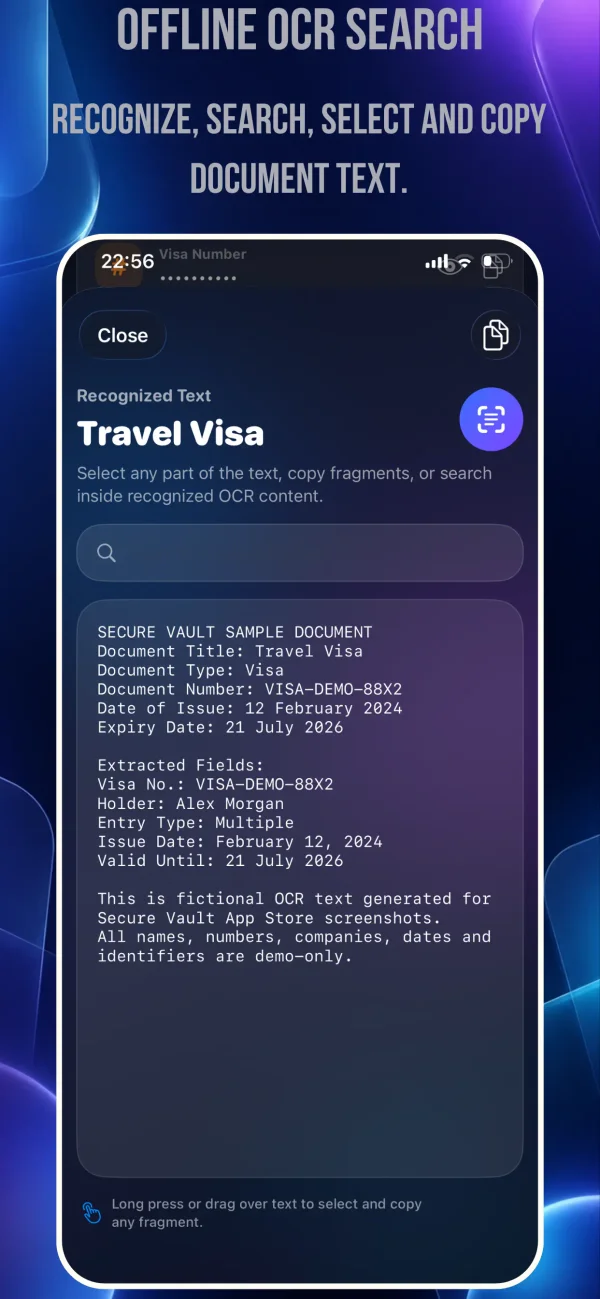
OCR TEXT RECOGNITION
Secure Vault uses Apple Vision to recognize text from scans and PDFs directly on your device.
Recognized text can be used for:
• Searching documents
• Viewing extracted content
• Copying selected text fragments
• Auto-filling document information when possible
The app can help detect useful information such as document type, document number, issue date and expiration date.
ORGANIZE YOUR VAULT
Keep your documents structured with beautiful folders and metadata.
You can organize documents by:
• Folder
• Document type
• Tags
• Title
• Expiration date
• Custom fields
Supported document types include passports, national IDs, driver licenses, tax IDs, bank cards, contracts, diplomas, certificates, insurance documents, vehicle documents and more.
CUSTOM SECURE FIELDS
Different documents need different information. Secure Vault supports custom fields so you can store exactly what you need.
For sensitive information, such as document numbers, card data, CVC or PIN codes, values are encrypted.
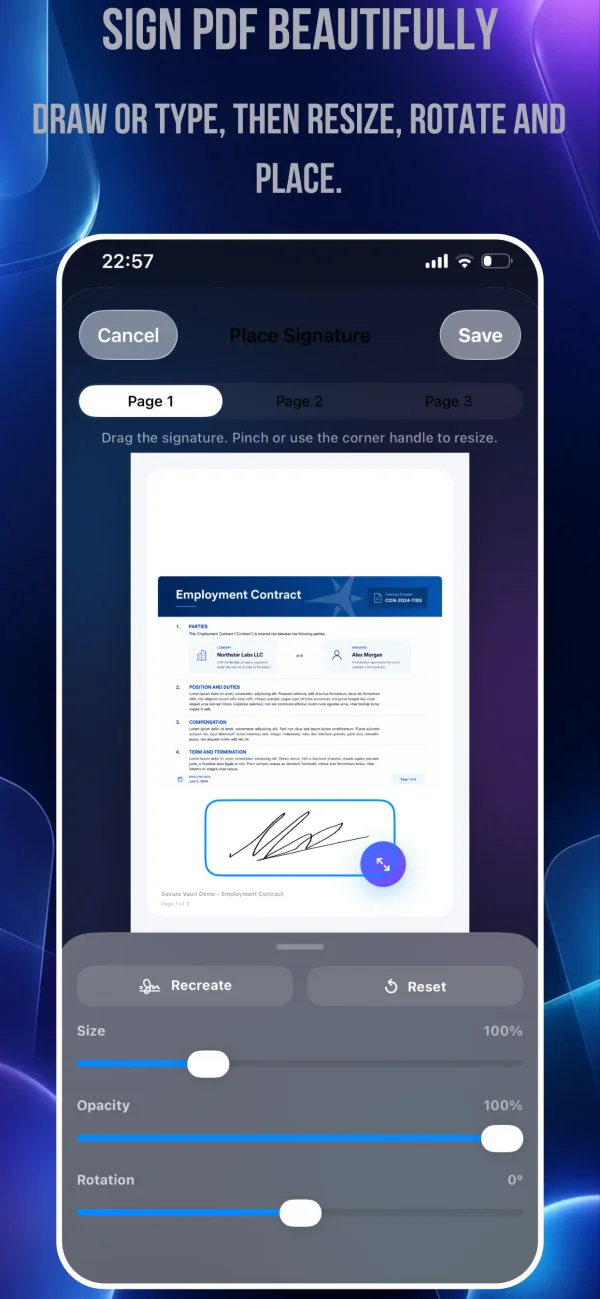
SIGN PDF DOCUMENTS
Create a signature once and place it on your document.
You can:
• Draw a signature with your finger
• Type a text-based signature
• Place the signature on any PDF page
• Move, resize, rotate and adjust opacity
• Save the signed PDF back into your vault
EXPIRATION REMINDERS
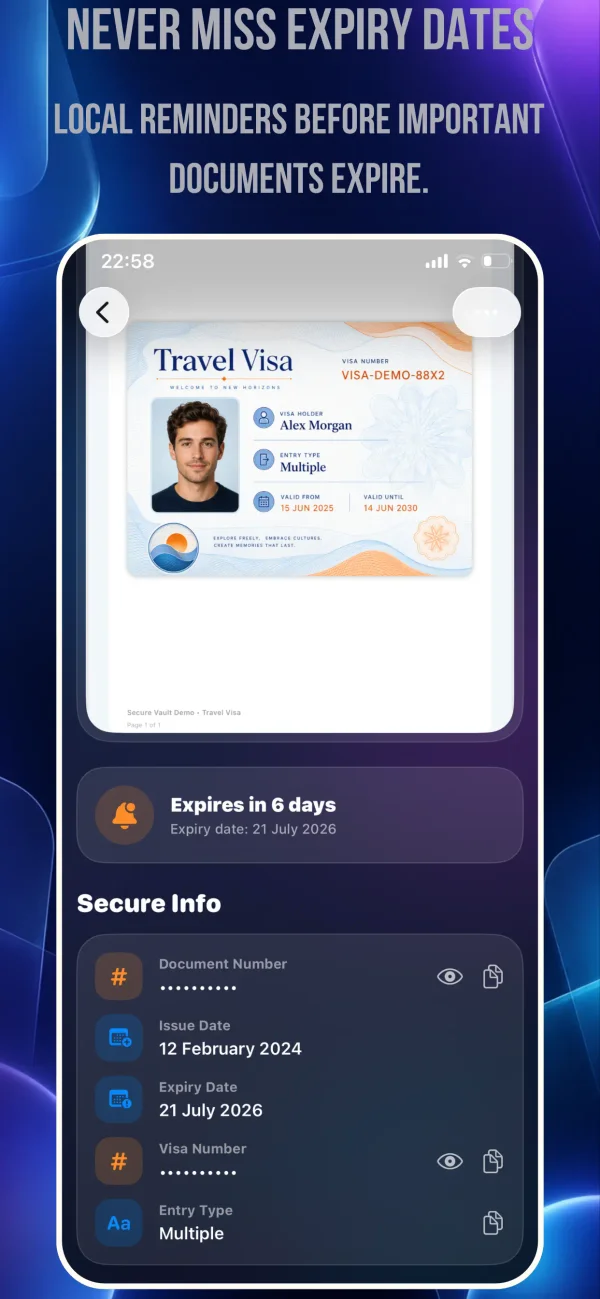
Secure Vault helps you stay ahead of document expiration dates.
You can receive local reminders before a document expires, including:
• 30 days before
• 7 days before
• 1 day before
• On the expiration day
Reminders are handled locally using iOS notifications.
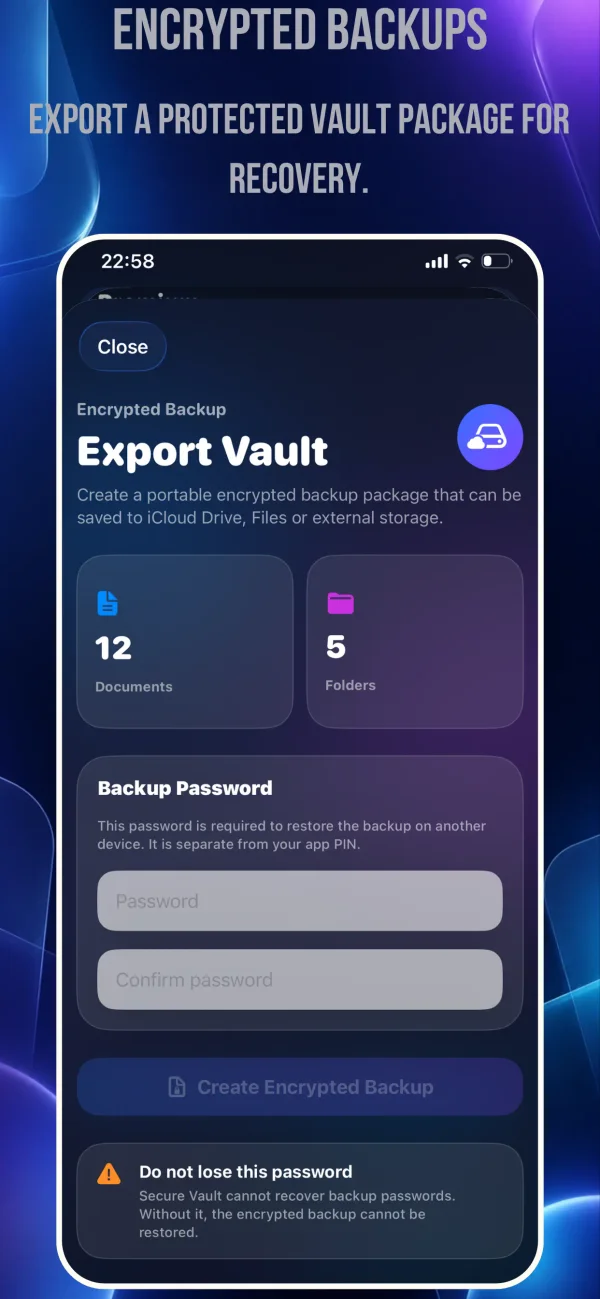
ENCRYPTED BACKUPS
Create an encrypted backup package and save it manually to Files, iCloud Drive or another storage provider.
Backup packages are encrypted locally with a backup password chosen by you. This allows you to restore your vault if you change or lose your device.
IMPORTANT: Keep your backup password safe. Secure Vault cannot recover forgotten backup passwords.
Secure Vault Premium unlocks:
• Unlimited encrypted documents
• Unlimited scans and imports
• Unlimited OCR document storage
• PDF signing tools
• Encrypted backup packages
• Expiration reminders for all documents
Secure Vault is designed for personal privacy, document organization and peace of mind.
Subscription Plans:
- Payment will be charged to your App Store Account at confirmation of purchase.
- Your subscription will automatically renew unless auto-renew is turned off at least 24 hours before the end of the current subscription period.
- Your account will be charged for renewal within 24 hours prior to the end of the current subscription period. Automatic renewals will cost the same price you were originally charged for the subscription.
- Manage or cancel your subscription from your user settings in the App Store at any time after purchasing.
- Any unused portion of a free trial will be forfeited if you purchase a subscription.
Privacy Policy: https://sunteame.com/privacy-policy/
Terms of Use: https://sunteame.com/terms-of-service/
Quyền riêng tư của ứng dụng
Những gì SUN TEAME PTE. LTD. khai báo trên App Store về cách ứng dụng này xử lý dữ liệu.
-
Dữ liệu không được thu thập
Nhà phát triển không thu thập bất kỳ dữ liệu nào từ ứng dụng này.
Phương thức đảm bảo quyền riêng tư có thể khác nhau, chẳng hạn như tuỳ theo các tính năng bạn sử dụng hoặc độ tuổi của bạn.
Thông tin
- Người bán
- SUN TEAME PTE. LTD.
- Danh mục
- Hiệu Suất
- Phiên bản
- 1.0
- Cập nhật
- 23/07/2026
- Phát hành
- 22/07/2026
- Kích thước
- 12,4 MB
- Yêu cầu
- iOS 17.0 trở lên
- Độ tuổi
- 4+
- Giá
- Miễn phí
- Mua hàng trong ứng dụng
- Có
- Ngôn ngữ
- Tiếng Anh
- Bản quyền
- © 2026 @ Sun Teame Pte. Ltd.
Có thể bạn cũng thích
-
 Day By Day - Parallel LivesHiệu Suất
-
 KineoAppHiệu Suất
-
 Film RecognizerHiệu Suất
-
 Meetly: Ghi chú cuộc họp AIGhi âm & chuyển thành văn bản
-
 Thông dịch viên mèo meoTranslate your cat's meow
-
 Baby Cry TranslatorBé khóc vì điều gì?
-
 MLC ChatHiệu Suất
-
 Authenticator - Shield AppHiệu Suất
-
 Screen Time Limit: App BlockerHiệu Suất
-
 Strongbox - Password ManagerHiệu Suất