
ShellDiver: SSH Client
Real terminal, no subscription
Conçue pour iPhone, iPad, Mac
Achats intégrés
- Classification d’âge12+
- CatégorieOutils de développement
- DéveloppeurMathias Oysmueller
- LanguesAnglais+ 1 de plus
- Taille11,3 Mo
ShellDiver: SSH Client n’est peut-être pas disponible sur App Store pour le moment
La fiche de la boutique était inaccessible lors de notre dernière vérification. Le lien mène toujours à la page App Store officielle.
Captures d’écran


À propos
Le développeur n’a pas fourni ce texte dans votre langue.
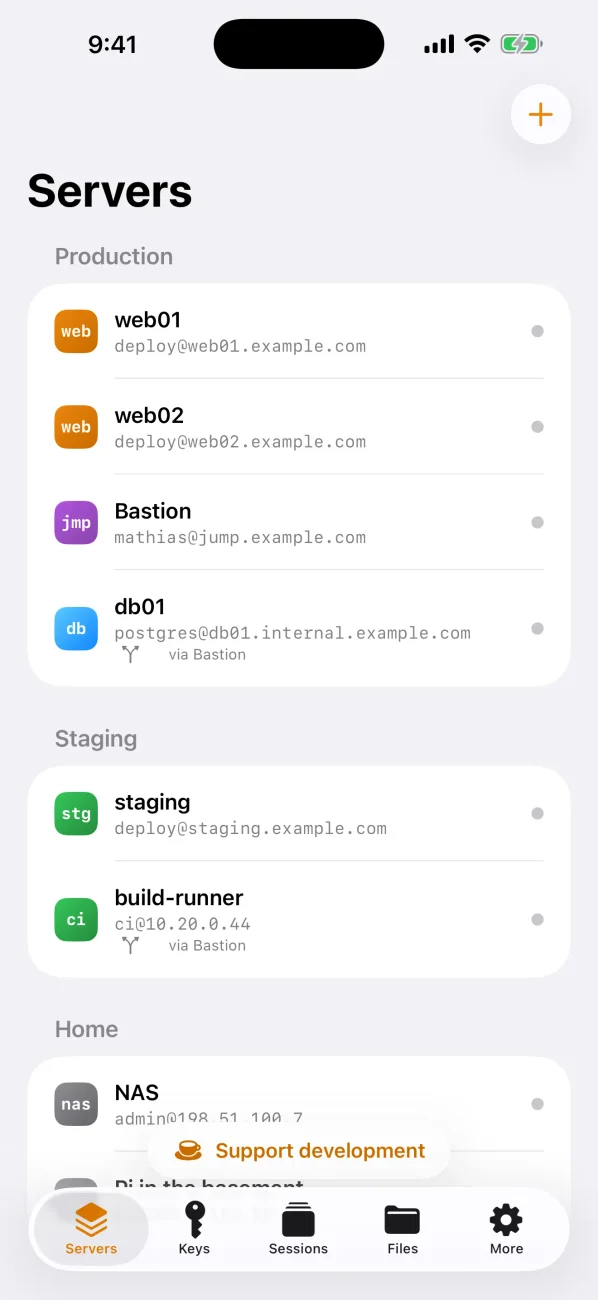
With software, free is usually a question rather than an answer. Here it is arithmetic: no server of ours, no accounts, no analytics — nothing for a subscription to pay for. Sync, startup commands, port forwarding: all of it is in the app.
WHERE YOUR KEYS LIVE
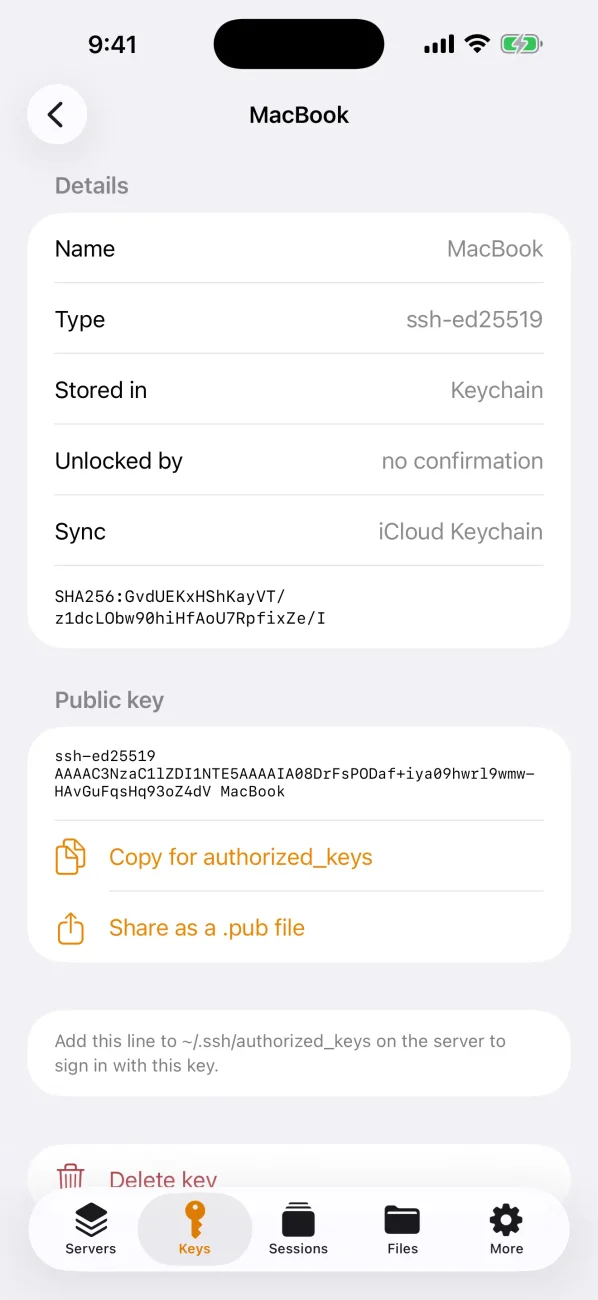
In your device's keychain. ShellDiver has no account and no sign-in — there is simply nowhere on our side for anything of yours to sit.
An Ed25519 key either travels with you through iCloud Keychain, end-to-end encrypted, or stays on this device behind Face ID.
A Secure Enclave key is created inside the security chip. It cannot be read out — not even by ShellDiver — never leaves the device, and will ask for Face ID on every sign-in if you want it to.
THE VAULT
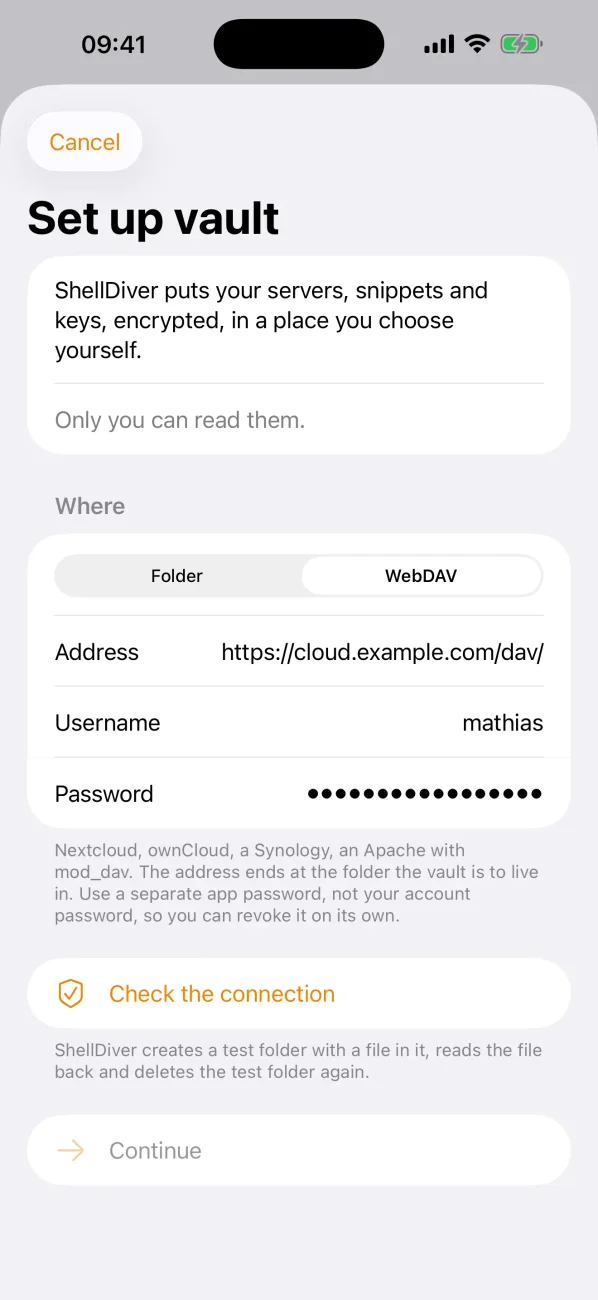
Instead of iCloud you can take syncing into your own hands: an encrypted file in a place
you choose. A USB stick, a cloud folder, or your own WebDAV server, so Nextcloud,
ownCloud, a Synology, an Apache with mod_dav.
It works across different Apple IDs and carries the secrets with it: saved server
passwords and private keys. Only your devices encrypt and decrypt. Whoever runs the
storage location sees nothing but unreadable files.
You add a second device with a QR code, without typing your passphrase there.
THE TERMINAL
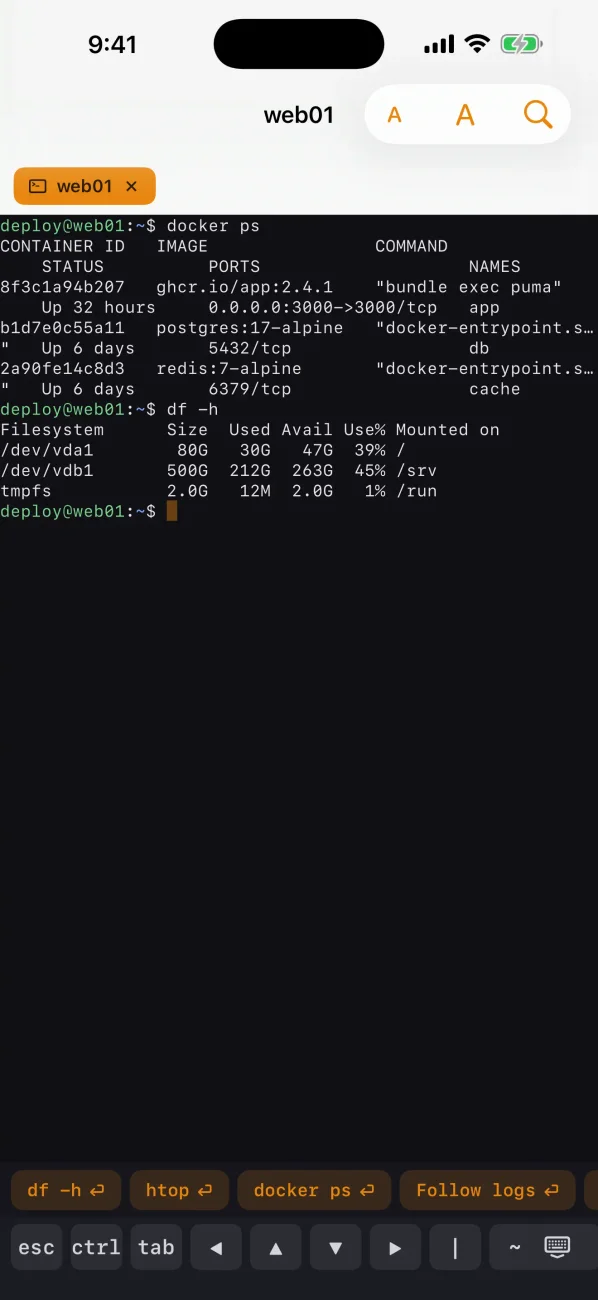
It does not hang up because you looked somewhere else for a minute: the connection belongs to the session, not to the screen. The running build and the half-typed line are still there when you come back. Up to 20 sessions as tabs, terminals and files mixed.
Real xterm emulation: colour, UTF-8, resizing that works — htop, vim and colourful logs look the way you expect. Plus search through the scrollback, your choice of monospaced font including Nerd Fonts, and five colour schemes. On iPhone there is a row above the keyboard with esc, ctrl, tab, arrows and a paste key, because a phone has no ⌘V.
When the link drops, ShellDiver notices through keepalives and rebuilds it by itself. This is SSH, not Mosh: the new shell starts fresh.
SIGNING IN WITHOUT GUESSING
ShellDiver asks the server which methods it offers and works through whatever it holds credentials for. That covers publickey followed by keyboard-interactive — 2FA after the key — and equally a server that only offers keyboard-interactive while the host is saved as "password". One-time codes are never pre-filled and never stored.
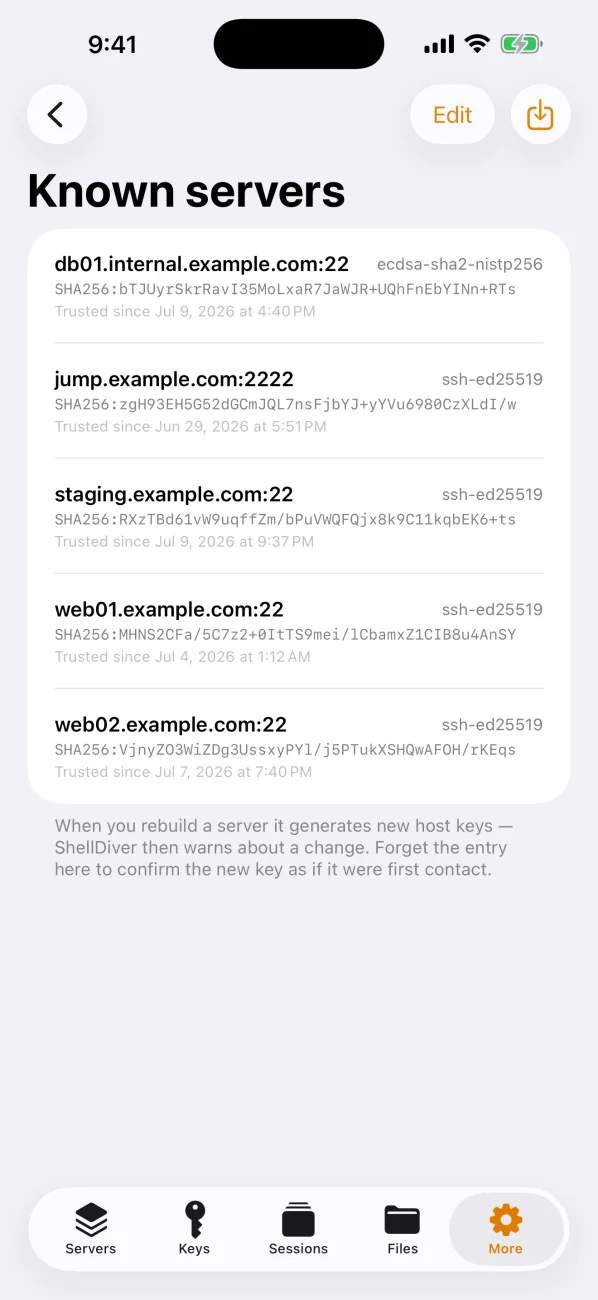
You confirm a host key once, by its fingerprint. Every connection after that checks it, and a key that has changed is refused rather than waved through.
THROUGH A JUMP HOST
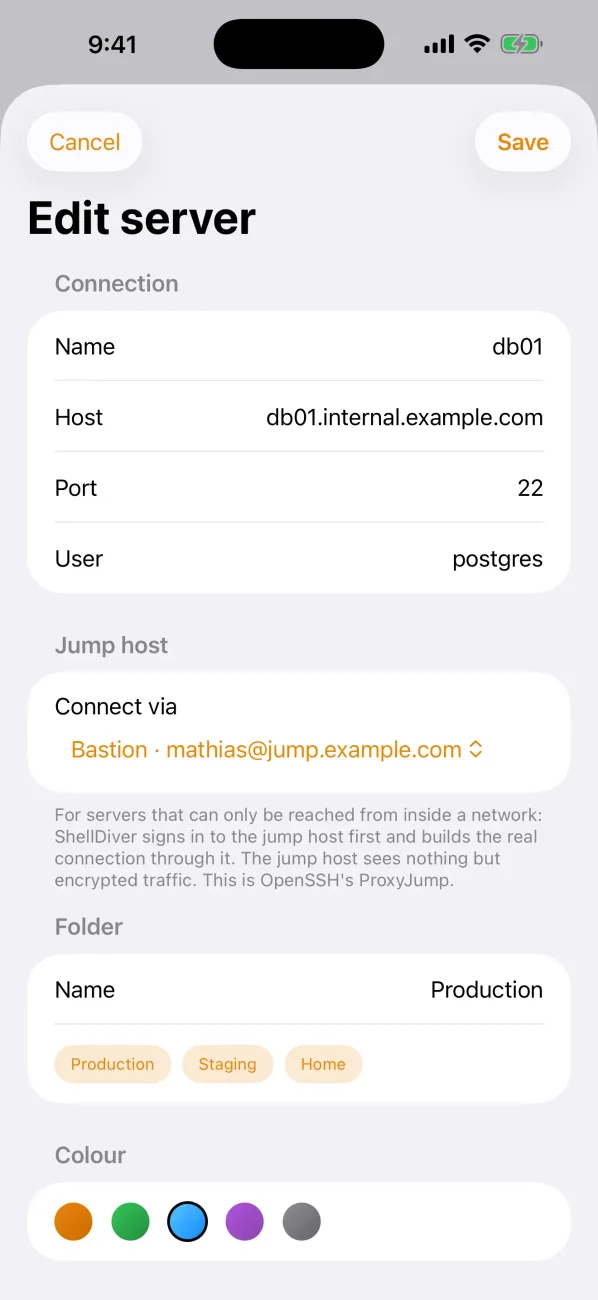
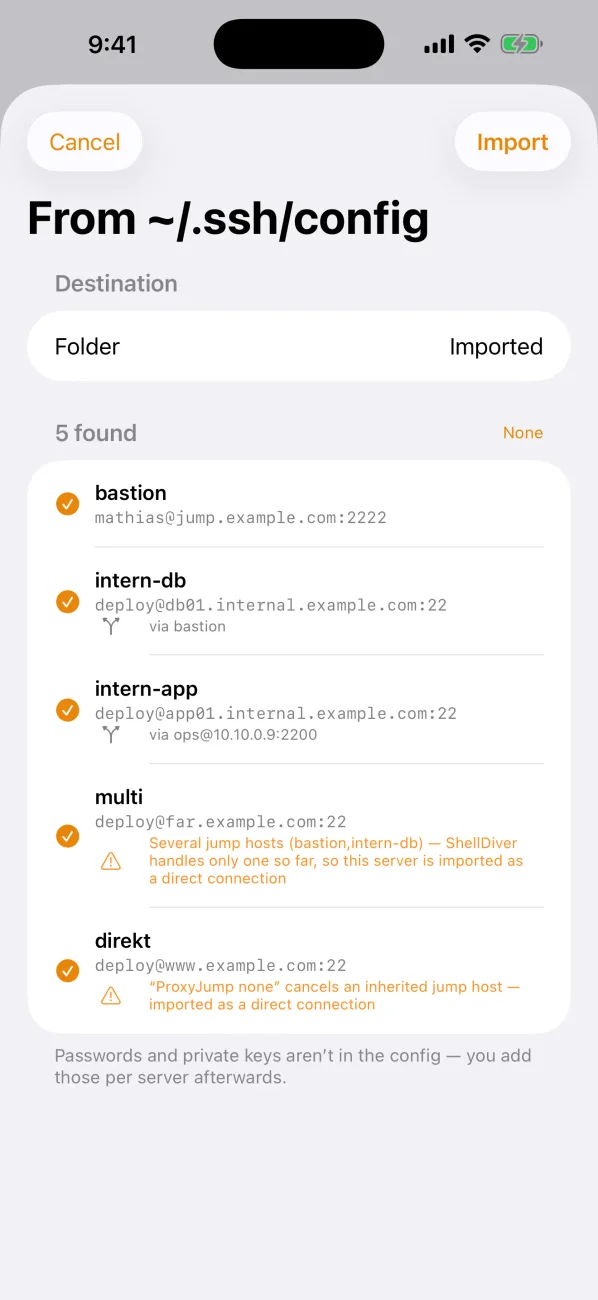
When a server is only open on the inside, you give it a jump host — OpenSSH's ProxyJump. The jump host then forwards nothing but encrypted bytes and cannot read along; both sign-ins are signed on this device. So your key does not have to sit on the machine in between, and a Secure Enclave key works here too.
FILES AND TUNNELS
The SFTP browser downloads and uploads, whole folders included, renames, and deletes recursively.
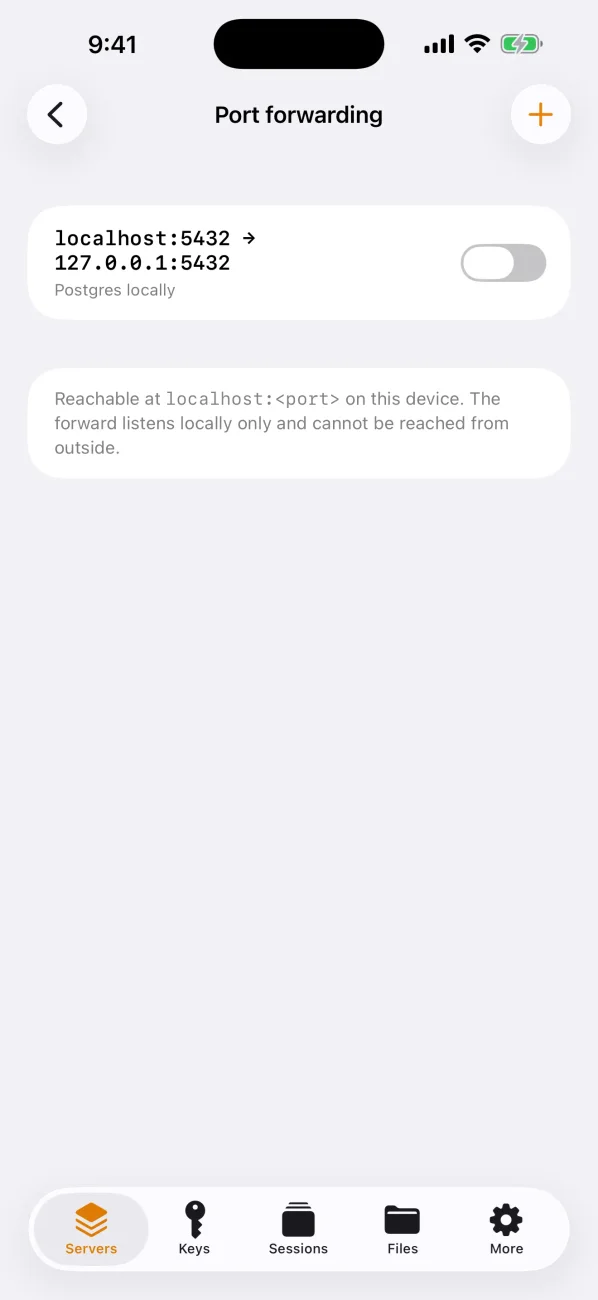
Local port forwarding brings a database or an admin interface onto this device. It listens on 127.0.0.1 only and cannot be reached from outside; each rule holds its own connection, so a tunnel does not fall with a terminal.
WHAT YOU ALREADY HAVE
Your ~/.ssh/config is imported, with each IdentityFile matched against the keys you have and any ProxyJump resolved; so is known_hosts, hashed entries as far as they can be matched. Keys come in as Ed25519, RSA or ECDSA — from the OpenSSH container, from PuTTY's .ppk (v2 and v3), and from the PEM family. A passphrase on the file is used once during import and not kept.
Snippets are also the buttons above the keyboard — global or bound to one host, with a confirmation step if you want one. One per host runs by itself as soon as the shell is open.
The backup is a JSON file you can read — secrets sit inside an encrypted block under a passphrase you choose. Without it nobody gets at them, us included.
Nouveautés
Version 1.2.1 · 10/10/2026
Security: the SSH library libssh2 has fifteen further fixes, along with OpenSSL 3.5.9. Twelve of the holes they close are reachable before sign-in even begins — this one is worth taking.
The terminal now stands up to servers that try to drown it in oversized control sequences or an endless stream of output. Before, that could take the app down.
Fixed: on a German keyboard the Option key types { } | and @ again. Until now none of that reached the server.
Fixed: an open file browser and a configured port forward stay connected, even when you leave them alone for a while.
New: jump host and startup command can be chosen in the connection window, not just read. Switching servers mid-attempt now cancels the old one cleanly.
Confidentialité de l’application
Ce que Mathias Oysmueller déclare sur l’App Store au sujet du traitement des données par cette application.
-
Données non collectées
Le développeur ne collecte aucune donnée à partir de cette application.
Les pratiques en matière de confidentialité peuvent varier, notamment en fonction des fonctionnalités que vous utilisez ou de votre âge.
Informations
- Vendeur
- Mathias Oysmueller
- Catégorie
- Outils de développement
- Version
- 1.2.1
- Mis à jour
- 10/10/2026
- Publié
- 28/07/2026
- Taille
- 11,3 Mo
- Nécessite
- iOS 18.0 ou version ultérieure
- Classification d’âge
- 12+
- Achats intégrés
- Oui
- Langues
- Anglais, Allemand
- Copyright
- © 2026 OSTRONG STUDIOS
Vous aimerez peut-être aussi
-
 Slint ViewerOutils de développement
-
 SigilTTY: AI SSH TerminalOutils de développement
-
 SSH AppOutils de développement
-
 Termalin: SSH & SFTP ClientOutils de développement
-
 Outpost: SSH ClientOutils de développement
-
 TermX SSHOutils de développement
-
 Nerd Font InstallerOutils de développement
-
 PushwordOutils de développement
-
 Drover: Steer AI Coding AgentsOutils de développement
-
 DevToolkit - SSH & FTPOutils de développement