
Shooting Cut
Video Editor for Shooters
Conçue pour iPhone, iPad, Mac
Gratuit · Achats intégrés
- Classification d’âge4+
- CatégoriePhoto et vidéo
- DéveloppeurShootingCut LLC
- LanguesAnglais+ 1 de plus
- Taille22,6 Mo
Renvoie vers la page App Store officielle
Download.org n’héberge aucun fichier de Shooting Cut. Le bouton ouvre la page de l’application sur App Store, où ShootingCut LLC la publie. Fiche vérifiée pour la dernière fois le 15/11/2026.
Captures d’écran



À propos
Le développeur n’a pas fourni ce texte dans votre langue.
Shooting Cut — The smart video editor for competitive shooters.
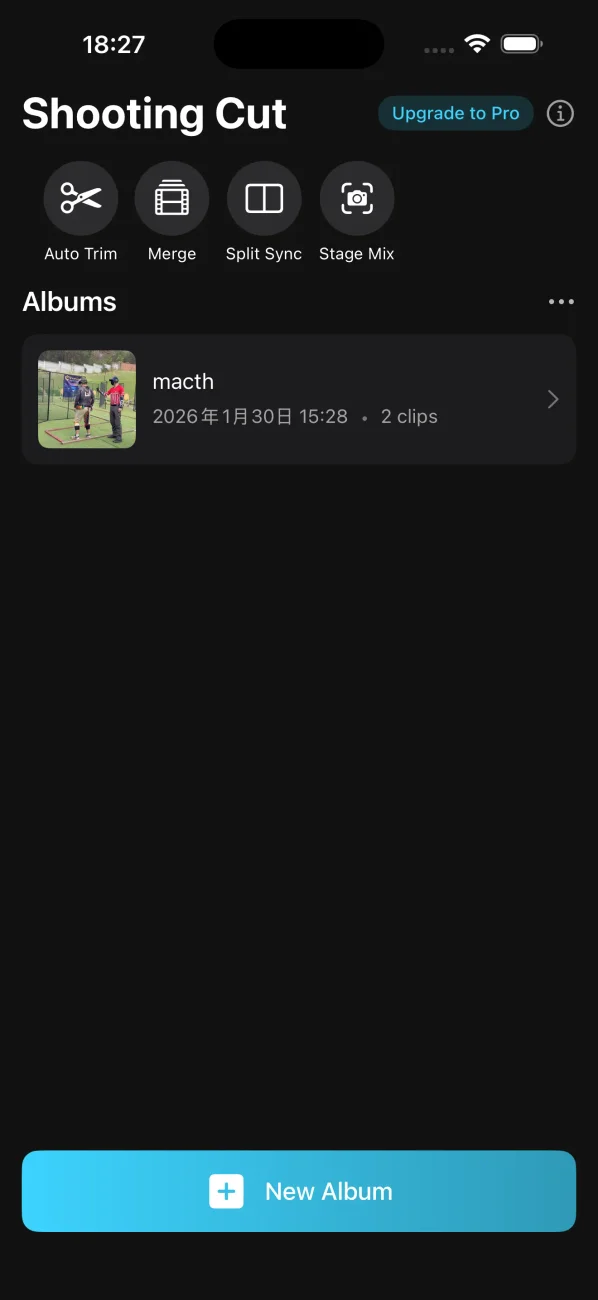
Built for USPSA, IPSC, IDPA, 3-Gun, and any timed shooting discipline. Import your footage — the app finds the timer beep and every gunshot on its own, then exports a finished video in minutes. No manual editing required.
FOUR EDITING MODES
- Auto Trim
Finds the timer beep and the last shot, trims to exact match duration. Choose how many seconds to keep before the timer and after the final shot.
- Merge
Stitch up to 20 stage videos into one highlight reel. Each clip keeps its own score subtitle and split times.
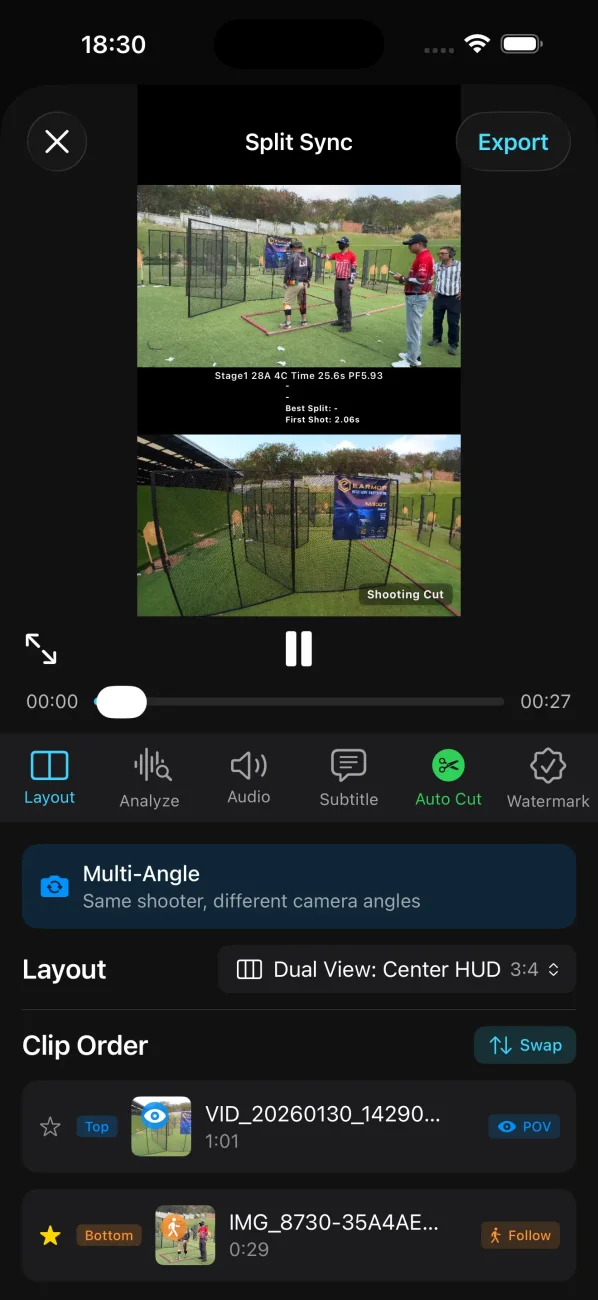
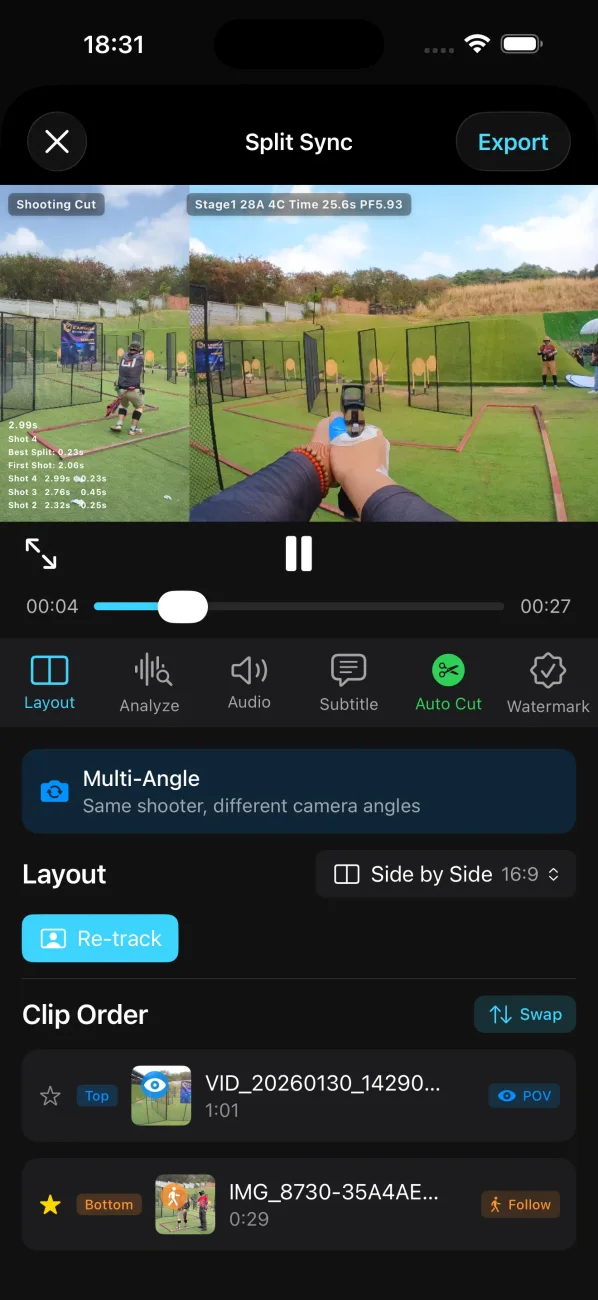
- Split Sync
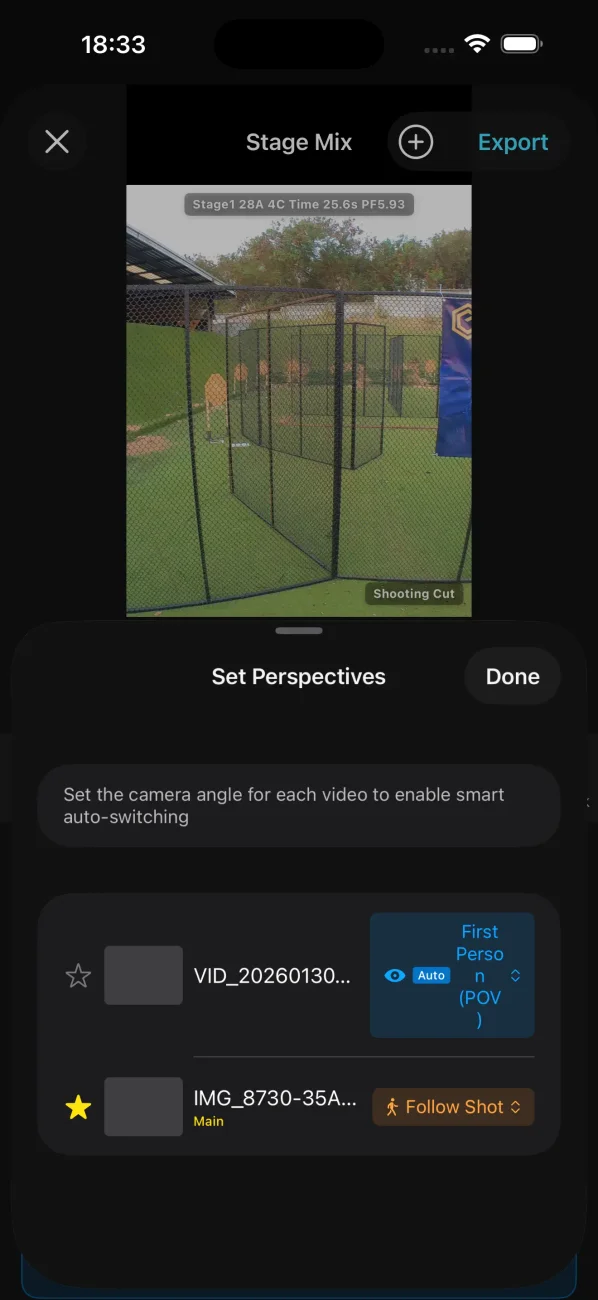
Sync two camera angles across four layouts: Full Screen (9:16), Dual Center HUD, Dual Top HUD, or Side by Side (16:9). Every layout auto-syncs to the timer.
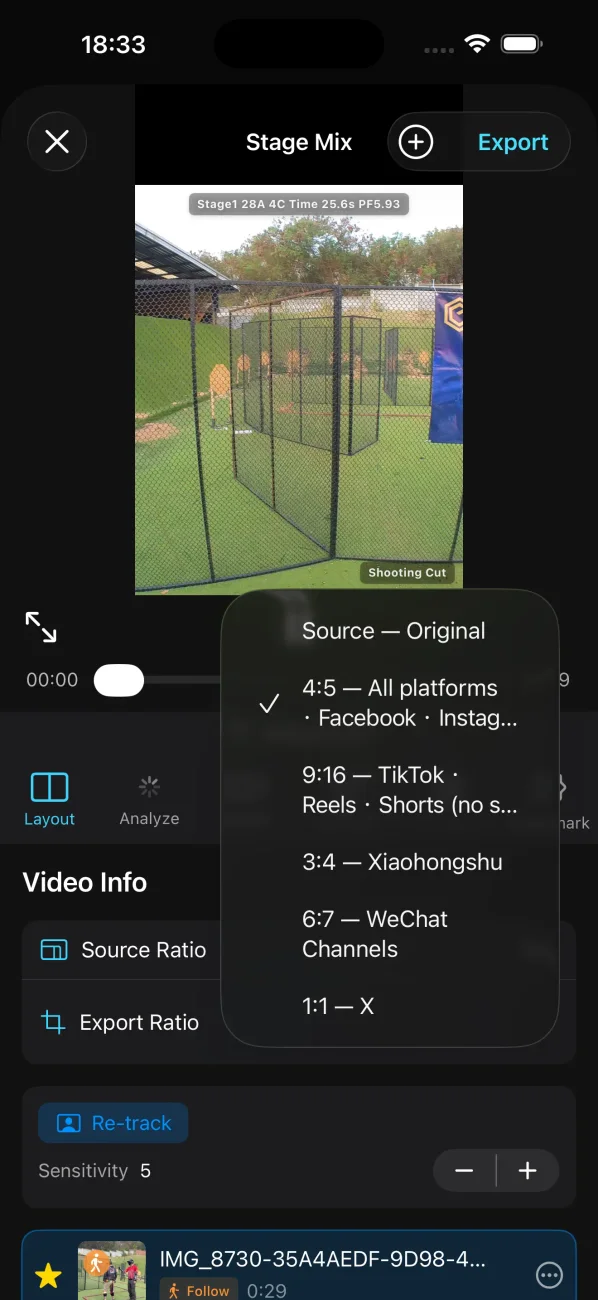
- Stage Mix
Multi-camera editing for 2-3 angles. Assign perspectives (POV, Follow, Static) — detected automatically. The app splits the stage into shooting segments, short moves and long moves, cutting to the best angle for each. Manual override available.
TIMER & SHOT DETECTION
Tap Analyze to find the timer and every shot on a live waveform. Tune sensitivity per clip, set the minimum split interval so rapid fire is not merged into one shot, drag the timer marker, remove false detections, or mark the true last shot.
OFFICIAL SCORES
Import match scores from PractiScore, ESS, HDP, Shoot'n Score It, or IDPA PDF reports. ESS browsing covers 41 regions worldwide and Shoot'n Score It adds the Nordics and the UK — find your match and your name without leaving the app. With PractiScore, official per-shot times anchor onto your footage automatically, so the splits on screen match the official record and stay aligned when you drag the timer. Score badges appear on your video thumbnails so stages are easy to tell apart. USPSA, IPSC, IDPA and PCSL match types supported.
SUBTITLES & SCORE CARDS
Overlays show stage time, splits, shot count, hit factor and best split, with hits colour-coded by zone. Pick Badge, Compact or Full card styles. Titles auto-fill with match name, division, hit factor and rankings when you share.
EXPORT & SHARE
- Export in Original, 4K, 1080p or 720p — the picker offers only what your footage can deliver
- Aspect ratios: 9:16 / 4:5 / 1:1 / 16:9 or Source
- AI Reframe: tracks and centres the shooter for portrait exports
- Direct upload to YouTube and Facebook (Pro)
- Share to Instagram and Facebook Stories through the iOS share sheet
- Batch export across ratios and resolutions (Mac / Pro)
- iCloud sync for aliases, perspectives and scores across your devices
FREE VS PRO
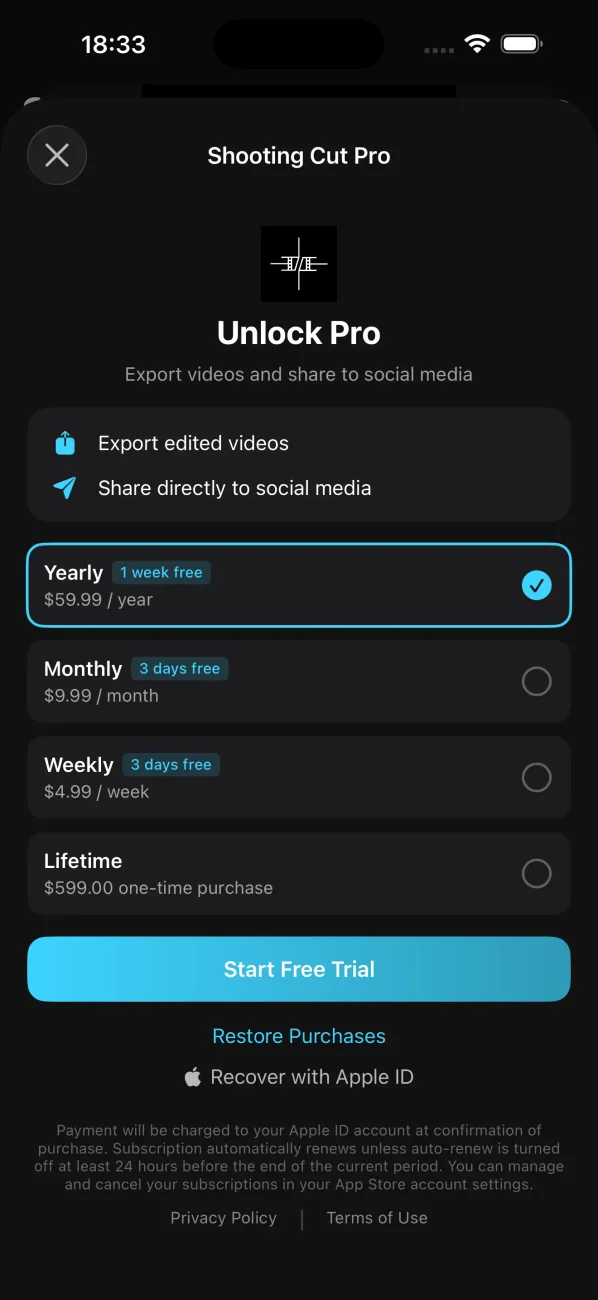
Auto Trim and score import — including PractiScore official per-shot times — are free for everyone. Free exports carry a Shooting Cut watermark and a logo intro card. ShootingCut Pro removes the watermark and unlocks custom intro cards, the multi-camera modes, social upload and batch export.
Try Pro free before you pay:
- Weekly and Monthly plans: 3-day free trial
- Annual plan: 7-day free trial
Cancel any time during the trial at no charge.
Pricing:
- Weekly: $4.99
- Monthly: $9.99
- Annual: $59.99
Payment is charged to your Apple ID at confirmation. Subscriptions renew automatically unless canceled at least 24 hours before the period ends. Manage or cancel in your Apple ID account settings.
REQUIREMENTS
iPhone and iPad on iOS 26 or later, Mac on macOS 26 or later. Start editing at the range, finish on your Mac at home.
Built by competitive shooters, for competitive shooters.
Privacy Policy: https://shootingcut.com/privacy.html
Terms of Use: https://www.apple.com/legal/internet-services/itunes/dev/stdeula/
Nouveautés
Version 1.1.9 · 26/08/2026
Smarter Auto-Reframe Tracking
• The camera now recognizes YOUR shooter — appearance-based identity keeps tracking locked on the person you picked
• Rock-steady framing: the camera holds still while your shooter is stationary, then follows smoothly through fast position changes
• Much better detection for crouching, prone, and partially hidden shooters
• Lost tracking? Just tap your shooter anywhere on the frame — plus nearby-frame candidates and a thumbnail strip for every detected person
Plus stability and performance improvements.
Confidentialité de l’application
Ce que ShootingCut LLC déclare sur l’App Store au sujet du traitement des données par cette application.
-
Données n’établissant aucun lien avec vous
Peuvent être collectées, mais ne sont pas liées à votre identité.
- Identifiants
- Données d’utilisation
Les pratiques en matière de confidentialité peuvent varier, notamment en fonction des fonctionnalités que vous utilisez ou de votre âge.
Informations
- Vendeur
- ShootingCut LLC
- Catégorie
- Photo et vidéo
- Version
- 1.1.9
- Mis à jour
- 26/08/2026
- Publié
- 01/04/2026
- Taille
- 22,6 Mo
- Nécessite
- iOS 26.0 ou version ultérieure
- Classification d’âge
- 4+
- Prix
- Gratuit
- Achats intégrés
- Oui
- Langues
- Anglais, Chinois simplifié
- Copyright
- © 2025 ShootingCut LLC
Vous aimerez peut-être aussi
-
 Reshoot: Dry Fire TrainingPhoto et vidéo
-
 RangeTracks Shot StudioPhoto et vidéo
-
 SplitShot – Dual Camera VideoPhoto et vidéo
-
 Batch Compress Videos - ShrinkPhoto et vidéo
-
 MELPI - Pose Guide CameraPhoto et vidéo
-
 Clip ShotsPhoto et vidéo
-
 PixelCut Pro: Fond IA & PhotoDétourage photo par IA
-
 Video Trimmer - with secondsPhoto et vidéo
-
 Video Trimmer: Batch EditorPhoto et vidéo
-
 Bystander Video BlurPhoto et vidéo