
Video Trimmer: Batch Editor
Merge Clips & Capture Photos
Conçue pour iPhone, iPad, iPod touch
Gratuit · Achats intégrés
- Classification d’âge4+
- CatégoriePhoto et vidéo
- DéveloppeurAli Umer
- LanguesAnglais
- Taille47,6 Mo
Renvoie vers la page App Store officielle
Download.org n’héberge aucun fichier de Video Trimmer: Batch Editor. Le bouton ouvre la page de l’application sur App Store, où Ali Umer la publie. Fiche vérifiée pour la dernière fois le 18/11/2026.
Captures d’écran
À propos
Le développeur n’a pas fourni ce texte dans votre langue.
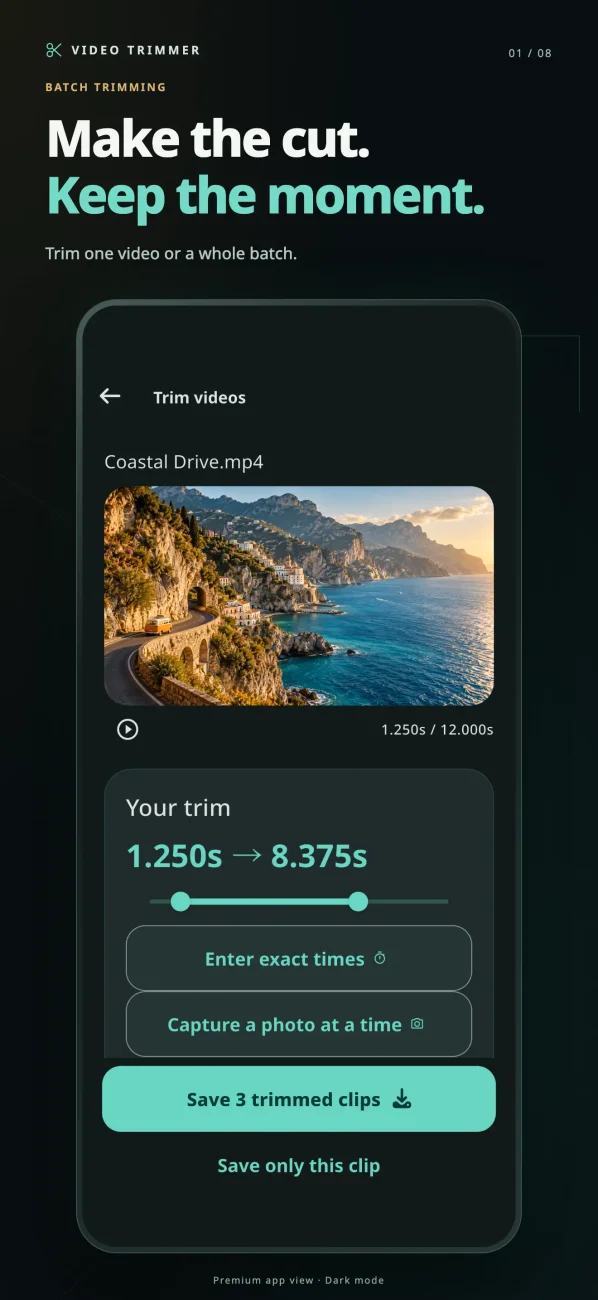
Trim one video or a whole batch, merge clips into one video, and capture photos from your favorite moments. Video Trimmer makes editing straightforward on iPhone and iPad, from import and preview to export and sharing.
TRIM ONE VIDEO OR A BATCH
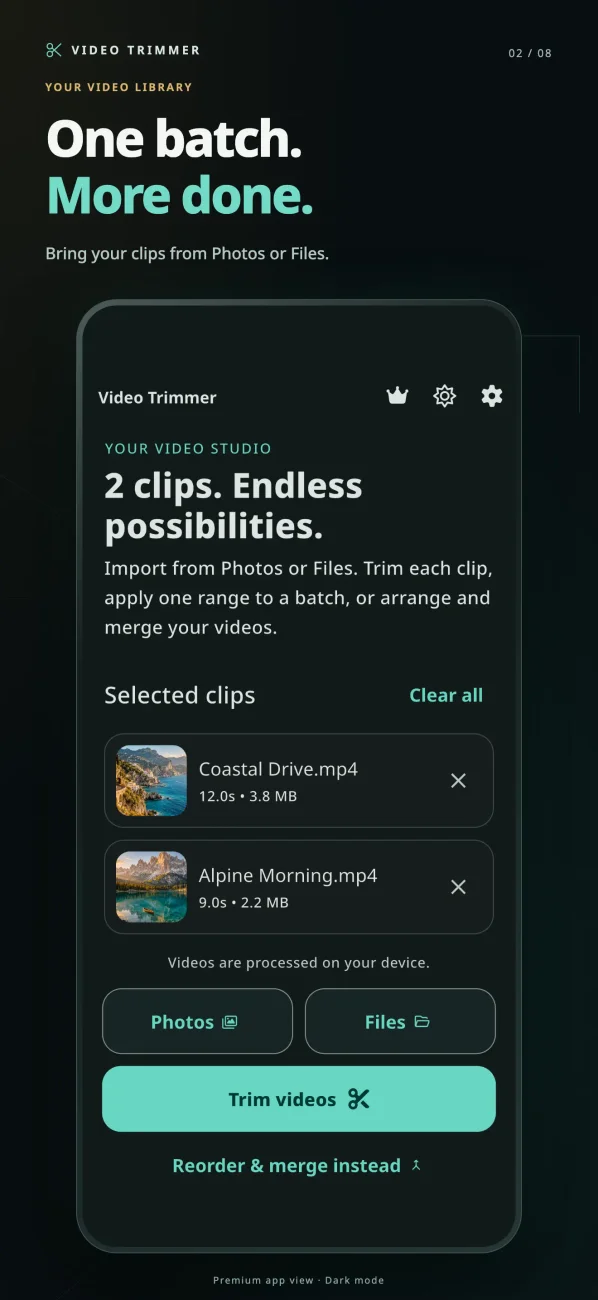
• Import videos from Photos or Files, including iCloud Drive.
• Choose a different trim for each clip, or apply one range to your batch.
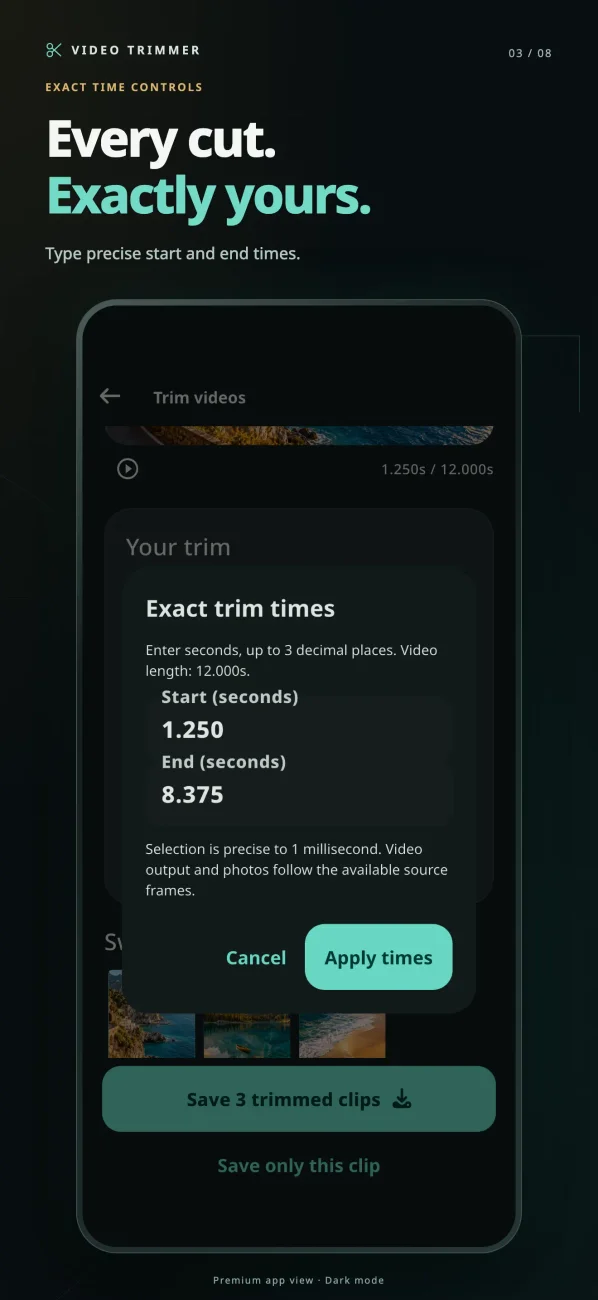
• Enter exact start and end times with millisecond controls.
• Preview your selection before exporting.
• Keep your original videos untouched.
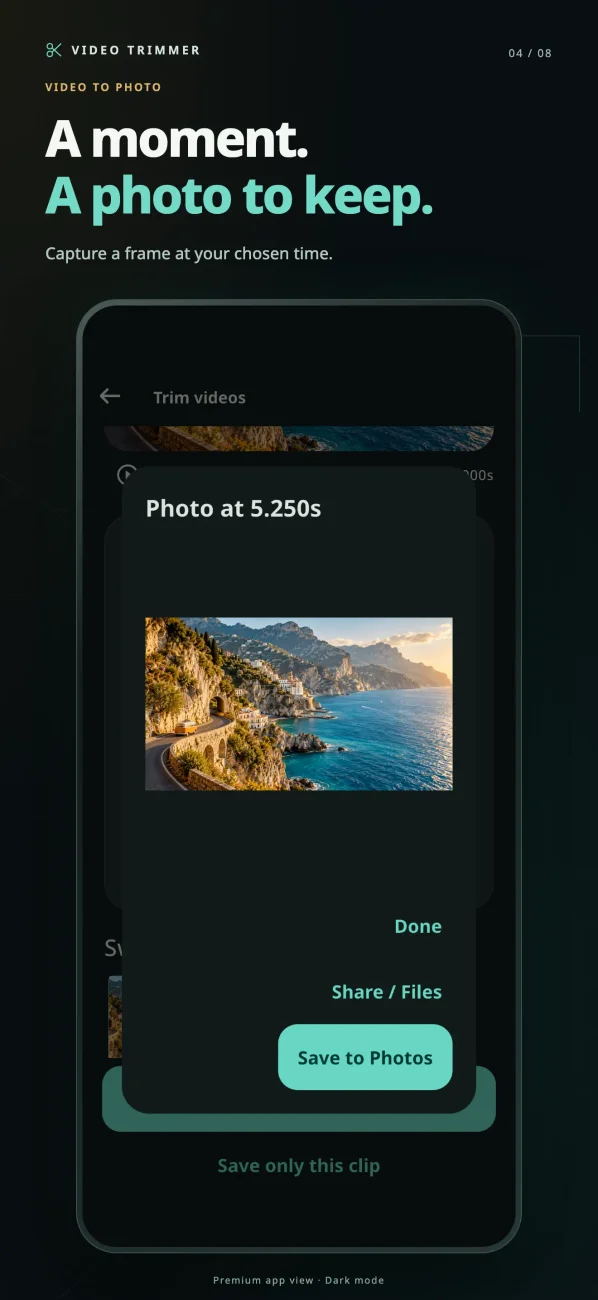
TURN VIDEO MOMENTS INTO PHOTOS
Choose a time in your video, capture a frame, then save the photo to Photos or share it. Ideal for keeping a favorite moment without taking a screenshot of the player.
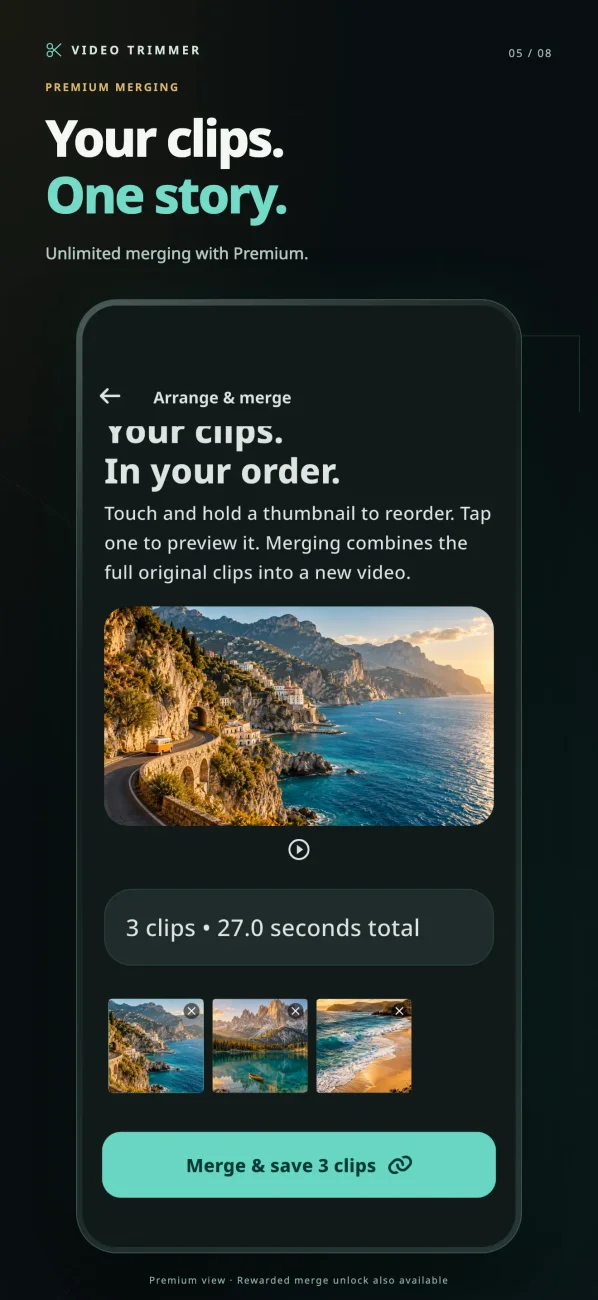
ARRANGE AND MERGE
Reorder your clips and combine them into one video. Premium includes unlimited merging. You can also finish a rewarded video ad to unlock one successful merge during your current app session.
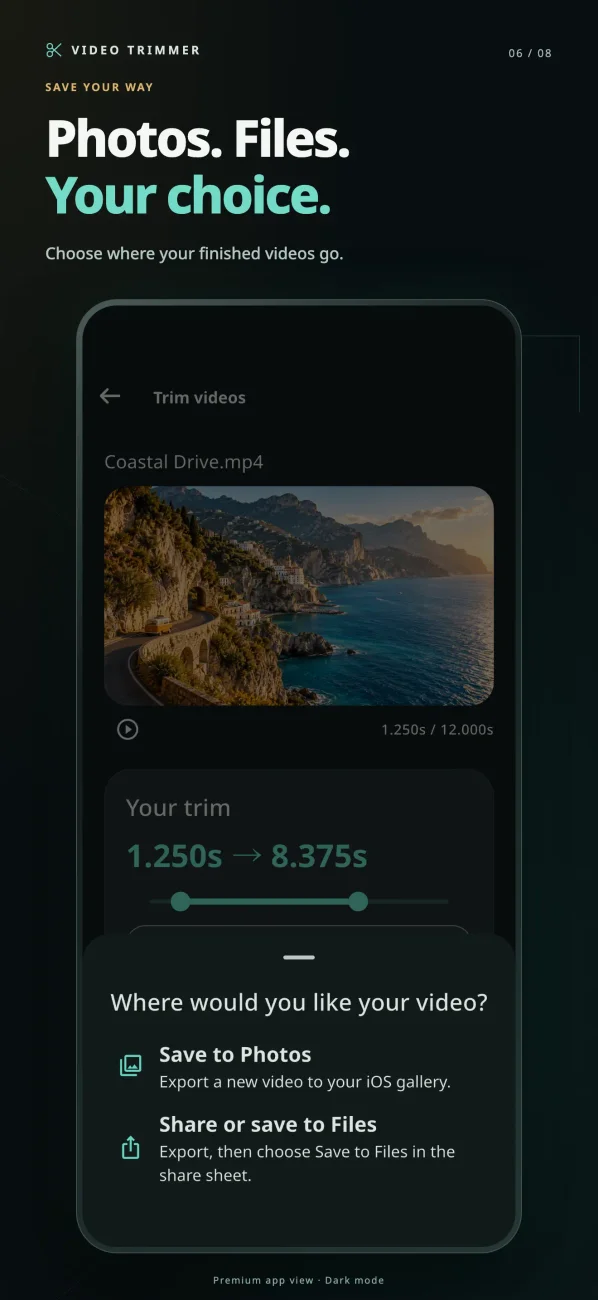
SAVE AND SHARE YOUR WAY
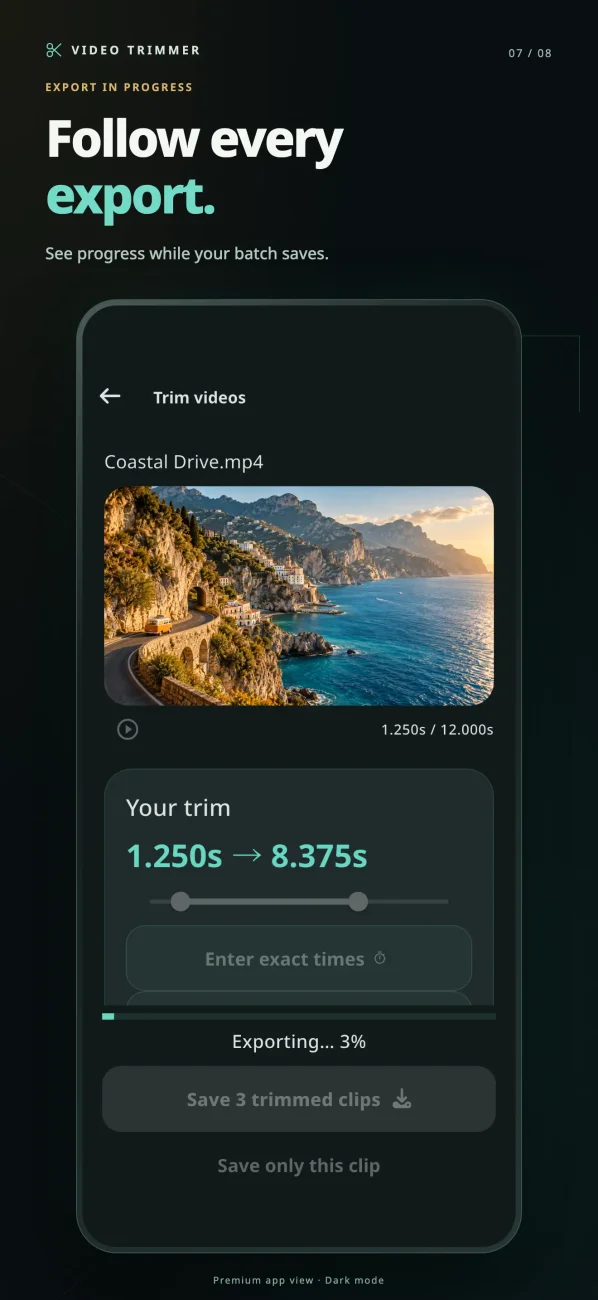
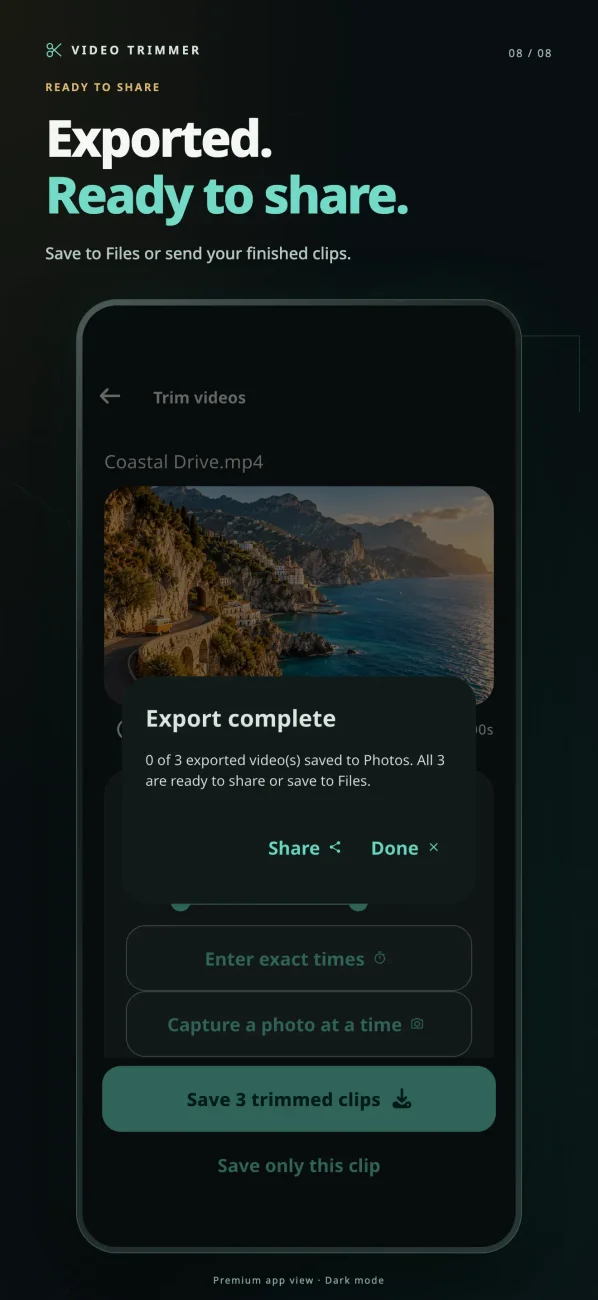
Follow the export progress, save to Photos, or use the share sheet to send your video or save it to Files. Exports have no added watermark.
EDIT ON YOUR DEVICE
Video processing takes place on your device. Enjoy a clear dark or light interface and a guided first edit that shows you the workflow using your own videos.
PREMIUM OPTIONS
Go premium for unlimited merging and an ad-free experience. Subscription and lifetime options are shown in the app where available. Rewarded ads and purchases require an internet connection.
Trim controls accept milliseconds; exported video and captured photos follow the frames available in the source video.
Privacy Policy: https://owlspeak.web.app/privacy
Terms of Use: https://owlspeak.web.app/terms
Nouveautés
Version 3.1 · 17/10/2026
• Pause, resume or cancel trimming and merging.
• Keep completed clips when cancelling a batch.
• Trim more precisely and capture photos from your videos.
• Updated dark theme and a refreshed glass scissors icon.
• Improved onboarding, premium options and ad experience.
• Bug fixes, performance improvements and iOS 27 support.
Confidentialité de l’application
Ce que Ali Umer déclare sur l’App Store au sujet du traitement des données par cette application.
-
Données utilisées pour vous suivre
Peuvent être utilisées pour vous suivre sur des applications et des sites web appartenant à d’autres sociétés.
- Autres données
-
Données établissant un lien avec vous
Peuvent être collectées et liées à votre identité.
- Autres données
Les pratiques en matière de confidentialité peuvent varier, notamment en fonction des fonctionnalités que vous utilisez ou de votre âge.
Informations
- Vendeur
- Ali Umer
- Catégorie
- Photo et vidéo
- Version
- 3.1
- Mis à jour
- 17/10/2026
- Publié
- 04/05/2025
- Taille
- 47,6 Mo
- Nécessite
- iOS 15.0 ou version ultérieure
- Classification d’âge
- 4+
- Prix
- Gratuit
- Achats intégrés
- Oui
- Langues
- Anglais
- Copyright
- © 2025 OwlSpeak Inc.
Vous aimerez peut-être aussi
-
 Video Trimmer - Cut VideoPhoto et vidéo
-
 Éditeur vidéo ViLineCréez des vidéos via Agents IA
-
 VTrimmer - Trim Video EditorPhoto et vidéo
-
 Video Cutter : Couper VidéoDécouper et diviser vos clips
-
 Video Cutter: Trim and MergePhoto et vidéo
-
 Video - Crop & Trim EditorPhoto et vidéo
-
 Trim & Cut Videos video editorPhoto et vidéo
-
 Video Joiner & TrimmerMontage vidéo, musique & texte
-
 Video Cut - Video EditorPhoto et vidéo
-
 Video Crop - Resize VideoPhoto et vidéo