
Silmari: Mindmap
Brainstorming & Idea Notes
Conçue pour iPhone, iPad, iPod touch
- Classification d’âge4+
- CatégorieProductivité
- DéveloppeurTAEHAN KIM
- LanguesAnglais+ 1 de plus
- Taille3,6 Mo
Silmari: Mindmap n’est peut-être pas disponible sur App Store pour le moment
La fiche de la boutique était inaccessible lors de notre dernière vérification. Le lien mène toujours à la page App Store officielle.
Captures d’écran
À propos
Le développeur n’a pas fourni ce texte dans votre langue.
Good mind map apps are hard to find — and the good ones are subscription-only.
Now there's an app to solve that.
Silmari will never switch to a subscription.
Buy once, subscribed for life — we come to you with that unchanging promise.
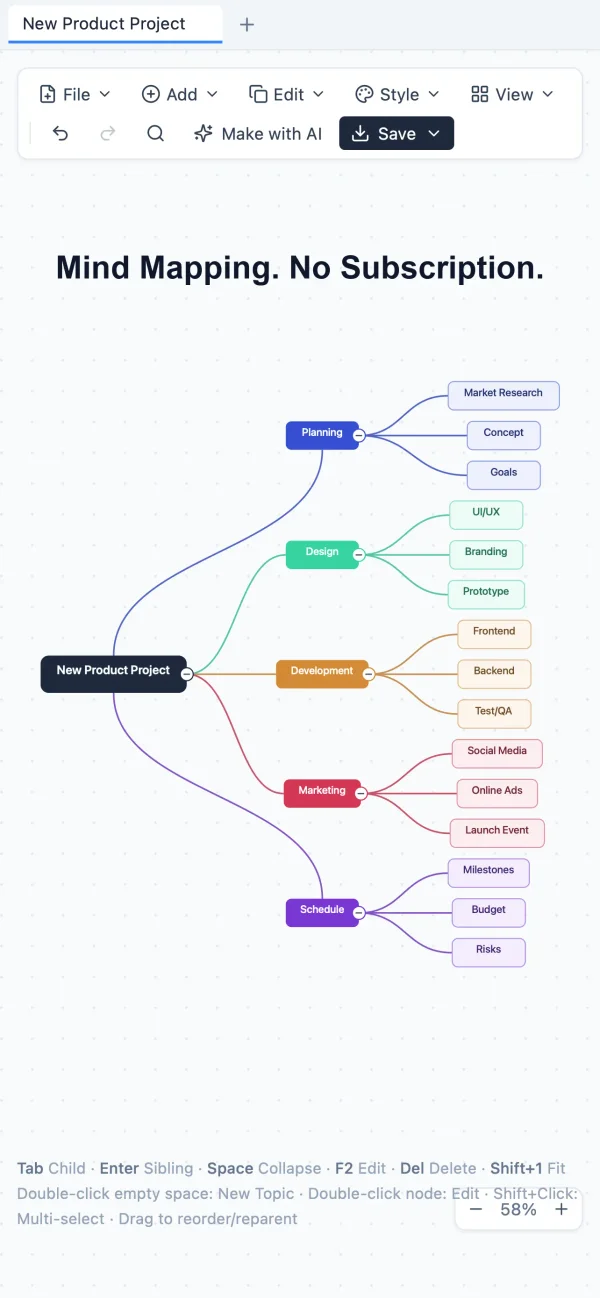
Silmari is a mind map editor that weaves scattered ideas into one clear picture.
With fast keyboard editing and automatic layout, your thoughts become structure the moment they appear.
■ Fast editing
· Tab for a child, Enter for a sibling — structure your ideas with the keyboard alone
· Drag to reorder or re-parent; move an entire subtree at once
· Multi-line text, per-node colors
■ Flexible layouts
· Right / Left / Balanced / Org chart / Logic tree
· Fit-to-screen and a live minimap for large maps
■ Rich expression
· Free relationship lines with labels, node groups
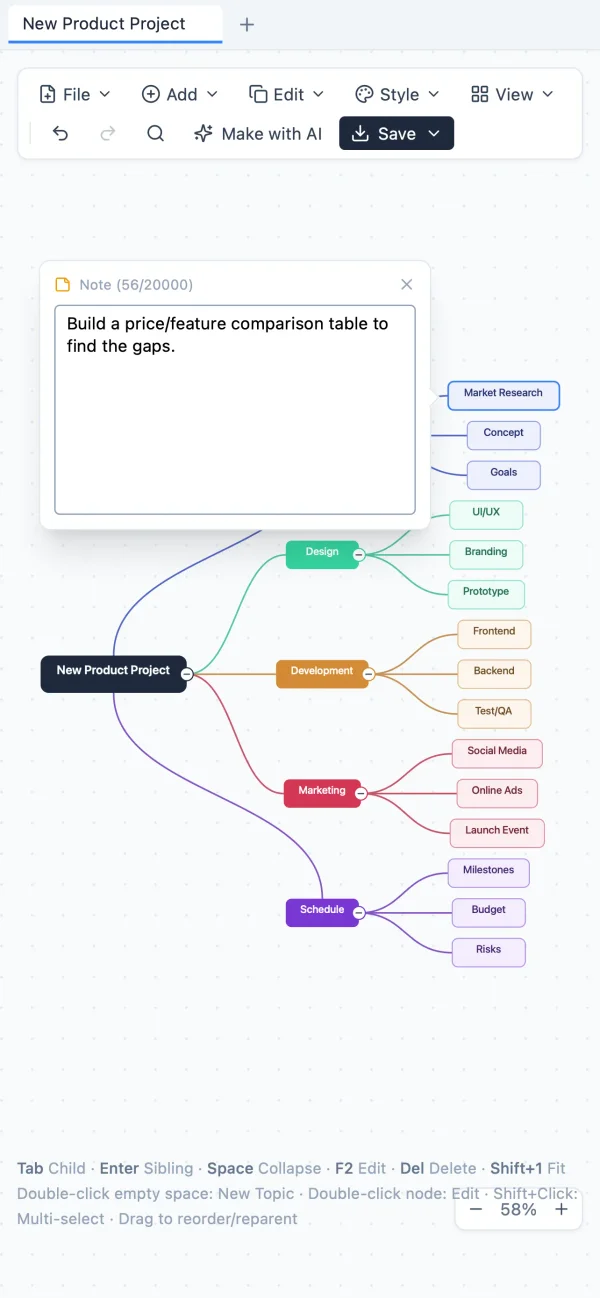
· Node notes, and link / image / file attachments
■ Multiple mind maps
· Manage maps as tabs, view two side by side
■ Save & import/export
· Local on-device storage — works offline
· Export to Markdown · Image (PNG) · Excel · JSON
· Import XMind (.xmind) — brings in structure, text, notes, and relationship lines; multiple sheets open as separate tabs
Note: XMind's exact positions, styles, colors, images, and summaries are not imported. The map is auto-arranged in Silmari's style, so its layout may differ from the original.
■ AI helper
· A workflow that helps turn documents into mind maps (using your own AI service)
Automatic Korean / English. Start right away — no account required.
Nouveautés
Version 2.0.4 · 14/08/2026
New
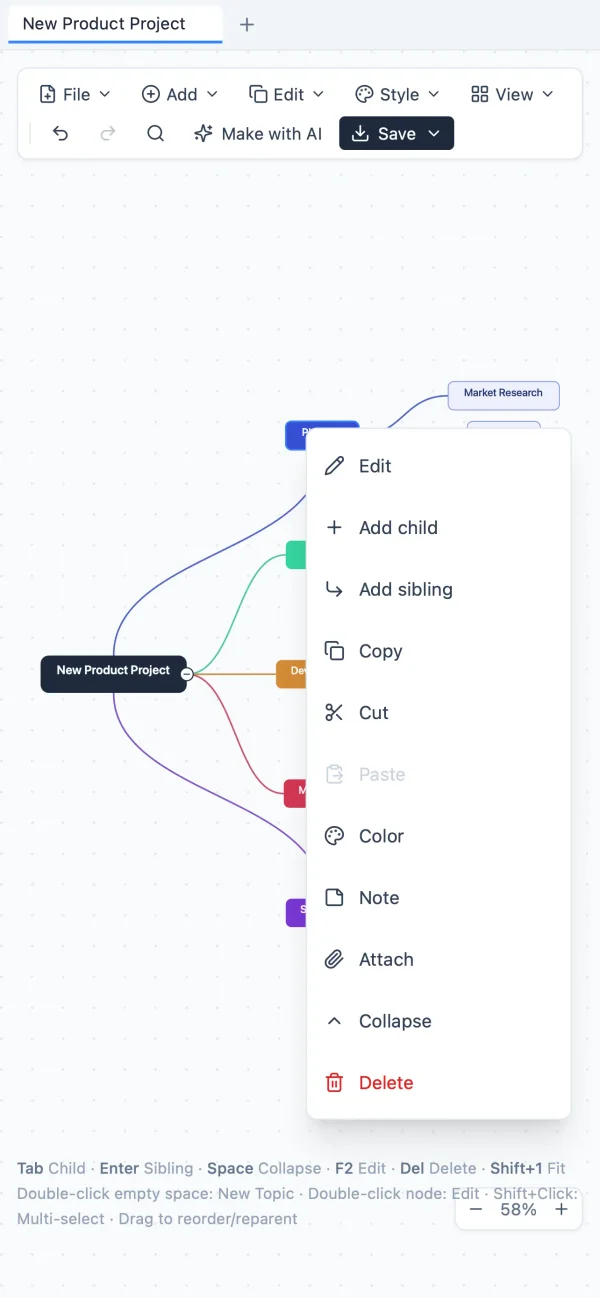
• Cut nodes — available with Ctrl/⌘+X, from the Edit menu, and from the long-press menu. Cutting takes the whole branch with it, and a single undo brings it back.
• Connect to group labels — connection lines can now attach to a group's label, exactly as they do to a node.
• Move several nodes at once — select multiple nodes and drag: they follow your finger and land under the parent you choose.
• Note bubbles — read and edit a node's note right in a bubble beside it.
• Split view — place two documents side by side to compare while you work. Drag the divider or use the arrow keys to resize, or double-tap it to split evenly.
• Search inside notes — search now matches note text as well as node titles.
Stability
• Fixed a problem where a damaged document turned the screen blank. A recovery screen now appears so you can retry or clear just that document.
• A document that froze the screen can no longer overwrite your saved original. Saving is held back and the app tells you it did so.
• Fixed an unreadable document being overwritten by an empty one when opened.
• Fixed a crash when opening documents saved in the older balanced layout format.
Controls and fixes
• Fixed ⌘Z doing nothing while editing text on Mac. Editing now undoes text; the canvas undoes the map.
• Fixed ⌘Z in the search box undoing the map instead of your typing.
• Fixed Enter and Space behaving unexpectedly when a button had focus.
• Fixed the Tab key creating a new item while typing in a text field.
• Fixed Esc clearing your selection before closing an open menu; menus now close first.
• Fixed nodes not returning to their original position when a drag was cancelled.
• Fixed toolbar labels breaking mid-word and buttons pushing off screen on narrow displays.
• Fixed a slight drift after pinch-zooming.
• Improved the bottom hints and zoom controls being covered on Mac.
Confidentialité de l’application
Ce que TAEHAN KIM déclare sur l’App Store au sujet du traitement des données par cette application.
-
Données non collectées
Le développeur ne collecte aucune donnée à partir de cette application.
Les pratiques en matière de confidentialité peuvent varier, notamment en fonction des fonctionnalités que vous utilisez ou de votre âge.
Informations
- Vendeur
- TAEHAN KIM
- Catégorie
- Productivité
- Version
- 2.0.4
- Mis à jour
- 14/08/2026
- Publié
- 20/07/2026
- Taille
- 3,6 Mo
- Nécessite
- iOS 13.0 ou version ultérieure
- Classification d’âge
- 4+
- Langues
- Anglais, Coréen
- Copyright
- © 2026 POP-terrorist
Vous aimerez peut-être aussi
-
 PureEdit GrammaireCorrecteur hors ligne
-
 MindWoodsIdées, carnets et dessins
-
 Methodly: Objectifs et routinePlan, Action, and Achieve.
-
 Minds: Mind Map, Notes & IdeasProductivité
-
 Pomotime - Focus TimerProductivité
-
 Gourmet TreeProductivité
-
 MandaPlan - MandalartProductivité
-
 Carte Mentale : Idées, NotesOrganiseur d’idées hors ligne
-
 Sync: Plan & ActualProductivité
-
 Locked: Less Screen TimeProductivité