
Silmari: Mindmap
Brainstorming & Idea Notes
Dirancang untuk iPhone, iPad, iPod touch
Rp 249ribu
- Batasan usia4+
- KategoriProduktivitas
- PengembangTAEHAN KIM
- BahasaInggris+ 1 lainnya
- Ukuran3,6 MB
Tertaut ke halaman resmi App Store
Download.org tidak menyimpan file Silmari: Mindmap apa pun. Tombol ini membuka halaman aplikasi di App Store, tempat TAEHAN KIM menerbitkannya. Halaman terakhir diperiksa pada 21/11/2026.
Tangkapan layar
Tentang
Pengembang belum menyediakan teks ini dalam bahasa Anda.
Good mind map apps are hard to find — and the good ones are subscription-only.
Now there's an app to solve that.
Silmari will never switch to a subscription.
Buy once, subscribed for life — we come to you with that unchanging promise.
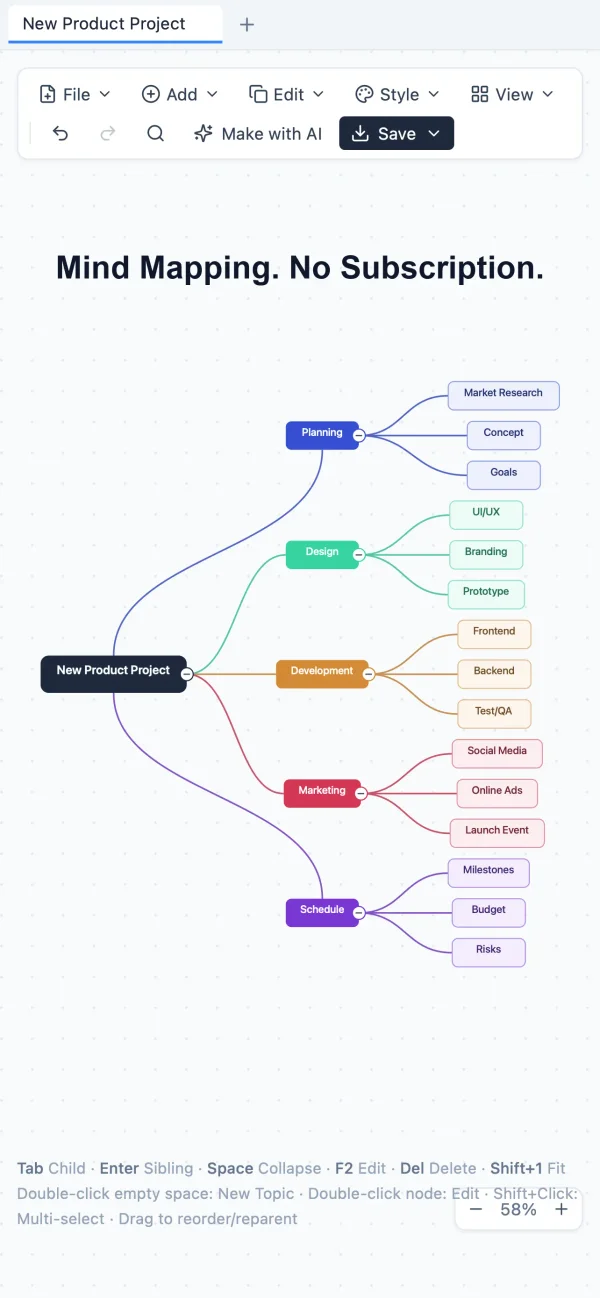
Silmari is a mind map editor that weaves scattered ideas into one clear picture.
With fast keyboard editing and automatic layout, your thoughts become structure the moment they appear.
■ Fast editing
· Tab for a child, Enter for a sibling — structure your ideas with the keyboard alone
· Drag to reorder or re-parent; move an entire subtree at once
· Multi-line text, per-node colors
■ Flexible layouts
· Right / Left / Balanced / Org chart / Logic tree
· Fit-to-screen and a live minimap for large maps
■ Rich expression
· Free relationship lines with labels, node groups
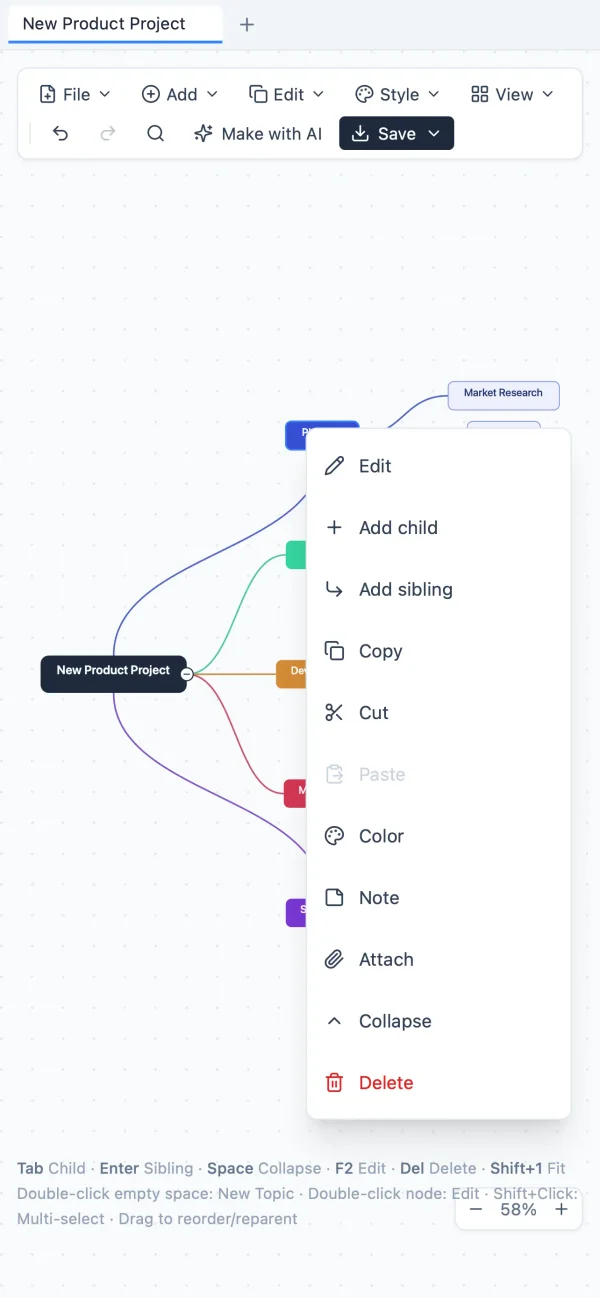
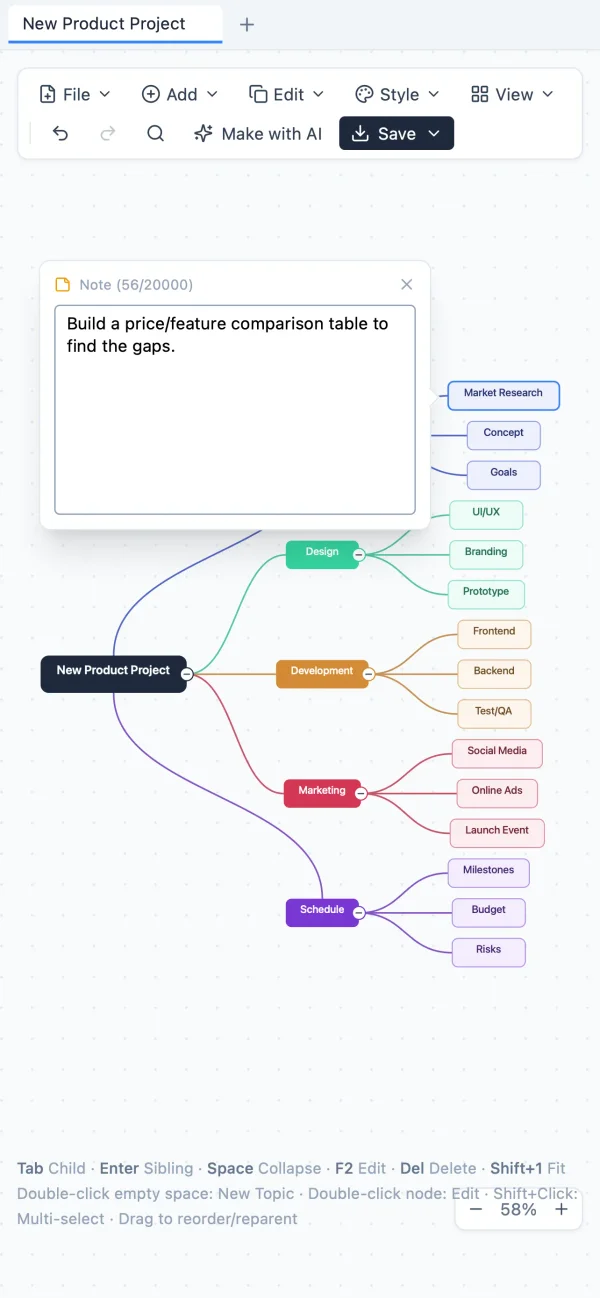
· Node notes, and link / image / file attachments
■ Multiple mind maps
· Manage maps as tabs, view two side by side
■ Save & import/export
· Local on-device storage — works offline
· Export to Markdown · Image (PNG) · Excel · JSON
· Import XMind (.xmind) — brings in structure, text, notes, and relationship lines; multiple sheets open as separate tabs
Note: XMind's exact positions, styles, colors, images, and summaries are not imported. The map is auto-arranged in Silmari's style, so its layout may differ from the original.
■ AI helper
· A workflow that helps turn documents into mind maps (using your own AI service)
Automatic Korean / English. Start right away — no account required.
Yang baru
Versi 2.0.4 · 14/8/2026
New
• Cut nodes — available with Ctrl/⌘+X, from the Edit menu, and from the long-press menu. Cutting takes the whole branch with it, and a single undo brings it back.
• Connect to group labels — connection lines can now attach to a group's label, exactly as they do to a node.
• Move several nodes at once — select multiple nodes and drag: they follow your finger and land under the parent you choose.
• Note bubbles — read and edit a node's note right in a bubble beside it.
• Split view — place two documents side by side to compare while you work. Drag the divider or use the arrow keys to resize, or double-tap it to split evenly.
• Search inside notes — search now matches note text as well as node titles.
Stability
• Fixed a problem where a damaged document turned the screen blank. A recovery screen now appears so you can retry or clear just that document.
• A document that froze the screen can no longer overwrite your saved original. Saving is held back and the app tells you it did so.
• Fixed an unreadable document being overwritten by an empty one when opened.
• Fixed a crash when opening documents saved in the older balanced layout format.
Controls and fixes
• Fixed ⌘Z doing nothing while editing text on Mac. Editing now undoes text; the canvas undoes the map.
• Fixed ⌘Z in the search box undoing the map instead of your typing.
• Fixed Enter and Space behaving unexpectedly when a button had focus.
• Fixed the Tab key creating a new item while typing in a text field.
• Fixed Esc clearing your selection before closing an open menu; menus now close first.
• Fixed nodes not returning to their original position when a drag was cancelled.
• Fixed toolbar labels breaking mid-word and buttons pushing off screen on narrow displays.
• Fixed a slight drift after pinch-zooming.
• Improved the bottom hints and zoom controls being covered on Mac.
Privasi aplikasi
Yang dinyatakan TAEHAN KIM di App Store tentang cara aplikasi ini menangani data.
-
Data tidak dikumpulkan
Pengembang tidak mengumpulkan data apa pun dari aplikasi ini.
Praktik privasi dapat bervariasi, misalnya berdasarkan fitur yang Anda gunakan atau usia Anda.
Informasi
- Penjual
- TAEHAN KIM
- Kategori
- Produktivitas
- Versi
- 2.0.4
- Diperbarui
- 14/8/2026
- Dirilis
- 20/7/2026
- Ukuran
- 3,6 MB
- Memerlukan
- iOS 13.0 atau yang lebih baru
- Batasan usia
- 4+
- Harga
- Rp 249ribu
- Bahasa
- Inggris, Korea
- Hak cipta
- © 2026 POP-terrorist
Mungkin Anda juga suka
-
 PureEdit - Grammar & StyleProduktivitas
-
 MindWoodsProduktivitas
-
 Methodly: Tujuan & rutinitasPlan, Action, and Achieve.
-
 Minds: Mind Map, Notes & IdeasProduktivitas
-
 Pomotime - Focus TimerProduktivitas
-
 Gourmet TreeProduktivitas
-
 MandaPlan - MandalartProduktivitas
-
 Mind Map: Brainstorm & NotesProduktivitas
-
 Sync: Rencana vs RealitaPlanner & manajemen waktu
-
 Locked: Less Screen TimeProduktivitas