
Skiii Note
Ideas, Brain Dump & Writing
Conçue pour iPhone, iPad, Mac
Gratuit · Achats intégrés
- Classification d’âge4+
- CatégorieProductivité
- Développeur锦池 柯
- LanguesAnglais+ 2 de plus
- Taille40,5 Mo
Renvoie vers la page App Store officielle
Download.org n’héberge aucun fichier de Skiii Note. Le bouton ouvre la page de l’application sur App Store, où 锦池 柯 la publie. Fiche vérifiée pour la dernière fois le 25/11/2026.
Captures d’écran

À propos
Le développeur n’a pas fourni ce texte dans votre langue.
【The best time to capture an idea is now】
Ideas often appear for only a moment.
A sudden thought, an unfinished sentence, an image you want to keep, a voice note, or a highlighted passage from something you are reading may feel incomplete at first, but any of them can become the starting point for something bigger.
Ideas need to be captured, but they also need time to settle, develop, and change. In an increasingly noisy world, Skiii Note gives unfinished thoughts a little more room to grow.
【Capture first. Organize later.】
Skiii Note is built around a simple workflow: capture first, organize later.
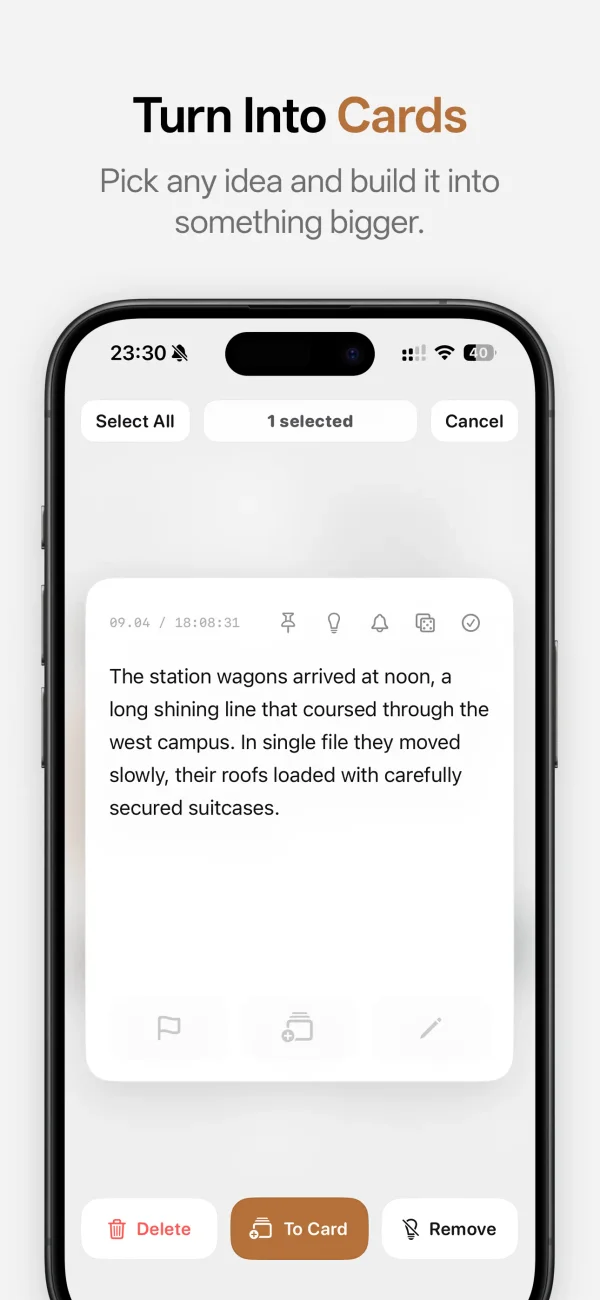
Drop fragmented thoughts into the home screen without stopping to categorize, name, or structure them. When an idea becomes worth developing, turn it into a card and shape it through splitting, combining, reordering, and editing.
You can also bring in highlights from Readwise, or share selected text directly from other apps into Skiii Note, so references, excerpts, and your own thoughts can live in the same creative workflow.
Skiii Note is a quiet, focused, local-first workspace for ideas and writing.
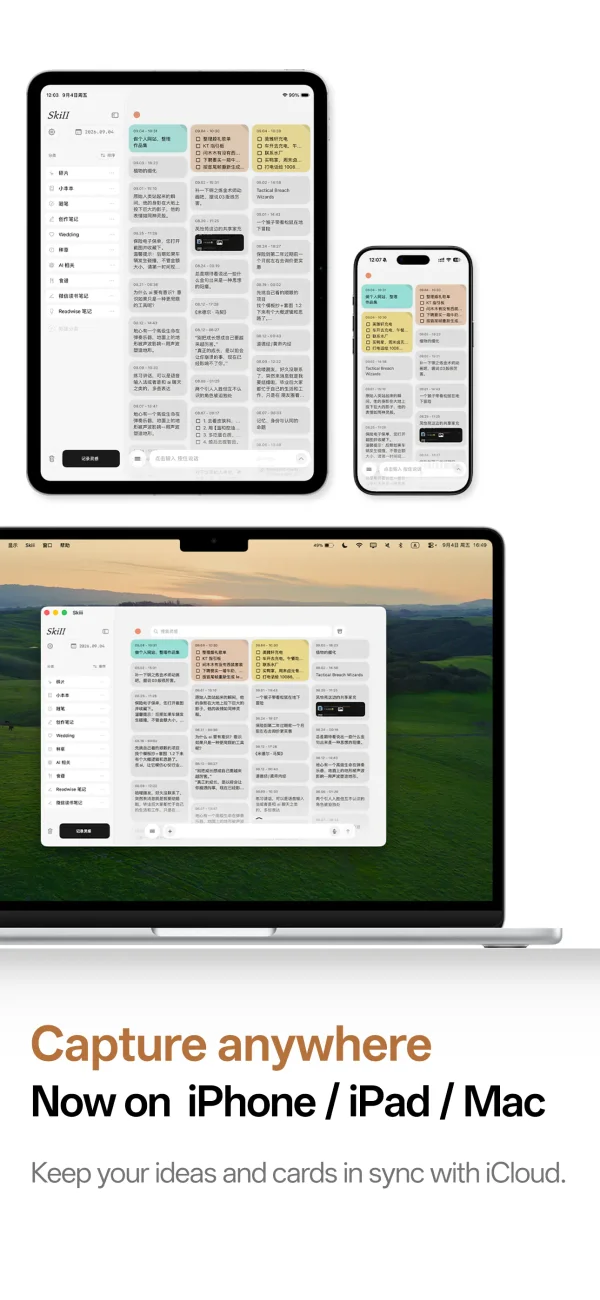
【Now on iPhone, iPad, and Mac】
Skiii Note is now available across iPhone, iPad, and Mac.
With iCloud sync enabled, your ideas, cards, and writing can stay in sync across devices. Capture a thought on your iPhone, organize it on iPad, then continue writing on your Mac.
Your ideas no longer have to stay on one device.
【Capture quickly without breaking your flow】
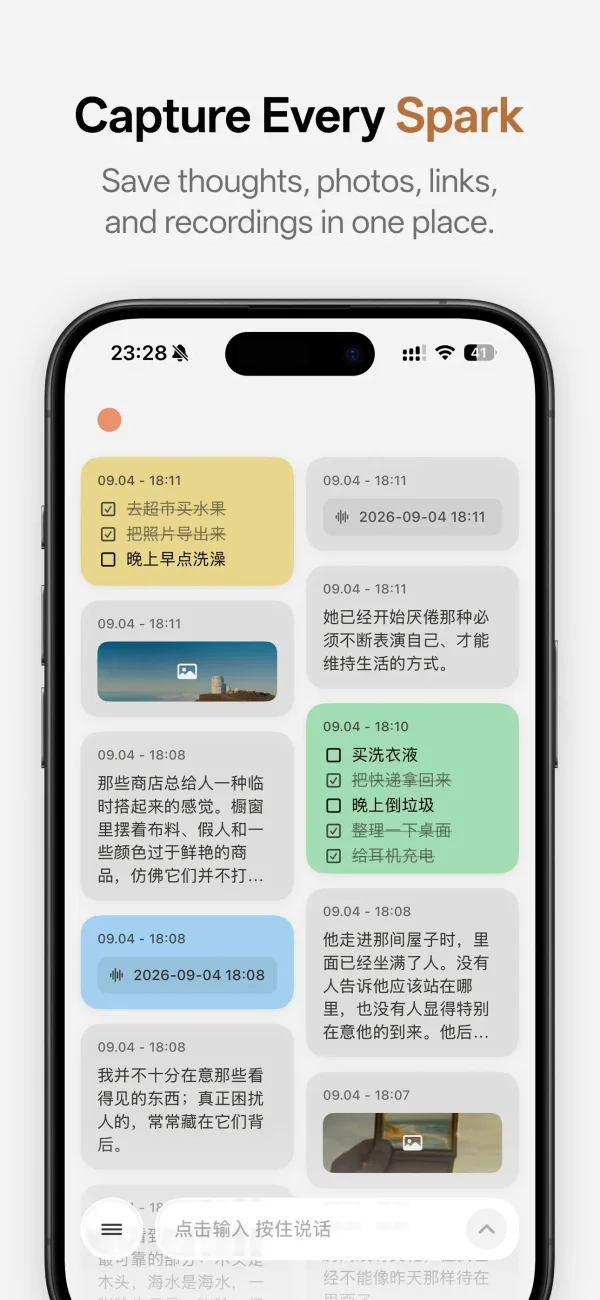
- Idea Bubbles
Save text, images, links, and everyday fragments as bubbles on the home screen.
Bubbles can be edited, pinned, highlighted, turned into to-dos, or organized into cards whenever you are ready.
- Voice Recording & Transcription
Press and hold the input field to start recording, then turn your voice into text when typing is too slow.
- Quick Clipboard Import
Hold and swipe up beside the input field to quickly bring in text or images from your clipboard.
- Share from Other Apps
Select text in another app and share it directly to Skiii Note to instantly create a new idea bubble.
【Let fragments grow into finished work】
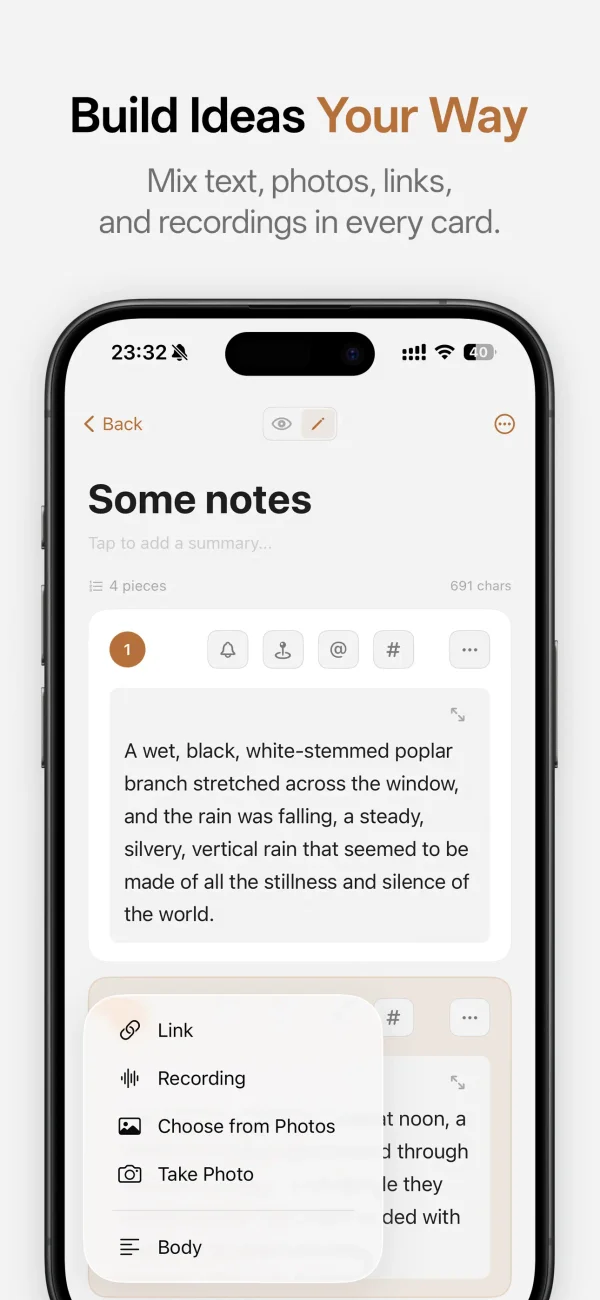
- Bubbles Become Building Blocks
Each card is made of independent content blocks.
Split, combine, reorder, edit, and add images freely, or switch to full-screen mode when you want to focus.
- Sketch Mode
Tap the number of any block to enter Sketch Mode.
Drag, merge, and rearrange blocks to quickly reshape a card and turn scattered fragments into a clearer structure.
- Import Reading Highlights
Import reading highlights from Readwise.
Bring saved passages, highlights, and notes back into your own workspace, then continue developing them alongside your everyday ideas.
- Organize Visual Inspiration
Use a dedicated image-tagging system to organize visual references.
Quickly find, revisit, and rediscover images and inspiration you saved in the past.
【Privacy & Data】
No account required
No ads
One-time purchase, no subscription
Data is stored locally on your devices by default
Full backup and restore supported
iCloud sync across iPhone, iPad, and Mac
【Data & Backup Reminder】
Skiii Note stores data locally on your device by default.
When iCloud sync is enabled, synced content can continue to be used across your other devices. Deleting the app removes local data from that device, but does not automatically remove content already synced to iCloud.
For important content, we still recommend creating regular full backups inside Skiii Note.
Terms of Use (EULA)
https://www.apple.com/legal/internet-services/itunes/dev/stdeula/
Nouveautés
Version 1.4.1 · 24/11/2026
Fixed a crash that could occur when turning on iCloud sync.
Improved bubble editing, multi-selection, and image previews.
Confidentialité de l’application
Ce que 锦池 柯 déclare sur l’App Store au sujet du traitement des données par cette application.
-
Données non collectées
Le développeur ne collecte aucune donnée à partir de cette application.
Les pratiques en matière de confidentialité peuvent varier, notamment en fonction des fonctionnalités que vous utilisez ou de votre âge.
Informations
- Vendeur
- 锦池 柯
- Catégorie
- Productivité
- Version
- 1.4.1
- Mis à jour
- 24/11/2026
- Publié
- 08/07/2026
- Taille
- 40,5 Mo
- Nécessite
- iOS 18.0 ou version ultérieure
- Classification d’âge
- 4+
- Prix
- Gratuit
- Achats intégrés
- Oui
- Langues
- Anglais, Chinois simplifié, Chinois traditionnel
- Copyright
- © 2026 Skiii
Vous aimerez peut-être aussi
-
 DidMore: Daily Task TimelineProductivité
-
 Dayleaf - Minimalist bujoProductivité
-
 ThinkLess: Mood Diary, JournalProductivité
-
 NoteCraft - Notes & IAMarkdown, IA et sauvegarde
-
 MooriProductivité
-
 片语・Fleeting More - 只字片语,皆可收藏Productivité
-
 actionBox: Simple Habit & ToDoDaily Routine & Streak Tracker
-
 Kenotex: AI Task PlannerProductivité
-
 SoftomatoProductivité
-
 FlowIt: Jot Floating NotesProductivité