
- 対象年齢4+
- カテゴリ仕事効率化
- 開発元锦池 柯
- 言語英語ほか2言語
- サイズ40.4 MB
App Storeの公式ページにリンクしています
Download.orgはSkiii Noteのファイルを一切ホストしていません。ボタンを押すと、锦池 柯が公開しているApp Storeのアプリページが開きます。ページの最終確認:2026/11/23。
スクリーンショット

概要
開発元はこのテキストをお使いの言語で提供していません。
【The best time to capture an idea is now】
Ideas often appear for only a moment.
A sudden thought, an unfinished sentence, an image you want to keep, a voice note, or a highlighted passage from something you are reading may feel incomplete at first, but any of them can become the starting point for something bigger.
Ideas need to be captured, but they also need time to settle, develop, and change. In an increasingly noisy world, Skiii Note gives unfinished thoughts a little more room to grow.
【Capture first. Organize later.】
Skiii Note is built around a simple workflow: capture first, organize later.
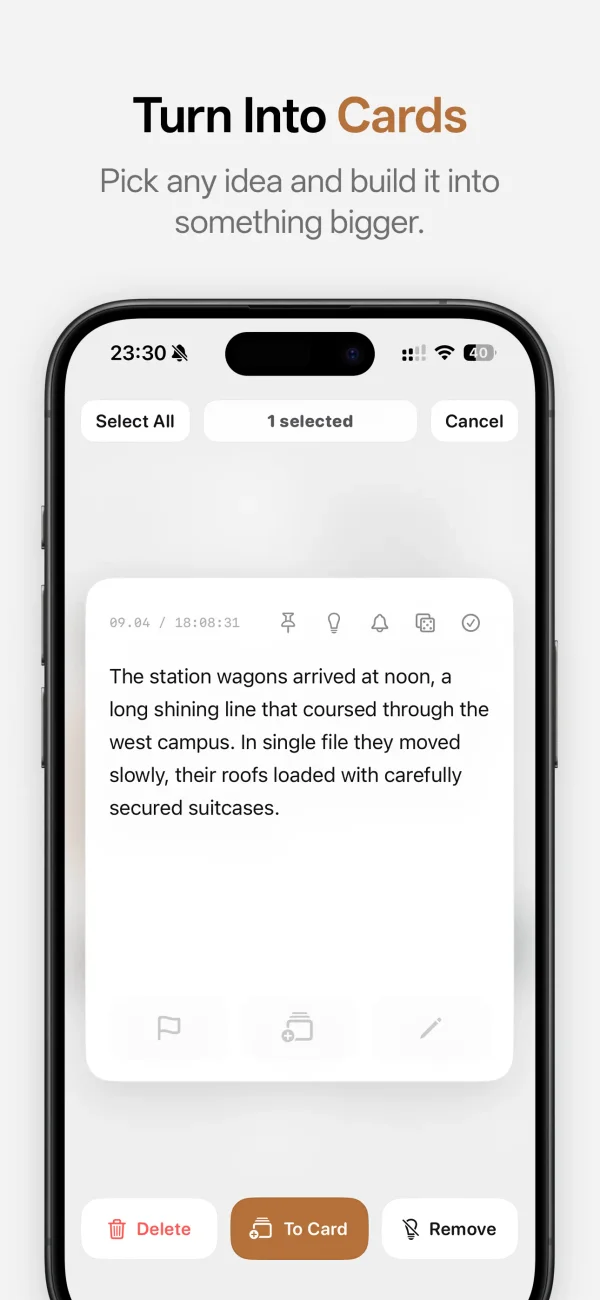
Drop fragmented thoughts into the home screen without stopping to categorize, name, or structure them. When an idea becomes worth developing, turn it into a card and shape it through splitting, combining, reordering, and editing.
You can also bring in highlights from Readwise, or share selected text directly from other apps into Skiii Note, so references, excerpts, and your own thoughts can live in the same creative workflow.
Skiii Note is a quiet, focused, local-first workspace for ideas and writing.
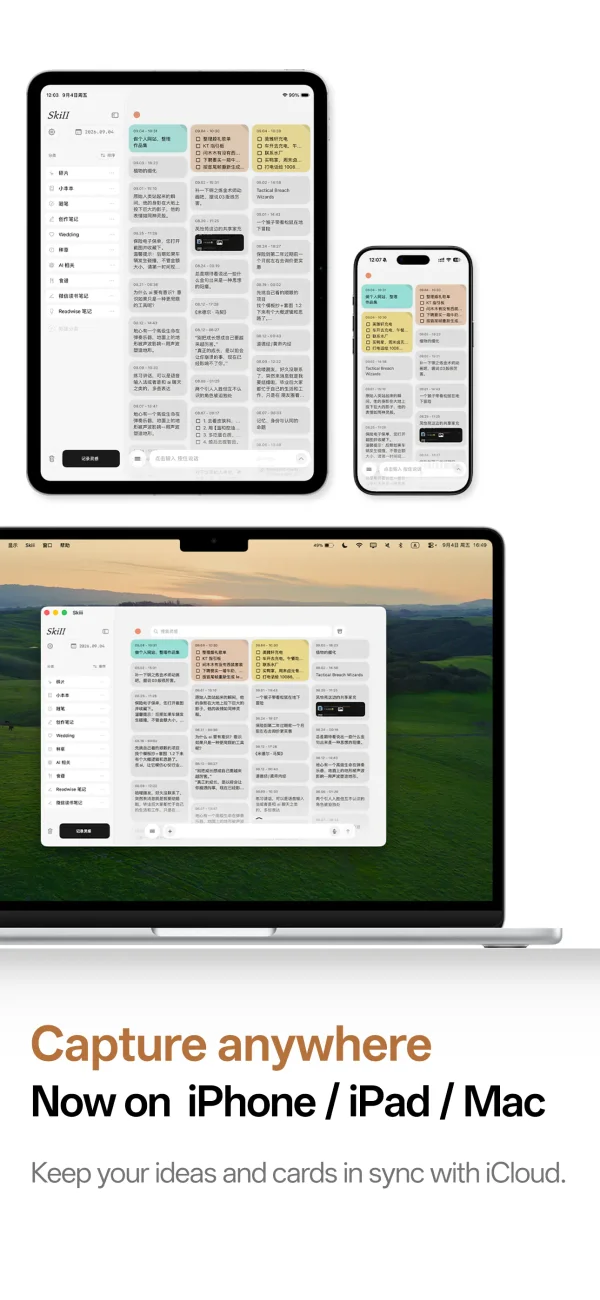
【Now on iPhone, iPad, and Mac】
Skiii Note is now available across iPhone, iPad, and Mac.
With iCloud sync enabled, your ideas, cards, and writing can stay in sync across devices. Capture a thought on your iPhone, organize it on iPad, then continue writing on your Mac.
Your ideas no longer have to stay on one device.
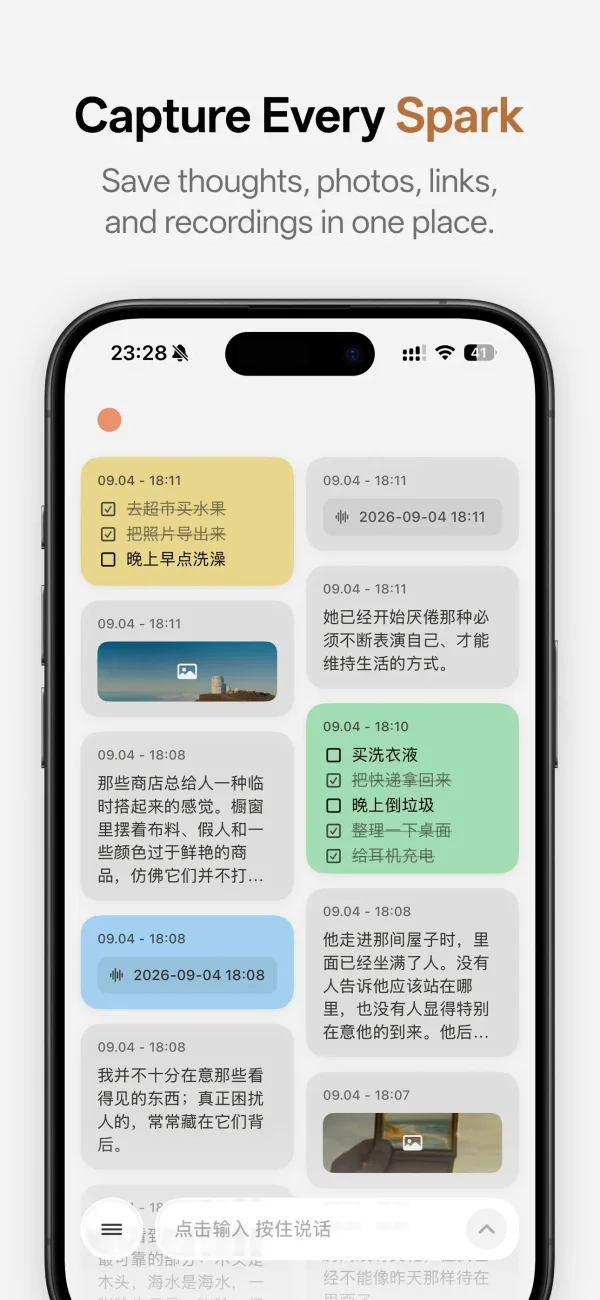
【Capture quickly without breaking your flow】
- Idea Bubbles
Save text, images, links, and everyday fragments as bubbles on the home screen.
Bubbles can be edited, pinned, highlighted, turned into to-dos, or organized into cards whenever you are ready.
- Voice Recording & Transcription
Press and hold the input field to start recording, then turn your voice into text when typing is too slow.
- Quick Clipboard Import
Hold and swipe up beside the input field to quickly bring in text or images from your clipboard.
- Share from Other Apps
Select text in another app and share it directly to Skiii Note to instantly create a new idea bubble.
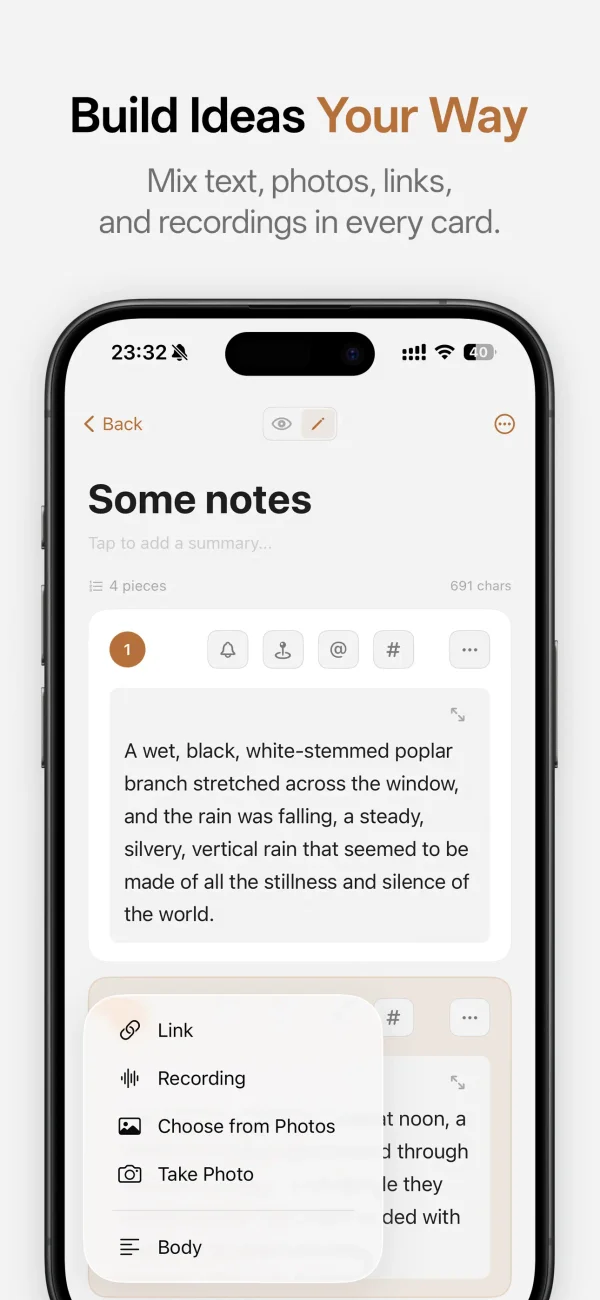
【Let fragments grow into finished work】
- Bubbles Become Building Blocks
Each card is made of independent content blocks.
Split, combine, reorder, edit, and add images freely, or switch to full-screen mode when you want to focus.
- Sketch Mode
Tap the number of any block to enter Sketch Mode.
Drag, merge, and rearrange blocks to quickly reshape a card and turn scattered fragments into a clearer structure.
- Import Reading Highlights
Import reading highlights from Readwise.
Bring saved passages, highlights, and notes back into your own workspace, then continue developing them alongside your everyday ideas.
- Organize Visual Inspiration
Use a dedicated image-tagging system to organize visual references.
Quickly find, revisit, and rediscover images and inspiration you saved in the past.
【Privacy & Data】
No account required
No ads
One-time purchase, no subscription
Data is stored locally on your devices by default
Full backup and restore supported
iCloud sync across iPhone, iPad, and Mac
【Data & Backup Reminder】
Skiii Note stores data locally on your device by default.
When iCloud sync is enabled, synced content can continue to be used across your other devices. Deleting the app removes local data from that device, but does not automatically remove content already synced to iCloud.
For important content, we still recommend creating regular full backups inside Skiii Note.
Terms of Use (EULA)
https://www.apple.com/legal/internet-services/itunes/dev/stdeula/
新機能
バージョン 1.4.0 · 2026/11/20
Updated the MCP protocol
Fixed some known issues
アプリのプライバシー
このアプリのデータの取り扱いについて、锦池 柯がApp Storeで申告している内容です。
-
データの収集なし
開発元はこのアプリからデータを収集しません。
プライバシーの取り扱いは、ご利用の機能やお客様の年齢などに応じて異なる場合があります。
情報
- 販売元
- 锦池 柯
- カテゴリ
- 仕事効率化
- バージョン
- 1.4.0
- 更新日
- 2026/11/20
- リリース
- 2026/7/8
- サイズ
- 40.4 MB
- 必要条件
- iOS 18.0以降
- 対象年齢
- 4+
- 価格
- 無料
- アプリ内課金
- あり
- 言語
- 英語, 簡体字中国語, 繁体字中国語
- 著作権
- © 2026 Skiii
こちらもおすすめ
-
 DidMore: Daily Task Timeline仕事効率化
-
 Dayleaf - Minimalist bujo仕事効率化
-
 ThinkLess: Mood Diary, Journal仕事効率化
-
 ノートクラフト - AIメモ & MarkdownMarkdown対応・AI・タグ整理
-
 Moori仕事効率化
-
 片语・Fleeting More - 只字片语,皆可收藏仕事効率化
-
 actionBox: シンプルな習慣化&ToDo毎日のルーティン&連続達成ストリークトラッカー
-
 Kenotex: AI Task Planner仕事効率化
-
 Softomato仕事効率化
-
 FlowIt: Jot Floating Notes仕事効率化