SplitChatter
Live transcript & quick reply
Conçue pour iPhone, iPad
Gratuit · Achats intégrés
- Classification d’âge4+
- CatégorieUtilitaires
- DéveloppeurSignal Anvil LLC
- LanguesAnglais
- Taille14,2 Mo
Renvoie vers la page App Store officielle
Download.org n’héberge aucun fichier de SplitChatter. Le bouton ouvre la page de l’application sur App Store, où Signal Anvil LLC la publie. Fiche vérifiée pour la dernière fois le 17/11/2026.
Captures d’écran

À propos
Le développeur n’a pas fourni ce texte dans votre langue.
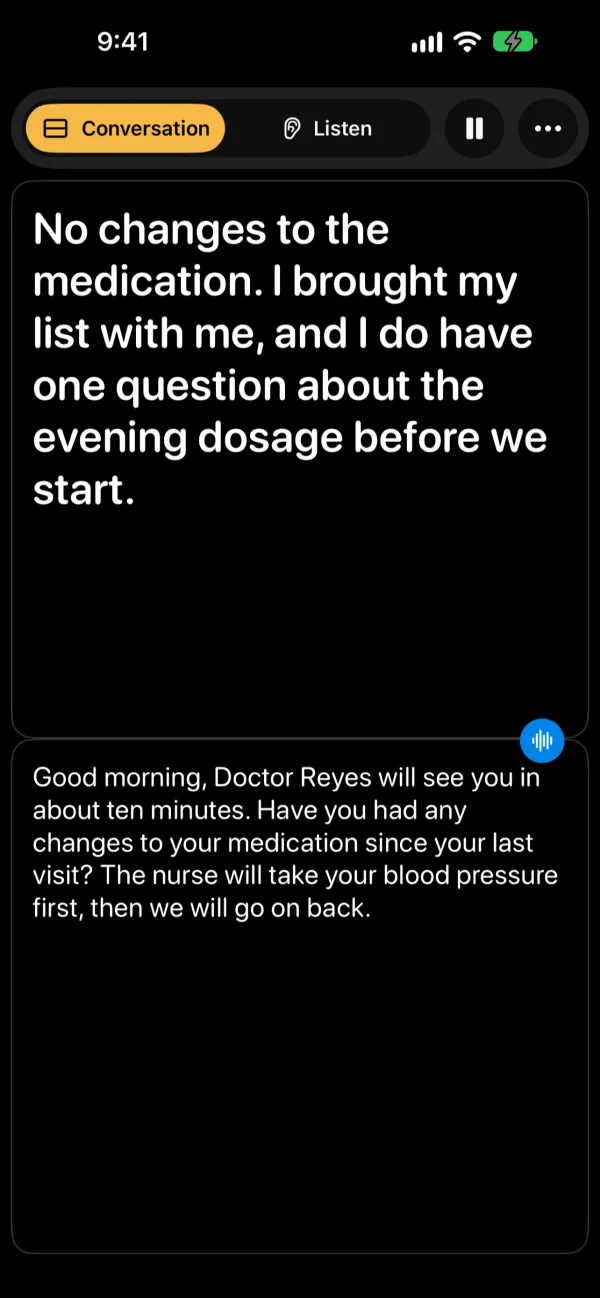
SplitChatter turns speech into text on your screen as people talk, so you can follow along instead of guessing.
It's made for people who are deaf or hard of hearing, and for anyone who'd rather read a conversation than strain to hear it.
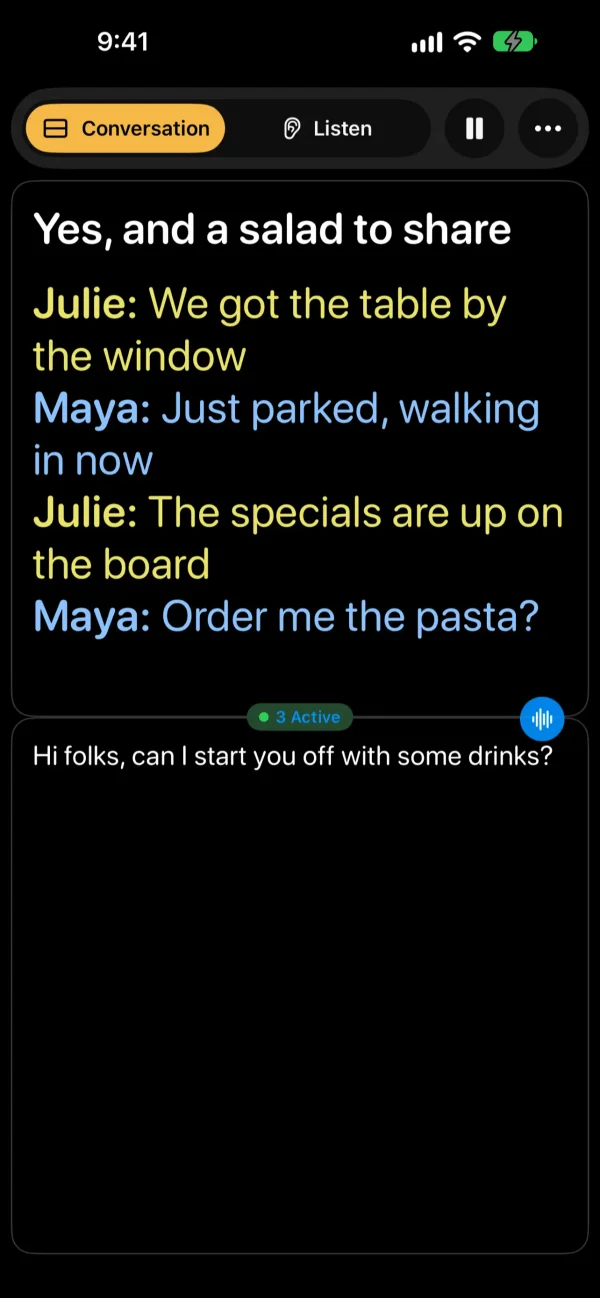
Hand your phone across the table, or set it down between you. What the other person says appears at the bottom. You type your reply at the top, and if you like, SplitChatter will say it out loud for you.
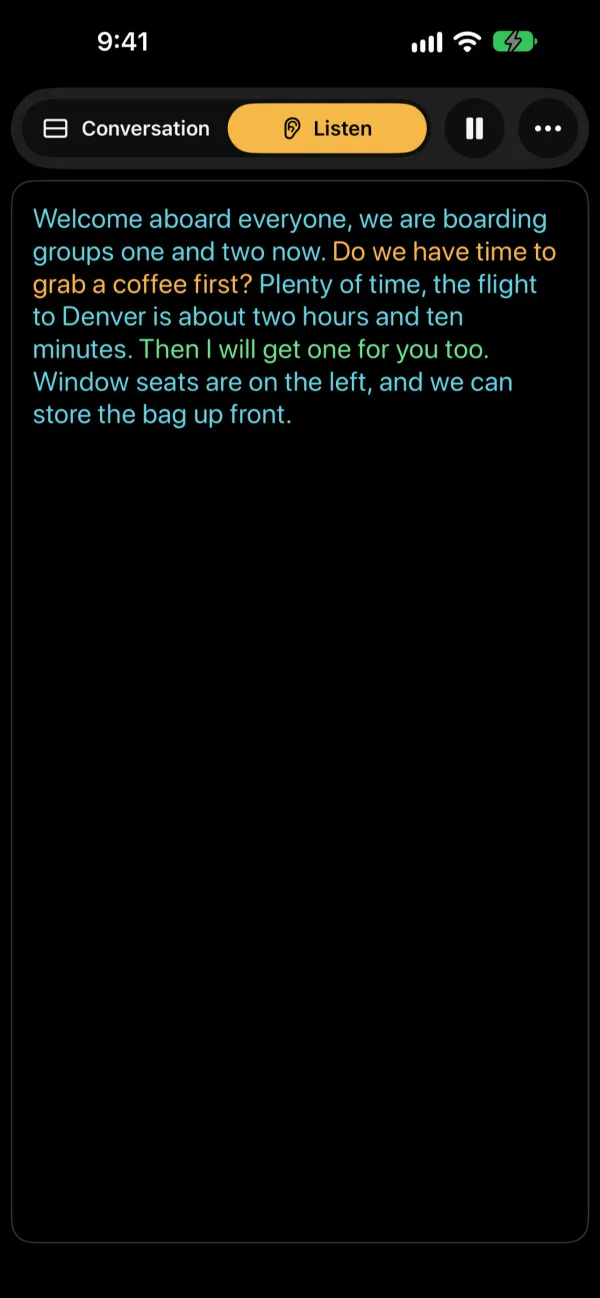
The standard captions run on your iPhone. They're free and they work without an internet connection. If you're somewhere loud, like a restaurant, a family dinner or a long meeting, you can switch to AI captions. They're more accurate, they add punctuation, and they show who's speaking in different colors.
A few things people tell us they love:
• Vibrate for a Word. Waiting for your name at the doctor's office or your number at the pharmacy? Tell SplitChatter what to listen for and put your phone in your pocket. It buzzes when it hears it, and taps your Apple Watch too.
• Sound labels. Captions show things like [laughter], [doorbell] or [dog barking], not just words.
• Nearby Sharing. Two iPhones can connect so each person sees the conversation on their own screen.
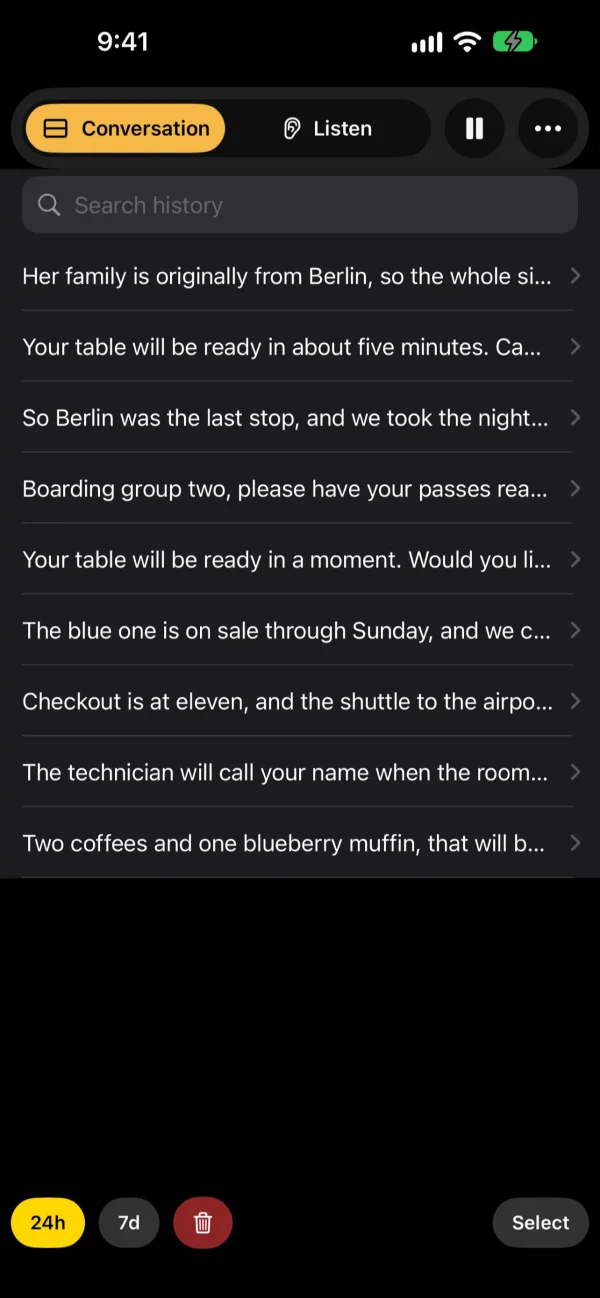
• History. Conversations save automatically, and you can share one as clean text later.
The text is big and easy to read, and you can make it bigger. SplitChatter also works with VoiceOver and Voice Control.
If something isn't working for you, use Report a Problem in Settings. I read every one.
Nouveautés
Version 2026.11.12 · 13/11/2026
• Vibrate for a Word: choose a name or number from the "…" menu and put your phone away. SplitChatter buzzes three times when it hears it, taps your Apple Watch and alerts you even in Do Not Disturb.
• Know when listening stops: your phone now buzzes before background listening ends. While a word alert is set, listening continues for 30 minutes after you leave the app.
• Easier to read: banners follow your text size and use stronger colors.
• Better with VoiceOver and Voice Control: buttons are clearly named and every control can be reached.
• Bug fixes and reliability improvements.
Confidentialité de l’application
Ce que Signal Anvil LLC déclare sur l’App Store au sujet du traitement des données par cette application.
-
Données n’établissant aucun lien avec vous
Peuvent être collectées, mais ne sont pas liées à votre identité.
- Achats
- Coordonnées
- Contenu utilisateur
- Identifiants
- Données d’utilisation
- Diagnostic
Les pratiques en matière de confidentialité peuvent varier, notamment en fonction des fonctionnalités que vous utilisez ou de votre âge.
Informations
- Vendeur
- Signal Anvil LLC
- Catégorie
- Utilitaires
- Version
- 2026.11.12
- Mis à jour
- 13/11/2026
- Publié
- 25/10/2025
- Taille
- 14,2 Mo
- Nécessite
- iOS 18.6 ou version ultérieure
- Classification d’âge
- 4+
- Prix
- Gratuit
- Achats intégrés
- Oui
- Langues
- Anglais
- Copyright
- © 2025-2026 SignalAnvil, LLC