SplitChatter
Live transcript & quick reply
Projetado para iPhone, iPad
Grátis · Compras no app
- Classificação etária4+
- CategoriaUtilidades
- DesenvolvedorSignal Anvil LLC
- IdiomasInglês
- Tamanho14,3 MB
Leva à página oficial na App Store
O Download.org não hospeda nenhum arquivo de SplitChatter. O botão abre a página do app na App Store, onde Signal Anvil LLC o publica. Página verificada pela última vez em 25/11/2026.
Capturas de tela

Sobre
O desenvolvedor não forneceu este texto no seu idioma.
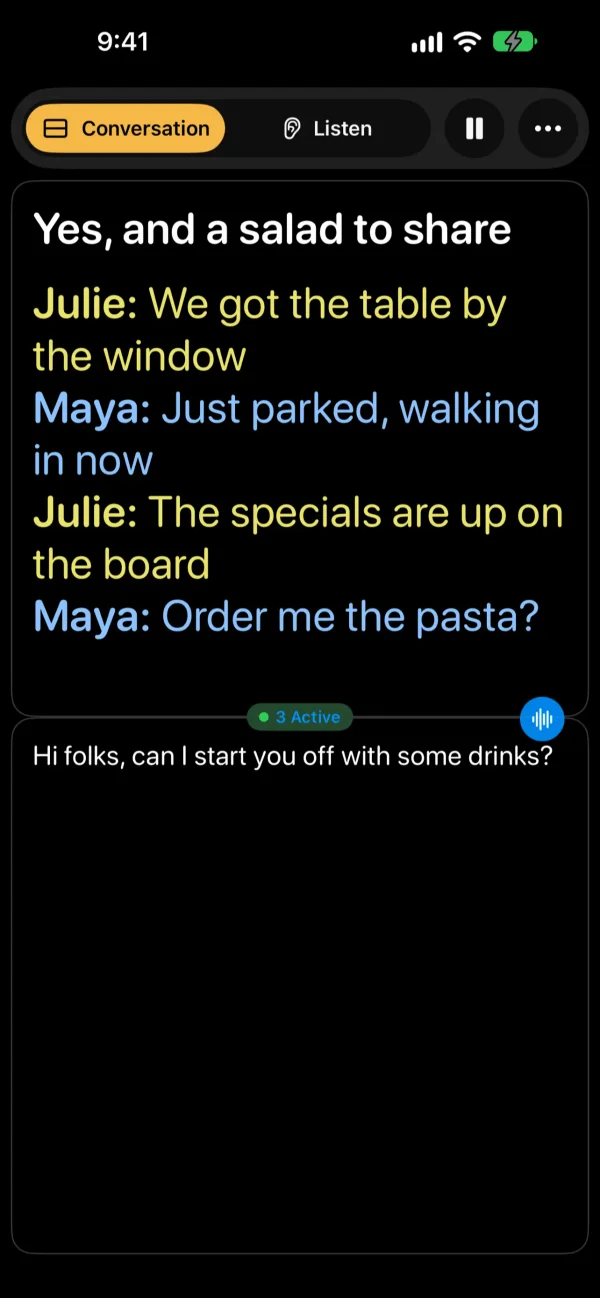
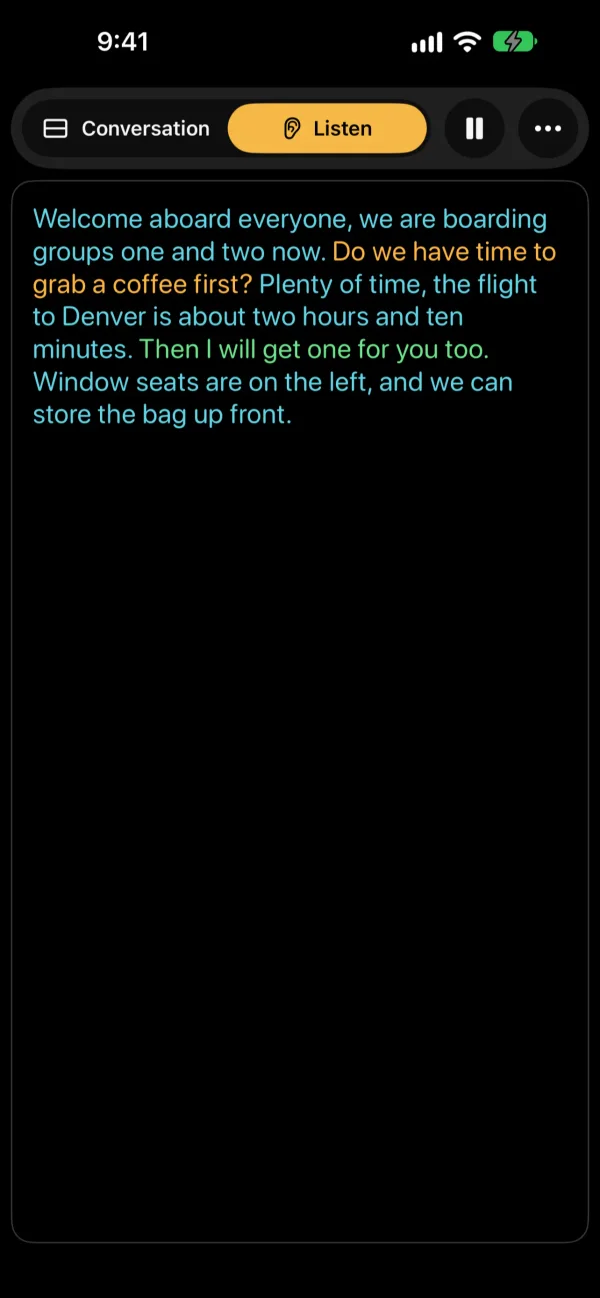
SplitChatter turns speech into text on your screen as people talk, so you can follow along instead of guessing.
It's made for people who are deaf or hard of hearing, and for anyone who'd rather read a conversation than strain to hear it.
Hand your phone across the table, or set it down between you. What the other person says appears at the bottom. You type your reply at the top, and if you like, SplitChatter will say it out loud for you.
The standard captions run on your iPhone. They're free and they work without an internet connection. If you're somewhere loud, like a restaurant, a family dinner or a long meeting, you can switch to AI captions. They're more accurate, they add punctuation, and they show who's speaking in different colors.
A few things people tell us they love:
• Vibrate for a Word. Waiting for your name at the doctor's office or your number at the pharmacy? Tell SplitChatter what to listen for and put your phone in your pocket. It buzzes when it hears it, and taps your Apple Watch too.
• Sound labels. Captions show things like [laughter], [doorbell] or [dog barking], not just words.
• Nearby Sharing. Two iPhones can connect so each person sees the conversation on their own screen.
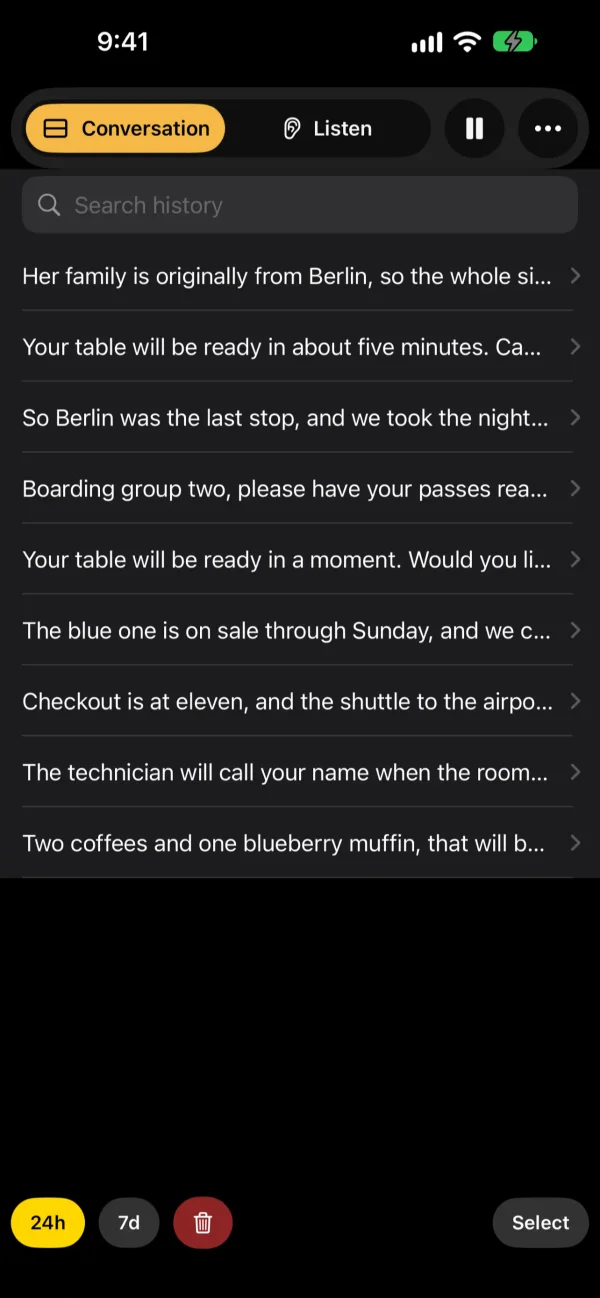
• History. Conversations save automatically, and you can share one as clean text later.
The text is big and easy to read, and you can make it bigger. SplitChatter also works with VoiceOver and Voice Control.
If something isn't working for you, use Report a Problem in Settings. I read every one.
Novidades
Versão 2026.11.16 · 24/11/2026
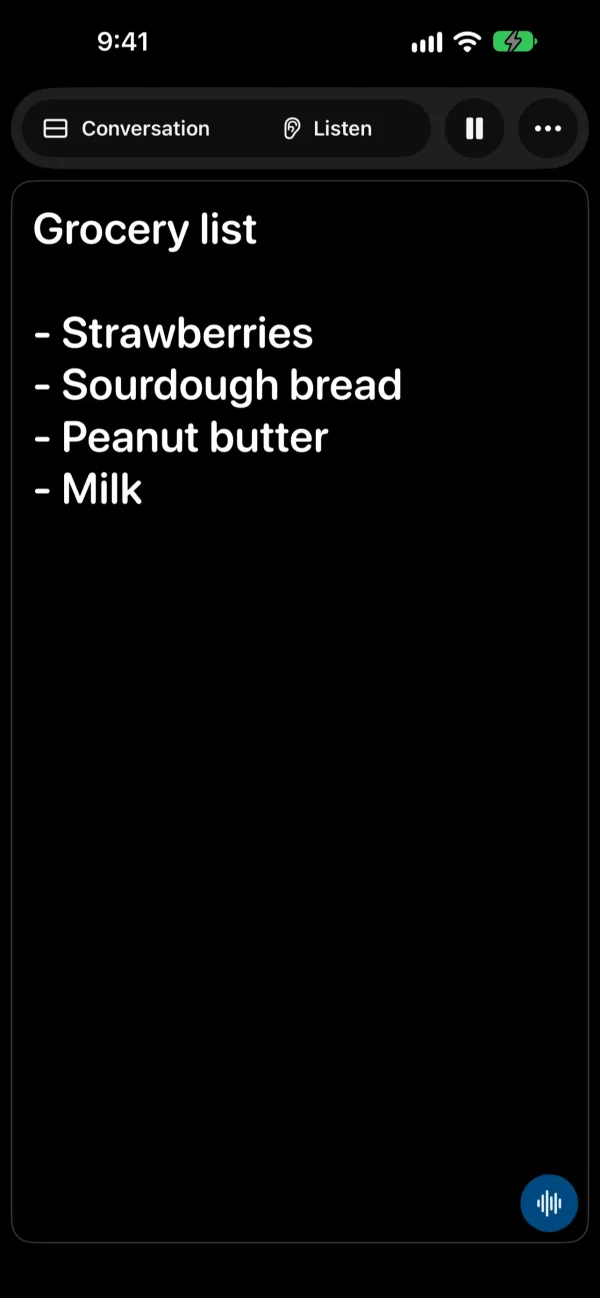
• New Write tab. Type something and show it to someone. The words start big and shrink to fit as you type, and SplitChatter keeps listening in the background, so your captions are there when you switch back. Write replaces Notes, and anything you had in Notes is still there.
• Chat, Listen, Write. Conversation is now called Chat, so all three fit across the top. You can pick which one SplitChatter opens in: Settings > Features > Open In.
• Vibrate for a word got tidier. Numbers you add, like an order number, are marked "today" and clear out tomorrow. Names stay until you delete them. Swipe a word to the right to switch it. If notifications are turned off for SplitChatter, the word list now tells you and has a button to turn them back on.
• Nearby Sharing tells you what's wrong. If Local Network is switched off for SplitChatter, nearby phones can't find each other. The app now says so, and Settings > Nearby Sharing has a button at the top that takes you straight to the switch.
• Bug fixes and reliability improvements.
Privacidade do app
O que Signal Anvil LLC declara na App Store sobre como este app lida com os dados.
-
Dados não vinculados a você
Podem ser coletados, mas não são vinculados à sua identidade.
- Compras
- Informações de contato
- Conteúdo do usuário
- Identificadores
- Dados de uso
- Diagnóstico
As práticas de privacidade podem variar, por exemplo, com base nos recursos que você usa ou na sua idade.
Informações
- Vendedor
- Signal Anvil LLC
- Categoria
- Utilidades
- Versão
- 2026.11.16
- Atualizado
- 24/11/2026
- Lançamento
- 25/10/2025
- Tamanho
- 14,3 MB
- Requer
- iOS 18.6 ou posterior
- Classificação etária
- 4+
- Preço
- Grátis
- Compras no app
- Sim
- Idiomas
- Inglês
- Copyright
- © 2025-2026 SignalAnvil, LLC