- Classification d’âge12+
- CatégorieNavigation
- DéveloppeurEvgeny Savintsev
- LanguesAnglais+ 1 de plus
- Taille78,1 Mo
Renvoie vers la page App Store officielle
Download.org n’héberge aucun fichier de Stint Tracker. Le bouton ouvre la page de l’application sur App Store, où Evgeny Savintsev la publie. Fiche vérifiée pour la dernière fois le 22/11/2026.
Captures d’écran
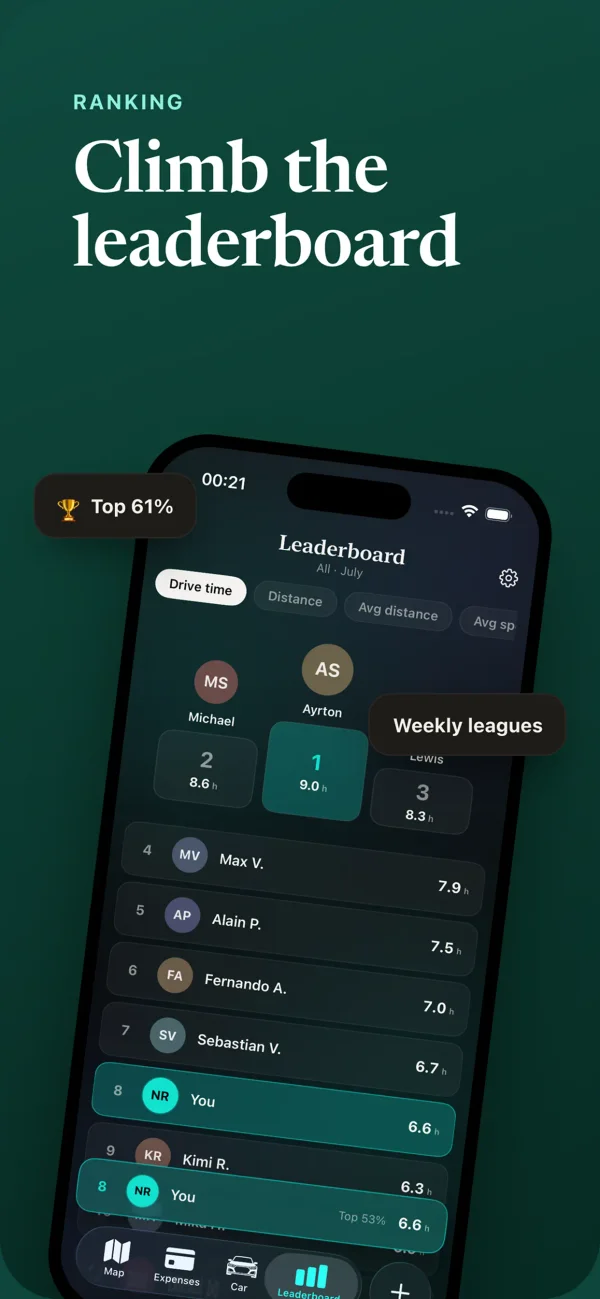
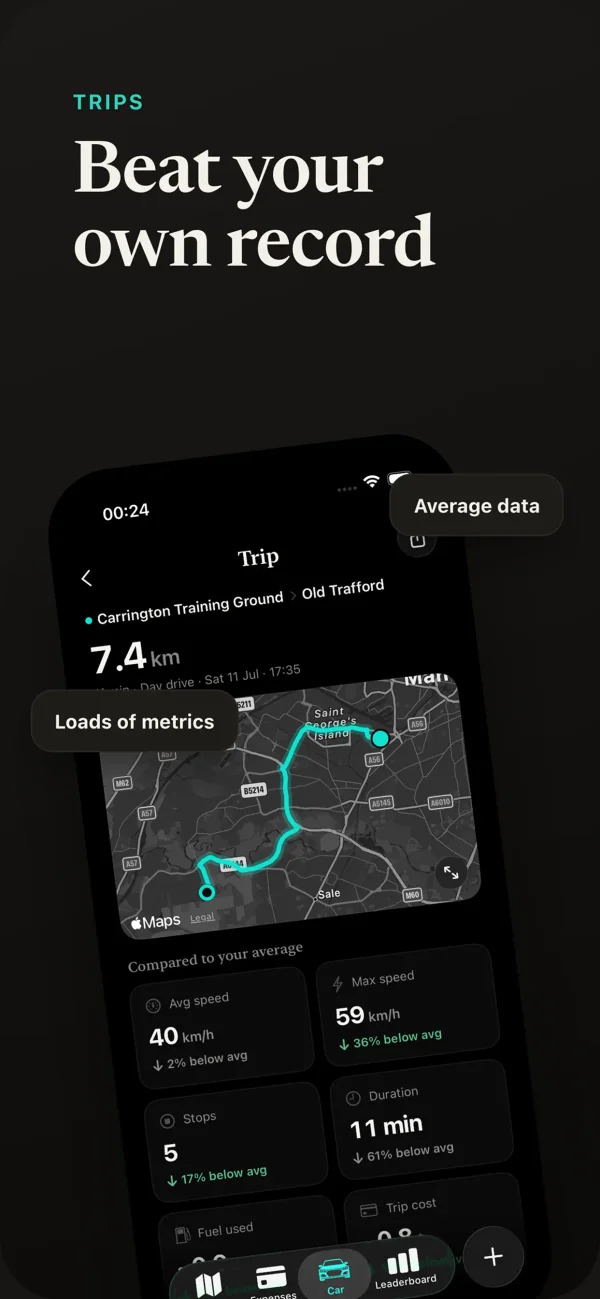
À propos
Le développeur n’a pas fourni ce texte dans votre langue.
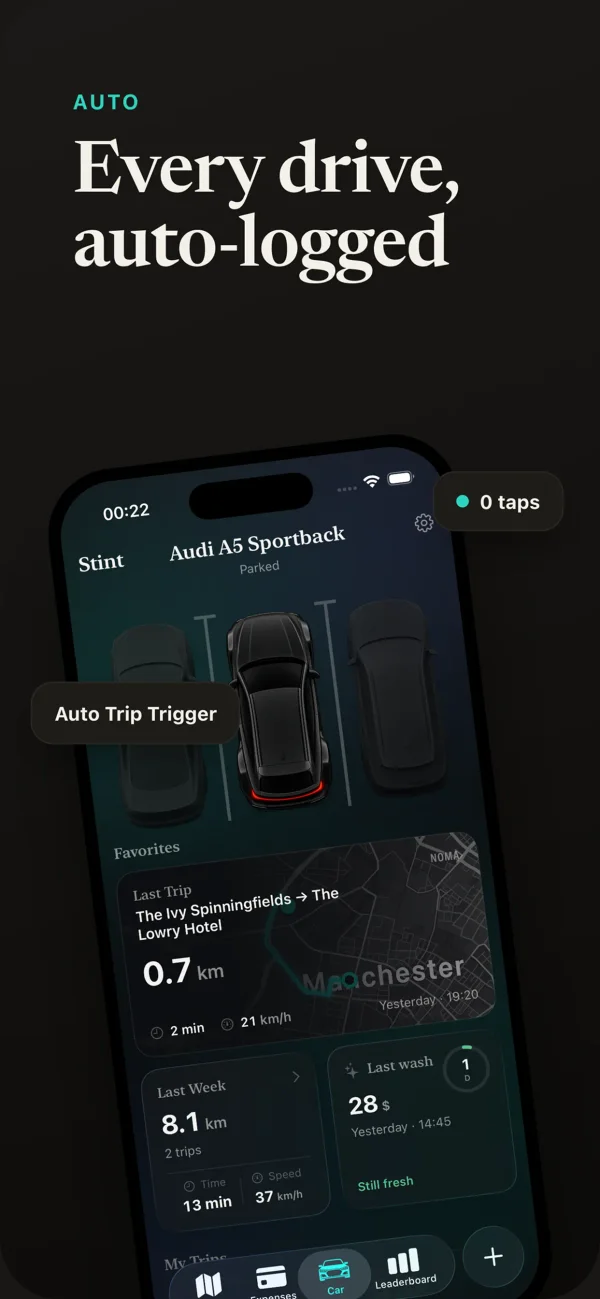
Stint records your drives while your iPhone stays in your pocket. After parking, open Garage to find your car on the map, or check Journal to see how long the journey took and what it cost.
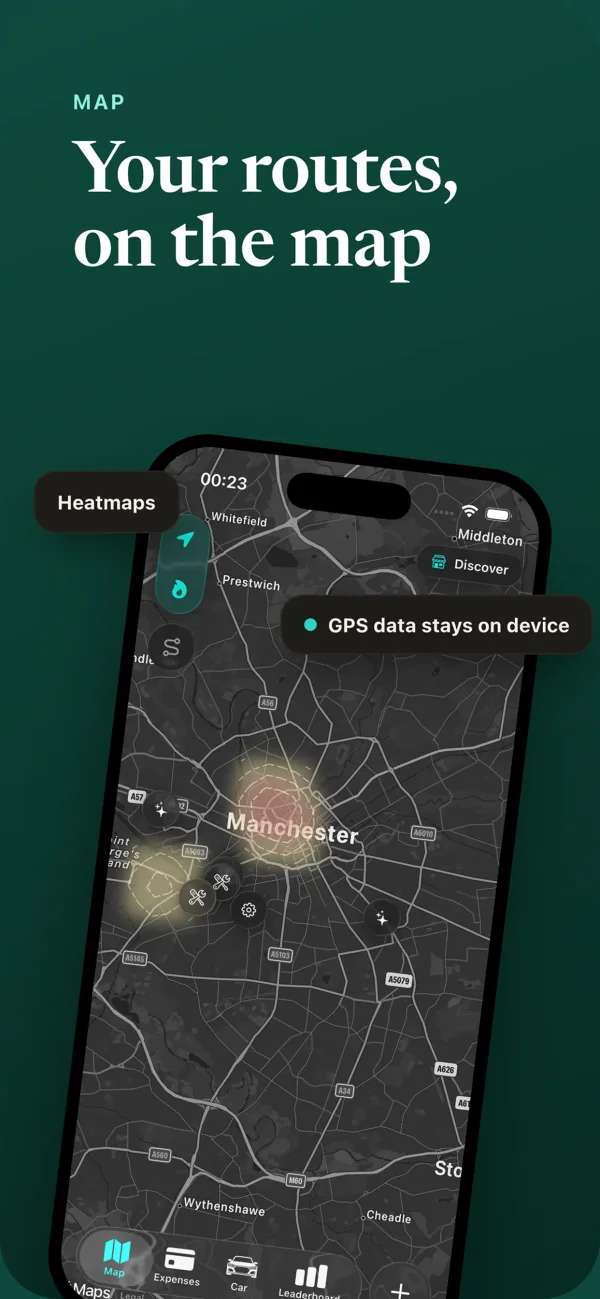
YOUR ROADS ON ONE MAP
Zoom out from your car to explore your trip history. The heatmap shows the roads you travel most. Open a trip to see its route and stops. Precise coordinates and GPS tracks stay on your device.
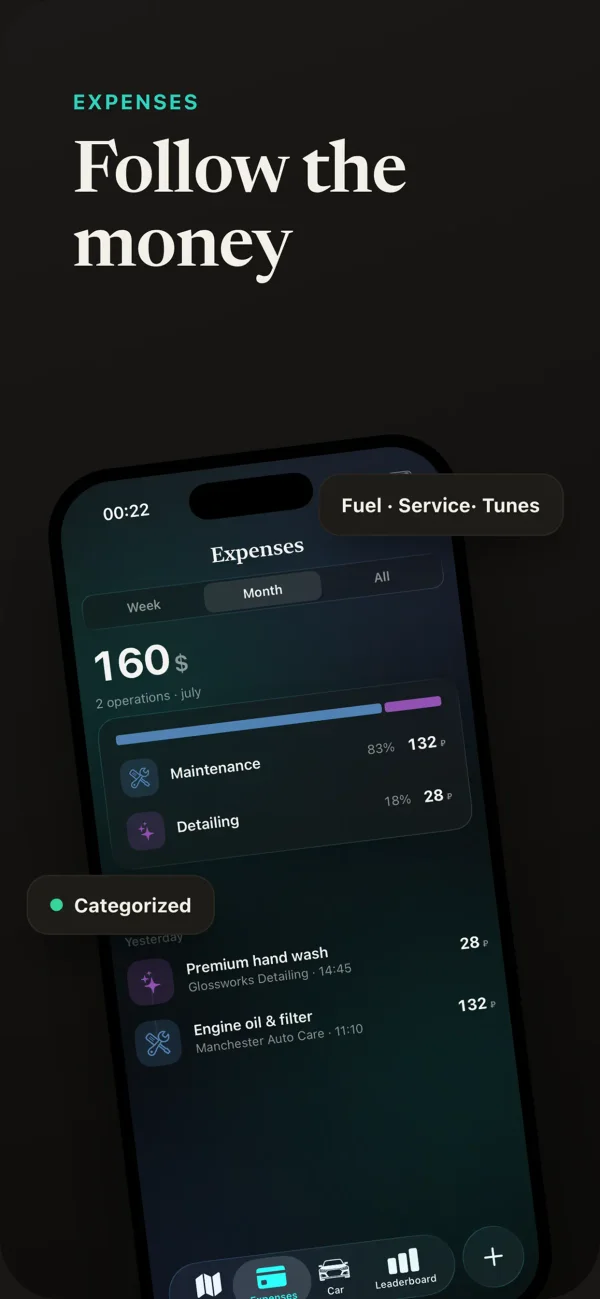
KEEP TRACK OF CAR EXPENSES
Fuel, car washes, maintenance and trips come together in Journal, organised by day. Add an expense at the petrol station, then choose a week or month to see where your money went.
ON THE ROAD AND AFTER PARKING
See your trip information on CarPlay. With a compatible Bluetooth OBD-II adapter, you can build a dashboard using the sensors your car supports. When you return to your car, the compass on Apple Watch points towards its parking spot.
Nouveautés
Version 0.5.0 · 18/11/2026
GARAGE IS NOW ON THE MAP
Stint opens where you left your car. Pinch to zoom out and explore your routes, or turn on the heatmap of familiar roads. Your existing car and its history move into the new Garage when you update.
ONE JOURNAL FOR TRIPS AND EXPENSES
Your commute, a fuel stop and a maintenance entry now sit together in a daily feed. Choose a week or month to review your distance and spending. Use the + button to add an amount and category.
ROUTES THROUGH GPS GAPS
Stint finds your parking spot more accurately when GPS drops out towards the end of a trip. Routes follow roads using the recorded GPS track. Dotted sections show where the route could not be reconstructed.
APPLE WATCH, CARPLAY AND CAR SENSORS
On Apple Watch, find the direction to your car and log a fuel stop using the Digital Crown to set the volume. CarPlay gains Trip and Sensors screens, and iPhone has a customisable OBD-II dashboard for compatible Bluetooth adapters.
Confidentialité de l’application
Ce que Evgeny Savintsev déclare sur l’App Store au sujet du traitement des données par cette application.
-
Données établissant un lien avec vous
Peuvent être collectées et liées à votre identité.
- Emplacement
- Contenu utilisateur
- Identifiants
- Données d’utilisation
- Autres données
Les pratiques en matière de confidentialité peuvent varier, notamment en fonction des fonctionnalités que vous utilisez ou de votre âge.
Informations
- Vendeur
- Evgeny Savintsev
- Catégorie
- Navigation
- Version
- 0.5.0
- Mis à jour
- 18/11/2026
- Publié
- 20/07/2026
- Taille
- 78,1 Mo
- Nécessite
- iOS 17.0 ou version ultérieure
- Classification d’âge
- 12+
- Prix
- Gratuit
- Langues
- Anglais, Russe
- Copyright
- © 2026 Evgeny Savintsev
Vous aimerez peut-être aussi
-
 Trip Rank₊Navigation
-
 MyAuto : entretien voitureDépenses, carburant et trajets
-
 DriveTrace - Car Drive TrackerNavigation
-
 EV MapNavigation
-
 KropkiNavigation
-
 Mileon: Suivi Trajets & AutoL'app pour chaque conducteur
-
 Дело центрNavigation
-
 Motore - трекер стиля вожденияVoyages
-
 Bali CompassVoyages
-
 Compteur de Vitesse - TrajetsCarnet de bord & kilométrage