
- Age rating12+
- CategoryNavigation
- DeveloperEvgeny Savintsev
- LanguagesEnglish+ 1 more
- Size78.1 MB
Links to the official App Store page
Download.org hosts no file of Stint Tracker. The button opens its official App Store page, published by Evgeny Savintsev. Listing last checked on Nov 22, 2026.
Screenshots
About
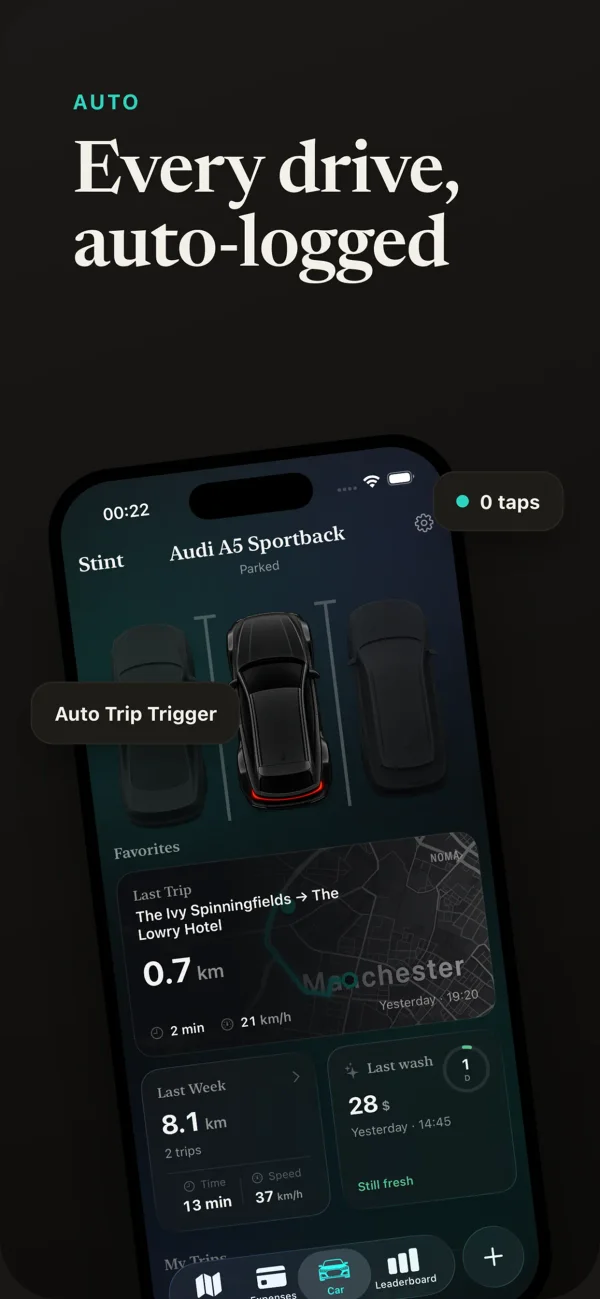
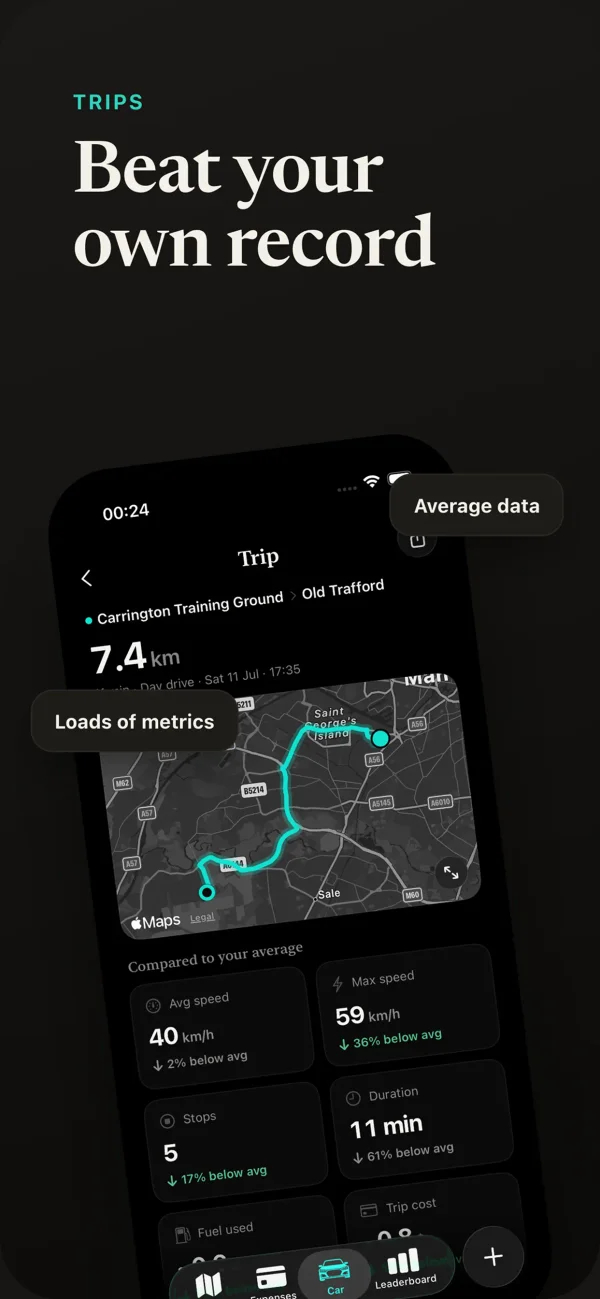
Stint records your drives while your iPhone stays in your pocket. After parking, open Garage to find your car on the map, or check Journal to see how long the journey took and what it cost.
YOUR ROADS ON ONE MAP
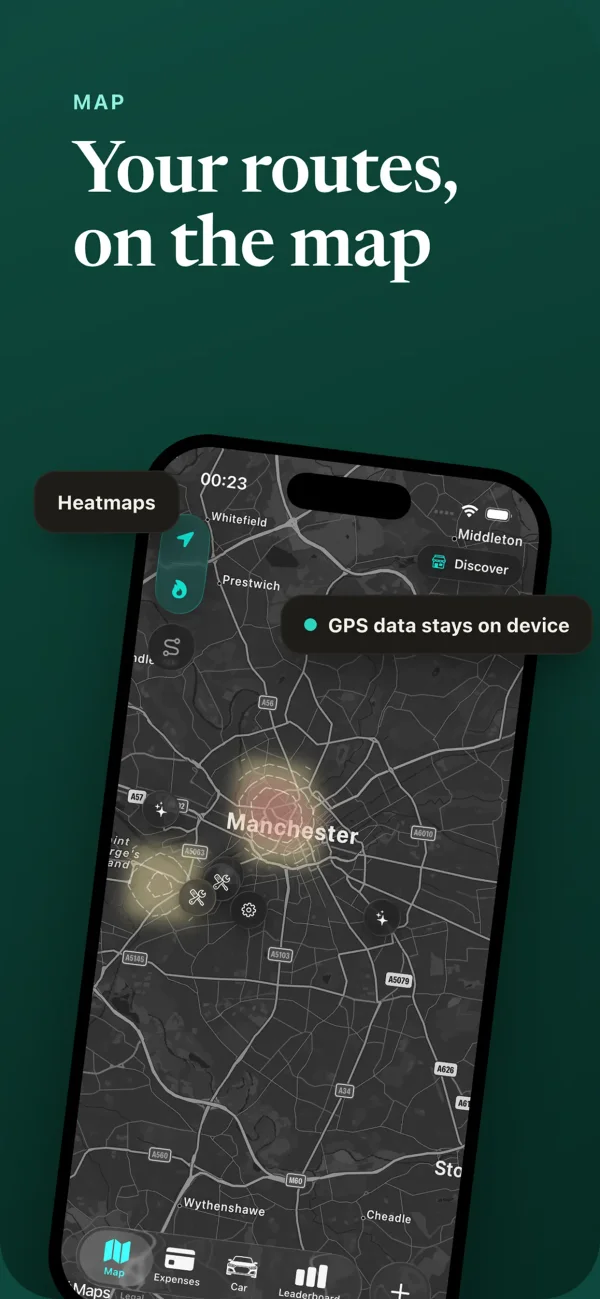
Zoom out from your car to explore your trip history. The heatmap shows the roads you travel most. Open a trip to see its route and stops. Precise coordinates and GPS tracks stay on your device.
KEEP TRACK OF CAR EXPENSES
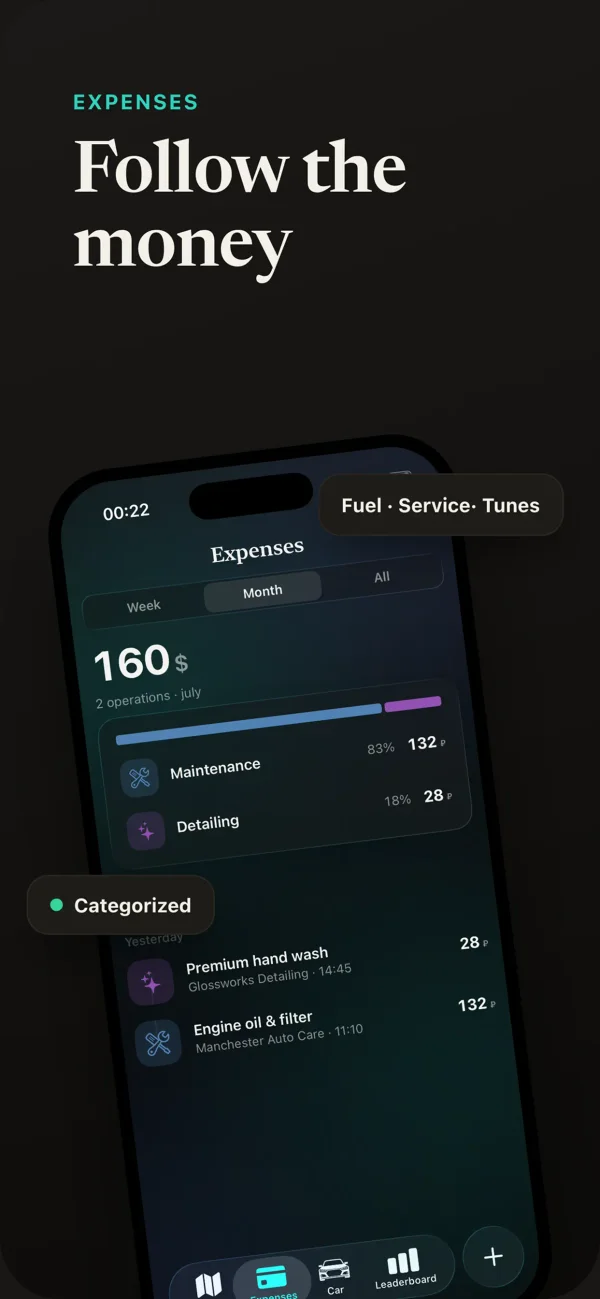
Fuel, car washes, maintenance and trips come together in Journal, organised by day. Add an expense at the petrol station, then choose a week or month to see where your money went.
ON THE ROAD AND AFTER PARKING
See your trip information on CarPlay. With a compatible Bluetooth OBD-II adapter, you can build a dashboard using the sensors your car supports. When you return to your car, the compass on Apple Watch points towards its parking spot.
What’s new
Version 0.5.0 · Nov 18, 2026
GARAGE IS NOW ON THE MAP
Stint opens where you left your car. Pinch to zoom out and explore your routes, or turn on the heatmap of familiar roads. Your existing car and its history move into the new Garage when you update.
ONE JOURNAL FOR TRIPS AND EXPENSES
Your commute, a fuel stop and a maintenance entry now sit together in a daily feed. Choose a week or month to review your distance and spending. Use the + button to add an amount and category.
ROUTES THROUGH GPS GAPS
Stint finds your parking spot more accurately when GPS drops out towards the end of a trip. Routes follow roads using the recorded GPS track. Dotted sections show where the route could not be reconstructed.
APPLE WATCH, CARPLAY AND CAR SENSORS
On Apple Watch, find the direction to your car and log a fuel stop using the Digital Crown to set the volume. CarPlay gains Trip and Sensors screens, and iPhone has a customisable OBD-II dashboard for compatible Bluetooth adapters.
App privacy
What Evgeny Savintsev declares on the App Store about how this app handles data.
-
Data linked to you
May be collected and linked to your identity.
- Location
- User content
- Identifiers
- Usage data
- Other data
Privacy practices may vary, for example with the features you use or your age.
Information
- Seller
- Evgeny Savintsev
- Category
- Navigation
- Version
- 0.5.0
- Updated
- Nov 18, 2026
- Released
- Jul 20, 2026
- Size
- 78.1 MB
- Requires
- iOS 17.0 or later
- Age rating
- 12+
- Price
- Free
- Languages
- English, Russian
- Copyright
- © 2026 Evgeny Savintsev
You might also like
-
 Trip Rank₊Speed Tracker & Speedometer
-
 MyAuto: auto maintenance logDrive stats, car costs tracker
-
 DriveTrace - Car Drive TrackerTrack & Share Drives
-
 EV MapNavigation
-
 KropkiNavigation
-
 Mileon: Drive & Car TrackerThe App Every Driver Needs
-
 Дело центрNavigation
-
 Motore - трекер стиля вожденияTravel
-
 Bali CompassUltimate Bali Travel Companion
-
 Driving Log - Trip OdometerDigital Speedometer & Miles