- Classification d’âge4+
- CatégorieProductivité
- DéveloppeurDaniel Bogart
- LanguesAnglais
- Taille23,2 Mo
Renvoie vers la page App Store officielle
Download.org n’héberge aucun fichier de Studio Color. Le bouton ouvre la page de l’application sur App Store, où Daniel Bogart la publie. Fiche vérifiée pour la dernière fois le 20/11/2026.
Captures d’écran
À propos
Le développeur n’a pas fourni ce texte dans votre langue.
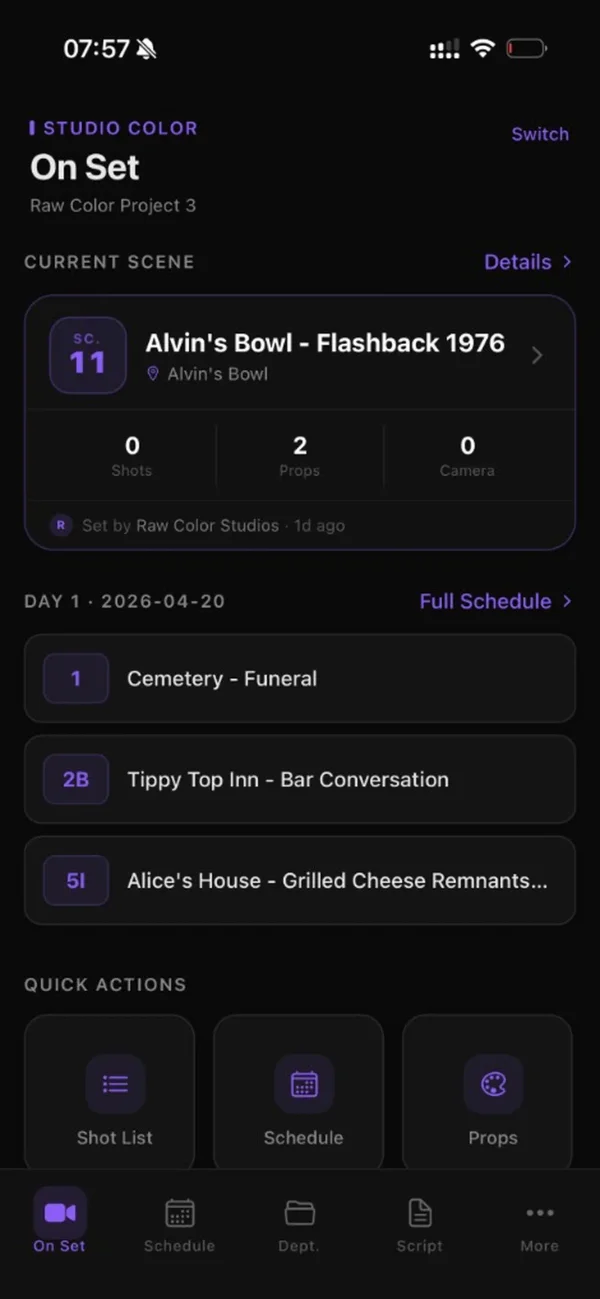
Studio Color is an all-in-one production management platform built for independent film and TV crews.
Designed for department heads and on-set teams, Studio Color brings your entire production workflow into a single collaborative workspace — accessible on your phone wherever the work takes you.
WHAT YOU CAN DO ON MOBILE:
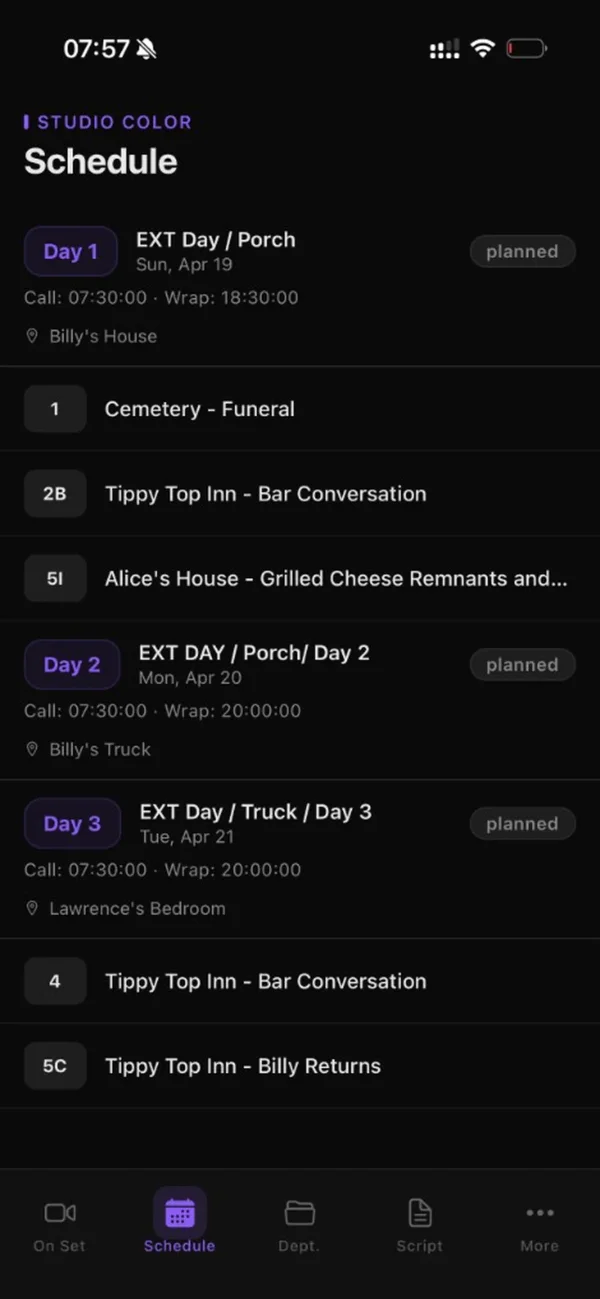
• Check the current shot and stay in sync with the schedule
• Scout locations — capture photos, add notes, and log details instantly
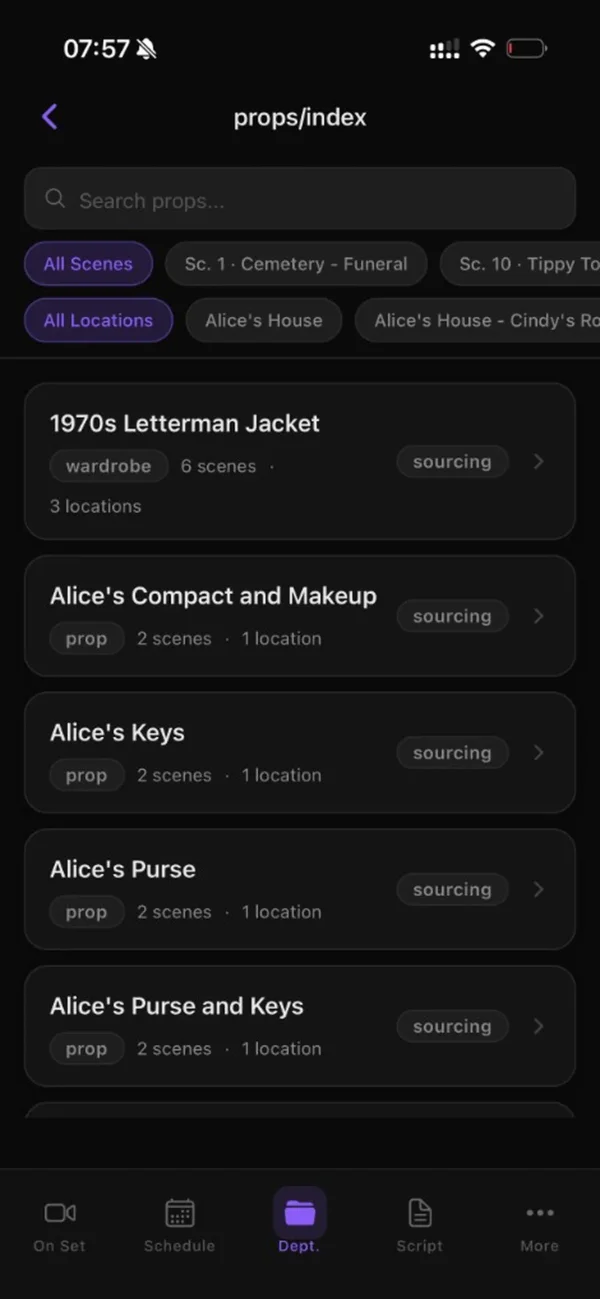
• Browse props and equipment by day, scene, shot, or location
• Upload on-set reference photos directly to your project
• Access script breakdowns and call sheets on the go
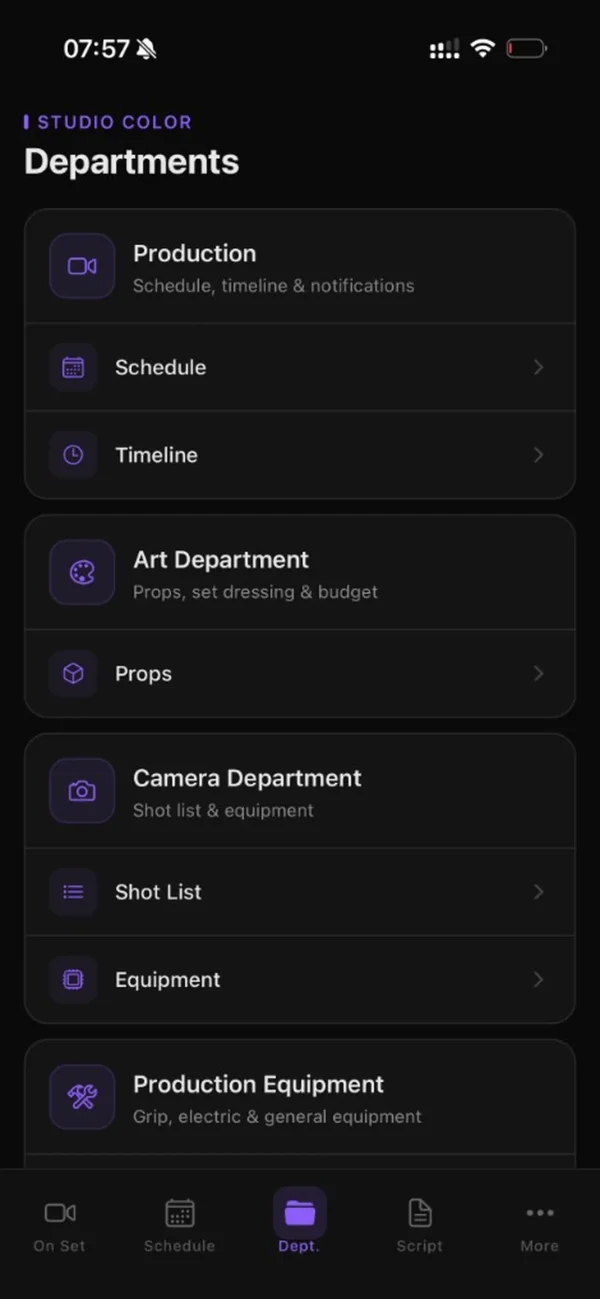
• Coordinate with your art and camera departments in real time
• Receive push notifications so you never miss a schedule change
BUILT FOR THE PACE OF PRODUCTION:
Studio Color is designed for the way film productions actually work. The web app handles the heavy lifting at your desk — writing breakdowns, building budgets, coordinating crew, and managing paperwork. The mobile app keeps you connected on location and on set, with fast access to the information you need in the moment.
KEY FEATURES:
• Script Breakdowns — AI-assisted breakdowns with department color coding
• Scheduling — Production schedule with day-by-day views
• Budgets — Track costs across departments
• Crew & Collaboration — Invite your team with role-based access
• Props & Equipment — Manage inventory by scene and department
• Location Scouting — Log locations, photos, and field notes from your phone
• Shot Lists — Keep camera and art departments aligned
• Paperwork — Crew documents and production forms in one place
Studio Color is free to get started and scales with your production. Visit studiocolor.io to learn more.
Nouveautés
Version 1.1 · 29/04/2026
- Bug fixes
- Location Scout Improvements
- Comment and tagging functionality
Confidentialité de l’application
Ce que Daniel Bogart déclare sur l’App Store au sujet du traitement des données par cette application.
-
Données établissant un lien avec vous
Peuvent être collectées et liées à votre identité.
- Coordonnées
- Contenu utilisateur
- Identifiants
-
Données n’établissant aucun lien avec vous
Peuvent être collectées, mais ne sont pas liées à votre identité.
- Coordonnées
- Diagnostic
Les pratiques en matière de confidentialité peuvent varier, notamment en fonction des fonctionnalités que vous utilisez ou de votre âge.
Informations
- Vendeur
- Daniel Bogart
- Catégorie
- Productivité
- Version
- 1.1
- Mis à jour
- 29/04/2026
- Publié
- 24/04/2026
- Taille
- 23,2 Mo
- Nécessite
- iOS 15.1 ou version ultérieure
- Classification d’âge
- 4+
- Prix
- Gratuit
- Langues
- Anglais
- Copyright
- © 2026 Studio Color. All rights reserved.
Vous aimerez peut-être aussi
-
 Shooting SchedulesProductivité
-
 DXY AI KeyboardProductivité
-
 BossAI: AI Voice KeyboardProductivité
-
 CineFlo - Plan de tournageFeuille de service & découpage
-
 Cadrage StudioProductivité
-
 Clipboard History+Productivité
-
 TypeFix: AI Writing KeyboardProductivité
-
 Task Flow: Rappels & TâchesTo do Liste, Planificateur
-
 InternxtPrivate cloud storage
-
 Orki - Clavier et Écrivain IATraduire corriger la grammaire