- Độ tuổi4+
- Danh mụcHiệu Suất
- Nhà phát triểnDaniel Bogart
- Ngôn ngữTiếng Anh
- Kích thước23,2 MB
Liên kết đến trang App Store chính thức
Download.org không lưu trữ tệp nào của Studio Color. Nút này mở trang ứng dụng trên App Store, nơi Daniel Bogart phát hành ứng dụng. Trang được kiểm tra lần cuối: 20/11/2026.
Ảnh chụp màn hình
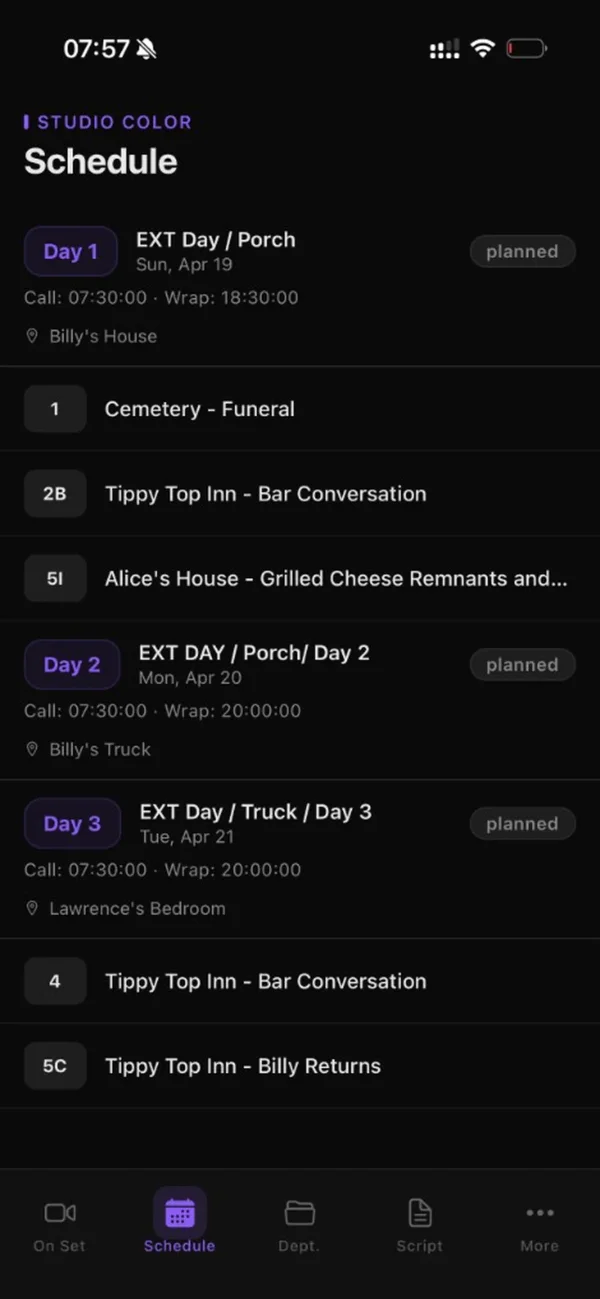
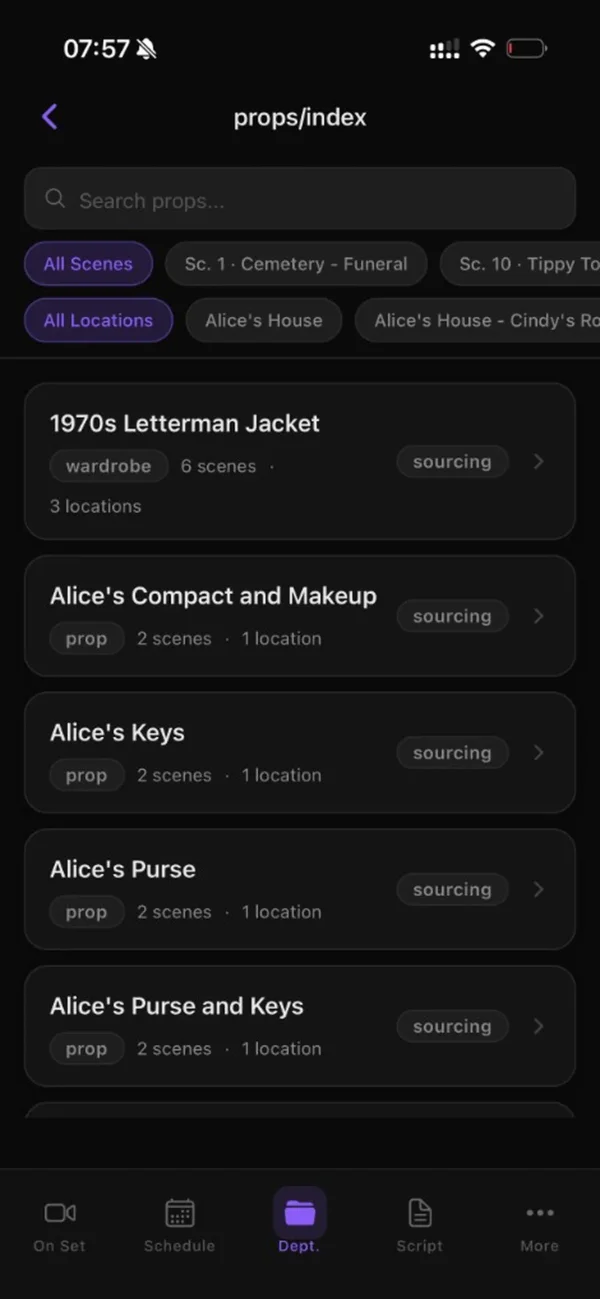
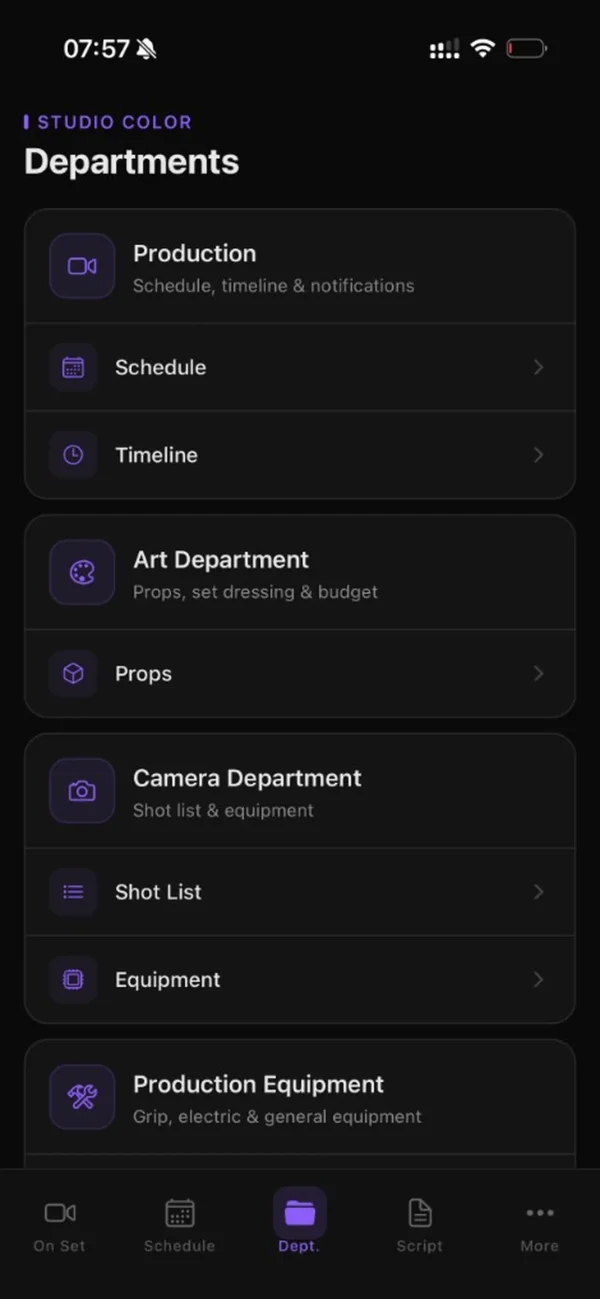
Giới thiệu
Nhà phát triển chưa cung cấp nội dung này bằng ngôn ngữ của bạn.
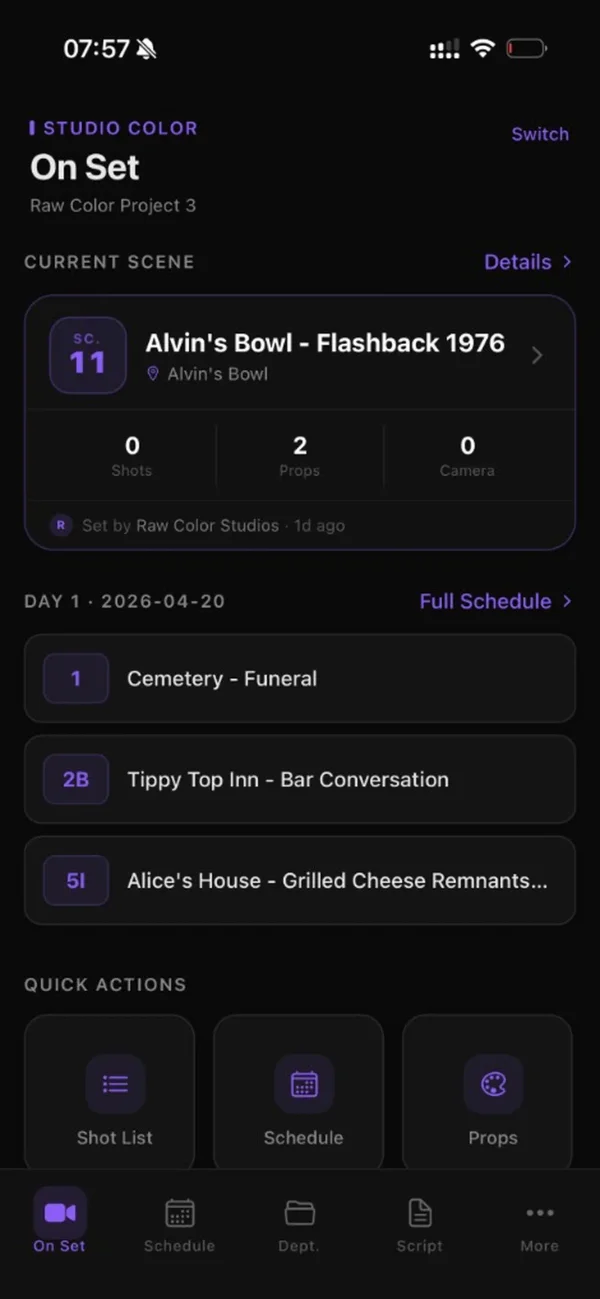
Studio Color is an all-in-one production management platform built for independent film and TV crews.
Designed for department heads and on-set teams, Studio Color brings your entire production workflow into a single collaborative workspace — accessible on your phone wherever the work takes you.
WHAT YOU CAN DO ON MOBILE:
• Check the current shot and stay in sync with the schedule
• Scout locations — capture photos, add notes, and log details instantly
• Browse props and equipment by day, scene, shot, or location
• Upload on-set reference photos directly to your project
• Access script breakdowns and call sheets on the go
• Coordinate with your art and camera departments in real time
• Receive push notifications so you never miss a schedule change
BUILT FOR THE PACE OF PRODUCTION:
Studio Color is designed for the way film productions actually work. The web app handles the heavy lifting at your desk — writing breakdowns, building budgets, coordinating crew, and managing paperwork. The mobile app keeps you connected on location and on set, with fast access to the information you need in the moment.
KEY FEATURES:
• Script Breakdowns — AI-assisted breakdowns with department color coding
• Scheduling — Production schedule with day-by-day views
• Budgets — Track costs across departments
• Crew & Collaboration — Invite your team with role-based access
• Props & Equipment — Manage inventory by scene and department
• Location Scouting — Log locations, photos, and field notes from your phone
• Shot Lists — Keep camera and art departments aligned
• Paperwork — Crew documents and production forms in one place
Studio Color is free to get started and scales with your production. Visit studiocolor.io to learn more.
Có gì mới
Phiên bản 1.1 · 29/04/2026
- Bug fixes
- Location Scout Improvements
- Comment and tagging functionality
Quyền riêng tư của ứng dụng
Những gì Daniel Bogart khai báo trên App Store về cách ứng dụng này xử lý dữ liệu.
-
Dữ liệu liên kết với bạn
Có thể được thu thập và liên kết với danh tính của bạn.
- Thông tin liên hệ
- Nội dung của người dùng
- Mã định danh
-
Dữ liệu không liên kết với bạn
Có thể được thu thập nhưng không liên kết với danh tính của bạn.
- Thông tin liên hệ
- Chẩn đoán
Phương thức đảm bảo quyền riêng tư có thể khác nhau, chẳng hạn như tuỳ theo các tính năng bạn sử dụng hoặc độ tuổi của bạn.
Thông tin
- Người bán
- Daniel Bogart
- Danh mục
- Hiệu Suất
- Phiên bản
- 1.1
- Cập nhật
- 29/04/2026
- Phát hành
- 24/04/2026
- Kích thước
- 23,2 MB
- Yêu cầu
- iOS 15.1 trở lên
- Độ tuổi
- 4+
- Giá
- Miễn phí
- Ngôn ngữ
- Tiếng Anh
- Bản quyền
- © 2026 Studio Color. All rights reserved.
Có thể bạn cũng thích
-
 Shooting SchedulesHiệu Suất
-
 DXY AI KeyboardHiệu Suất
-
 BossAI: AI Voice KeyboardHiệu Suất
-
 CineFlo - Shot List & PlanHiệu Suất
-
 Cadrage StudioHiệu Suất
-
 Clipboard History+Hiệu Suất
-
 TypeFix: AI Writing KeyboardHiệu Suất
-
 Task Flow:Nhiệm vụ & Danh sáchQuản lý việc, Danh sách, Nhắc
-
 InternxtHiệu Suất
-
 AI Keyboard - OrkiHiệu Suất