
- Classification d’âge4+
- CatégorieUtilitaires
- DéveloppeurZsolt Hutvagner
- LanguesAnglais
- Taille4,5 Mo
Renvoie vers la page App Store officielle
Download.org n’héberge aucun fichier de Supaste. Le bouton ouvre la page de l’application sur App Store, où Zsolt Hutvagner la publie. Fiche vérifiée pour la dernière fois le 16/11/2026.
Captures d’écran
À propos
Le développeur n’a pas fourni ce texte dans votre langue.
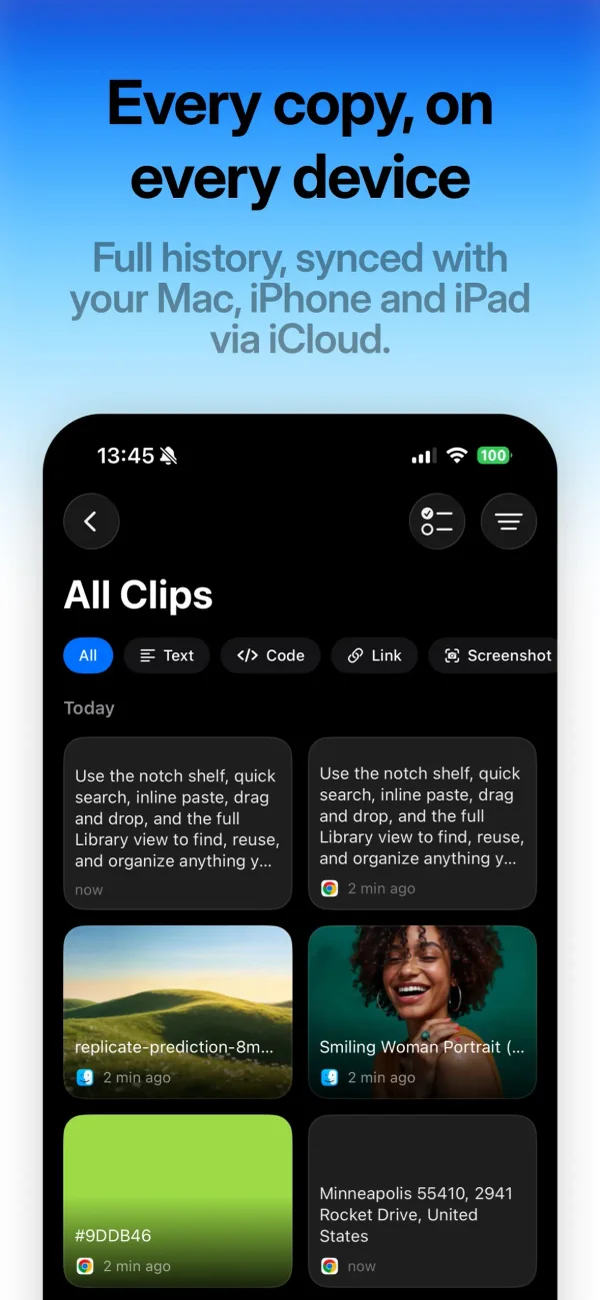
Supaste is your clipboard history for iPhone and iPad — and the companion to Supaste for Mac. Everything you copy is kept, organized and ready to paste again.
SAVE WHAT YOU COPY
• Open Supaste and what you just copied is saved automatically
• Save to Supaste from the share sheet in any app — text, links, images and files
• Add "Save to Supaste" to Back Tap or the Action button to save without switching apps
• Rules let you choose which types are saved; passwords and keys are skipped by default
THE SUPASTE KEYBOARD
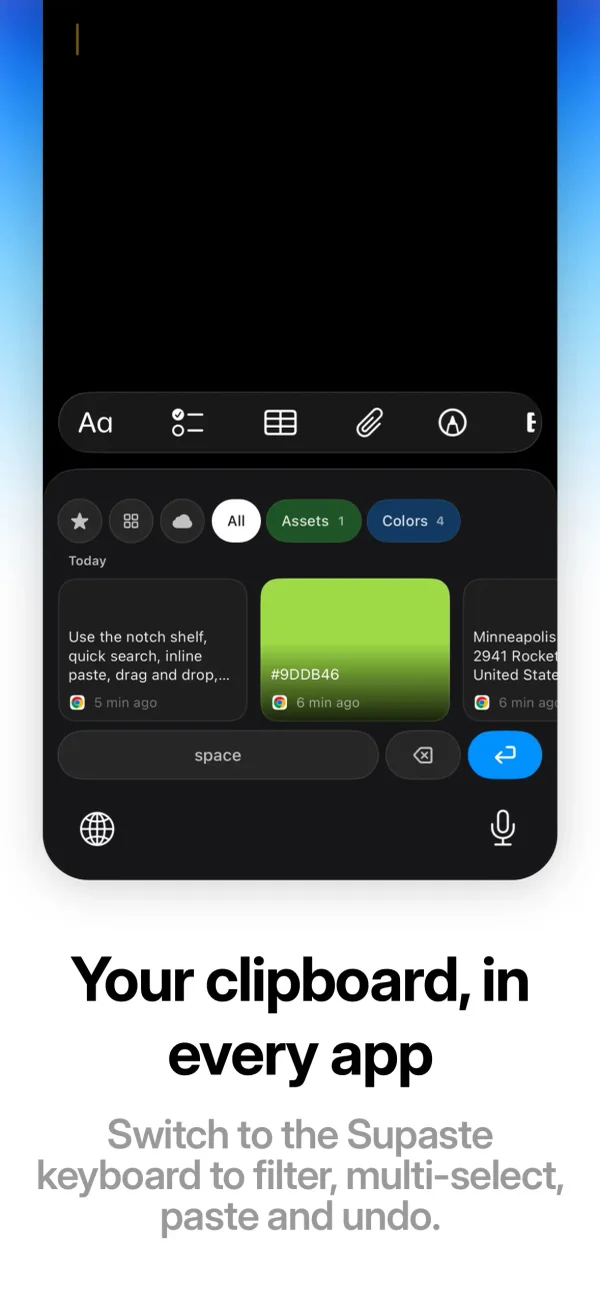
Paste your clips straight into any app — no switching back and forth.
• Cards or list layout, with Pinned, Today and Yesterday sections
• Smart Suggestions: emails in an email field, links in a web address, addresses and numbers where they fit
• Select several clips and insert them together, on separate lines or with spaces
• Undo an insert with one tap
• Smart spacing and sentence capitalization
• Works without Full Access — the keyboard never sees what you type
ORGANIZED YOUR WAY
• Beautiful card grid with link previews, colors, code and images
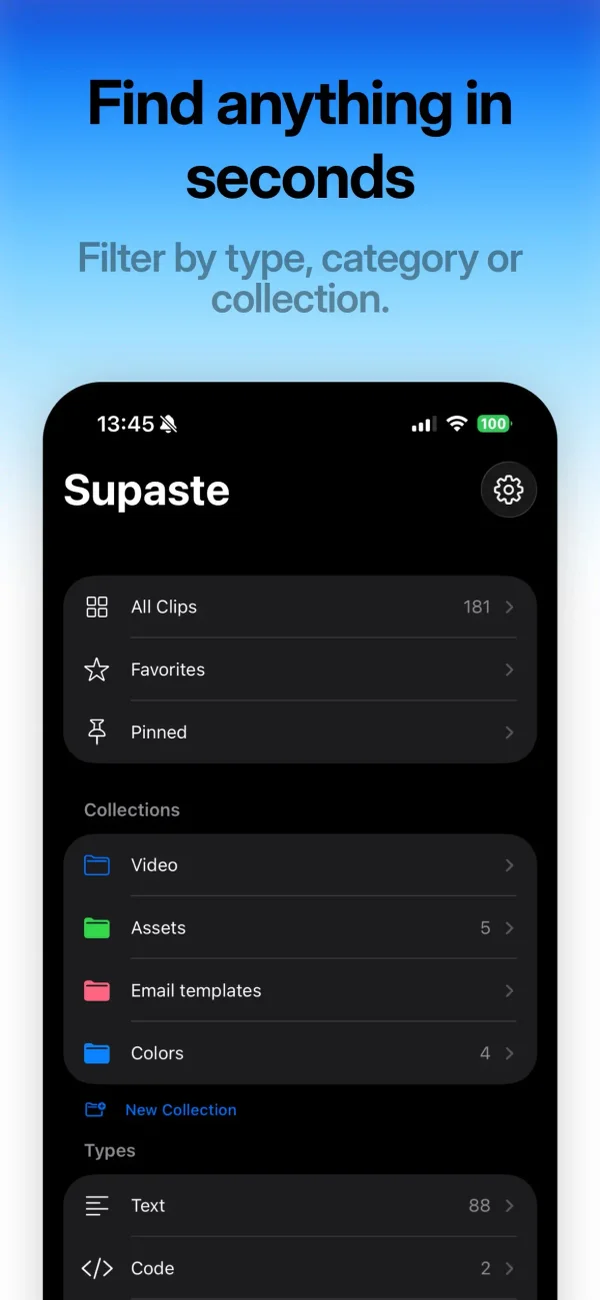
• Collections with colors, favorites and pinned clips
• Fast search, with filters for type, collection and device
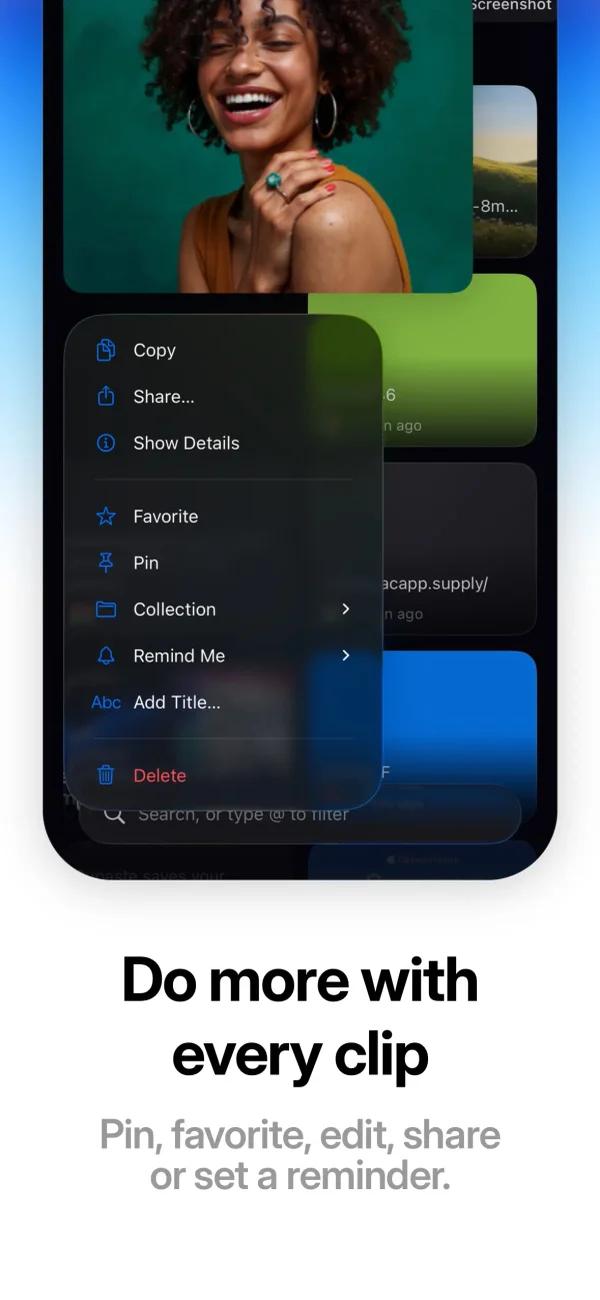
• Rename, edit and share any clip, or drag it into another app
• Reminders for clips you need later
IN SYNC WITH YOUR MAC
Supaste uses your own iCloud to keep iPhone, iPad and Mac in sync. Copy on your Mac, paste on your iPhone — and the other way around. Each clip shows the device it came from.
WIDGET
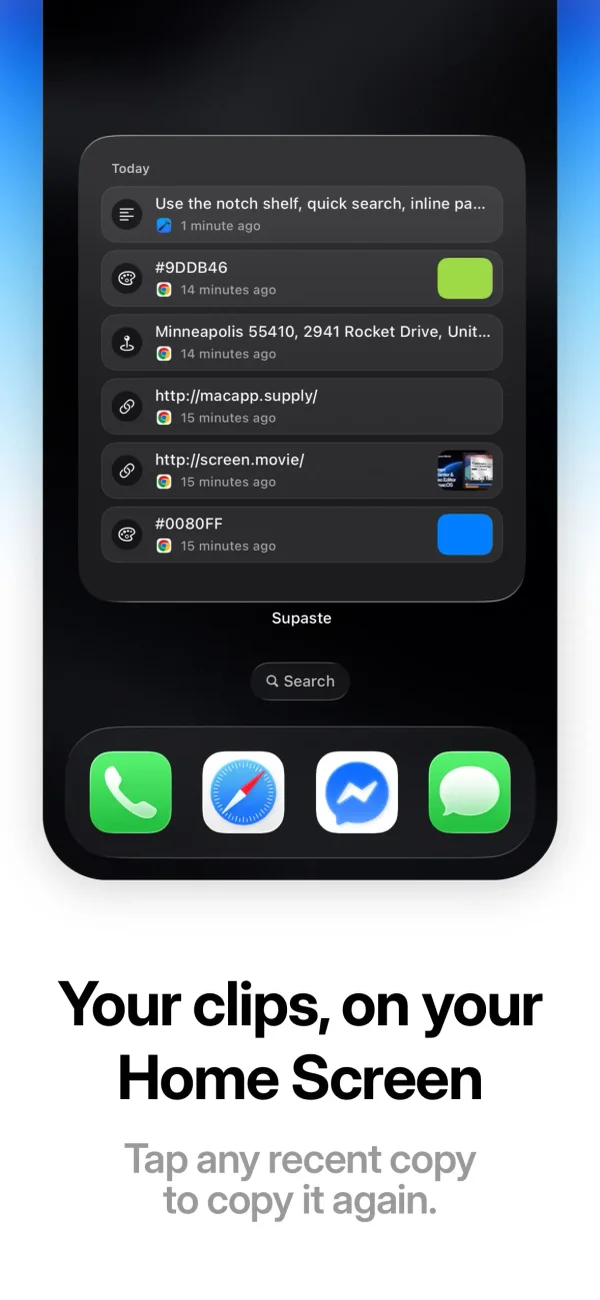
Your recent clips on the Home Screen. Tap one to copy it.
PRIVATE BY DESIGN
No account, no tracking, no ads. Your clips stay on your devices and in your private iCloud.
Supaste for Mac is available at supaste.com.
Nouveautés
Version 1.0.1 · 02/11/2026
• New here? A few guide cards now greet you on first launch: what Supaste does, how to set up the keyboard, widget and Save to Supaste, and where to get Supaste for Mac. Delete them whenever you like.
• Fixed: on iOS 27 the Supaste keyboard's filter bar was blurred by a system edge effect. It is sharp again.
Confidentialité de l’application
Ce que Zsolt Hutvagner déclare sur l’App Store au sujet du traitement des données par cette application.
-
Données non collectées
Le développeur ne collecte aucune donnée à partir de cette application.
Les pratiques en matière de confidentialité peuvent varier, notamment en fonction des fonctionnalités que vous utilisez ou de votre âge.
Informations
- Vendeur
- Zsolt Hutvagner
- Catégorie
- Utilitaires
- Version
- 1.0.1
- Mis à jour
- 02/11/2026
- Publié
- 31/10/2026
- Taille
- 4,5 Mo
- Nécessite
- iOS 26.0 ou version ultérieure
- Classification d’âge
- 4+
- Prix
- Gratuit
- Langues
- Anglais
- Copyright
- © Solt Studio KFT Supaste app
Vous aimerez peut-être aussi
-
 Dzzz — Offline ToolsUtilitaires
-
 WideView DuoUtilitaires
-
 QR Studio : Créer et scannerWi-Fi, menus et avis clients
-
 PasteKit: Clipboard KeyboardUtilitaires
-
 NetPeek: WiFi ScannerUtilitaires
-
 SignalRadarUtilitaires
-
 Light Here: World ClockUtilitaires
-
 Visual MTR: TracerouteUtilitaires
-
 Notchet : Presse-papiersHistorique de copies, extraits
-
 OneFlixUtilitaires