
- Batasan usia4+
- KategoriKegunaan
- PengembangZsolt Hutvagner
- BahasaInggris
- Ukuran4,5 MB
Tertaut ke halaman resmi App Store
Download.org tidak menyimpan file Supaste apa pun. Tombol ini membuka halaman aplikasi di App Store, tempat Zsolt Hutvagner menerbitkannya. Halaman terakhir diperiksa pada 16/11/2026.
Tangkapan layar
Tentang
Pengembang belum menyediakan teks ini dalam bahasa Anda.
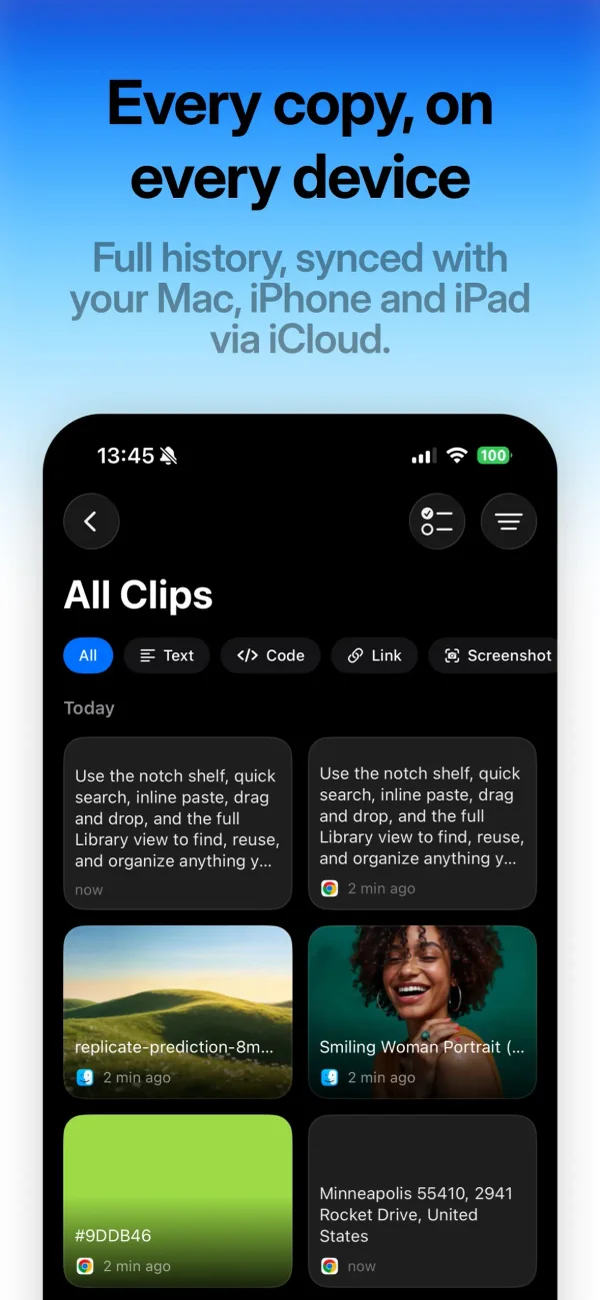
Supaste is your clipboard history for iPhone and iPad — and the companion to Supaste for Mac. Everything you copy is kept, organized and ready to paste again.
SAVE WHAT YOU COPY
• Open Supaste and what you just copied is saved automatically
• Save to Supaste from the share sheet in any app — text, links, images and files
• Add "Save to Supaste" to Back Tap or the Action button to save without switching apps
• Rules let you choose which types are saved; passwords and keys are skipped by default
THE SUPASTE KEYBOARD
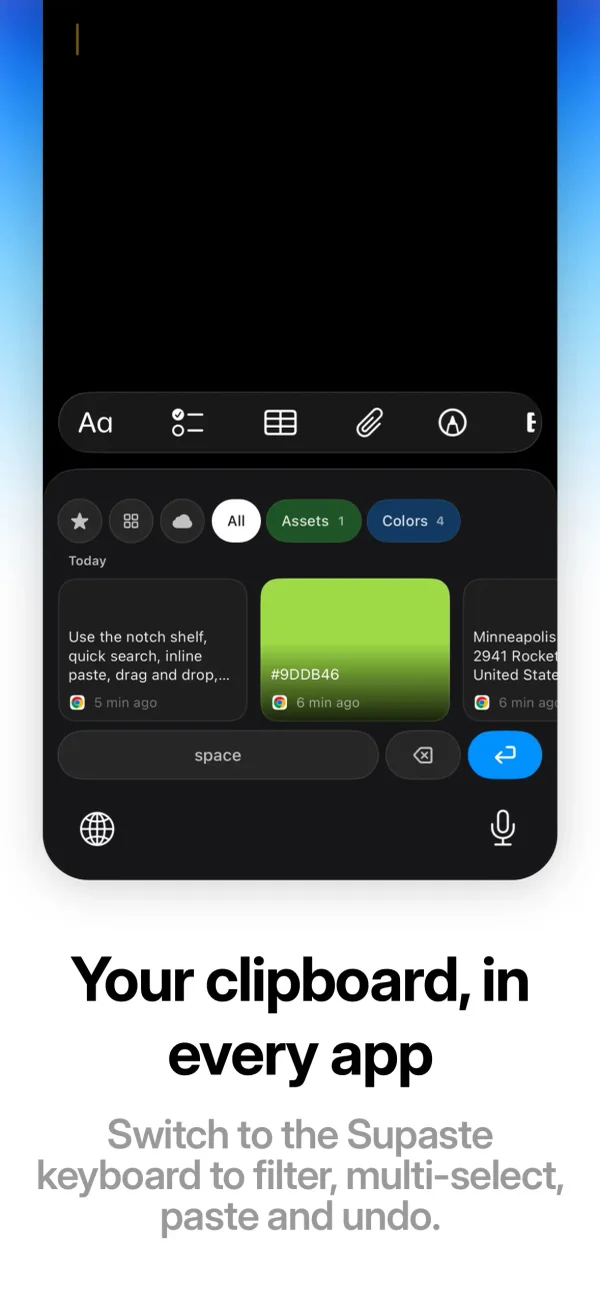
Paste your clips straight into any app — no switching back and forth.
• Cards or list layout, with Pinned, Today and Yesterday sections
• Smart Suggestions: emails in an email field, links in a web address, addresses and numbers where they fit
• Select several clips and insert them together, on separate lines or with spaces
• Undo an insert with one tap
• Smart spacing and sentence capitalization
• Works without Full Access — the keyboard never sees what you type
ORGANIZED YOUR WAY
• Beautiful card grid with link previews, colors, code and images
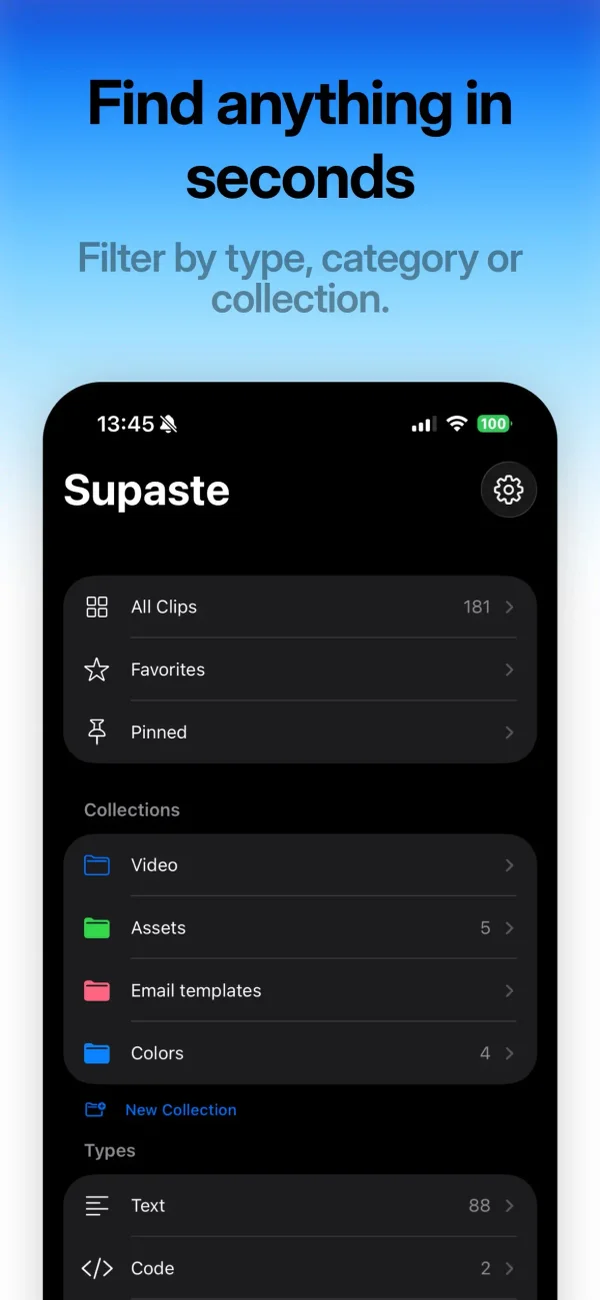
• Collections with colors, favorites and pinned clips
• Fast search, with filters for type, collection and device
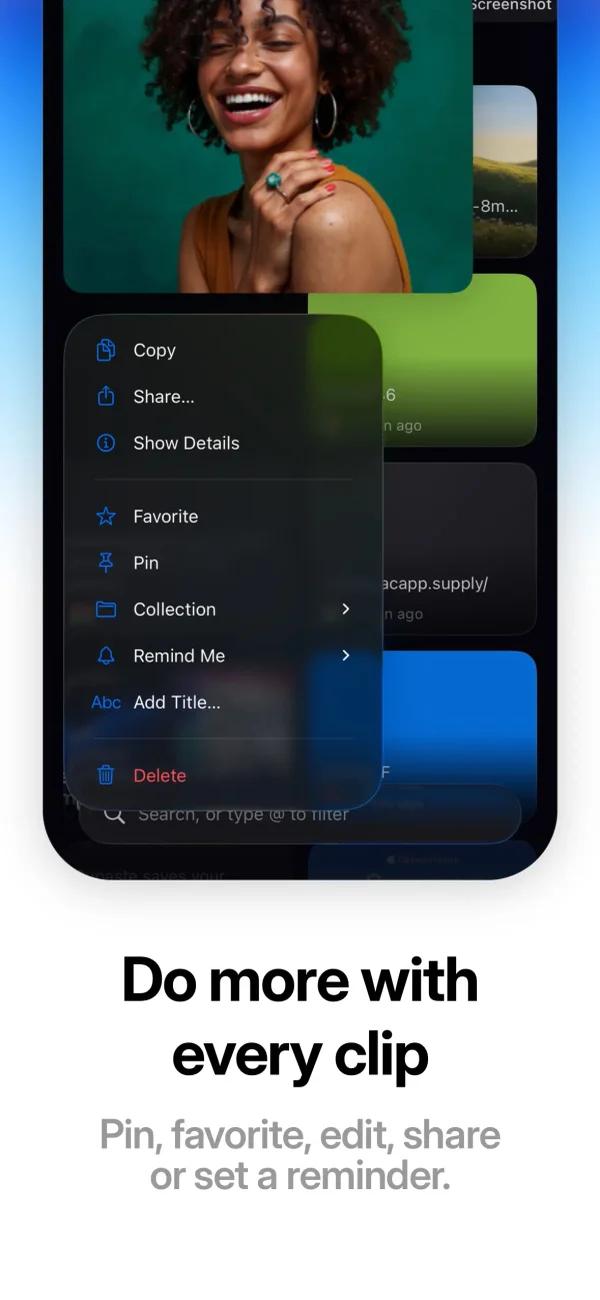
• Rename, edit and share any clip, or drag it into another app
• Reminders for clips you need later
IN SYNC WITH YOUR MAC
Supaste uses your own iCloud to keep iPhone, iPad and Mac in sync. Copy on your Mac, paste on your iPhone — and the other way around. Each clip shows the device it came from.
WIDGET
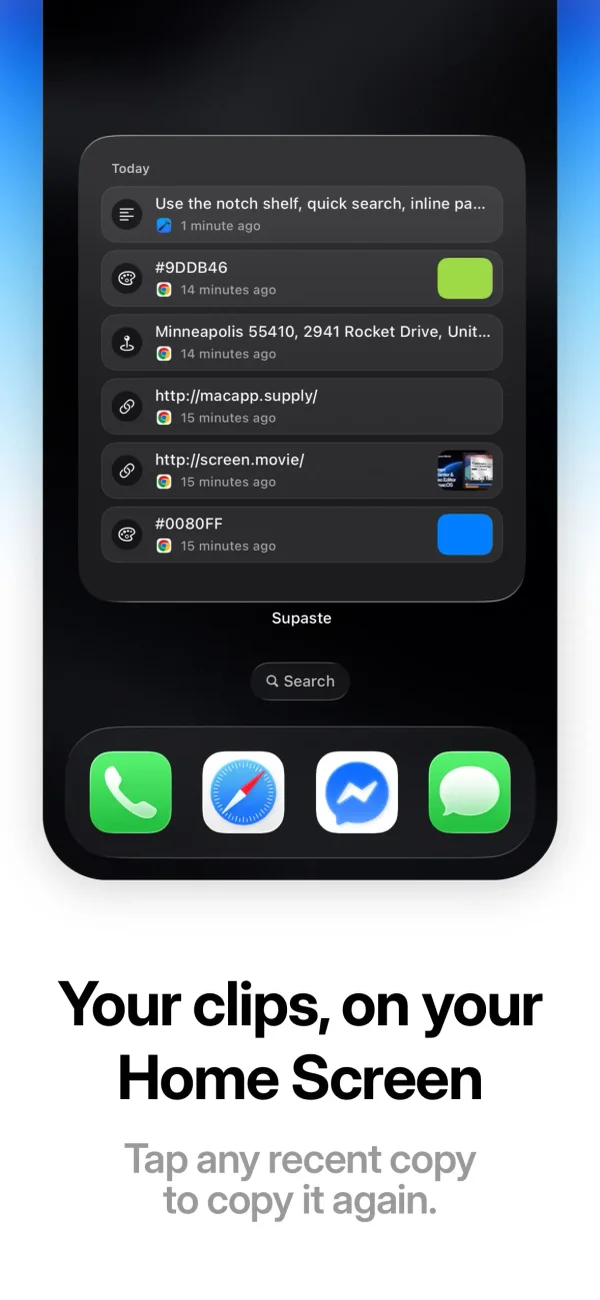
Your recent clips on the Home Screen. Tap one to copy it.
PRIVATE BY DESIGN
No account, no tracking, no ads. Your clips stay on your devices and in your private iCloud.
Supaste for Mac is available at supaste.com.
Yang baru
Versi 1.0.1 · 2/11/2026
• New here? A few guide cards now greet you on first launch: what Supaste does, how to set up the keyboard, widget and Save to Supaste, and where to get Supaste for Mac. Delete them whenever you like.
• Fixed: on iOS 27 the Supaste keyboard's filter bar was blurred by a system edge effect. It is sharp again.
Privasi aplikasi
Yang dinyatakan Zsolt Hutvagner di App Store tentang cara aplikasi ini menangani data.
-
Data tidak dikumpulkan
Pengembang tidak mengumpulkan data apa pun dari aplikasi ini.
Praktik privasi dapat bervariasi, misalnya berdasarkan fitur yang Anda gunakan atau usia Anda.
Informasi
- Penjual
- Zsolt Hutvagner
- Kategori
- Kegunaan
- Versi
- 1.0.1
- Diperbarui
- 2/11/2026
- Dirilis
- 31/10/2026
- Ukuran
- 4,5 MB
- Memerlukan
- iOS 26.0 atau yang lebih baru
- Batasan usia
- 4+
- Harga
- Gratis
- Bahasa
- Inggris
- Hak cipta
- © Solt Studio KFT Supaste app
Mungkin Anda juga suka
-
 Dzzz — Offline ToolsKegunaan
-
 WideView DuoKegunaan
-
 QR Studio: Pembuat & PemindaiWi-Fi, menu & papan ulasan
-
 PasteKit: Clipboard KeyboardBalas Cepat & Template Chat
-
 NetPeek: WiFi ScannerKegunaan
-
 SignalRadarKegunaan
-
 Light Here: World ClockKegunaan
-
 Visual MTR: TracerouteKegunaan
-
 Notchet: Clipboard ManagerKegunaan
-
 OneFlixKegunaan