
Super Productivity
ToDo List & Time Tracker
Conçue pour iPhone, iPad, Mac
Gratuit
- Classification d’âge4+
- CatégorieProductivité
- DéveloppeurJohannes Millan
- LanguesAnglais
- Taille66,8 Mo
Renvoie vers la page App Store officielle
Download.org n’héberge aucun fichier de Super Productivity. Le bouton ouvre la page de l’application sur App Store, où Johannes Millan la publie. Fiche vérifiée pour la dernière fois le 23/11/2026.
Captures d’écran




À propos
Le développeur n’a pas fourni ce texte dans votre langue.
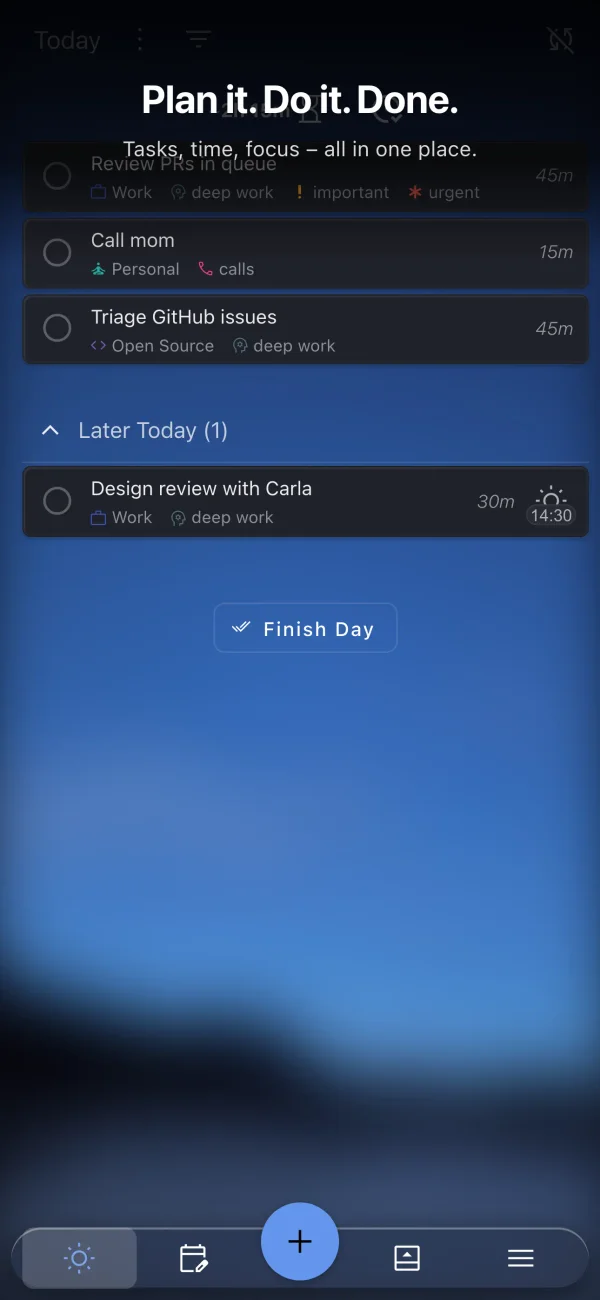
Plan. Focus. Ship work.
Super Productivity combines a fast to-do list, precise time tracking, and smart integrations in one local-first app for macOS.
WHAT YOU CAN DO
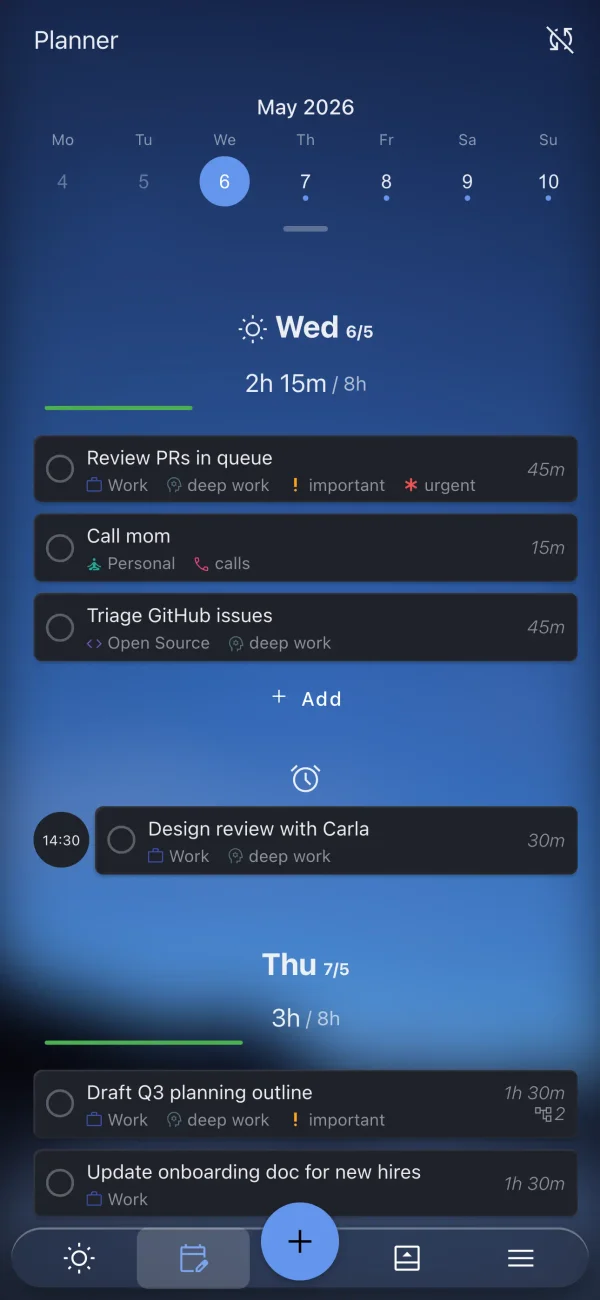
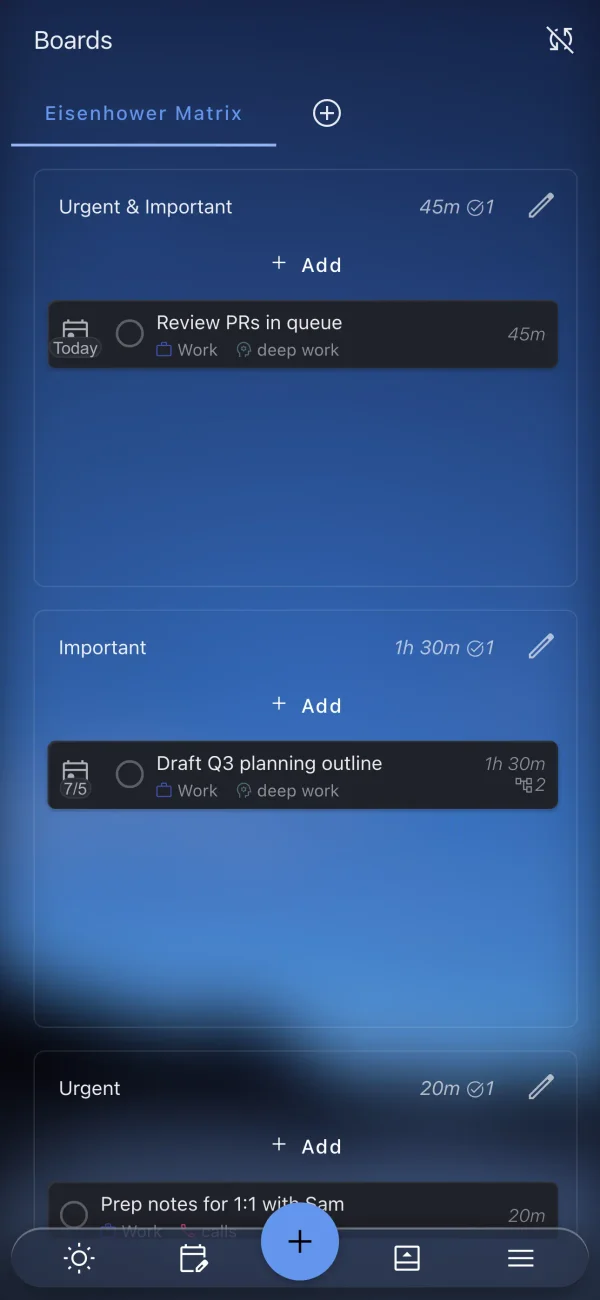
• Capture and prioritize tasks without friction
• Track time per task (Pomodoro and focus timers included)
• Plan your day and week with a clear, drag-and-drop planner
• Export clean timesheets and work reports
INTEGRATED, NOT INTRUSIVE
• Connect Jira, GitHub, GitLab, and OpenProject
• Import issues, filter what matters, and stay updated without noise
BUILT FOR DEEP WORK
• Focus mode, break reminders, and lightweight self-reviews
• Wide keyboard shortcut coverage for a fast workflow
PRIVATE & LOCAL-FIRST
• Open source, no accounts, no data collection
• Your data stays on your device; backups and exports are always available
WHO IT’S FOR
Developers, freelancers, and teams who care about clarity, speed, and privacy.
Nouveautés
Version 20.1.0 · 21/11/2026
Planning and tasks
• Drag selected tasks together in Today, tag views and the planner.
• Set recurring deadlines or turn a future repeating occurrence into a normal task.
• Use the schedule's new tray mode for tasks without a time, and see overdue tasks in the day panel.
• See deadlines on board cards and open tasks from planner deadline cards.
• Add tasks from section and group headers, and search by attached link URLs.
• Hide sidebar task counts with a new option. Boards is now called Views.
• Fixed drops into empty sections, multi-select shortcuts, Markdown checklist pasting and Escape to cancel dragging.
Time tracking and focus
• Optionally bring the window forward when a focus session or break ends.
• See an indicator on the play button when another device is tracking time.
• View time per project in the worklog export dialog.
• Fixed tracked-time saving when hiding the page, quitting the desktop app or choosing “finish day and close.”
• Fixed lost time around sleep and backward clock changes; desktop sleep now counts as a break for break reminders.
• Improved duration parsing for spaces, spelled-out units and decimal commas.
Sync and integrations
• See local changes in the sync import conflict dialog, a distinct syncing icon and clearer error guidance.
• Fixed cases where concurrent edits, task completion, notes or tracked time could be lost during sync.
• Manual-only sync no longer runs on desktop quit, while tracked time is still saved.
• Added a Microsoft To Do importer and support for importing Todoist repeats.
• Added a bundled invoicing plugin, disabled by default, and listed Cat Court, Desk Pet and Gamify community plugins.
• New CalDAV providers import todos automatically by default. Fixed polling intervals and handling of deleted todos.
• Fixed calendar updates overwriting task notes and issue refreshes deleting tasks when an issue is not found.
Mobile
• Open the navigation drawer with a swipe from the right edge.
• Added iOS background focus-session notifications and prioritized the soonest reminders within the notification limit.
• Fixed mobile SuperSync sign-in and request timeouts.
Other improvements
• In-app help now opens the website documentation.
• Updated Dutch and Simplified Chinese translations and fixed missing plural forms.
• Reduced the initial app bundle by 197 kB and unnecessary planner processing.
Confidentialité de l’application
Ce que Johannes Millan déclare sur l’App Store au sujet du traitement des données par cette application.
-
Données non collectées
Le développeur ne collecte aucune donnée à partir de cette application.
Les pratiques en matière de confidentialité peuvent varier, notamment en fonction des fonctionnalités que vous utilisez ou de votre âge.
Informations
- Vendeur
- Johannes Millan
- Catégorie
- Productivité
- Version
- 20.1.0
- Mis à jour
- 21/11/2026
- Publié
- 12/10/2020
- Taille
- 66,8 Mo
- Nécessite
- iOS 16.0 ou version ultérieure
- Classification d’âge
- 4+
- Prix
- Gratuit
- Langues
- Anglais
- Copyright
- © 2018-2025 Johannes Millan MIT
Vous aimerez peut-être aussi
-
 TaskForge : Tâches ObsidianTo-do list Markdown et widgets
-
 Mindwtr - GTD Task ManagerVidez-vous la tête
-
 AppFlowyProductivité
-
 Karakeep AppProductivité
-
 SynctrainProductivité
-
 Notesnook : Carnet privéNotes chiffrées et journal
-
 LogseqProductivité
-
 Lunatask: A Better To-Do ListProductivité
-
 AFFiNE: Notes, Tableau & IADocs, tâches, Markdown
-
 Donetick: Shared Chore ChartProductivité