
Super Productivity
ToDo List & Time Tracker
iPhone, iPad, Mac için tasarlandı
Ücretsiz
- Yaş sınırı4+
- KategoriÜretkenlik
- GeliştiriciJohannes Millan
- Dillerİngilizce
- Boyut66,8 MB
Resmi App Store sayfasına bağlanır
Download.org, Super Productivity için hiçbir dosya barındırmaz. Düğme, uygulamanın App Store üzerindeki sayfasını açar; uygulamayı orada Johannes Millan yayınlar. Sayfanın son kontrolü: 23.11.2026.
Ekran görüntüleri
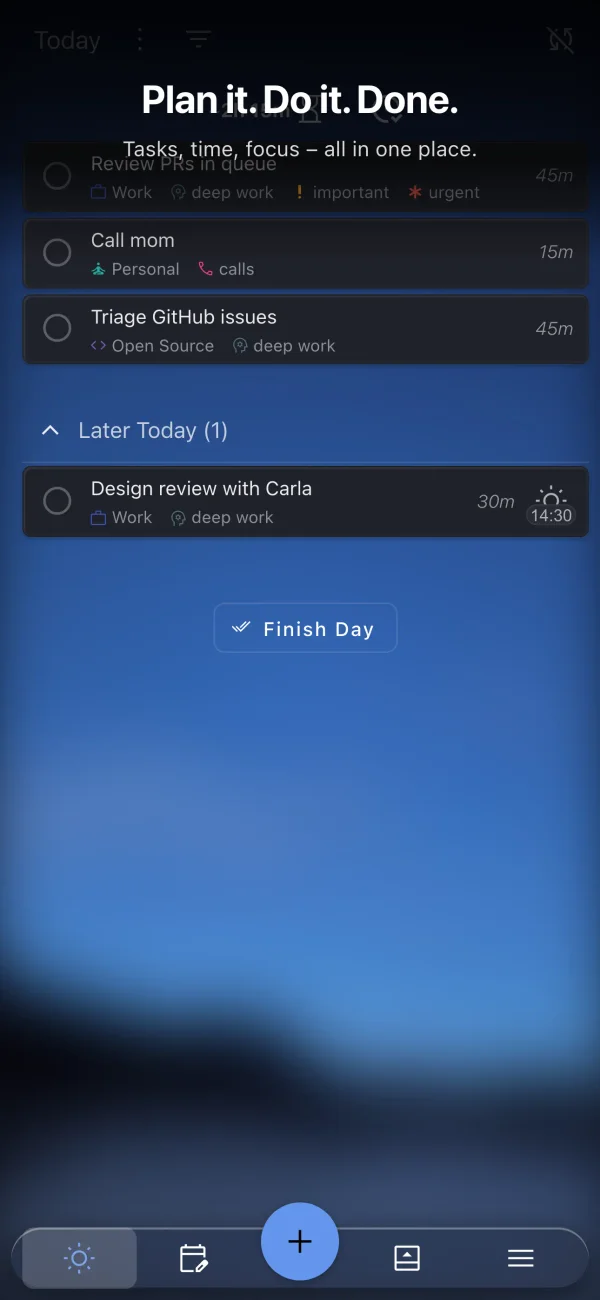


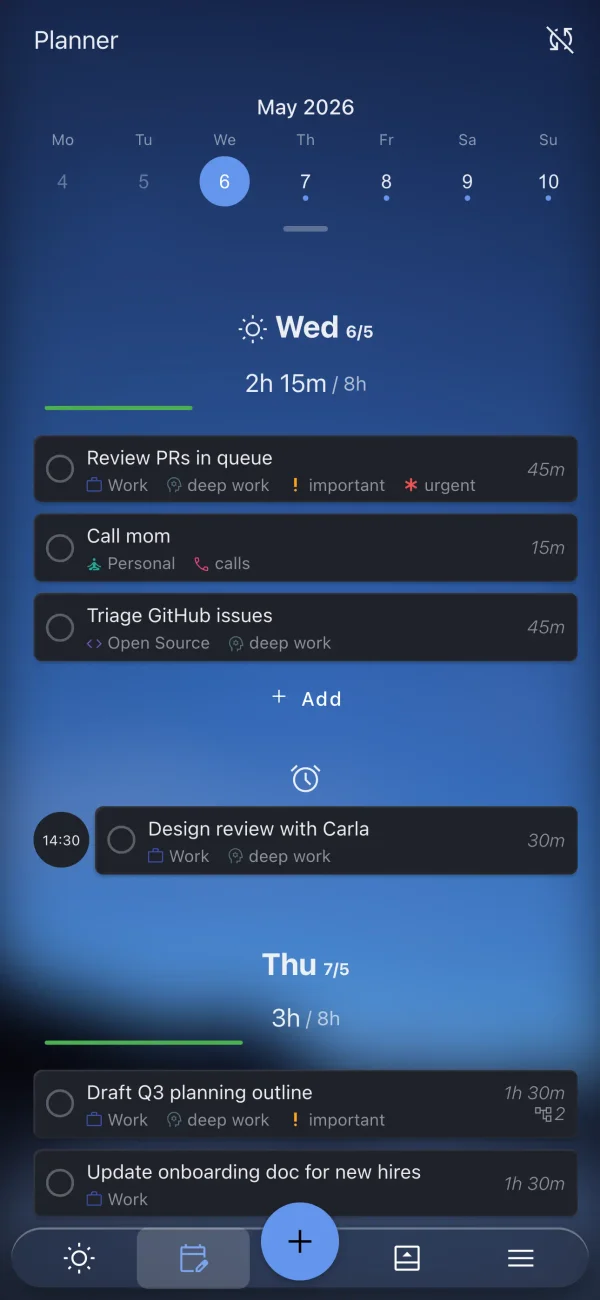

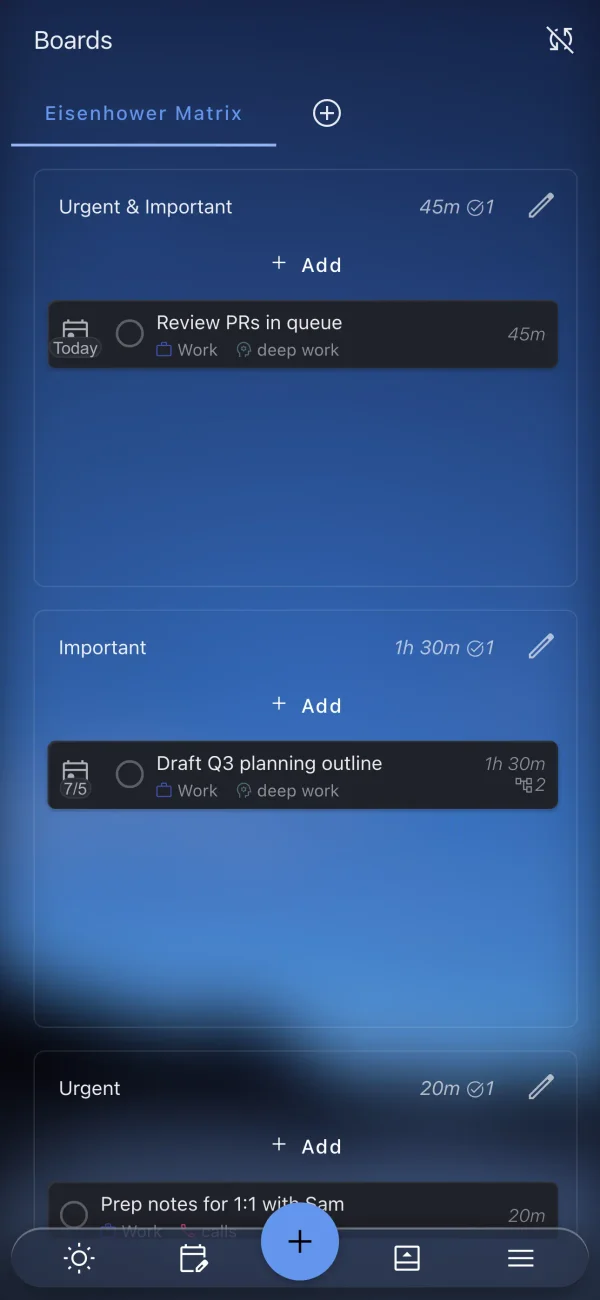

Hakkında
Geliştirici bu metni dilinizde sunmamış.
Plan. Focus. Ship work.
Super Productivity combines a fast to-do list, precise time tracking, and smart integrations in one local-first app for macOS.
WHAT YOU CAN DO
• Capture and prioritize tasks without friction
• Track time per task (Pomodoro and focus timers included)
• Plan your day and week with a clear, drag-and-drop planner
• Export clean timesheets and work reports
INTEGRATED, NOT INTRUSIVE
• Connect Jira, GitHub, GitLab, and OpenProject
• Import issues, filter what matters, and stay updated without noise
BUILT FOR DEEP WORK
• Focus mode, break reminders, and lightweight self-reviews
• Wide keyboard shortcut coverage for a fast workflow
PRIVATE & LOCAL-FIRST
• Open source, no accounts, no data collection
• Your data stays on your device; backups and exports are always available
WHO IT’S FOR
Developers, freelancers, and teams who care about clarity, speed, and privacy.
Yenilikler
Sürüm 20.1.0 · 21.11.2026
Planning and tasks
• Drag selected tasks together in Today, tag views and the planner.
• Set recurring deadlines or turn a future repeating occurrence into a normal task.
• Use the schedule's new tray mode for tasks without a time, and see overdue tasks in the day panel.
• See deadlines on board cards and open tasks from planner deadline cards.
• Add tasks from section and group headers, and search by attached link URLs.
• Hide sidebar task counts with a new option. Boards is now called Views.
• Fixed drops into empty sections, multi-select shortcuts, Markdown checklist pasting and Escape to cancel dragging.
Time tracking and focus
• Optionally bring the window forward when a focus session or break ends.
• See an indicator on the play button when another device is tracking time.
• View time per project in the worklog export dialog.
• Fixed tracked-time saving when hiding the page, quitting the desktop app or choosing “finish day and close.”
• Fixed lost time around sleep and backward clock changes; desktop sleep now counts as a break for break reminders.
• Improved duration parsing for spaces, spelled-out units and decimal commas.
Sync and integrations
• See local changes in the sync import conflict dialog, a distinct syncing icon and clearer error guidance.
• Fixed cases where concurrent edits, task completion, notes or tracked time could be lost during sync.
• Manual-only sync no longer runs on desktop quit, while tracked time is still saved.
• Added a Microsoft To Do importer and support for importing Todoist repeats.
• Added a bundled invoicing plugin, disabled by default, and listed Cat Court, Desk Pet and Gamify community plugins.
• New CalDAV providers import todos automatically by default. Fixed polling intervals and handling of deleted todos.
• Fixed calendar updates overwriting task notes and issue refreshes deleting tasks when an issue is not found.
Mobile
• Open the navigation drawer with a swipe from the right edge.
• Added iOS background focus-session notifications and prioritized the soonest reminders within the notification limit.
• Fixed mobile SuperSync sign-in and request timeouts.
Other improvements
• In-app help now opens the website documentation.
• Updated Dutch and Simplified Chinese translations and fixed missing plural forms.
• Reduced the initial app bundle by 197 kB and unnecessary planner processing.
Uygulama gizliliği
Bu uygulamanın verileri nasıl işlediği hakkında Johannes Millan tarafından App Store üzerinde yapılan beyan.
-
Veri toplanmıyor
Geliştirici bu uygulamadan hiçbir veri toplamıyor.
Gizlilik uygulamaları, örneğin kullandığınız özelliklere veya yaşınıza göre değişiklik gösterebilir.
Bilgiler
- Satıcı
- Johannes Millan
- Kategori
- Üretkenlik
- Sürüm
- 20.1.0
- Güncellendi
- 21.11.2026
- Yayın tarihi
- 12.10.2020
- Boyut
- 66,8 MB
- Gereksinim
- iOS 16.0 veya sonrası
- Yaş sınırı
- 4+
- Fiyat
- Ücretsiz
- Diller
- İngilizce
- Telif hakkı
- © 2018-2025 Johannes Millan MIT
Bunları da beğenebilirsiniz
-
 TaskForge: Obsidian TasksÜretkenlik
-
 Mindwtr - GTD Task ManagerÜretkenlik
-
 AppFlowyÜretkenlik
-
 Karakeep AppÜretkenlik
-
 SynctrainÜretkenlik
-
 Notesnook: Private notepadÜretkenlik
-
 LogseqÜretkenlik
-
 Lunatask: A Better To-Do ListÜretkenlik
-
 AFFiNE: Notlar, Tahta & AIDoküman, görev, Markdown
-
 Donetick: Shared Chore ChartÜretkenlik