Talklight: Speaker Timer
Speech & Presentation Timer
Conçue pour iPhone, iPad
Gratuit · Achats intégrés
- Classification d’âge4+
- CatégorieProductivité
- DéveloppeurShahriar Ahmed
- LanguesAnglais
- Taille2,9 Mo
Renvoie vers la page App Store officielle
Download.org n’héberge aucun fichier de Talklight: Speaker Timer. Le bouton ouvre la page de l’application sur App Store, où Shahriar Ahmed la publie. Fiche vérifiée pour la dernière fois le 16/11/2026.
Captures d’écran

À propos
Le développeur n’a pas fourni ce texte dans votre langue.
Talklight keeps every talk on time. Set green, yellow and red at the minutes you choose, give the speaker a screen they can read from the back of the room, and run it from your seat
On stage
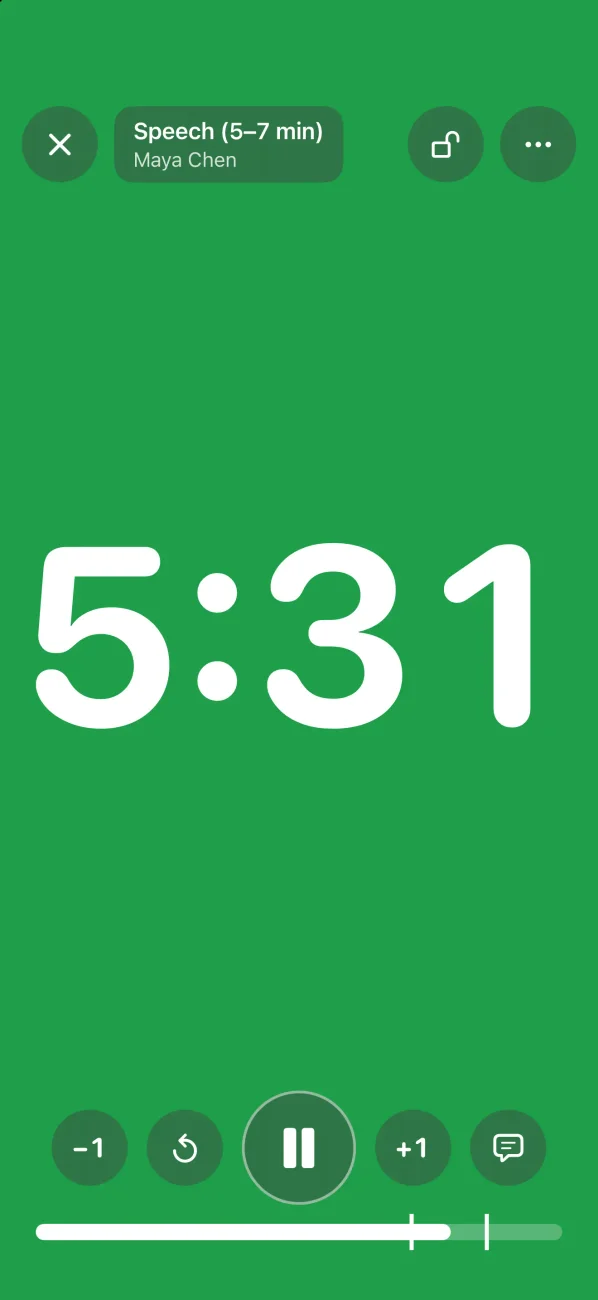
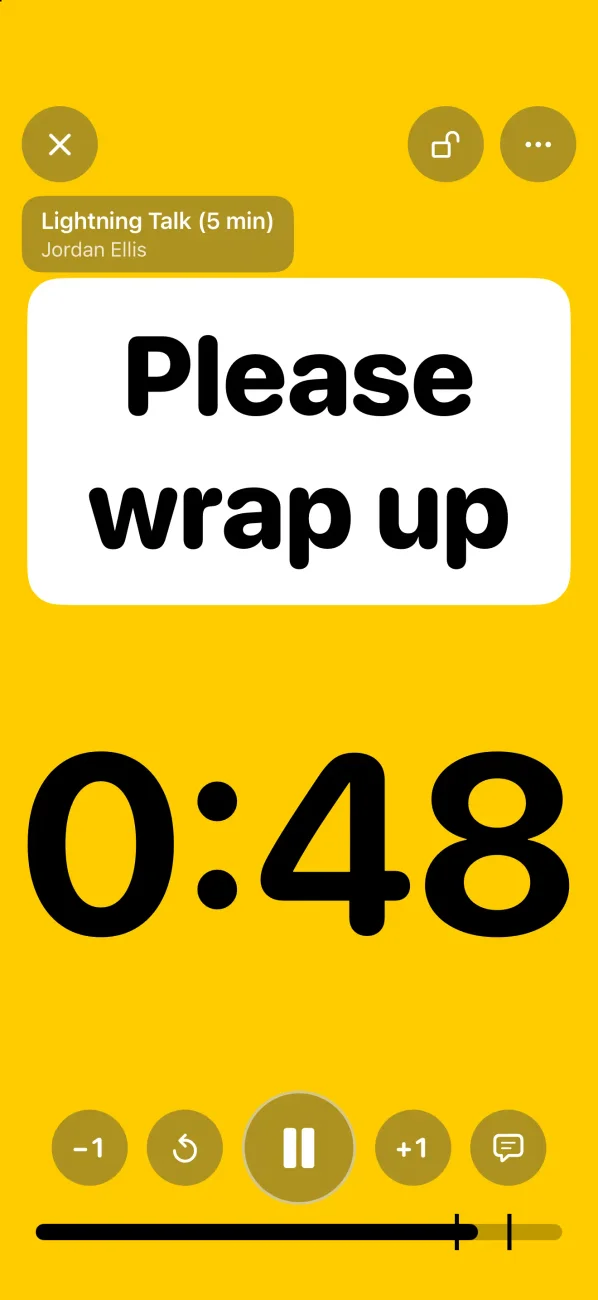
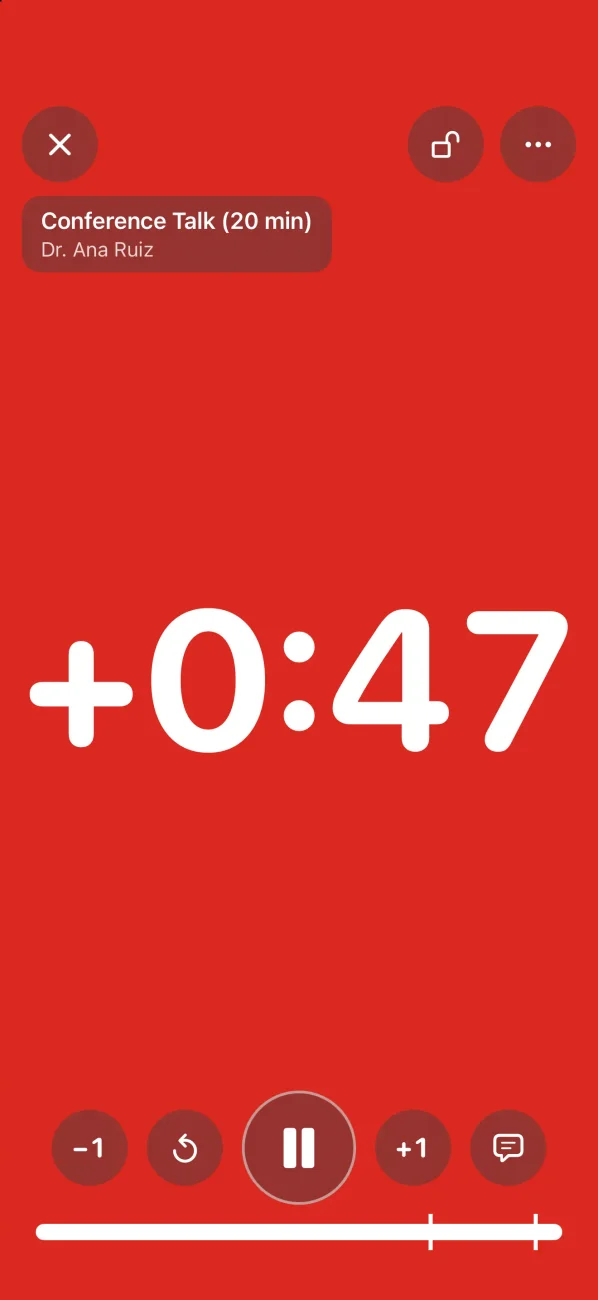
• Three looks: full-screen color, colored digits on black, or color only to use the screen as timing lights.
• Counts down or up. After time's up it stays red and counts the overrun as +m:ss.
• Tap anywhere to start. The controls fade while the clock runs and the screen stays awake.
• A touch lock ignores stray taps on the lectern.
• +1 and −1 move the end by a minute, and the color cues move with it. Touch and hold for 10 seconds, 30 seconds or 5 minutes.
• A progress bar with a mark at each cue, the time of day and a flash at zero, each of them optional.
• A chime or bell and a vibration at each cue. Sound follows the silent switch unless you tell it not to.
• A color-blind palette: blue, yellow and orange.
Timers
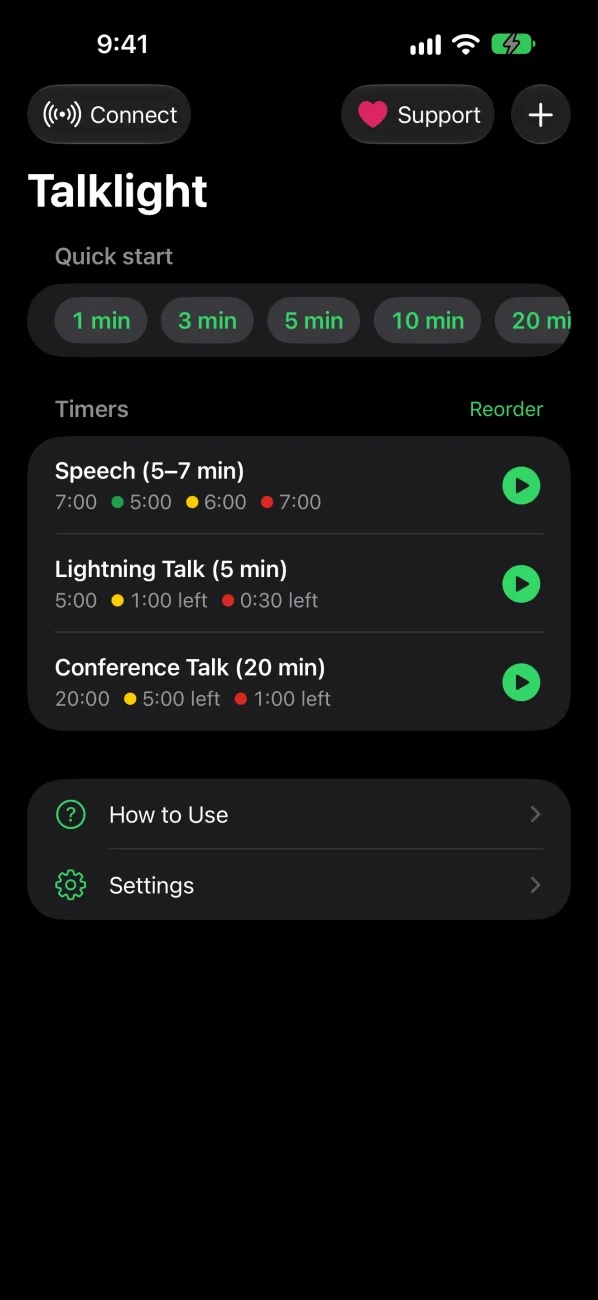
• Starts simple with three timers: a club speech, a lightning talk and a conference talk. Templates add evaluations, pitches, sermons and more in one tap.
• Add as many of your own as you like, from 5 seconds to 24 hours, each with its own cues, look and sound.
• Quick-start lengths from 1 to 20 minutes, any custom length, or a timer that ends at a clock time, such as 8:30.
For timekeepers
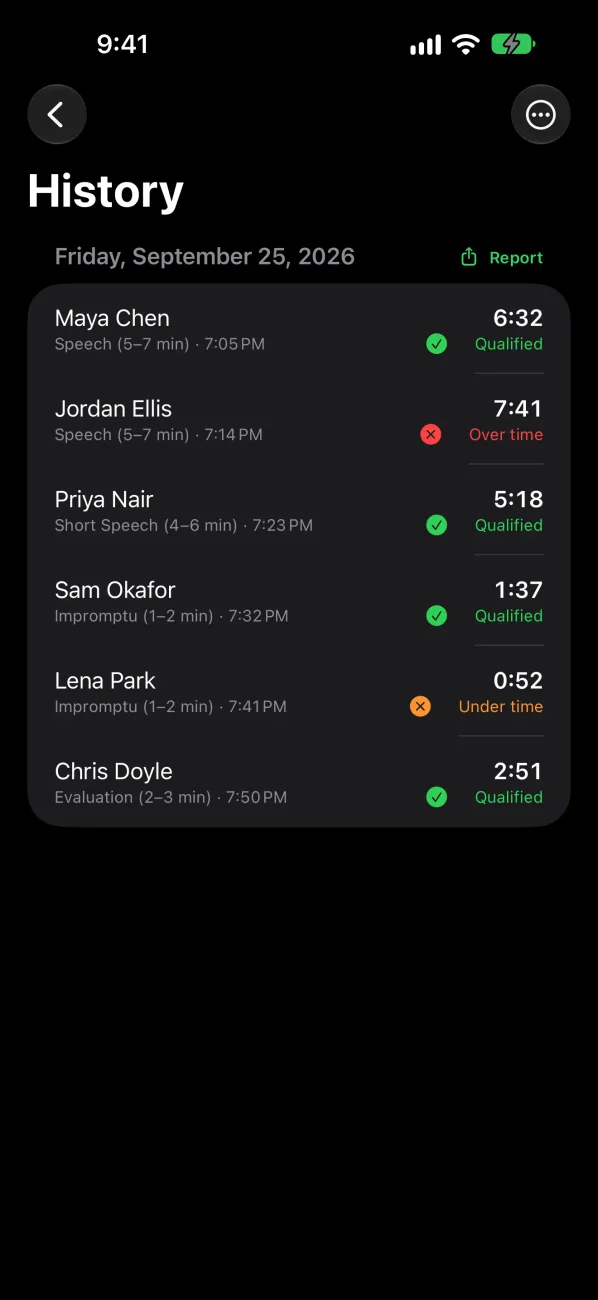
• Qualifying time windows with a grace period, judged in whole seconds: each run is marked qualified, under time or over time.
• History keeps every run with the speaker's name and the actual time.
• Share the day's timer's report as plain text in one tap, ready to read out at a speech club or paste into the group chat.
Control it from your seat
• Put an iPad on the lectern as the display and control it from your iPhone: start, pause, add time and move to the next speaker.
• The two devices connect to each other directly over Wi-Fi or peer-to-peer, with a four-digit code. No internet, no account, no server.
• If the link drops, the display keeps counting and the remote reconnects by itself.
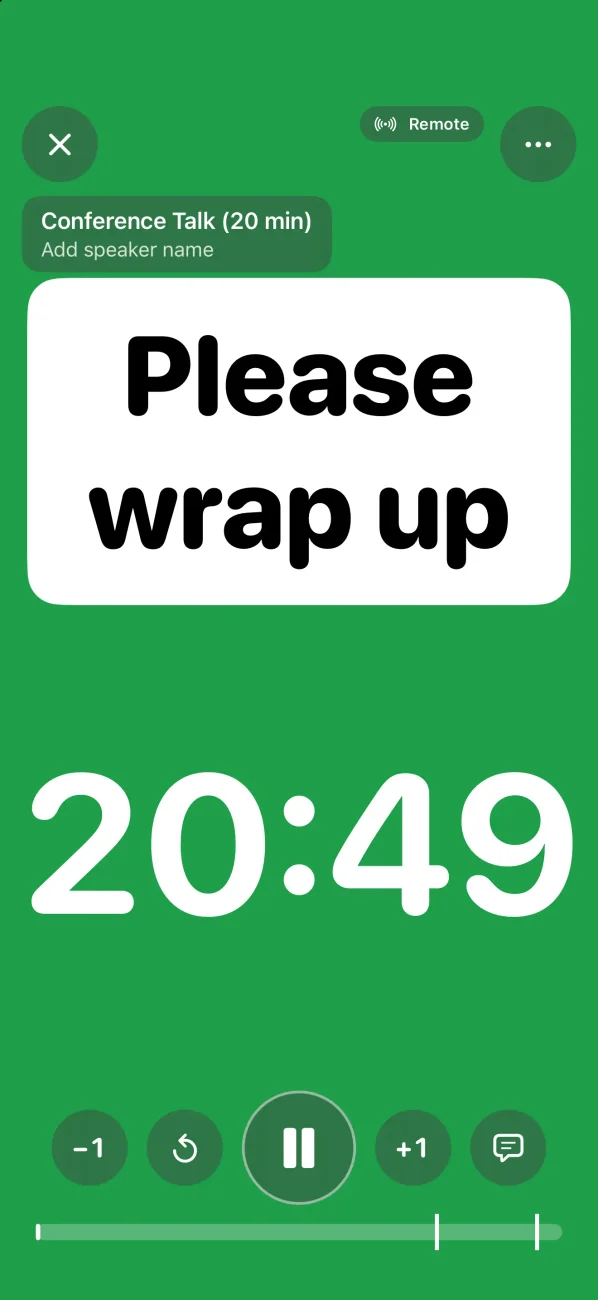
• Message the speaker: "Please wrap up", "One minute left" or anything you type, with an optional blink to catch their eye.
Run of show
• Line up a meeting or a session with a timer and a name for each speaker.
• On stage, Next and Previous move through the lineup and "Up next" shows who follows.
• Every talk lands in History for the report.
On every screen
• TV or projector: connect an HDMI adapter or use AirPlay. The big screen shows only the clock while your device keeps the controls.
• Live Activity on the Lock Screen and in the Dynamic Island.
• Pocket alerts: lock your iPhone and put it away. A time-sensitive notification arrives at each color change, and an Apple Watch turns it into a tap on your wrist.
Built to be trusted
• Time is measured from the clock, not counted in ticks, so it stays right through rotation, locking and switching apps. A started run even survives the app being closed.
• Your timers and history stay on your devices. A second device connects to this one directly, never through a server.
Made for speech-club timekeepers, conference and event organizers, AV crews, pastors, teachers, debate coaches and anyone rehearsing a talk.
Talklight is free: every feature, no ads, no account, no subscription. If it has kept a talk on time, there is an optional tip jar. Tips unlock nothing.
Nouveautés
Version 1.0.1 · 05/10/2026
updated support and privacy policy link
Confidentialité de l’application
Ce que Shahriar Ahmed déclare sur l’App Store au sujet du traitement des données par cette application.
-
Données n’établissant aucun lien avec vous
Peuvent être collectées, mais ne sont pas liées à votre identité.
- Identifiants
- Données d’utilisation
- Diagnostic
Les pratiques en matière de confidentialité peuvent varier, notamment en fonction des fonctionnalités que vous utilisez ou de votre âge.
Informations
- Vendeur
- Shahriar Ahmed
- Catégorie
- Productivité
- Version
- 1.0.1
- Mis à jour
- 05/10/2026
- Publié
- 30/09/2026
- Taille
- 2,9 Mo
- Nécessite
- iOS 17.0 ou version ultérieure
- Classification d’âge
- 4+
- Prix
- Gratuit
- Achats intégrés
- Oui
- Langues
- Anglais
- Copyright
- © 2026 gwig
Vous aimerez peut-être aussi
-
 SpeakerTimer: Stage ClockProductivité
-
 Rostrum - Speaker TimerProductivité
-
 Speech Timer PRO Speaker ClockProductivité
-
 ZAGNALS: Presentation TimerProductivité
-
 Soapbox: Speaker TimerProductivité
-
 Talk Pacer: Speech TimerProductivité
-
 Clear Next Step: Get UnstuckProductivité
-
 Presentempo : Temps de paroleMinuteur de présentation
-
 Chrono de présentationDémarrer en cours d'exposé
-
 Timer with SectionsProductivité