Talklight: Speaker Timer
Speech & Presentation Timer
Designed for iPhone, iPad
Free · In-app purchases
- Age rating4+
- CategoryProductivity
- DeveloperShahriar Ahmed
- LanguagesEnglish
- Size2.9 MB
Links to the official App Store page
Download.org hosts no file of Talklight: Speaker Timer. The button opens its official App Store page, published by Shahriar Ahmed. Listing last checked on Nov 16, 2026.
Screenshots



About
Talklight keeps every talk on time. Set green, yellow and red at the minutes you choose, give the speaker a screen they can read from the back of the room, and run it from your seat
On stage
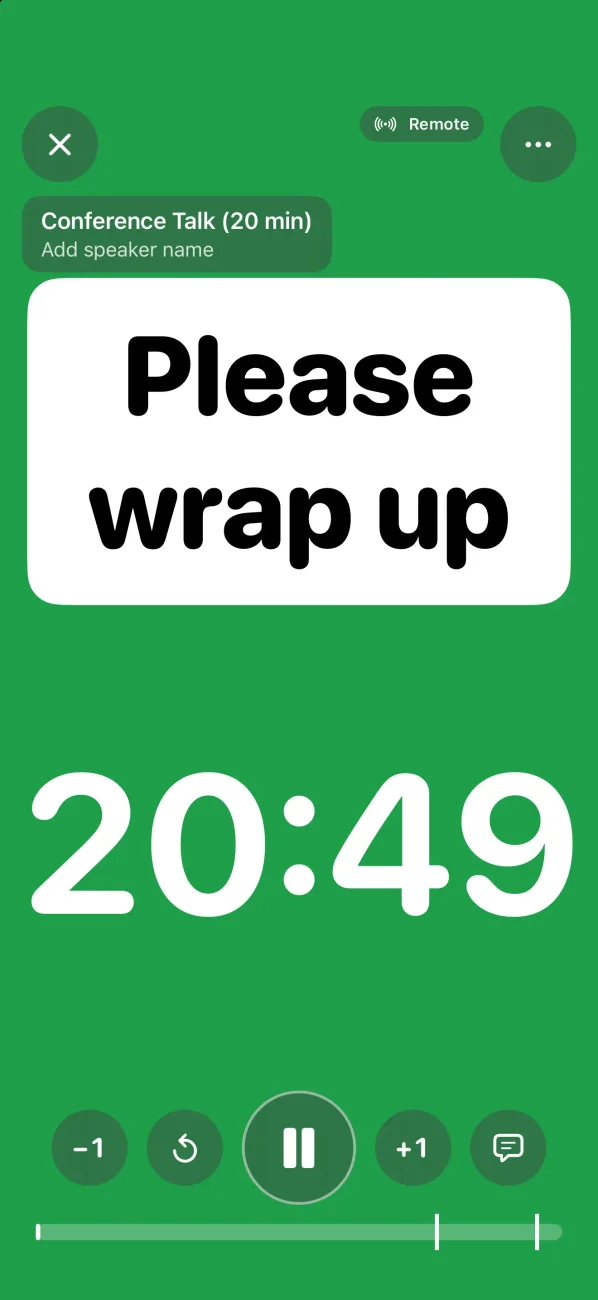
• Three looks: full-screen color, colored digits on black, or color only to use the screen as timing lights.
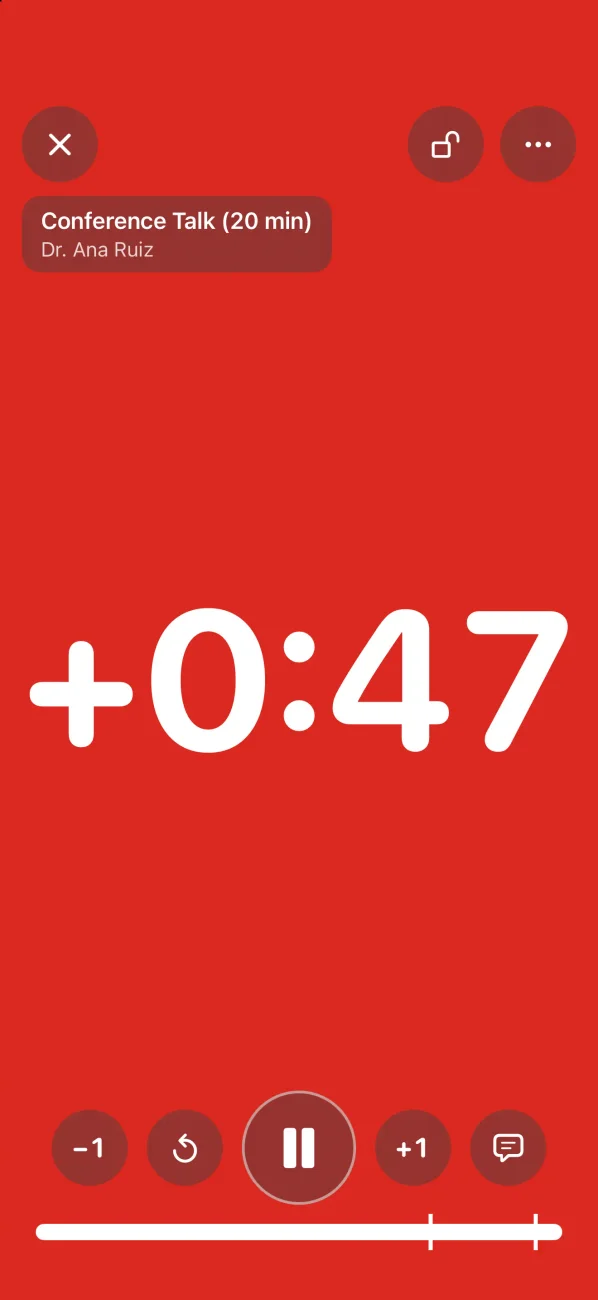
• Counts down or up. After time's up it stays red and counts the overrun as +m:ss.
• Tap anywhere to start. The controls fade while the clock runs and the screen stays awake.
• A touch lock ignores stray taps on the lectern.
• +1 and −1 move the end by a minute, and the color cues move with it. Touch and hold for 10 seconds, 30 seconds or 5 minutes.
• A progress bar with a mark at each cue, the time of day and a flash at zero, each of them optional.
• A chime or bell and a vibration at each cue. Sound follows the silent switch unless you tell it not to.
• A color-blind palette: blue, yellow and orange.
Timers
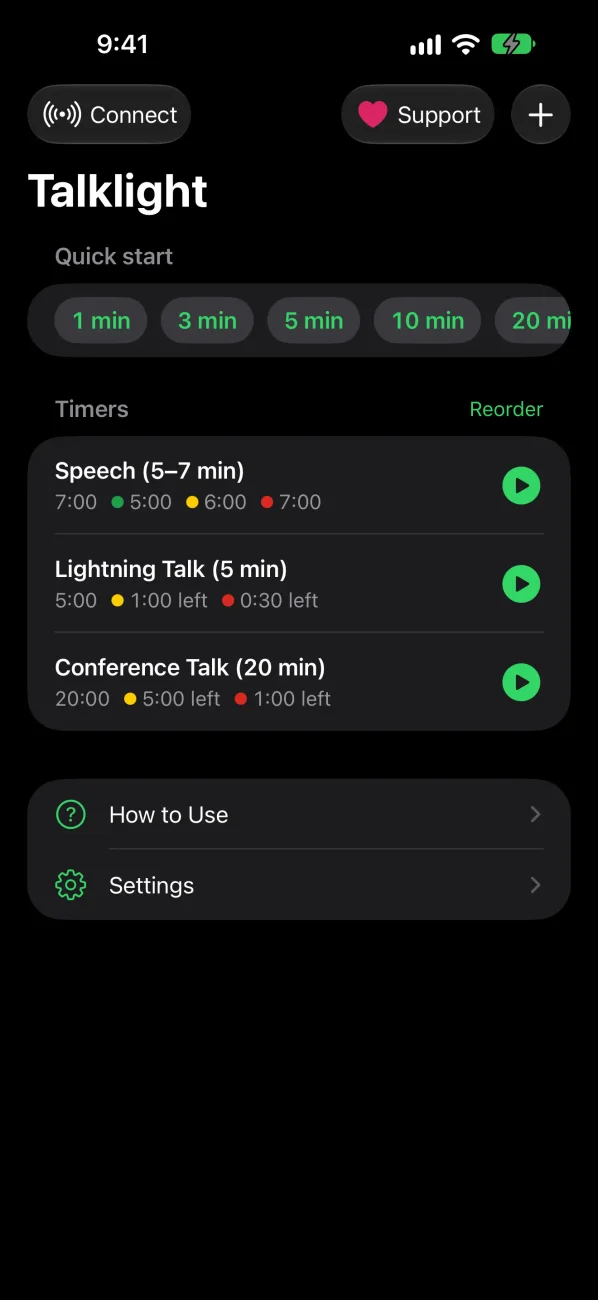
• Starts simple with three timers: a club speech, a lightning talk and a conference talk. Templates add evaluations, pitches, sermons and more in one tap.
• Add as many of your own as you like, from 5 seconds to 24 hours, each with its own cues, look and sound.
• Quick-start lengths from 1 to 20 minutes, any custom length, or a timer that ends at a clock time, such as 8:30.
For timekeepers
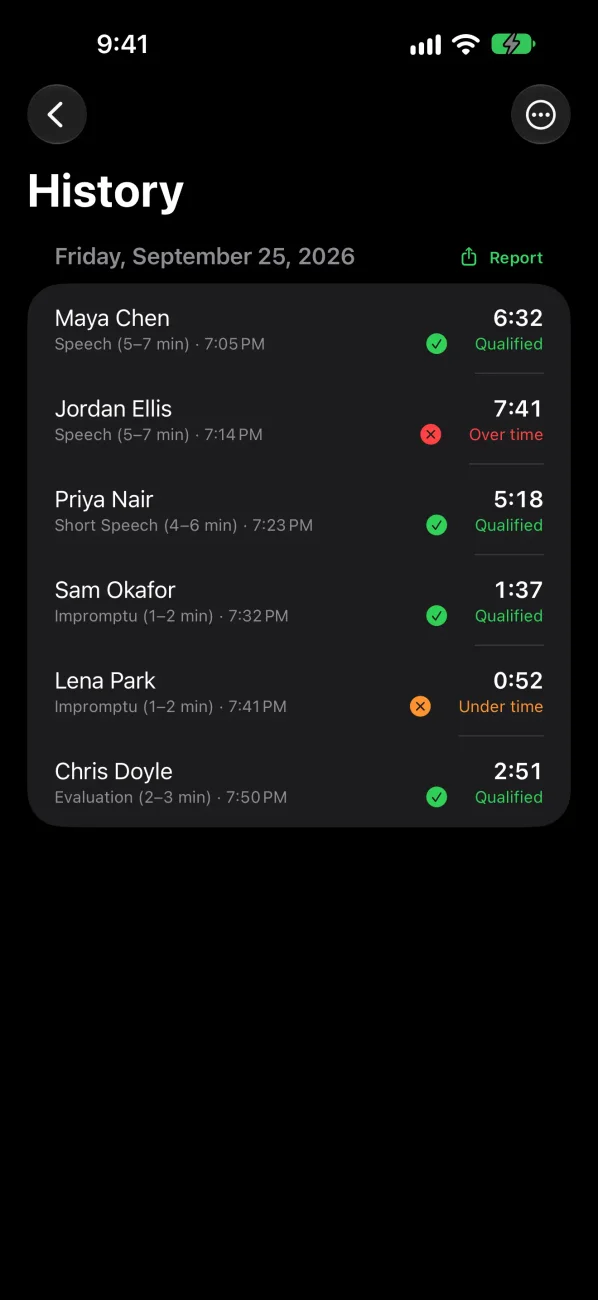
• Qualifying time windows with a grace period, judged in whole seconds: each run is marked qualified, under time or over time.
• History keeps every run with the speaker's name and the actual time.
• Share the day's timer's report as plain text in one tap, ready to read out at a speech club or paste into the group chat.
Control it from your seat
• Put an iPad on the lectern as the display and control it from your iPhone: start, pause, add time and move to the next speaker.
• The two devices connect to each other directly over Wi-Fi or peer-to-peer, with a four-digit code. No internet, no account, no server.
• If the link drops, the display keeps counting and the remote reconnects by itself.
• Message the speaker: "Please wrap up", "One minute left" or anything you type, with an optional blink to catch their eye.
Run of show
• Line up a meeting or a session with a timer and a name for each speaker.
• On stage, Next and Previous move through the lineup and "Up next" shows who follows.
• Every talk lands in History for the report.
On every screen
• TV or projector: connect an HDMI adapter or use AirPlay. The big screen shows only the clock while your device keeps the controls.
• Live Activity on the Lock Screen and in the Dynamic Island.
• Pocket alerts: lock your iPhone and put it away. A time-sensitive notification arrives at each color change, and an Apple Watch turns it into a tap on your wrist.
Built to be trusted
• Time is measured from the clock, not counted in ticks, so it stays right through rotation, locking and switching apps. A started run even survives the app being closed.
• Your timers and history stay on your devices. A second device connects to this one directly, never through a server.
Made for speech-club timekeepers, conference and event organizers, AV crews, pastors, teachers, debate coaches and anyone rehearsing a talk.
Talklight is free: every feature, no ads, no account, no subscription. If it has kept a talk on time, there is an optional tip jar. Tips unlock nothing.
What’s new
Version 1.0.1 · Oct 5, 2026
updated support and privacy policy link
App privacy
What Shahriar Ahmed declares on the App Store about how this app handles data.
-
Data not linked to you
May be collected but is not linked to your identity.
- Identifiers
- Usage data
- Diagnostics
Privacy practices may vary, for example with the features you use or your age.
Information
- Seller
- Shahriar Ahmed
- Category
- Productivity
- Version
- 1.0.1
- Updated
- Oct 5, 2026
- Released
- Sep 30, 2026
- Size
- 2.9 MB
- Requires
- iOS 17.0 or later
- Age rating
- 4+
- Price
- Free
- In-app purchases
- Yes
- Languages
- English
- Copyright
- © 2026 gwig
You might also like
-
 SpeakerTimer: Stage ClockStage countdown for speakers
-
 Rostrum - Speaker TimerSilent countdown for talks
-
 Speech Timer PRO Speaker ClockPresentation Countdown Timer
-
 ZAGNALS: Presentation TimerSpeech Timer, Clock & Cue
-
 Soapbox: Speaker TimerCountdown and cues for talks
-
 Talk Pacer: Speech TimerPresentation & sermon pacing
-
 Clear Next Step: Get UnstuckUnblock & beat procrastination
-
 Presentempo Presentation TimerSpeech & talk clock with Watch
-
 Presentation StopwatchStart mid-talk from any time
-
 Timer with SectionsProductivity