
Teleprompter Script Reader
4K Video Recorder & Mirror
Conçue pour iPhone, iPad, iPod touch
Gratuit · Achats intégrés
- Classification d’âge4+
- CatégoriePhoto et vidéo
- Développeursylvain loirat
- LanguesAnglais+ 5 de plus
- Taille81,6 Mo
Renvoie vers la page App Store officielle
Download.org n’héberge aucun fichier de Teleprompter Script Reader. Le bouton ouvre la page de l’application sur App Store, où sylvain loirat la publie. Fiche vérifiée pour la dernière fois le 20/11/2026.
Captures d’écran
À propos
Le développeur n’a pas fourni ce texte dans votre langue.
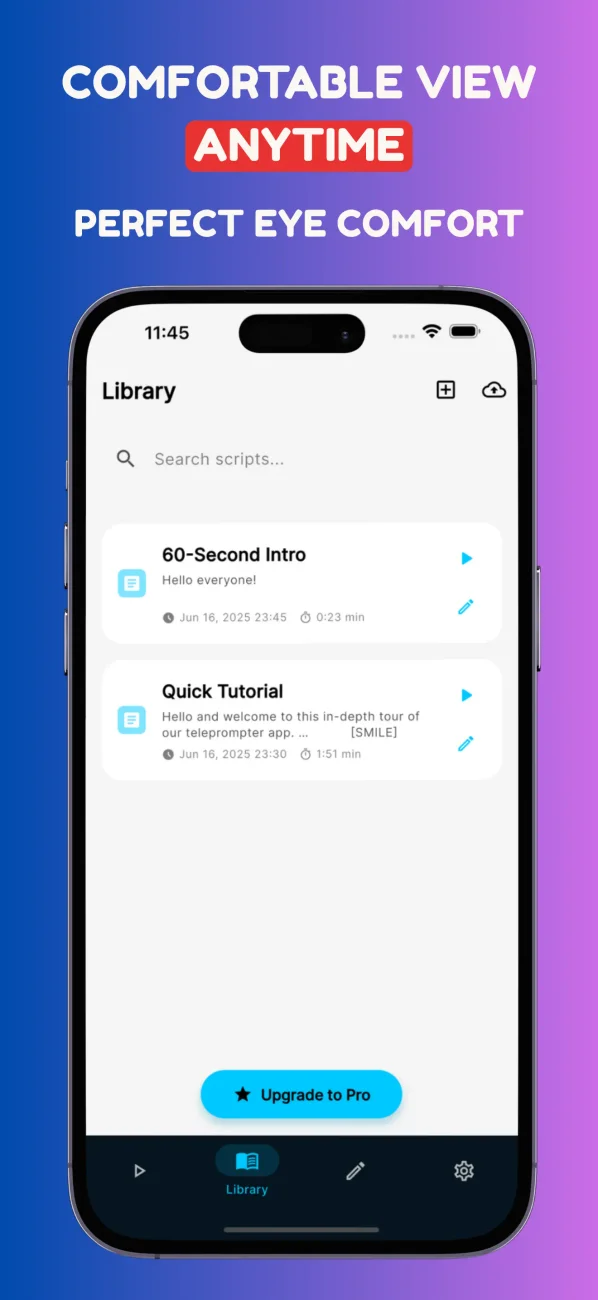
Stop memorizing scripts and losing your place. ProPromptor turns your iPhone or iPad into a complete teleprompter and video studio, so you can look at the camera, speak with confidence, and record polished videos in fewer takes.
CREATE BETTER VIDEOS, FASTER
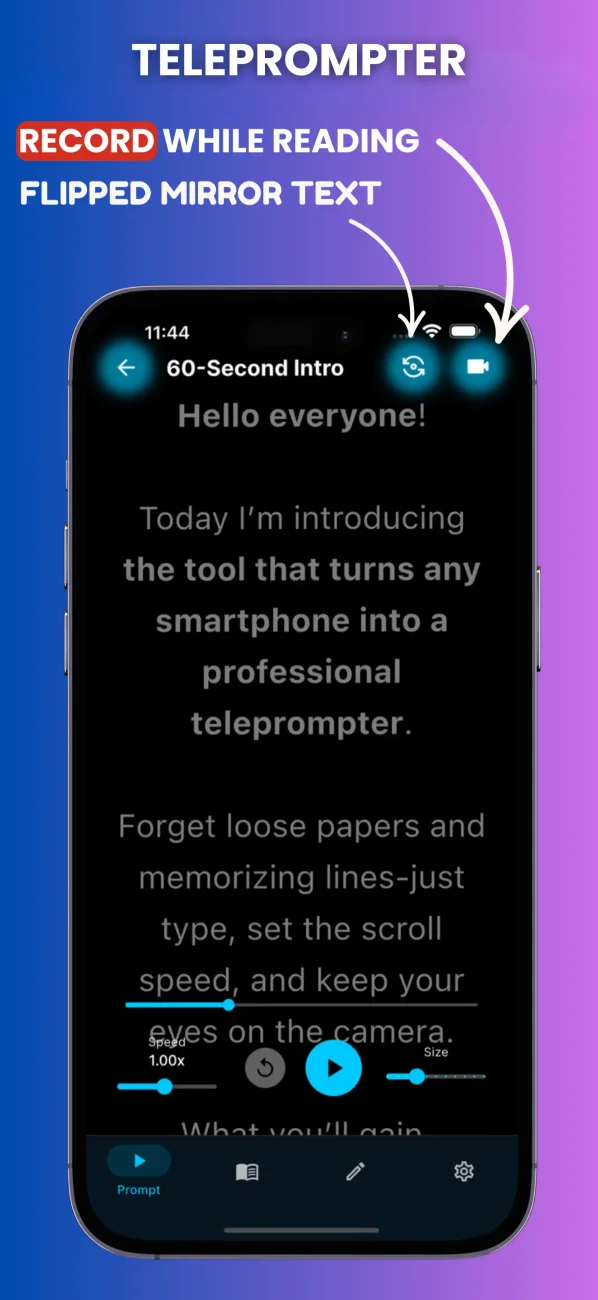
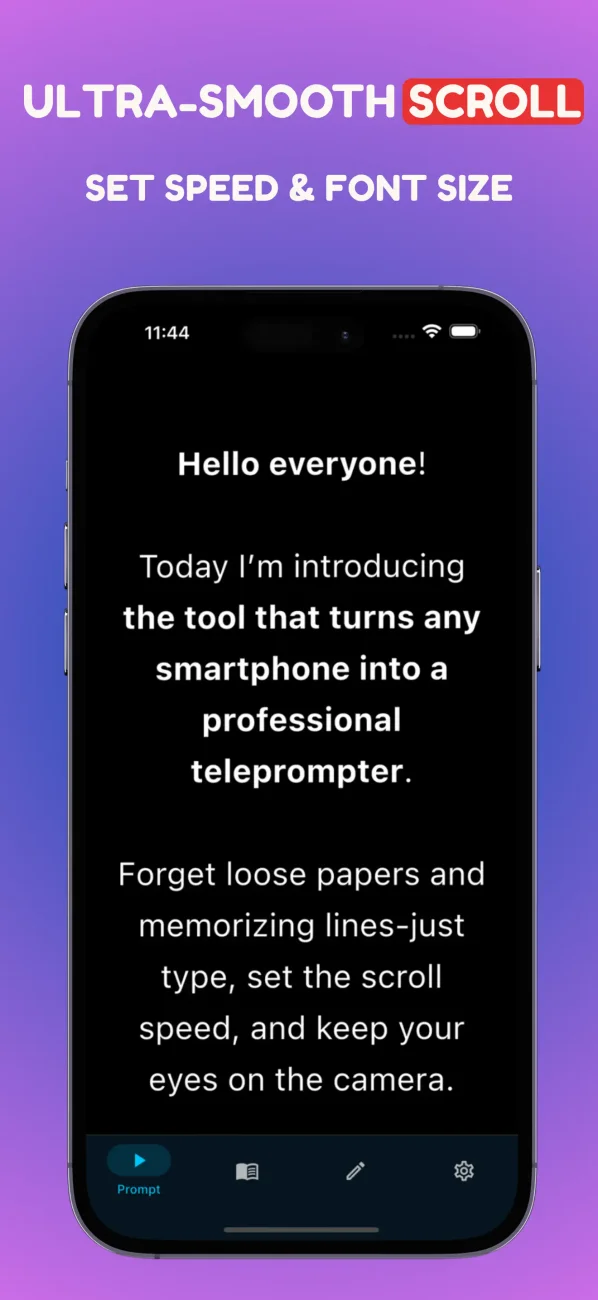
Read your script beside the camera while ProPromptor scrolls at your pace. Fine-tune the speed in exact WPM, choose a target duration, adjust the text size and margins, and use a countdown to get ready before recording.
RECORD WHILE YOU READ
Capture video directly in ProPromptor in portrait or landscape. Choose the quality that fits your workflow, up to 4K when supported by your device.
NEW: YOUR TAKES, ORGANIZED
Every successful take is saved in your Takes library with its thumbnail, script, date, duration, and file size. Watch it, rename it, share it, save it to Photos, or tap Retake to record again immediately, without deleting the previous version.
SMOOTH, COMFORTABLE READING
• Smooth continuous scrolling
• Exact WPM and target-duration modes
• Adjustable font size, margins, colors, and reading guide
• Mirror and vertical flip for teleprompter glass
• Portrait and landscape support
• Countdown and saved settings for each script
• Pagination mode for a page-by-page workflow
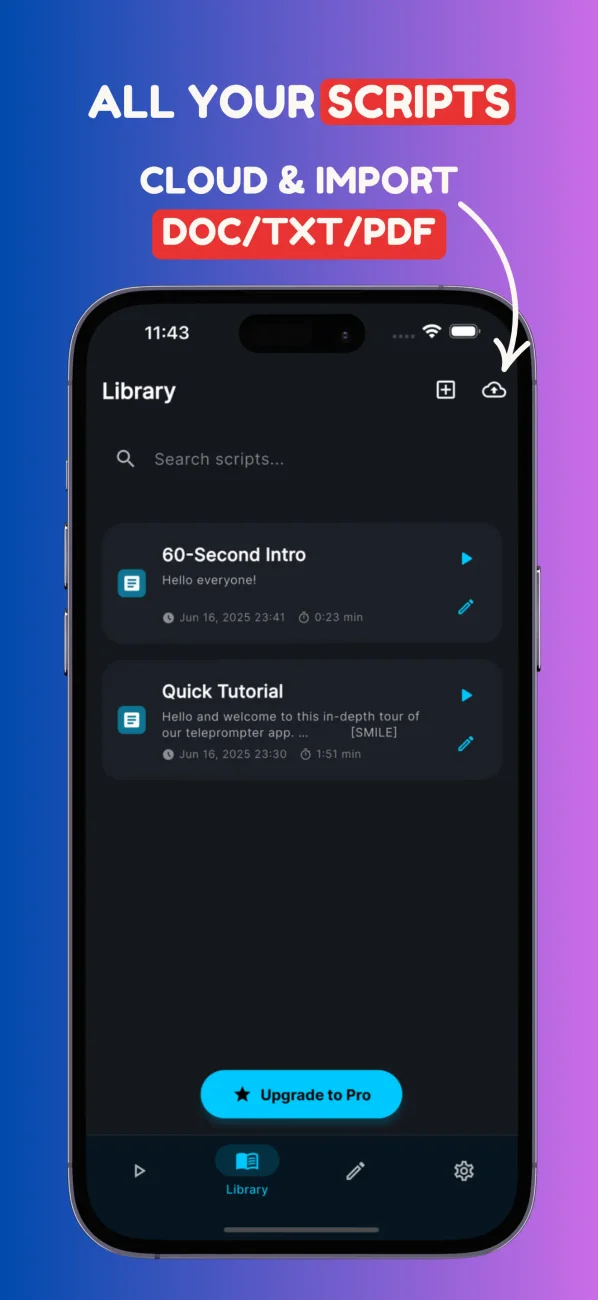
IMPORT AND FORMAT YOUR SCRIPTS
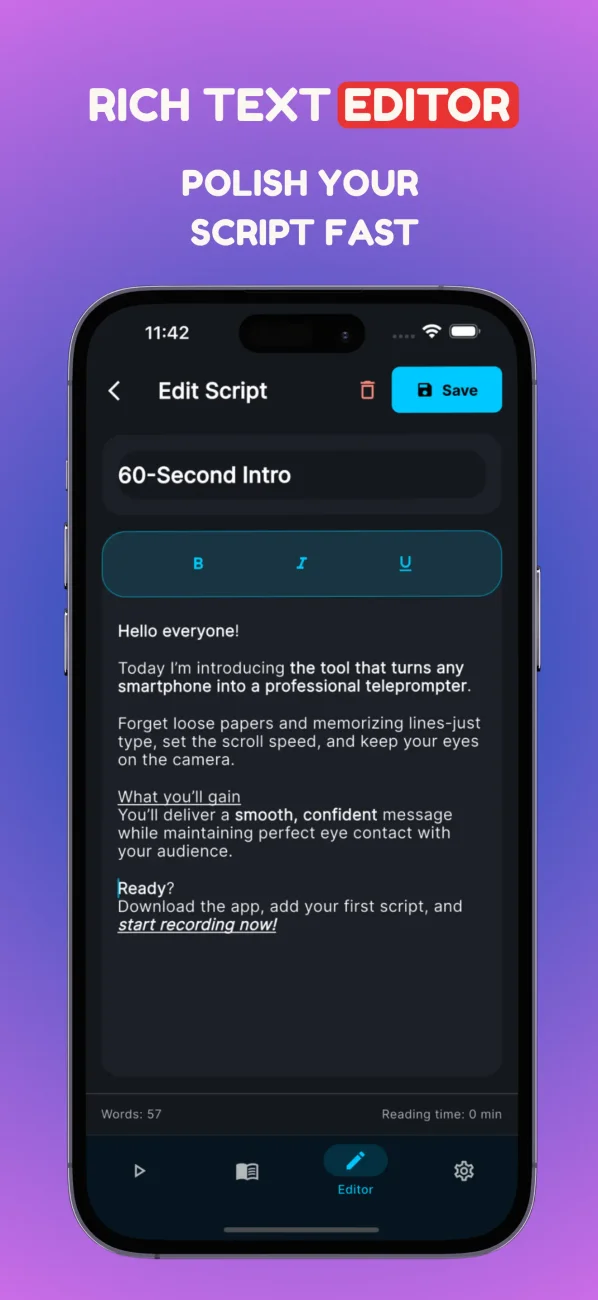
Import PDF, DOCX, TXT, Markdown, and other supported files. Write directly in the rich text editor and use headings, bold, italics, lists, and colors to make emphasis and delivery cues easy to see.
HANDS-FREE CONTROL
Use supported Bluetooth keyboards, presentation remotes, and game controllers to play, pause, restart, or adjust your prompt without touching the screen.
MADE FOR
• YouTube, TikTok, Reels, and Shorts
• Tutorials and online courses
• Speeches, sermons, and presentations
• Sales, training, and business updates
• Podcasts, voice-overs, and self-tapes
• Coaches, teachers, creators, founders, and teams
WHY PROPROMPTOR?
Because the best take is the one where you sound like yourself. ProPromptor helps you keep eye contact, stay on message, and recover quickly when you want another attempt.
No watermark. Less memorizing. More confident takes.
Download ProPromptor and turn your iPhone or iPad into a teleprompter studio you can take anywhere.
Some features require an optional ProPromptor Premium subscription.
SUBSCRIPTION TERMS
Payment is charged to your Apple ID account when your purchase is confirmed. Subscriptions renew automatically unless canceled at least 24 hours before the end of the current period. Your account is charged for renewal within 24 hours before the end of the current period. Manage or cancel your subscription in your App Store account settings. Any unused portion of a free trial, if offered, is forfeited when you purchase a subscription.
Privacy Policy:
https://propromptor.com/privacy-policy
Terms of Use:
https://propromptor.com/terms
Nouveautés
Version 1.1.1 · 18/11/2026
Get ready faster. Stay on track. Record with confidence.
• CHECK YOUR SHOT BEFORE YOU RECORD
Open the camera preview to find your framing before starting a take. Just rehearsing? Keep reading without turning on the camera.
• KEEP YOUR PLACE WHILE FILMING
See your recording time and estimated reading time remaining together. Pause the script whenever you need a moment—your video keeps recording.
• BRING YOUR SCRIPT’S STYLE WITH YOU
Import Word or Markdown documents and keep headings, lists, bold, italics, and supported colors in the editor and teleprompter—even after saving and reopening.
• START WITH YOUR FAVORITE SETTINGS
Choose your default reading speed and text size for new scripts. Your already-customized scripts keep their settings.
• TEST YOUR REMOTE BEFORE YOUR TAKE
Find keyboard and game controller commands in Settings and check your buttons without starting the prompter.
Confidentialité de l’application
Ce que sylvain loirat déclare sur l’App Store au sujet du traitement des données par cette application.
-
Données utilisées pour vous suivre
Peuvent être utilisées pour vous suivre sur des applications et des sites web appartenant à d’autres sociétés.
- Identifiants
- Données d’utilisation
-
Données établissant un lien avec vous
Peuvent être collectées et liées à votre identité.
- Achats
- Coordonnées
- Contenu utilisateur
- Identifiants
- Données d’utilisation
- Diagnostic
Les pratiques en matière de confidentialité peuvent varier, notamment en fonction des fonctionnalités que vous utilisez ou de votre âge.
Informations
- Vendeur
- sylvain loirat
- Catégorie
- Photo et vidéo
- Version
- 1.1.1
- Mis à jour
- 18/11/2026
- Publié
- 29/06/2025
- Taille
- 81,6 Mo
- Nécessite
- iOS 15.0 ou version ultérieure
- Classification d’âge
- 4+
- Prix
- Gratuit
- Achats intégrés
- Oui
- Langues
- Anglais, Français, Allemand, Italien, Portugais, Espagnol
- Copyright
- © ProPromptor
Vous aimerez peut-être aussi
-
 Téléprompteur VidéoTexte défilant et sous-titres
-
 TelepromptrPhoto et vidéo
-
 Parrot TeleprompterPhoto et vidéo
-
 Teleprompter AutomaticTeleprompteur pour la vidéo
-
 Téléprompteur pour la VidéoPrompteur, vidéo et sous titre
-
 Téléprompteur: flottantsPrompteur AI, Scénario&Autocue
-
 HeyGen: AI Video GeneratorCrée avatars, pubs, reels
-
 Runway : Image & Vidéo IAGénérateur à partir de texte
-
 invideo : Éditeur vidéo IARéalisez avec des agents IA
-
 Templify・Reels & Modèles VidéoClips, carrousels & stories