
Teleprompter Script Reader
4K Video Recorder & Mirror
Được thiết kế cho iPhone, iPad, iPod touch
Mua hàng trong ứng dụng
- Độ tuổi4+
- Danh mụcẢnh & Video
- Nhà phát triểnsylvain loirat
- Ngôn ngữTiếng Anh+ 5 ngôn ngữ khác
- Kích thước81,6 MB
Teleprompter Script Reader hiện có thể không có trên App Store
Ở lần kiểm tra gần nhất, chúng tôi không truy cập được trang trên cửa hàng. Liên kết vẫn dẫn đến trang App Store chính thức.
Ảnh chụp màn hình
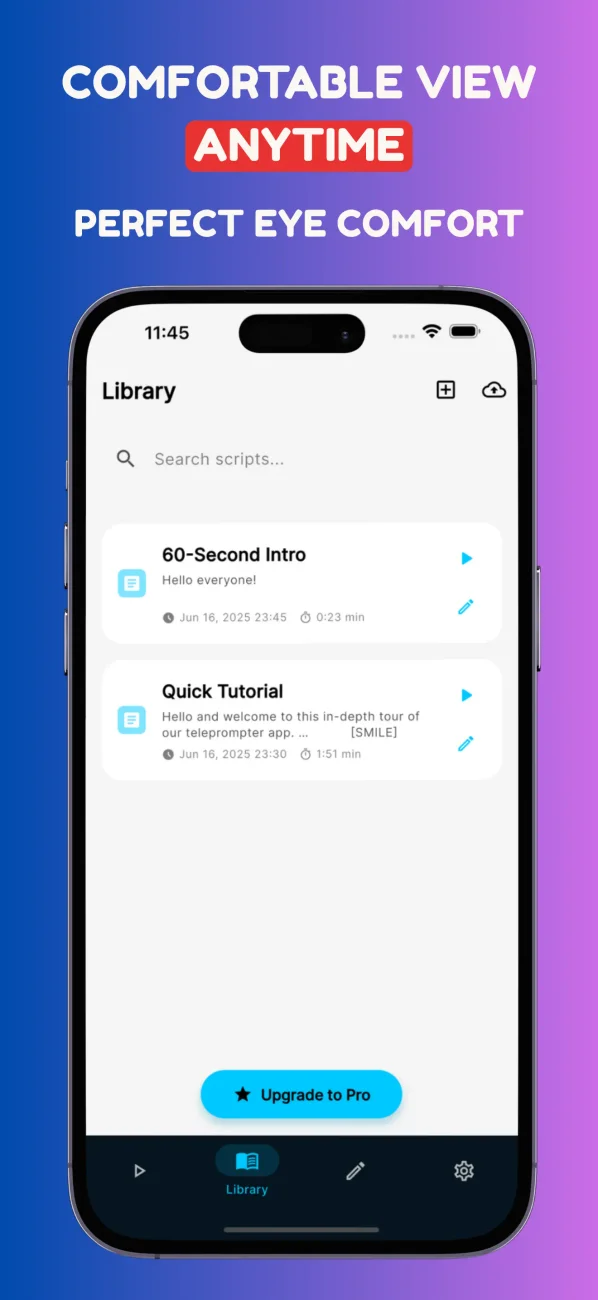
Giới thiệu
Nhà phát triển chưa cung cấp nội dung này bằng ngôn ngữ của bạn.
Stop memorizing scripts and losing your place. ProPromptor turns your iPhone or iPad into a complete teleprompter and video studio, so you can look at the camera, speak with confidence, and record polished videos in fewer takes.
CREATE BETTER VIDEOS, FASTER
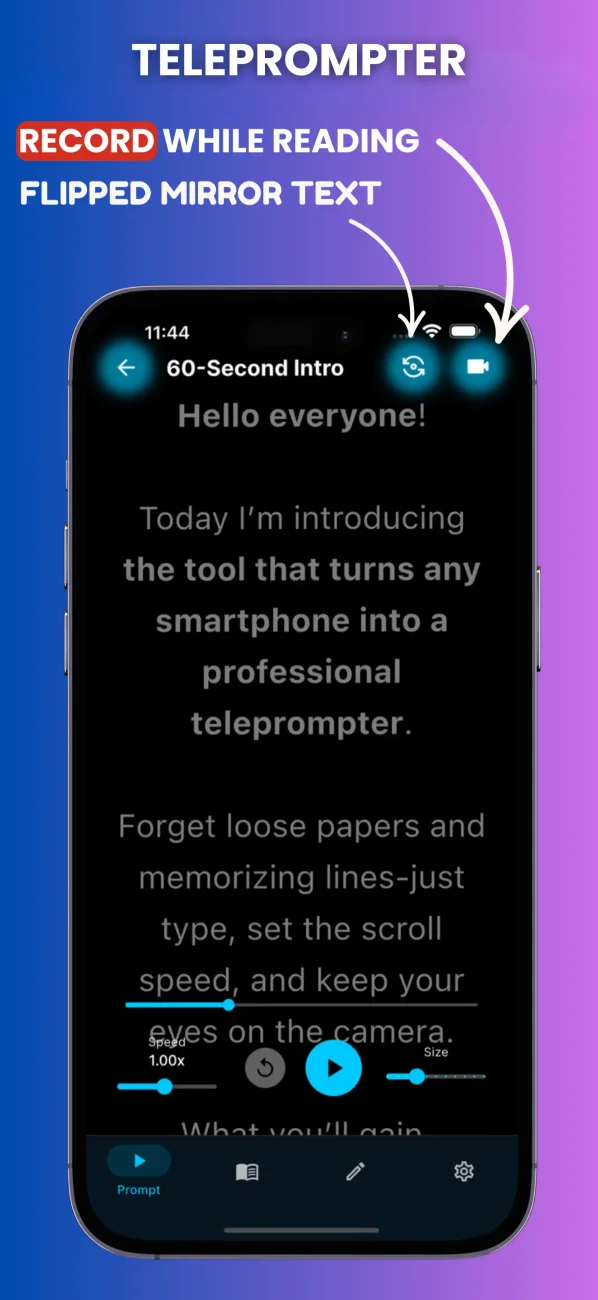
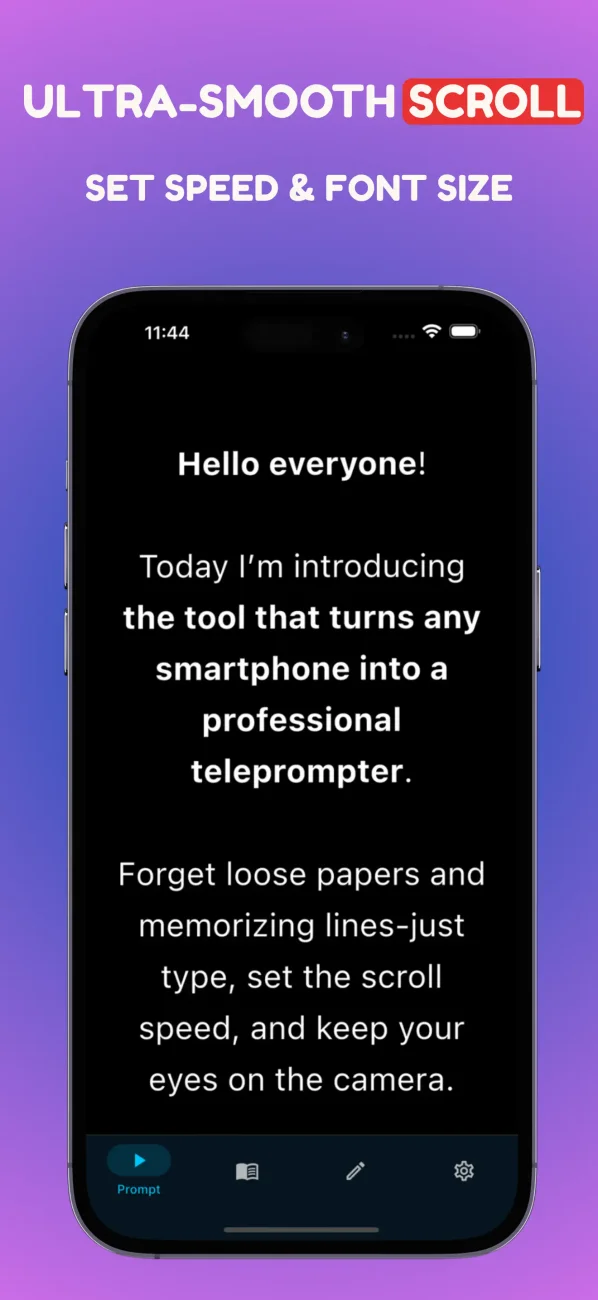
Read your script beside the camera while ProPromptor scrolls at your pace. Fine-tune the speed in exact WPM, choose a target duration, adjust the text size and margins, and use a countdown to get ready before recording.
RECORD WHILE YOU READ
Capture video directly in ProPromptor in portrait or landscape. Choose the quality that fits your workflow, up to 4K when supported by your device.
NEW: YOUR TAKES, ORGANIZED
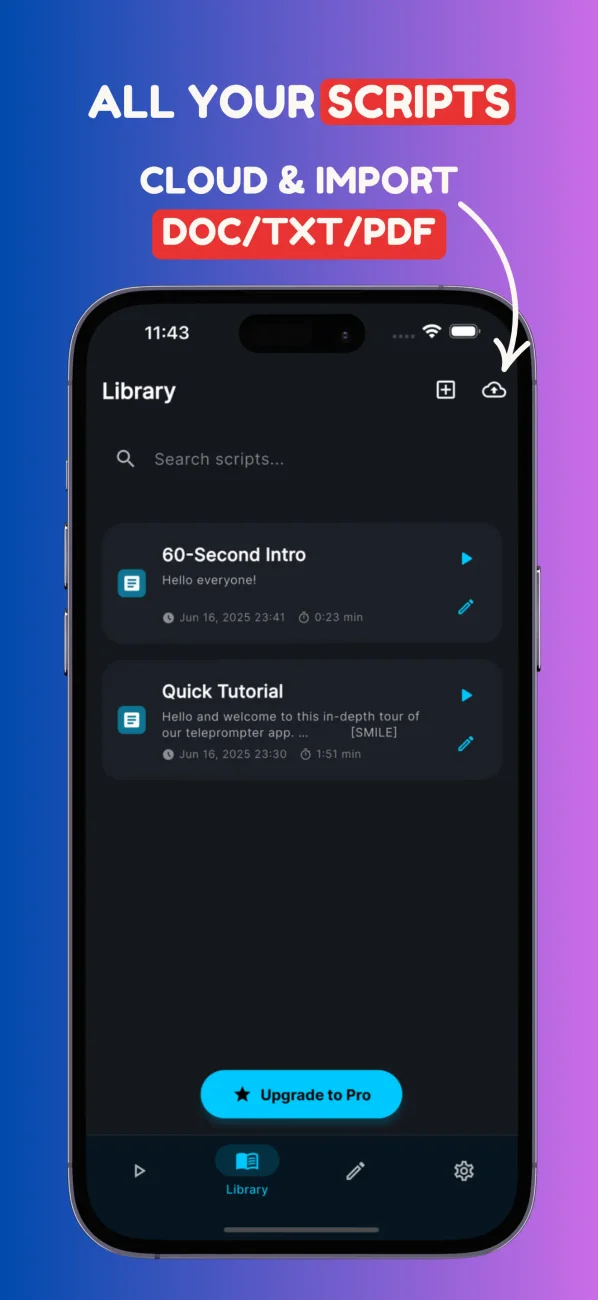
Every successful take is saved in your Takes library with its thumbnail, script, date, duration, and file size. Watch it, rename it, share it, save it to Photos, or tap Retake to record again immediately, without deleting the previous version.
SMOOTH, COMFORTABLE READING
• Smooth continuous scrolling
• Exact WPM and target-duration modes
• Adjustable font size, margins, colors, and reading guide
• Mirror and vertical flip for teleprompter glass
• Portrait and landscape support
• Countdown and saved settings for each script
• Pagination mode for a page-by-page workflow
IMPORT AND FORMAT YOUR SCRIPTS
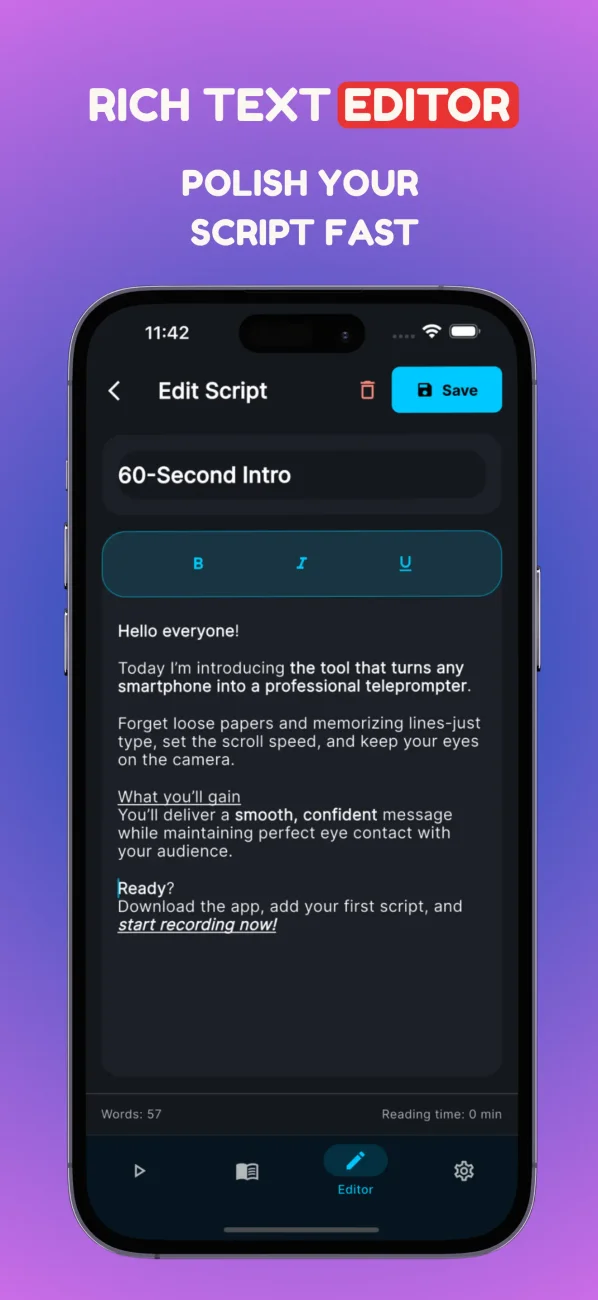
Import PDF, DOCX, TXT, Markdown, and other supported files. Write directly in the rich text editor and use headings, bold, italics, lists, and colors to make emphasis and delivery cues easy to see.
HANDS-FREE CONTROL
Use supported Bluetooth keyboards, presentation remotes, and game controllers to play, pause, restart, or adjust your prompt without touching the screen.
MADE FOR
• YouTube, TikTok, Reels, and Shorts
• Tutorials and online courses
• Speeches, sermons, and presentations
• Sales, training, and business updates
• Podcasts, voice-overs, and self-tapes
• Coaches, teachers, creators, founders, and teams
WHY PROPROMPTOR?
Because the best take is the one where you sound like yourself. ProPromptor helps you keep eye contact, stay on message, and recover quickly when you want another attempt.
No watermark. Less memorizing. More confident takes.
Download ProPromptor and turn your iPhone or iPad into a teleprompter studio you can take anywhere.
Some features require an optional ProPromptor Premium subscription.
SUBSCRIPTION TERMS
Payment is charged to your Apple ID account when your purchase is confirmed. Subscriptions renew automatically unless canceled at least 24 hours before the end of the current period. Your account is charged for renewal within 24 hours before the end of the current period. Manage or cancel your subscription in your App Store account settings. Any unused portion of a free trial, if offered, is forfeited when you purchase a subscription.
Privacy Policy:
https://propromptor.com/privacy-policy
Terms of Use:
https://propromptor.com/terms
Có gì mới
Phiên bản 1.1.1 · 18/11/2026
Get ready faster. Stay on track. Record with confidence.
• CHECK YOUR SHOT BEFORE YOU RECORD
Open the camera preview to find your framing before starting a take. Just rehearsing? Keep reading without turning on the camera.
• KEEP YOUR PLACE WHILE FILMING
See your recording time and estimated reading time remaining together. Pause the script whenever you need a moment—your video keeps recording.
• BRING YOUR SCRIPT’S STYLE WITH YOU
Import Word or Markdown documents and keep headings, lists, bold, italics, and supported colors in the editor and teleprompter—even after saving and reopening.
• START WITH YOUR FAVORITE SETTINGS
Choose your default reading speed and text size for new scripts. Your already-customized scripts keep their settings.
• TEST YOUR REMOTE BEFORE YOUR TAKE
Find keyboard and game controller commands in Settings and check your buttons without starting the prompter.
Quyền riêng tư của ứng dụng
Những gì sylvain loirat khai báo trên App Store về cách ứng dụng này xử lý dữ liệu.
-
Dữ liệu được sử dụng để theo dõi bạn
Có thể được sử dụng để theo dõi bạn trên các ứng dụng và trang web do công ty khác sở hữu.
- Mã định danh
- Dữ liệu sử dụng
-
Dữ liệu liên kết với bạn
Có thể được thu thập và liên kết với danh tính của bạn.
- Mục mua
- Thông tin liên hệ
- Nội dung của người dùng
- Mã định danh
- Dữ liệu sử dụng
- Chẩn đoán
Phương thức đảm bảo quyền riêng tư có thể khác nhau, chẳng hạn như tuỳ theo các tính năng bạn sử dụng hoặc độ tuổi của bạn.
Thông tin
- Người bán
- sylvain loirat
- Danh mục
- Ảnh & Video
- Phiên bản
- 1.1.1
- Cập nhật
- 18/11/2026
- Phát hành
- 29/06/2025
- Kích thước
- 81,6 MB
- Yêu cầu
- iOS 15.0 trở lên
- Độ tuổi
- 4+
- Mua hàng trong ứng dụng
- Có
- Ngôn ngữ
- Tiếng Anh, Tiếng Pháp, Tiếng Đức, Tiếng Ý, Tiếng Bồ Đào Nha, Tiếng Tây Ban Nha
- Bản quyền
- © ProPromptor
Có thể bạn cũng thích
-
 Telepromter for VideoẢnh & Video
-
 TelepromptrẢnh & Video
-
 Parrot TeleprompterẢnh & Video
-
 Teleprompter AutomaticMáy nhắc chữ từ xa
-
 Teleprompter for VideoẢnh & Video
-
 Teleprompter: Floating NotesAI Người chỉ dẫn & Kịch bản
-
 HeyGen: Trình tạo Video AITạo avatar, Quảng cáo, Reels
-
 Runway: Tạo Video AIVăn bản, ảnh thành phim
-
 invideo: Chỉnh sửa video AIĐạo diễn cùng AI agent
-
 Templify: Chỉnh sửa Video AIGhép ảnh, Reels & Story