
The Shift: Work Schedule
Shifts to Widgets & Calendar
Conçue pour iPhone
Achats intégrés
- Classification d’âge4+
- CatégorieProductivité
- DéveloppeurJeeyun Lee
- LanguesAnglais+ 2 de plus
- Taille18,1 Mo
The Shift: Work Schedule n’est peut-être pas disponible sur App Store pour le moment
La fiche de la boutique était inaccessible lors de notre dernière vérification. Le lien mène toujours à la page App Store officielle.
Captures d’écran
À propos
Le développeur n’a pas fourni ce texte dans votre langue.
Stop logging in just to see your schedule.
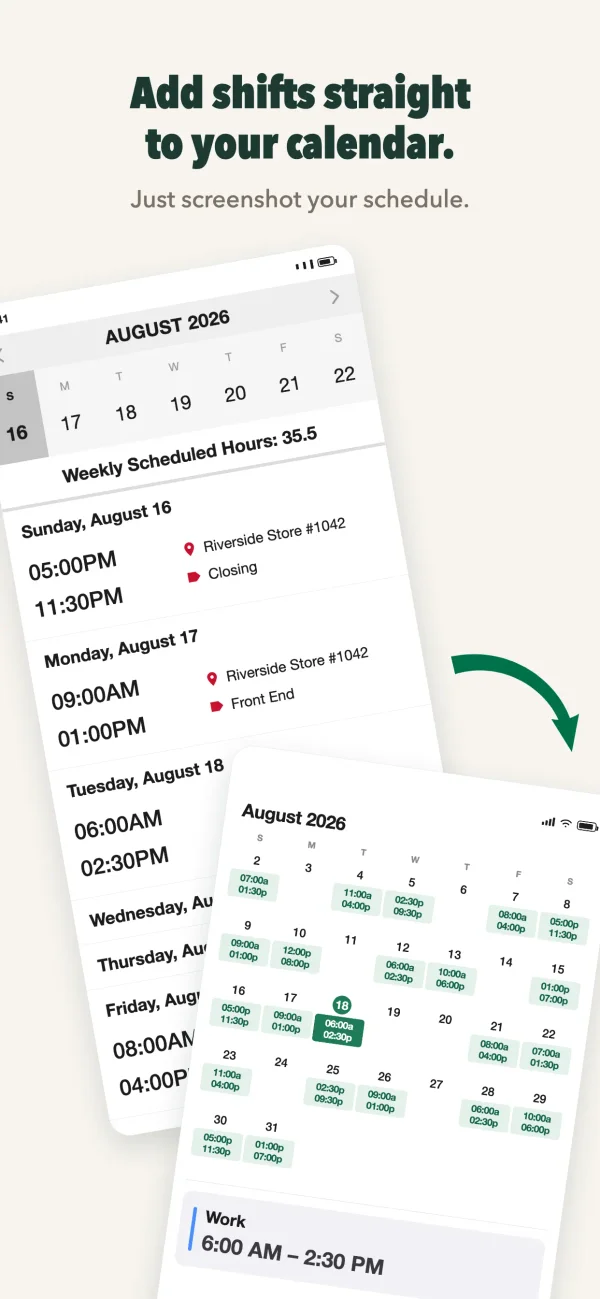
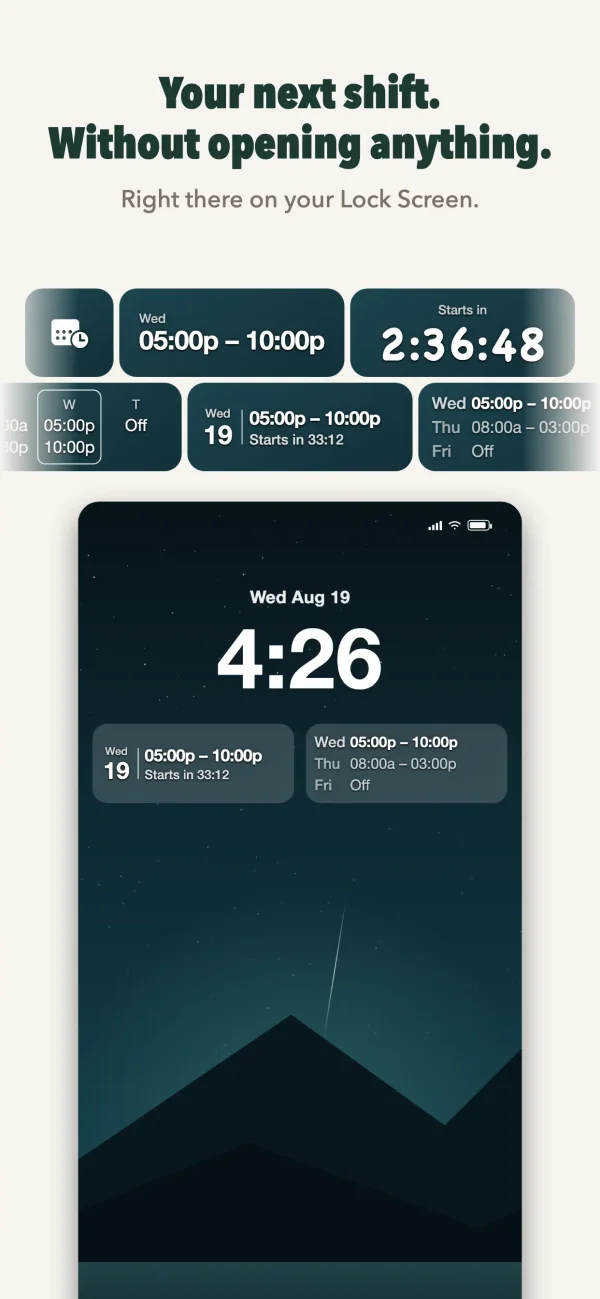
Screenshot it once. The Shift reads your schedule and pulls out the exact start and end times for each shift. Your next shift is right on your Lock Screen, and your whole schedule shows up in your calendar.
No typing. No picking dates. No entering shifts one by one. A screenshot is all it takes.
――――――――――
SOUND FAMILIAR?
It's 10 PM and you just want to know tomorrow's shift. So you unlock your phone, open your work app, wait for it to load, log in (again), find the schedule menu, scroll…
Or the app is down. The night before a 5 AM opening.
And even when it works, your shifts still live in your work app — not in your calendar, next to the rest of your life.
That's why you already screenshot your schedule. The Shift does the rest.
HOW IT WORKS
1. Screenshot your schedule from your scheduling app, or snap a photo of a posted schedule.
2. The Shift reads the dates and times for every shift.
3. Done. Your shifts are on your calendar, your Home Screen, and your Lock Screen.
The Shift doesn't just find the dates — it captures each shift's exact times. That's the whole point.
WHAT YOU GET
- Your work schedule, added to your calendar from one screenshot — no manual entry, ever
- Lock Screen widgets — your next shift and a live countdown, without unlocking your phone
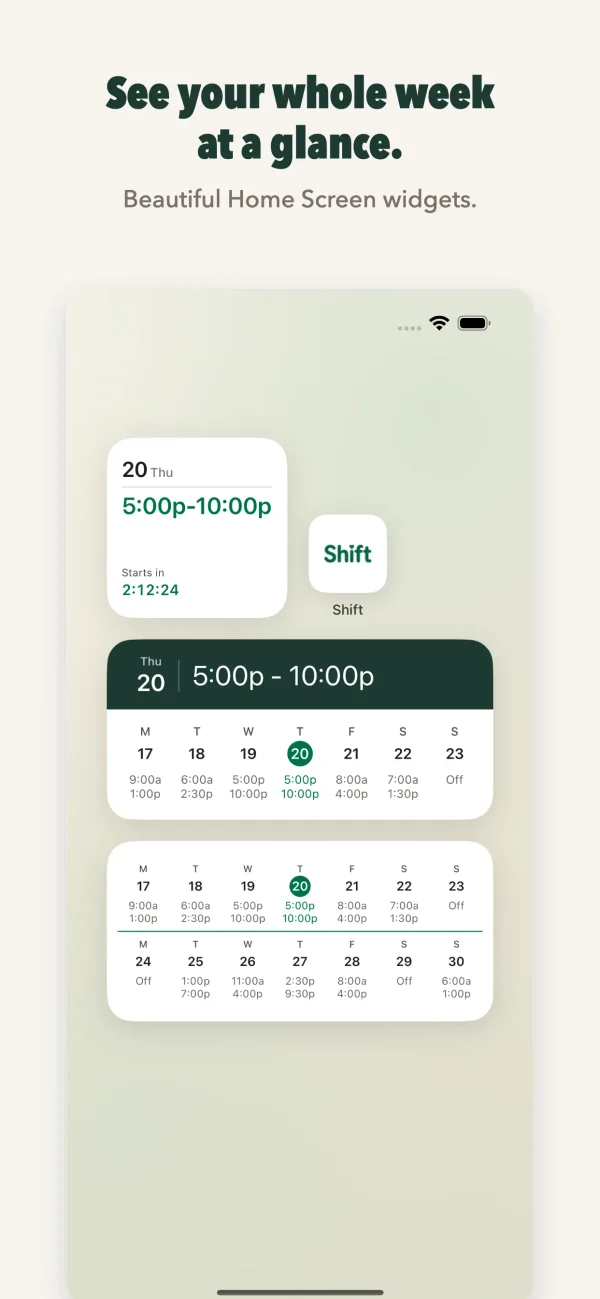
- Home Screen widgets — today, this week, or the next two weeks at a glance
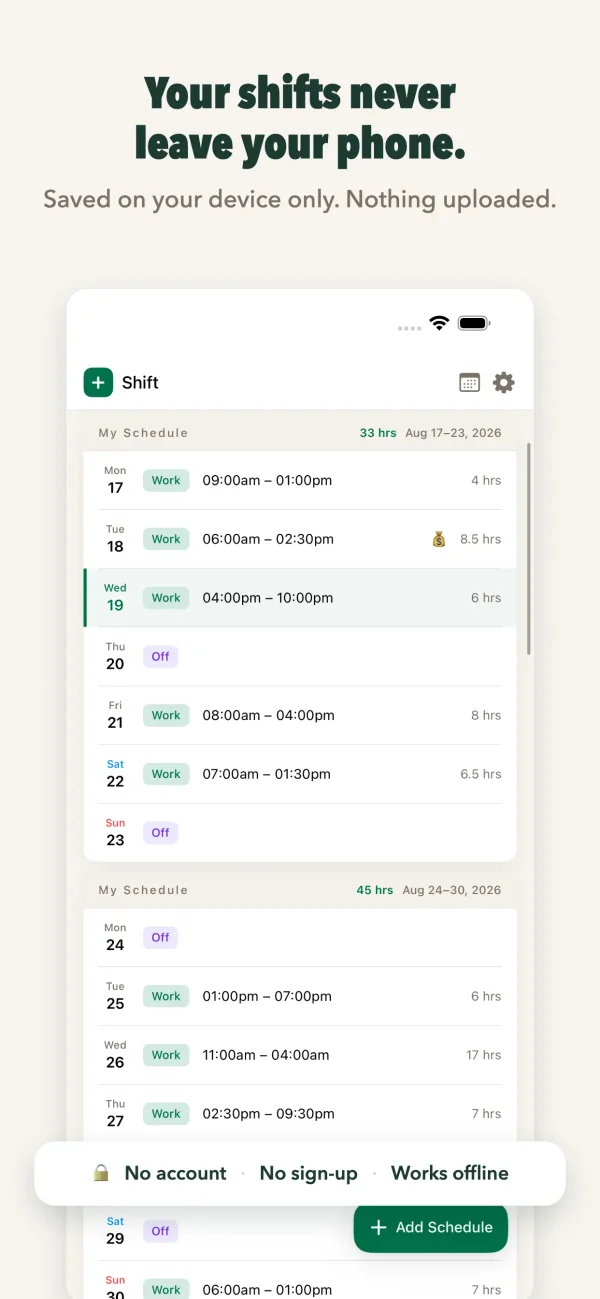
- Weekly hour totals — know your hours before payroll does
- Days off clearly shown — plan your life, not just your work
- Works offline — no Wi-Fi, no problem
"AM I EVEN ALLOWED TO USE THIS?"
Fair question. Here's what The Shift does — and doesn't do:
- The Shift never connects to your employer's systems. It only reads a schedule screenshot you provide.
- No account. No sign-up. No email.
- Your schedule stays on your device. It isn't uploaded, shared, or sold.
- Delete the app, and your local schedule data goes with it.
Your schedule is yours. We built The Shift so it stays that way.
BUILT BY A SHIFT WORKER
The Shift was built by a barista who was tired of checking the work app just to see a schedule. Word spread among baristas, and The Shift reached 1,000+ downloads in its first month, mostly through coworkers sharing it. Now it works for shift workers everywhere: baristas, servers, nurses, retail and warehouse teams, grocery crews — anyone whose week never looks the same twice.
If your schedule doesn't import correctly, let us know in the app — we usually add support within 24 hours.
SCREENSHOT YOUR NEXT SCHEDULE
Download The Shift, take one screenshot, and see your whole week — on your Lock Screen, Home Screen, and calendar. You'll never log in just to check a shift again.
Nouveautés
Version 2.0.5 · 27/11/2026
## Bug Fixes
• Improved schedule recognition
Confidentialité de l’application
Ce que Jeeyun Lee déclare sur l’App Store au sujet du traitement des données par cette application.
-
Données utilisées pour vous suivre
Peuvent être utilisées pour vous suivre sur des applications et des sites web appartenant à d’autres sociétés.
- Identifiants
- Données d’utilisation
-
Données n’établissant aucun lien avec vous
Peuvent être collectées, mais ne sont pas liées à votre identité.
- Identifiants
- Données d’utilisation
- Diagnostic
Les pratiques en matière de confidentialité peuvent varier, notamment en fonction des fonctionnalités que vous utilisez ou de votre âge.
Informations
- Vendeur
- Jeeyun Lee
- Catégorie
- Productivité
- Version
- 2.0.5
- Mis à jour
- 27/11/2026
- Publié
- 14/07/2026
- Taille
- 18,1 Mo
- Nécessite
- iOS 17.0 ou version ultérieure
- Classification d’âge
- 4+
- Achats intégrés
- Oui
- Langues
- Anglais, Japonais, Coréen
- Copyright
- © 2026 The Shift Studio
Vous aimerez peut-être aussi
-
 SnapShift: Schedule ScannerProductivité
-
 ScheduleWork – Planning RapideCalendrier rapide pour équipes
-
 EasEvent: Calendar AssistantProductivité
-
 Minimo: Notes & WidgetsProductivité
-
 LiveMemo: Note, AutocollantNotes écran verrou, stickers
-
 MODA: Todo & Routine PlannerProductivité
-
 Moodie Todo - To-Do ChecklistProductivité
-
 Pirates : Pomodoro avec ChatsConcentration, TDAH & blocage
-
 ShiftStamp - 근무 일정 관리Productivité
-
 Mind the Focus: CalendarProductivité