
The Shift: Work Schedule
Shifts to Widgets & Calendar
Dirancang untuk iPhone
Pembelian dalam aplikasi
- Batasan usia4+
- KategoriProduktivitas
- PengembangJeeyun Lee
- BahasaInggris+ 2 lainnya
- Ukuran18,0 MB
The Shift: Work Schedule mungkin sedang tidak tersedia di App Store
Halaman di toko tidak dapat dijangkau saat terakhir kami periksa. Tautan tetap mengarah ke halaman resmi App Store.
Tangkapan layar
Tentang
Pengembang belum menyediakan teks ini dalam bahasa Anda.
Stop logging in just to see your schedule.
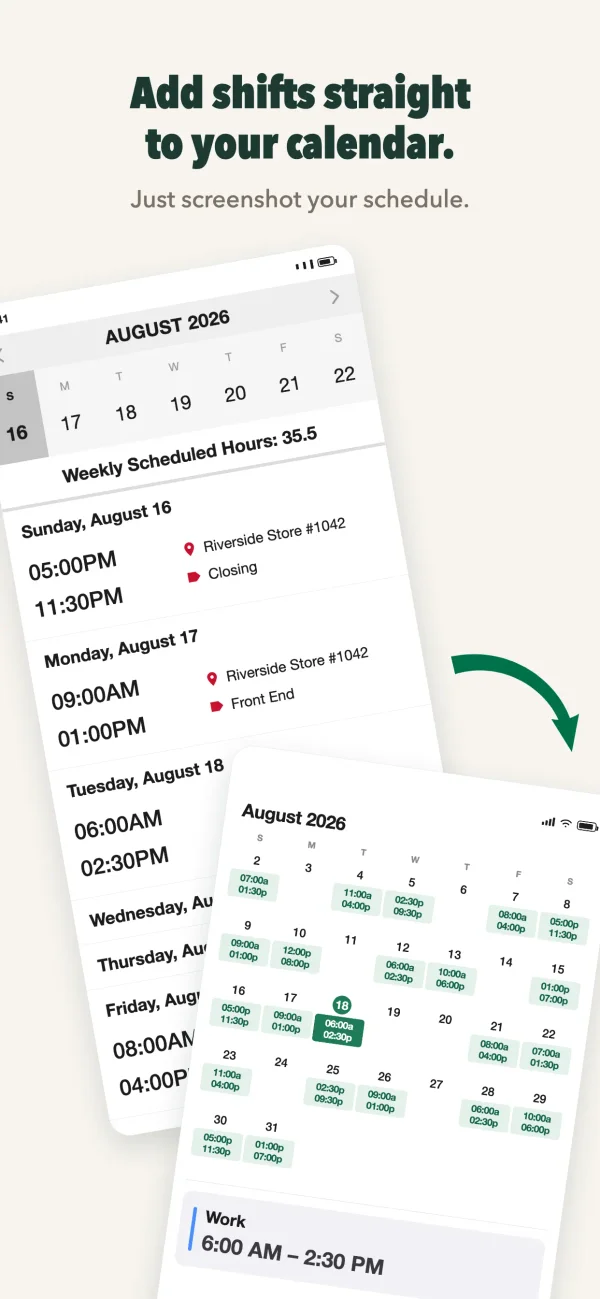
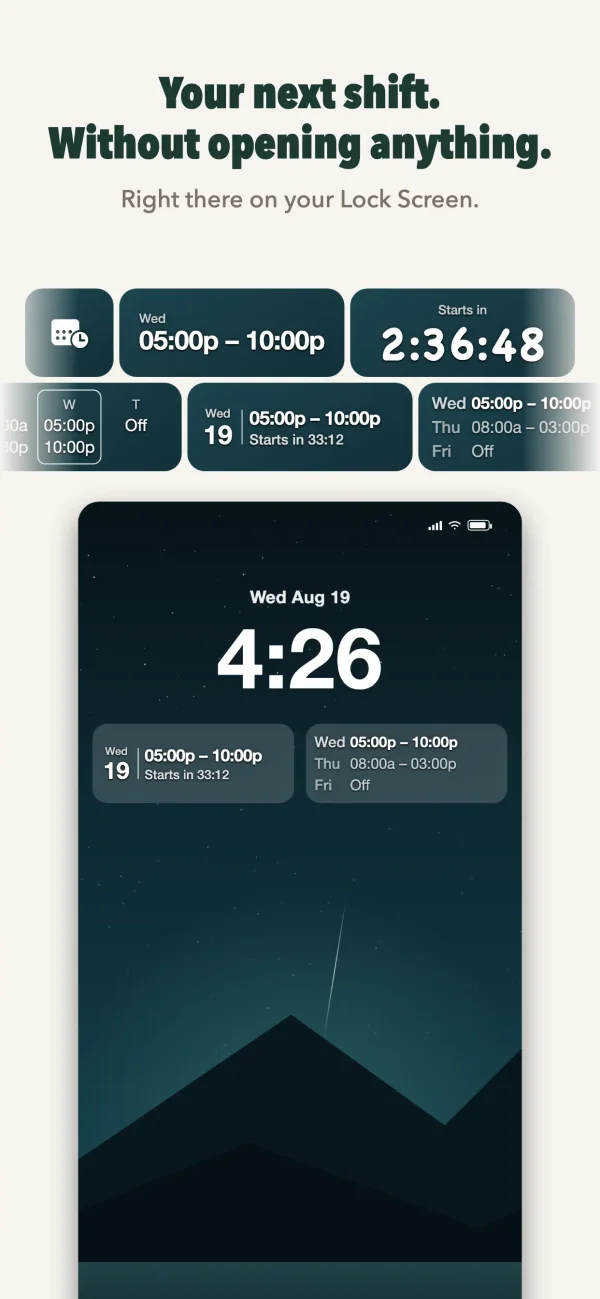
Screenshot it once. The Shift reads your schedule and pulls out the exact start and end times for each shift. Your next shift is right on your Lock Screen, and your whole schedule shows up in your calendar.
No typing. No picking dates. No entering shifts one by one. A screenshot is all it takes.
――――――――――
SOUND FAMILIAR?
It's 10 PM and you just want to know tomorrow's shift. So you unlock your phone, open your work app, wait for it to load, log in (again), find the schedule menu, scroll…
Or the app is down. The night before a 5 AM opening.
And even when it works, your shifts still live in your work app — not in your calendar, next to the rest of your life.
That's why you already screenshot your schedule. The Shift does the rest.
HOW IT WORKS
1. Screenshot your schedule from your scheduling app, or snap a photo of a posted schedule.
2. The Shift reads the dates and times for every shift.
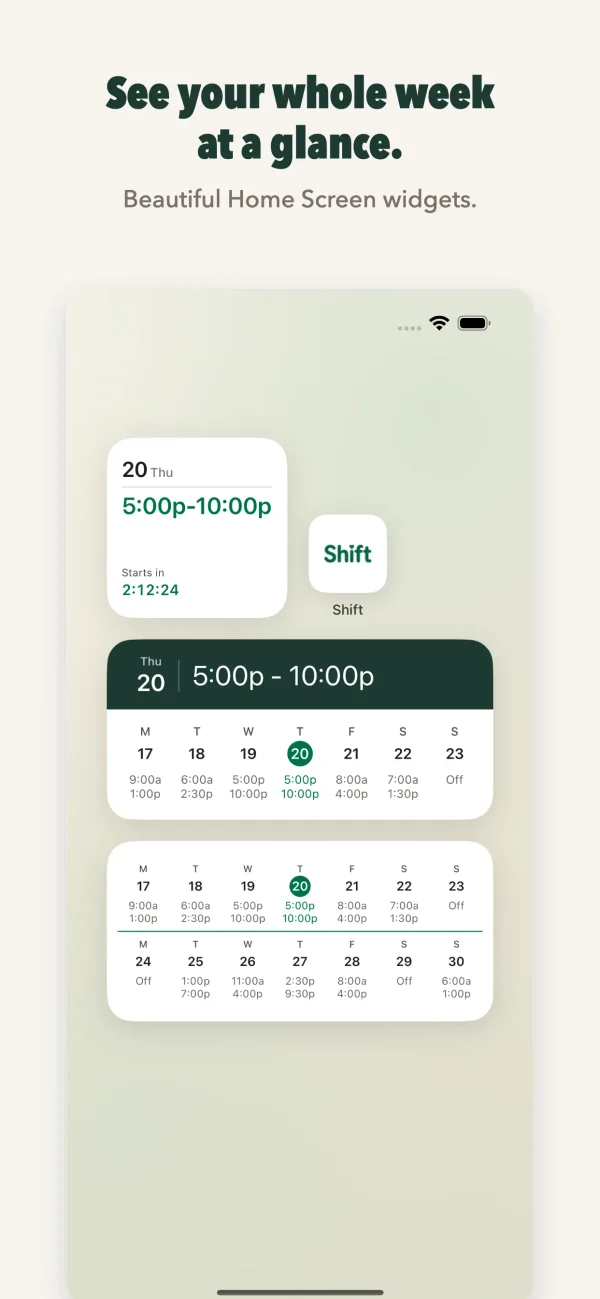
3. Done. Your shifts are on your calendar, your Home Screen, and your Lock Screen.
The Shift doesn't just find the dates — it captures each shift's exact times. That's the whole point.
WHAT YOU GET
- Your work schedule, added to your calendar from one screenshot — no manual entry, ever
- Lock Screen widgets — your next shift and a live countdown, without unlocking your phone
- Home Screen widgets — today, this week, or the next two weeks at a glance
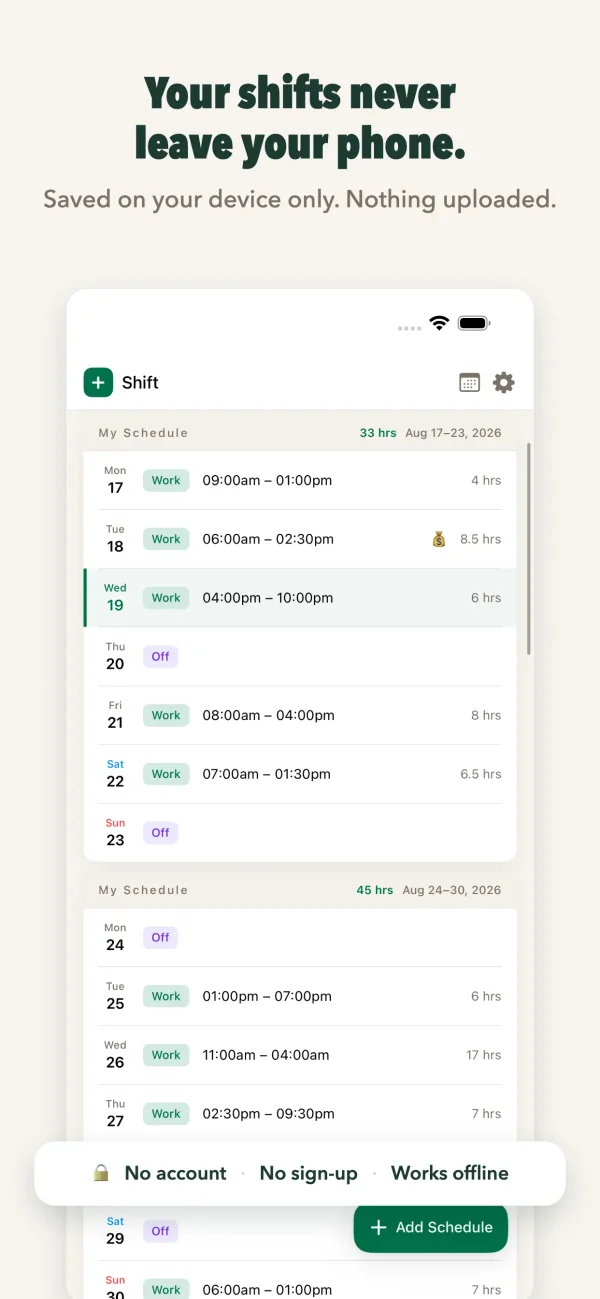
- Weekly hour totals — know your hours before payroll does
- Days off clearly shown — plan your life, not just your work
- Works offline — no Wi-Fi, no problem
"AM I EVEN ALLOWED TO USE THIS?"
Fair question. Here's what The Shift does — and doesn't do:
- The Shift never connects to your employer's systems. It only reads a schedule screenshot you provide.
- No account. No sign-up. No email.
- Your schedule stays on your device. It isn't uploaded, shared, or sold.
- Delete the app, and your local schedule data goes with it.
Your schedule is yours. We built The Shift so it stays that way.
BUILT BY A SHIFT WORKER
The Shift was built by a barista who was tired of checking the work app just to see a schedule. Word spread among baristas, and The Shift reached 1,000+ downloads in its first month, mostly through coworkers sharing it. Now it works for shift workers everywhere: baristas, servers, nurses, retail and warehouse teams, grocery crews — anyone whose week never looks the same twice.
If your schedule doesn't import correctly, let us know in the app — we usually add support within 24 hours.
SCREENSHOT YOUR NEXT SCHEDULE
Download The Shift, take one screenshot, and see your whole week — on your Lock Screen, Home Screen, and calendar. You'll never log in just to check a shift again.
Yang baru
Versi 2.0.4 · 26/11/2026
## Bug Fixes
• Improved schedule recognition
Privasi aplikasi
Yang dinyatakan Jeeyun Lee di App Store tentang cara aplikasi ini menangani data.
-
Data yang digunakan untuk melacak Anda
Dapat digunakan untuk melacak Anda di aplikasi dan situs web milik perusahaan lain.
- Pengenal
- Data penggunaan
-
Data yang tidak ditautkan dengan Anda
Dapat dikumpulkan, tetapi tidak ditautkan dengan identitas Anda.
- Pengenal
- Data penggunaan
- Diagnostik
Praktik privasi dapat bervariasi, misalnya berdasarkan fitur yang Anda gunakan atau usia Anda.
Informasi
- Penjual
- Jeeyun Lee
- Kategori
- Produktivitas
- Versi
- 2.0.4
- Diperbarui
- 26/11/2026
- Dirilis
- 14/7/2026
- Ukuran
- 18,0 MB
- Memerlukan
- iOS 17.0 atau yang lebih baru
- Batasan usia
- 4+
- Pembelian dalam aplikasi
- Ya
- Bahasa
- Inggris, Jepang, Korea
- Hak cipta
- © 2026 The Shift Studio
Mungkin Anda juga suka
-
 SnapShift: Schedule ScannerProduktivitas
-
 ScheduleWork – Kalender ShiftCepat untuk pekerja shift
-
 EasEvent: Calendar AssistantProduktivitas
-
 Minimo: Notes & WidgetsProduktivitas
-
 LiveMemo: Catatan, StikerCatatan layar kunci, stiker
-
 MODA: Todo & Routine PlannerProduktivitas
-
 Moodie Todo - To-Do ChecklistProduktivitas
-
 Pirates: Cat Pomodoro TimerProduktivitas
-
 ShiftStamp - 근무 일정 관리Produktivitas
-
 Mind the Focus: CalendarProduktivitas