
Toki Keyboard
Hamster pet fights as you type
Conçue pour iPhone
Gratuit · Achats intégrés
- Classification d’âge9+
- CatégorieUtilitaires
- DéveloppeurPIL GWON KIM
- LanguesCoréen+ 3 de plus
- Taille7,3 Mo
Renvoie vers la page App Store officielle
Download.org n’héberge aucun fichier de Toki Keyboard. Le bouton ouvre la page de l’application sur App Store, où PIL GWON KIM la publie. Fiche vérifiée pour la dernière fois le 06/11/2026.
Captures d’écran


À propos
Le développeur n’a pas fourni ce texte dans votre langue.
Toki Keyboard is a Korean (Hangul) keyboard extension where a pixel hamster named Toki fights on a strip above the keys. Type as usual in Messages, Notes or any app.
TYPE TO FIGHT
- Every letter you type is one beat: Toki attacks once and enemies step closer from all sides. Stop typing and everything stops.
- Defeated enemies drop gems.
SEND TO POP THE WAVE
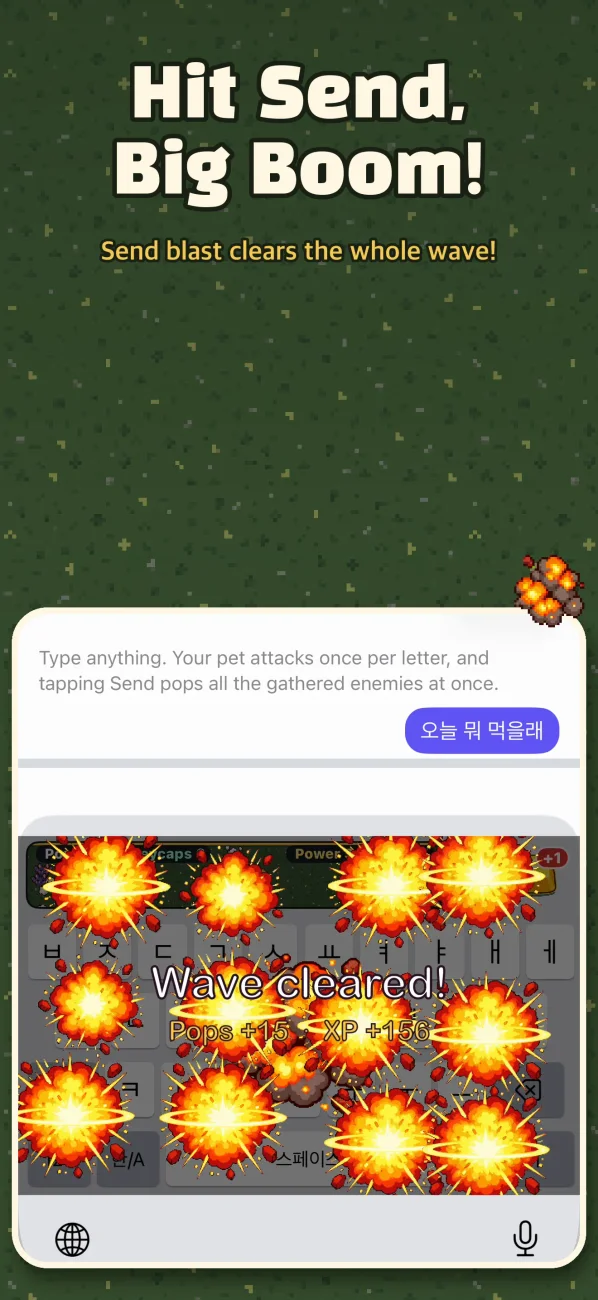
- When you send a message, the gathered gems turn into XP and a "Wave cleared!" blast fills the keyboard.
- A keyboard cannot see the send button of an app, so a text field that had text and suddenly becomes empty counts as a send.
LEVEL UP, PICK 1 OF 3
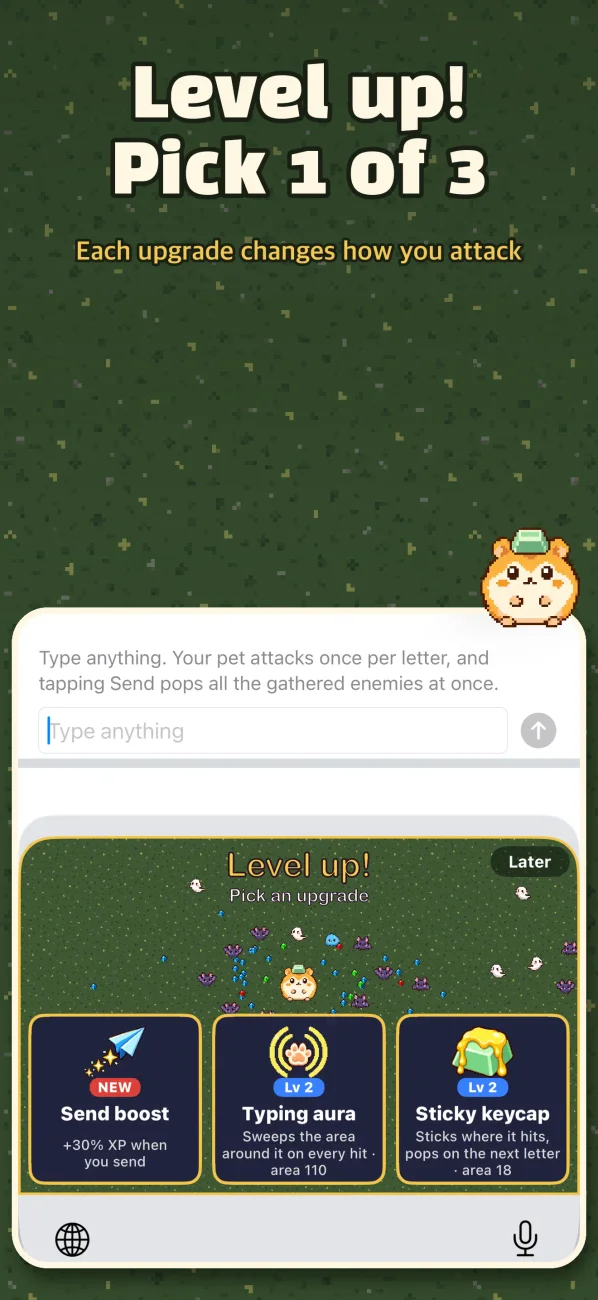
- On level up the Click key glows gold. Tap it and pick one of three upgrades.
- Keycap barrage, rapid lightning, space wave, double-consonant smash: the way you type becomes the attack.
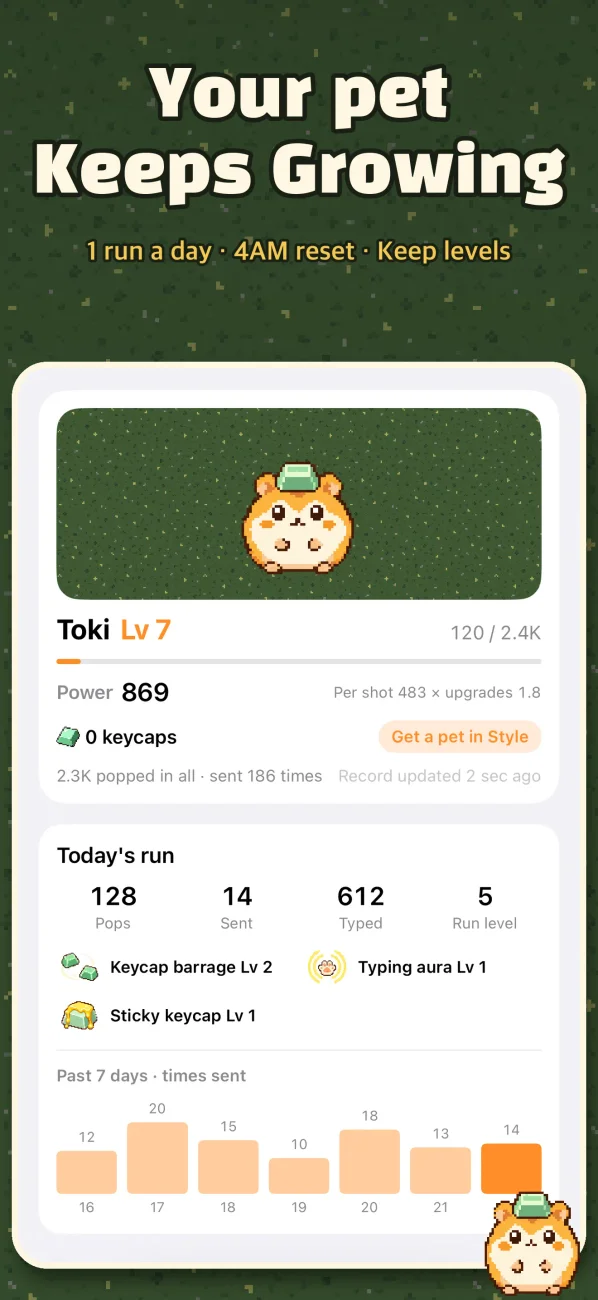
- One day is one run. It resets at 4 a.m., and Toki's level keeps growing.
- You never lose. Nothing ever blocks your typing.
A KEYBOARD FIRST
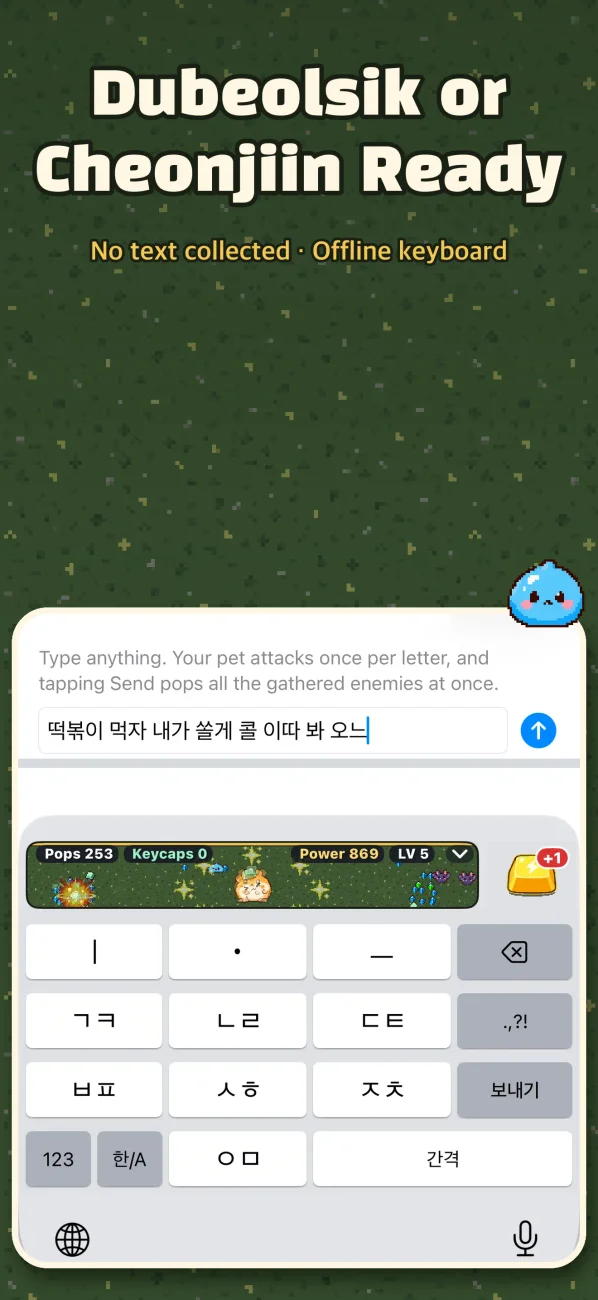
- Korean 2-set (dubeolsik) and Cheonjiin layouts, English, numbers and symbols.
- Letters go in first and the picture is drawn after. When you are not typing, nothing is drawn.
- Turn off Pet battle in the app to use it as a plain Korean keyboard.
- iOS does not let third-party keyboards use the microphone. For dictation, touch and hold the globe key and switch to the system keyboard.
YOUR TEXT STAYS YOURS
- Toki Keyboard never stores or sends what you type. The keyboard does not use the internet (the app only talks to the App Store for purchases).
- The game only uses counts, like how many letters you typed and how many times you sent, and they stay on this iPhone.
- Typing, battles and growth all work without Full Access. With Full Access on you also get key sounds, haptics and Toki's record in the app.
HOW TO TURN IT ON (either way)
1. Toki Keyboard app > Open Settings > Keyboards > turn on Toki Keyboard
2. If Settings opens at its top level: Settings > General > Keyboard > Keyboards > Add New Keyboard > Toki Keyboard
Then touch and hold the globe key in any text field to switch to Toki Keyboard.
FREE, ADOPT A PET ONCE
Typing, Toki (keycap shots), pet battle and upgrades are free. The second pet, Enter (a baby penguin with a hammer that smashes every two letters), comes with the one-time in-app purchase "Get Enter", or with keycaps you collect while typing (keycaps are never sold). No ads, no subscriptions. Choose your pet in the app; each pet levels up separately.
Terms of Use (EULA): https://www.apple.com/legal/internet-services/itunes/dev/stdeula/
Toki Keyboard Terms: https://play-sonetto.com/toki/en/terms/
Privacy Policy: https://play-sonetto.com/toki/en/privacy/
Contact: over.the.ocean.apps@gmail.com
Nouveautés
Version 0.2.1 · 22/10/2026
Now available in English, Japanese, and Traditional Chinese. Small improvements, including MoodNyang.
Confidentialité de l’application
Ce que PIL GWON KIM déclare sur l’App Store au sujet du traitement des données par cette application.
-
Données non collectées
Le développeur ne collecte aucune donnée à partir de cette application.
Les pratiques en matière de confidentialité peuvent varier, notamment en fonction des fonctionnalités que vous utilisez ou de votre âge.
Informations
- Vendeur
- PIL GWON KIM
- Catégorie
- Utilitaires
- Version
- 0.2.1
- Mis à jour
- 22/10/2026
- Publié
- 22/10/2026
- Taille
- 7,3 Mo
- Nécessite
- iOS 17.0 ou version ultérieure
- Classification d’âge
- 9+
- Prix
- Gratuit
- Achats intégrés
- Oui
- Langues
- Coréen, Anglais, Japonais, Chinois traditionnel
- Copyright
- © 2026 플레이소네토
Vous aimerez peut-être aussi
-
 Keypop: Thèmes clavier keycapKeycaps mignons, vraie frappe
-
 TypeMoji: Kaomoji KeyboardUtilitaires
-
 OS Translator: Traduction liveJeux, mangas et shopping
-
 FoxTime : temps d'écranContrôle parental et limites
-
 도각도각 - 내 폰을 기계식 키보드로Utilitaires
-
 Pasty - Clipboard ManagerUtilitaires
-
 과금형 콘센트Utilitaires
-
 Unplug Alarm ClientUtilitaires
-
 통합인증OTPUtilitaires