Toki Keyboard
Hamster pet fights as you type
Được thiết kế cho iPhone
Miễn phí · Mua hàng trong ứng dụng
- Độ tuổi9+
- Danh mụcTiện Ích
- Nhà phát triểnPIL GWON KIM
- Ngôn ngữTiếng Hàn+ 3 ngôn ngữ khác
- Kích thước7,3 MB
Liên kết đến trang App Store chính thức
Download.org không lưu trữ tệp nào của Toki Keyboard. Nút này mở trang ứng dụng trên App Store, nơi PIL GWON KIM phát hành ứng dụng. Trang được kiểm tra lần cuối: 06/11/2026.
Ảnh chụp màn hình


Giới thiệu
Nhà phát triển chưa cung cấp nội dung này bằng ngôn ngữ của bạn.
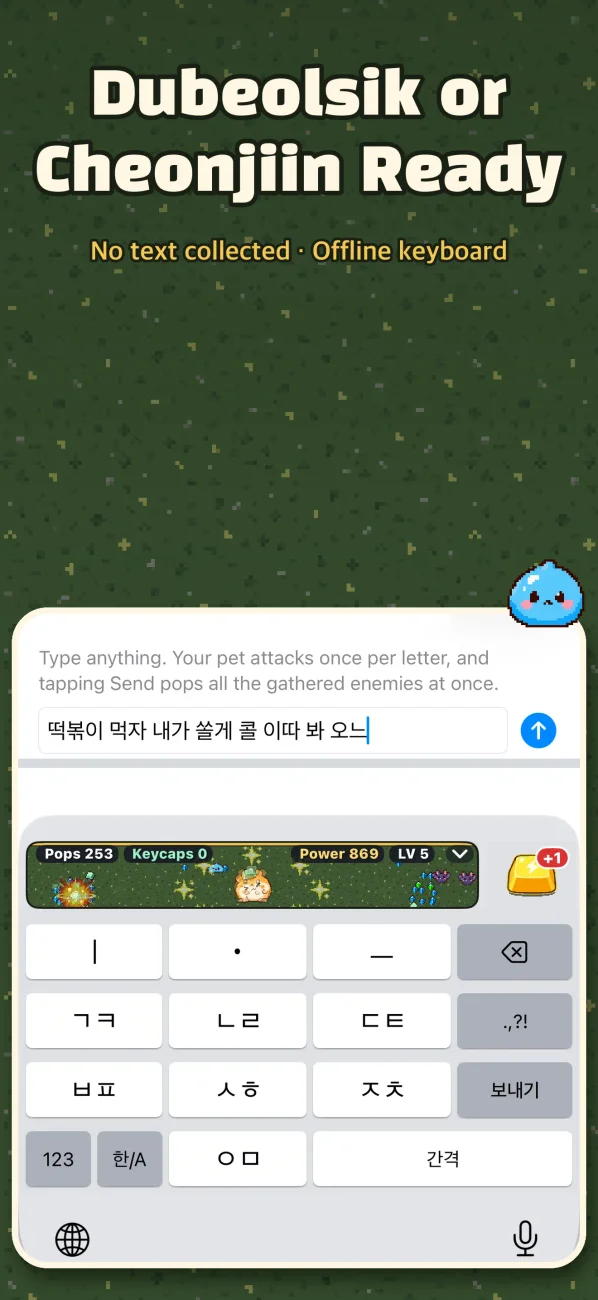
Toki Keyboard is a Korean (Hangul) keyboard extension where a pixel hamster named Toki fights on a strip above the keys. Type as usual in Messages, Notes or any app.
TYPE TO FIGHT
- Every letter you type is one beat: Toki attacks once and enemies step closer from all sides. Stop typing and everything stops.
- Defeated enemies drop gems.
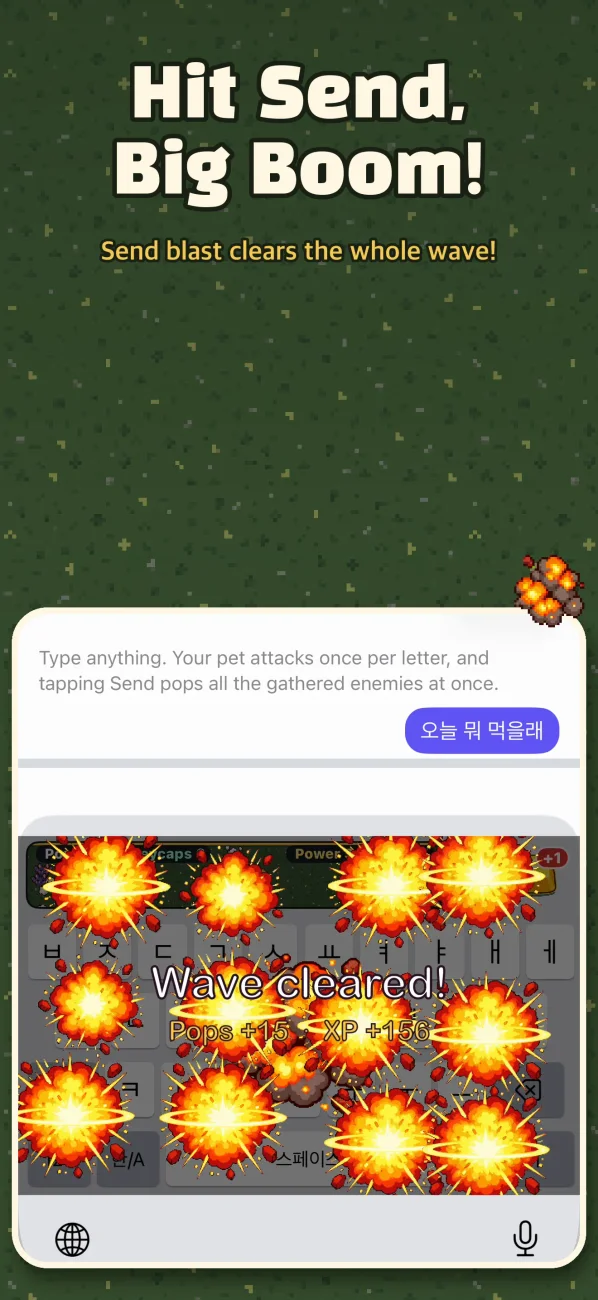
SEND TO POP THE WAVE
- When you send a message, the gathered gems turn into XP and a "Wave cleared!" blast fills the keyboard.
- A keyboard cannot see the send button of an app, so a text field that had text and suddenly becomes empty counts as a send.
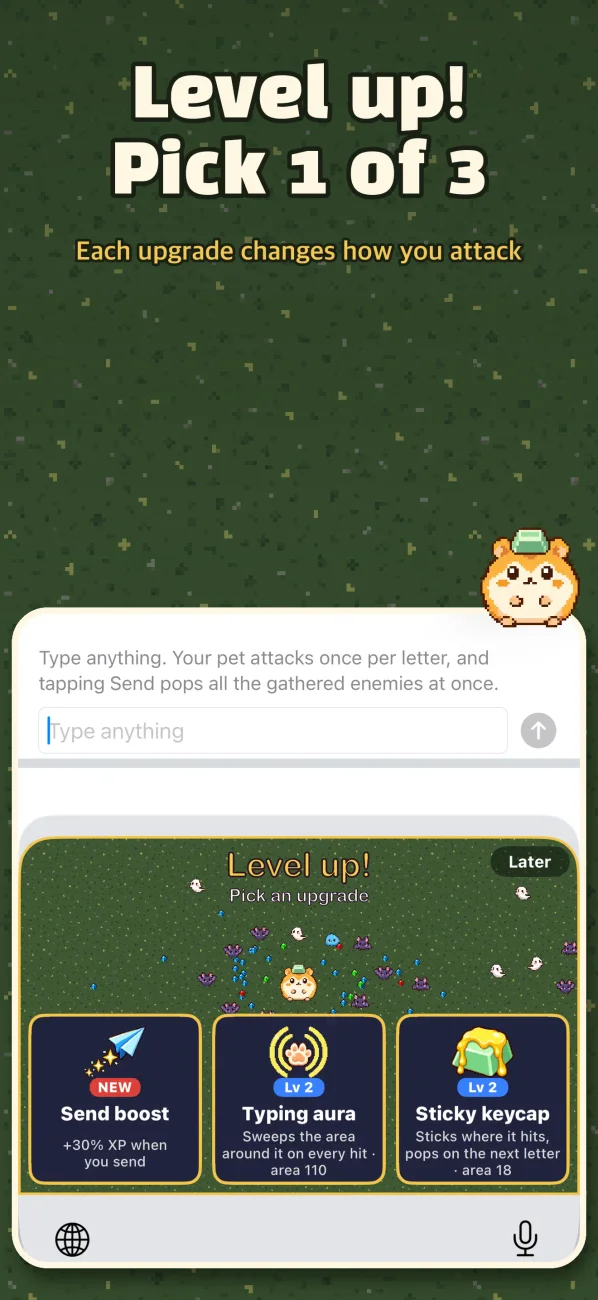
LEVEL UP, PICK 1 OF 3
- On level up the Click key glows gold. Tap it and pick one of three upgrades.
- Keycap barrage, rapid lightning, space wave, double-consonant smash: the way you type becomes the attack.
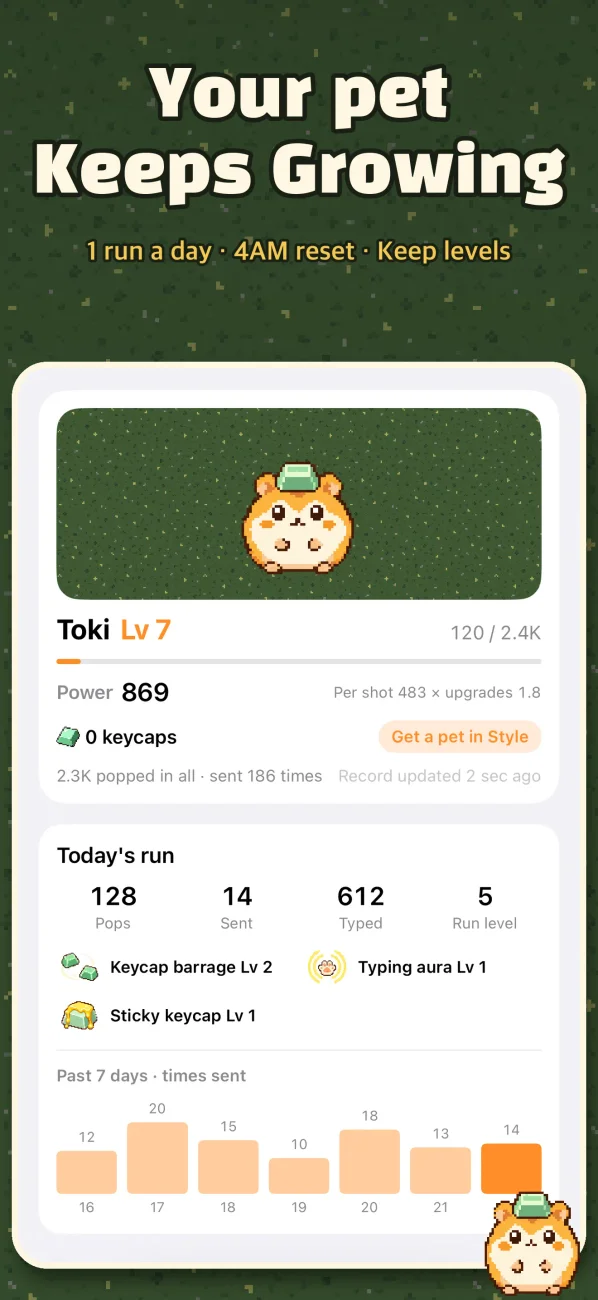
- One day is one run. It resets at 4 a.m., and Toki's level keeps growing.
- You never lose. Nothing ever blocks your typing.
A KEYBOARD FIRST
- Korean 2-set (dubeolsik) and Cheonjiin layouts, English, numbers and symbols.
- Letters go in first and the picture is drawn after. When you are not typing, nothing is drawn.
- Turn off Pet battle in the app to use it as a plain Korean keyboard.
- iOS does not let third-party keyboards use the microphone. For dictation, touch and hold the globe key and switch to the system keyboard.
YOUR TEXT STAYS YOURS
- Toki Keyboard never stores or sends what you type. The keyboard does not use the internet (the app only talks to the App Store for purchases).
- The game only uses counts, like how many letters you typed and how many times you sent, and they stay on this iPhone.
- Typing, battles and growth all work without Full Access. With Full Access on you also get key sounds, haptics and Toki's record in the app.
HOW TO TURN IT ON (either way)
1. Toki Keyboard app > Open Settings > Keyboards > turn on Toki Keyboard
2. If Settings opens at its top level: Settings > General > Keyboard > Keyboards > Add New Keyboard > Toki Keyboard
Then touch and hold the globe key in any text field to switch to Toki Keyboard.
FREE, ADOPT A PET ONCE
Typing, Toki (keycap shots), pet battle and upgrades are free. The second pet, Enter (a baby penguin with a hammer that smashes every two letters), comes with the one-time in-app purchase "Get Enter", or with keycaps you collect while typing (keycaps are never sold). No ads, no subscriptions. Choose your pet in the app; each pet levels up separately.
Terms of Use (EULA): https://www.apple.com/legal/internet-services/itunes/dev/stdeula/
Toki Keyboard Terms: https://play-sonetto.com/toki/en/terms/
Privacy Policy: https://play-sonetto.com/toki/en/privacy/
Contact: over.the.ocean.apps@gmail.com
Có gì mới
Phiên bản 0.2.1 · 22/10/2026
Now available in English, Japanese, and Traditional Chinese. Small improvements, including MoodNyang.
Quyền riêng tư của ứng dụng
Những gì PIL GWON KIM khai báo trên App Store về cách ứng dụng này xử lý dữ liệu.
-
Dữ liệu không được thu thập
Nhà phát triển không thu thập bất kỳ dữ liệu nào từ ứng dụng này.
Phương thức đảm bảo quyền riêng tư có thể khác nhau, chẳng hạn như tuỳ theo các tính năng bạn sử dụng hoặc độ tuổi của bạn.
Thông tin
- Người bán
- PIL GWON KIM
- Danh mục
- Tiện Ích
- Phiên bản
- 0.2.1
- Cập nhật
- 22/10/2026
- Phát hành
- 22/10/2026
- Kích thước
- 7,3 MB
- Yêu cầu
- iOS 17.0 trở lên
- Độ tuổi
- 9+
- Giá
- Miễn phí
- Mua hàng trong ứng dụng
- Có
- Ngôn ngữ
- Tiếng Hàn, Tiếng Anh, Tiếng Nhật, Tiếng Trung Phồn thể
- Bản quyền
- © 2026 플레이소네토