
Tottock: Bookmark Manager
Save Links as Thumbnails
Conçue pour iPhone
Gratuit · Achats intégrés
- Classification d’âge4+
- CatégorieProductivité
- DéveloppeurKua Kobayashi
- LanguesAnglais+ 1 de plus
- Taille19,1 Mo
Renvoie vers la page App Store officielle
Download.org n’héberge aucun fichier de Tottock: Bookmark Manager. Le bouton ouvre la page de l’application sur App Store, où Kua Kobayashi la publie. Fiche vérifiée pour la dernière fois le 25/11/2026.
Captures d’écran
À propos
Le développeur n’a pas fourni ce texte dans votre langue.
Found something worth keeping? Save it to Tottock.
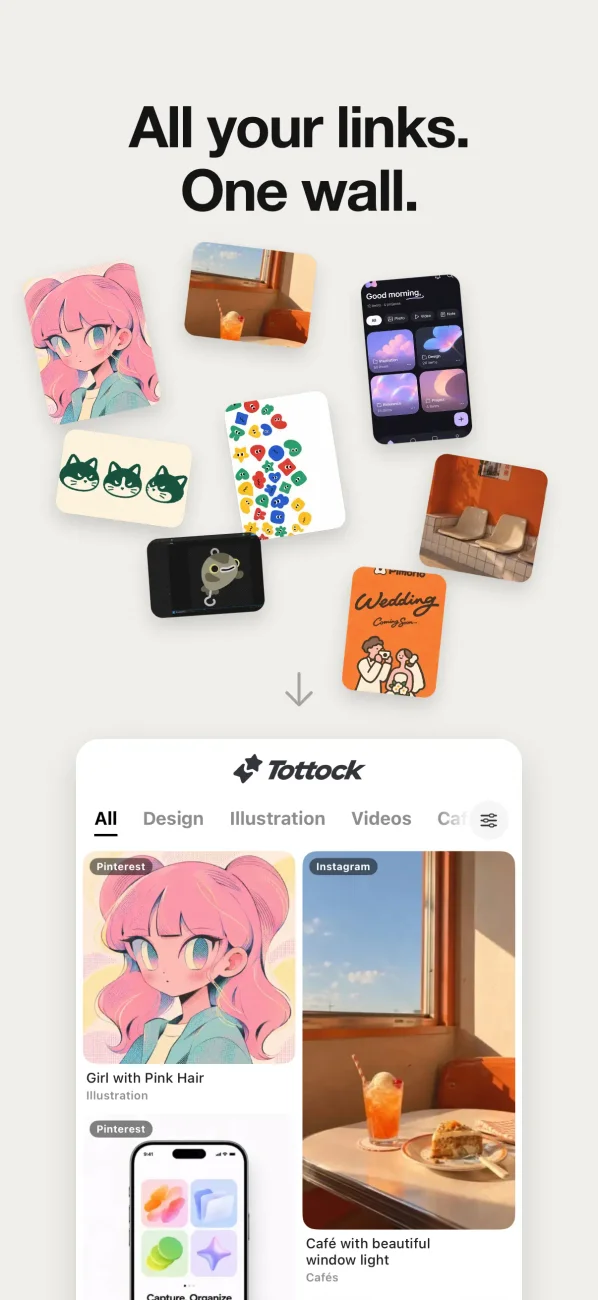
Videos, social posts, articles, places to go, design inspiration. Save links from any app with their thumbnails and titles, and sort them into your own collections.
■ Save from the Share menu
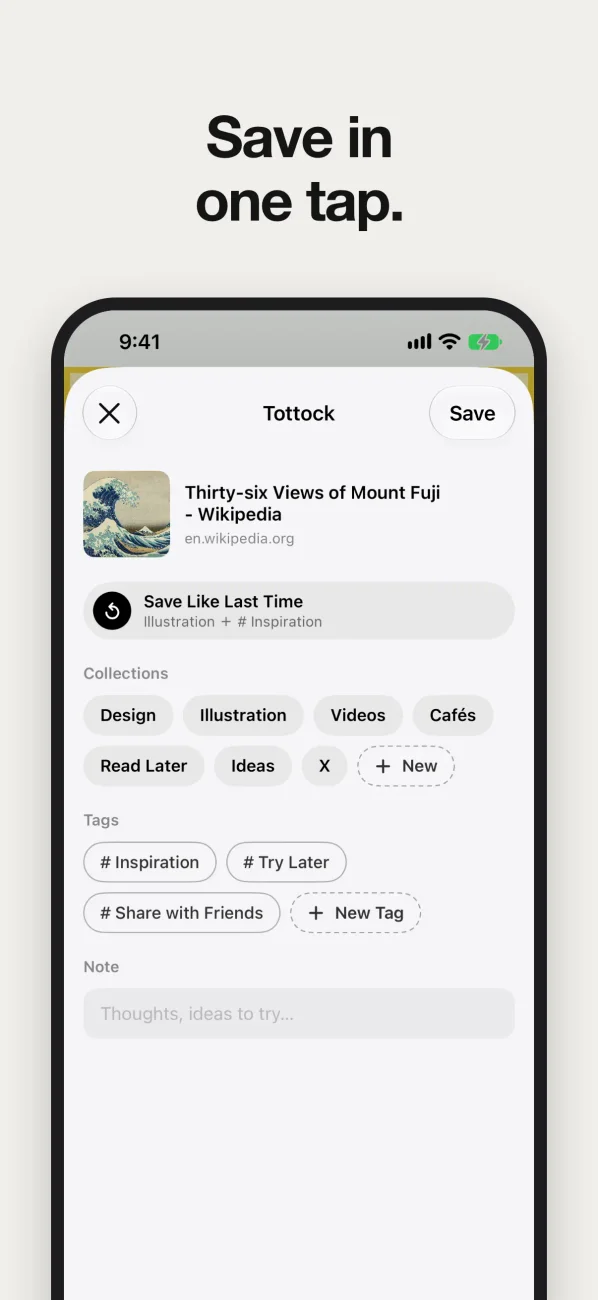
Tap Share in any app and choose Tottock. The title and thumbnail are added automatically. “Save Like Last Time” saves with your last collection and tags in one tap.
■ A wall of thumbnails
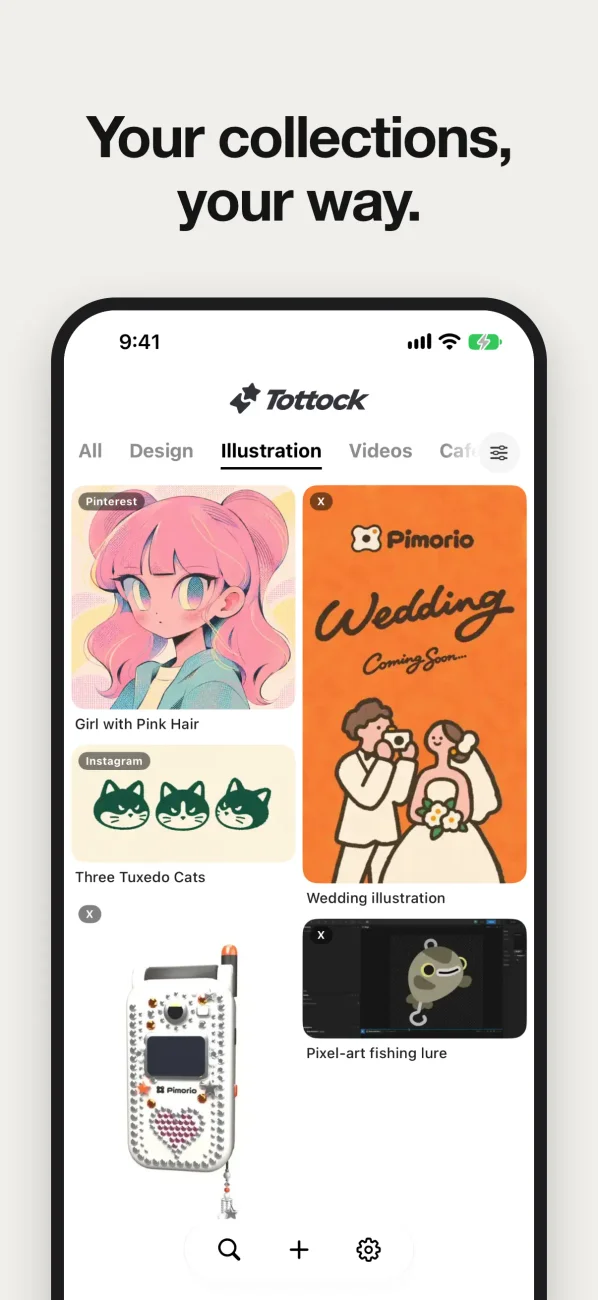
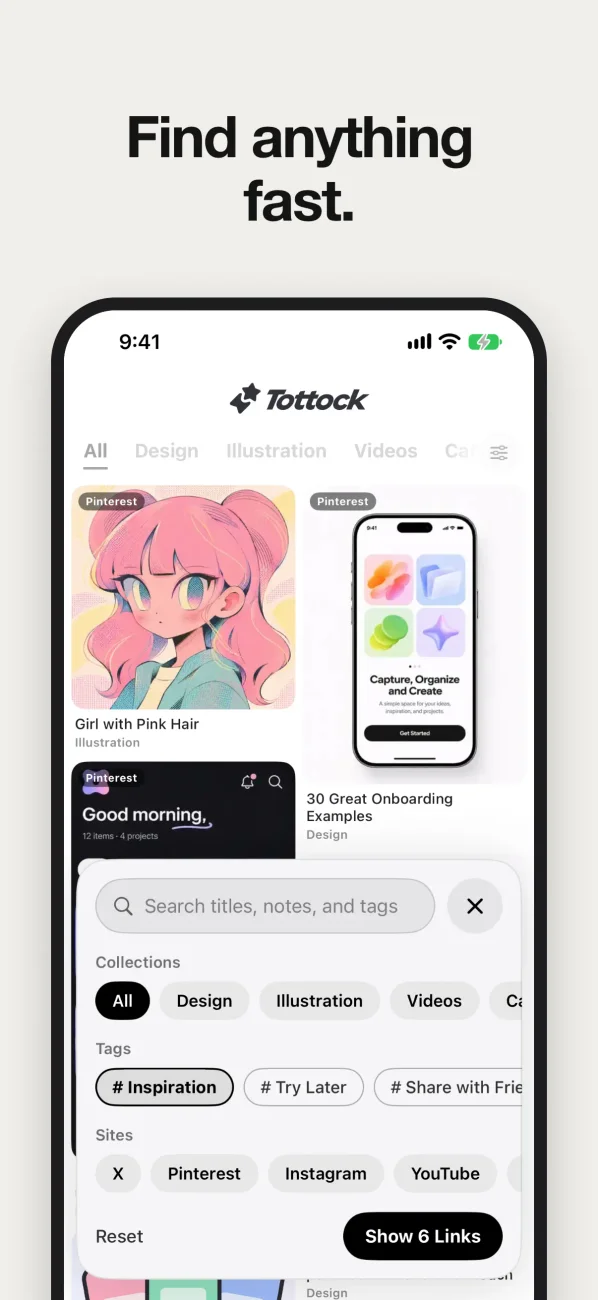
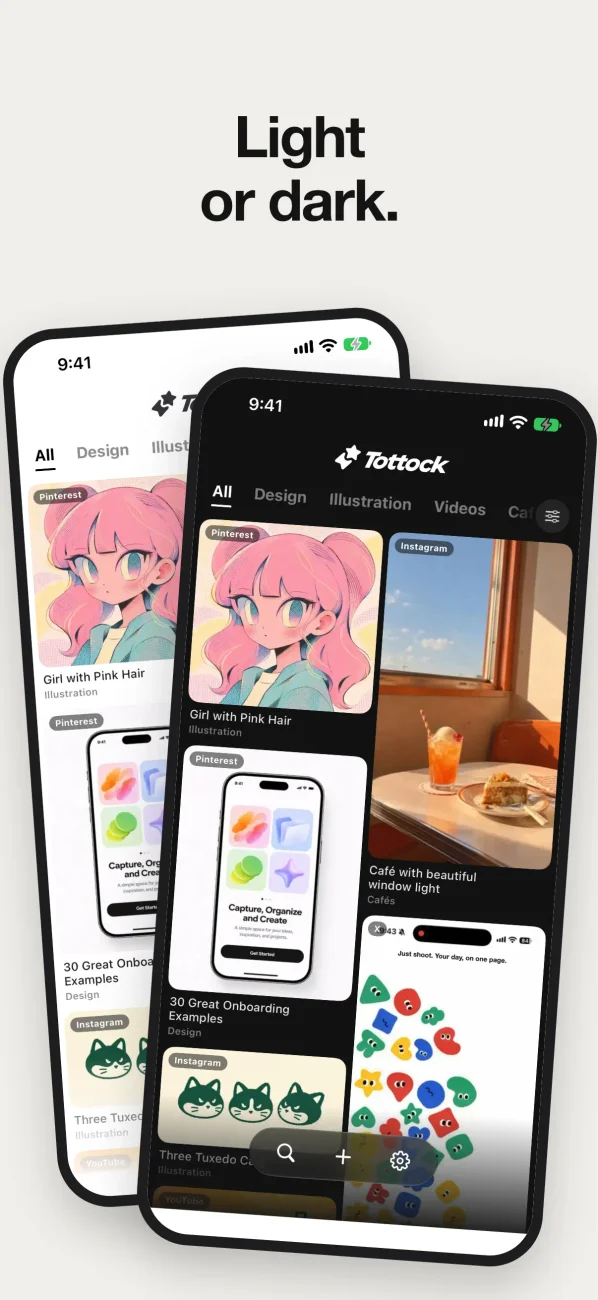
Your saved links appear as a two-column wall of thumbnails. Long-press a card to move, duplicate, share, add tags and a note, or delete it.
■ Collections and tags
Collections are your own groups. Tags work across collections (like #try later). You can add a note to any link, too.
■ Auto-import your X bookmarks (Tottock Pro, beta)
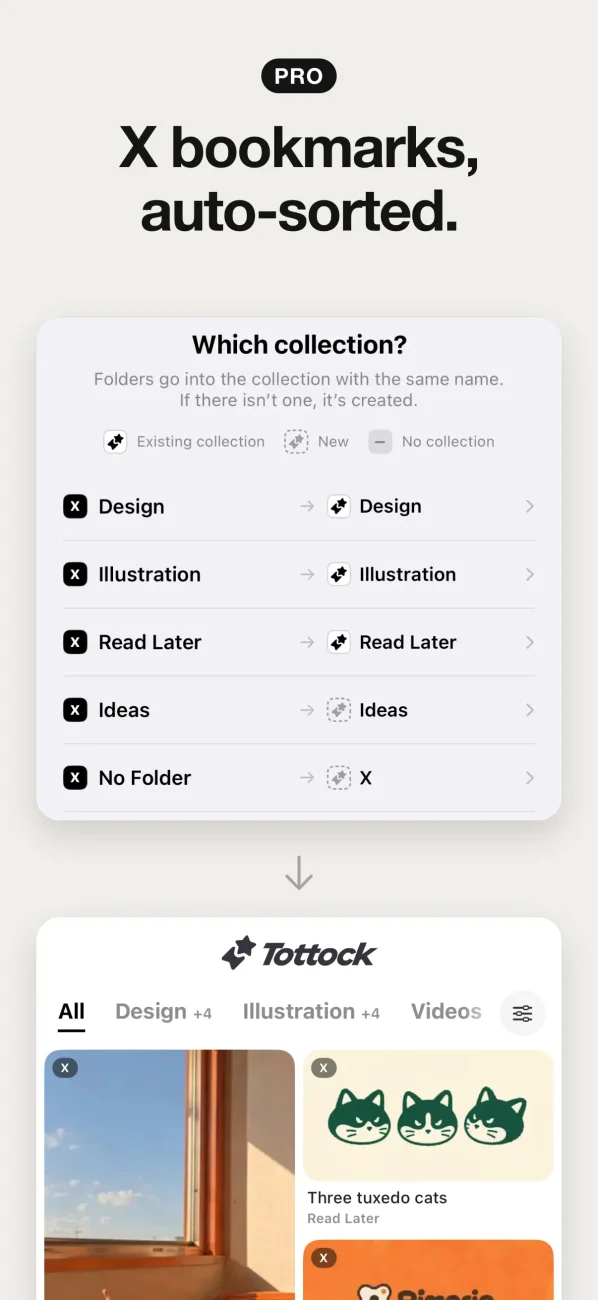
Posts you bookmark on X arrive in Tottock whenever you open it. Choose which folders to import; each X folder goes into a collection. Tottock never posts to X (read-only).
■ Search and filter
Search titles, notes, and tags, and filter by collection, tag, or site.
■ On your iPhone, the web, and Chrome
Sign in with Apple or Google to see the same links on the web (tottock.com/app) and save from your computer with the Chrome extension. You can also use Tottock on just this iPhone without signing in.
■ Ask Claude or ChatGPT (Tottock Pro)
Connect Tottock to the AI you already use and ask things like “What should I check out from my recent saves?” or “Summarize this collection.” It can also sort links into collections, add tags, and move links you don’t need to Trash. Only you can permanently delete links, from your iPhone. Add Tottock as a connector in your AI app (availability depends on your AI app’s plan).
■ Trash
Deleted links go to Trash, so you can restore them later.
■ Tottock Pro
• No ads
• Unlimited saves (free plan: up to 100 links)
• Unlimited tags (free plan: up to 5)
• Access from Claude and ChatGPT
• Auto-import of your X bookmarks (300 a month)
Choose yearly (7-day free trial for new subscribers), monthly, or a one-time lifetime purchase. Tottock Max raises X imports to 500 a month. The lifetime purchase does not include X auto-import (add it with X Pass). The free plan shows ads.
About auto-renewing subscriptions
• Monthly plans renew every month, and yearly plans renew every year.
• Payment is charged to your Apple Account. Your subscription renews automatically unless you cancel at least 24 hours before the end of the current period.
• Cancel anytime in iPhone Settings > your name > Subscriptions.
• If you cancel during the free trial, you won’t be charged.
Terms of Use: https://www.apple.com/legal/internet-services/itunes/dev/stdeula/
Privacy Policy: https://tottock.com/en/privacy
Nouveautés
Version 1.2.3 · 25/11/2026
• Import your X bookmarks into Tottock automatically (beta). Choose which folders to import; your X folders carry over.
• New: Tottock Max with more X imports every month, and +300 import packs. Lifetime owners can add X Pass.
• Pull down on the home screen to sync and import from X.
• New Notices in Settings. Replies to your messages arrive here too.
• A new welcome for first-time users.
• Other fixes and improvements.
Confidentialité de l’application
Ce que Kua Kobayashi déclare sur l’App Store au sujet du traitement des données par cette application.
-
Données établissant un lien avec vous
Peuvent être collectées et liées à votre identité.
- Achats
- Coordonnées
- Contenu utilisateur
- Identifiants
-
Données n’établissant aucun lien avec vous
Peuvent être collectées, mais ne sont pas liées à votre identité.
- Achats
- Emplacement
- Identifiants
- Données d’utilisation
- Diagnostic
Les pratiques en matière de confidentialité peuvent varier, notamment en fonction des fonctionnalités que vous utilisez ou de votre âge.
Informations
- Vendeur
- Kua Kobayashi
- Catégorie
- Productivité
- Version
- 1.2.3
- Mis à jour
- 25/11/2026
- Publié
- 16/11/2026
- Taille
- 19,1 Mo
- Nécessite
- iOS 26.0 ou version ultérieure
- Classification d’âge
- 4+
- Prix
- Gratuit
- Achats intégrés
- Oui
- Langues
- Anglais, Japonais
- Copyright
- © 2026 Tottock
Vous aimerez peut-être aussi
-
 easyDone Todo·Écran verrouilléTout voir sur Dynamic Island
-
 Yotemy: Never Be Late ReminderProductivité
-
 LIFE/CTRL: Reminders & TasksProductivité
-
 SitePrinter : capture en PDFPages web et chats à imprimer
-
 MapToDo - To-do list par lieuAlertes GPS & liste de courses
-
 easyDays : Calendrier et météoWidgets et écran verrouillé
-
 Nesk: タスク管理アプリProductivité
-
 App Blocker: Digital DetoxProductivité
-
 MAMONAKU!Productivité
-
 Lifelog AI RecorderProductivité