LIFE/CTRL: Reminders & Tasks
Build your day from parts
Conçue pour iPhone
Gratuit
- Classification d’âge4+
- CatégorieProductivité
- DéveloppeurYUKIYA SHIMODA
- LanguesJaponais+ 4 de plus
- Taille8,8 Mo
Renvoie vers la page App Store officielle
Download.org n’héberge aucun fichier de LIFE/CTRL: Reminders & Tasks. Le bouton ouvre la page de l’application sur App Store, où YUKIYA SHIMODA la publie. Fiche vérifiée pour la dernière fois le 12/11/2026.
Captures d’écran

À propos
Le développeur n’a pas fourni ce texte dans votre langue.
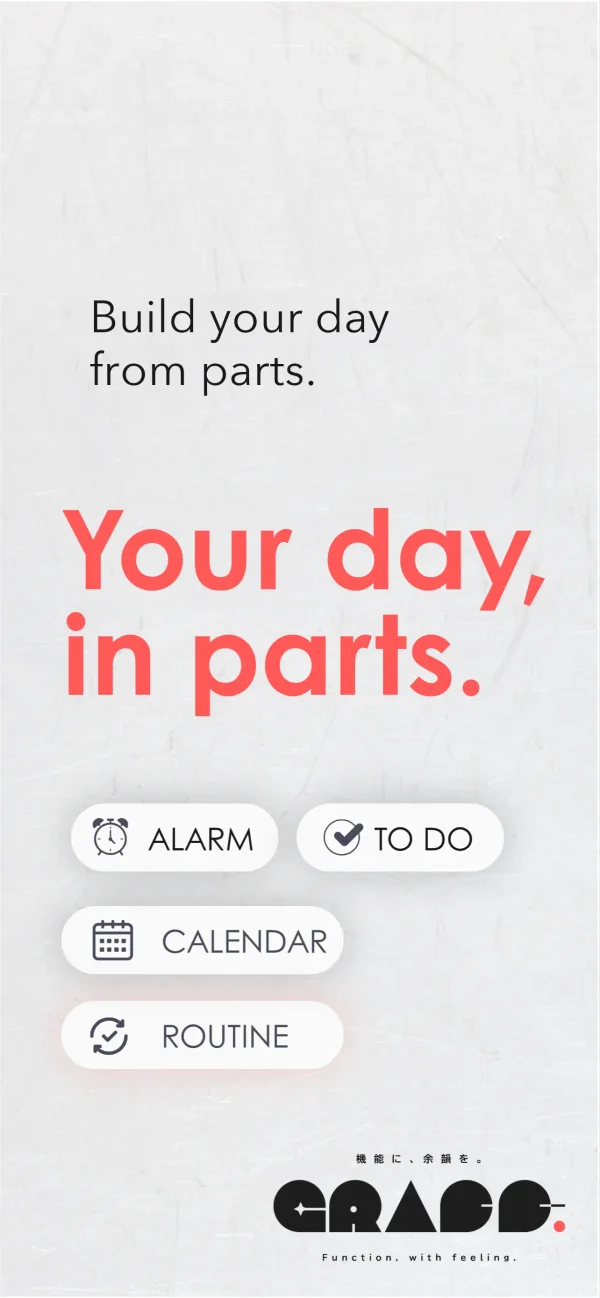
Most days follow a familiar flow.
In LIFE/CTRL you build that flow first as a pattern, a LIFE, then add each day's plans on top of it.
Make as many LIFEs as you like: weekdays, days off, days out and more.
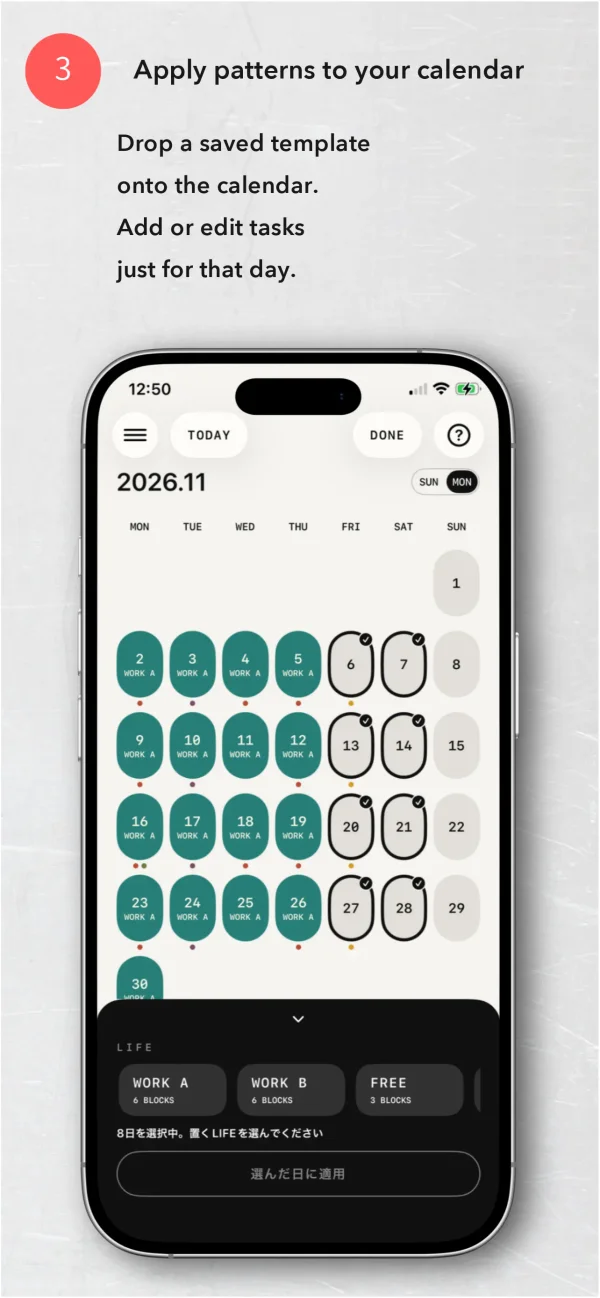
Put a LIFE on a calendar date and it becomes that day's plan.
Add plans or changes for just that day, and the pattern stays as it is.
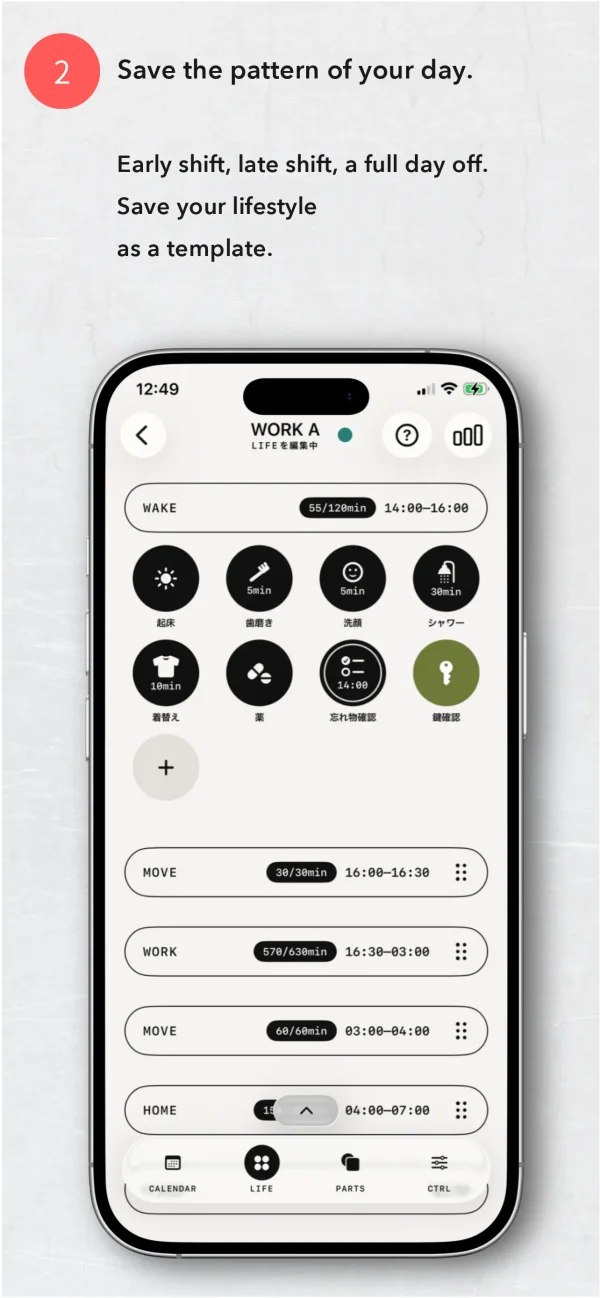
Inside a LIFE, the day is divided into blocks by time and task, and you add parts, your actions, to each block.
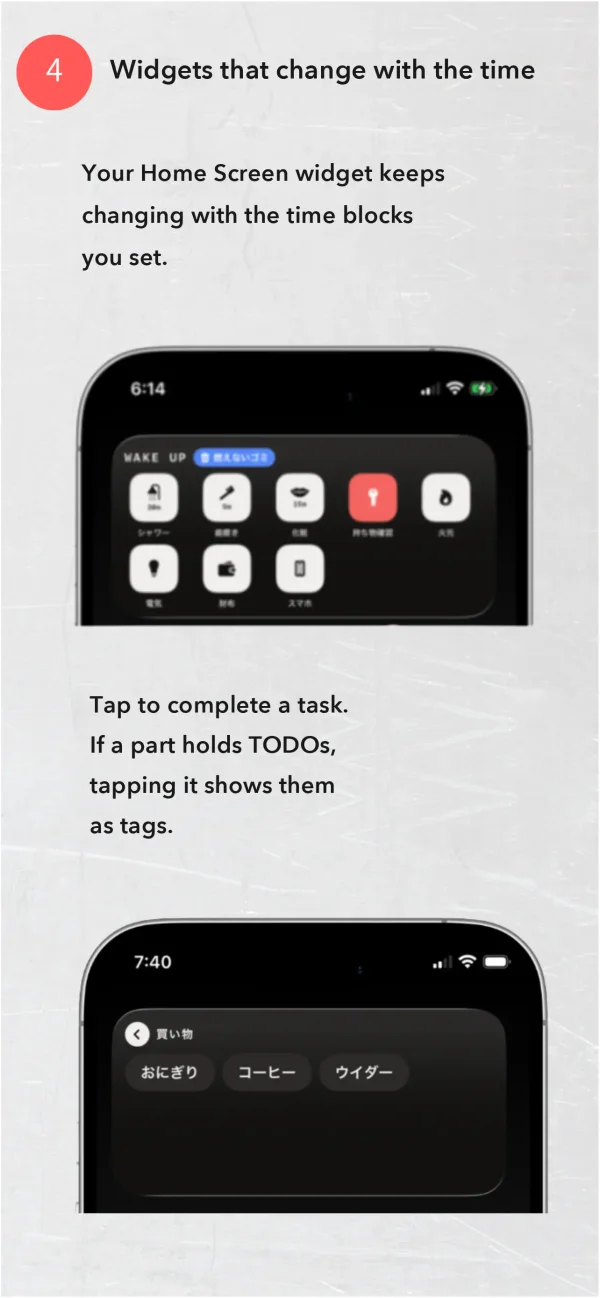
Your Home Screen widget keeps showing the tasks you need right now.
《How it works》
■ Create with CTRL
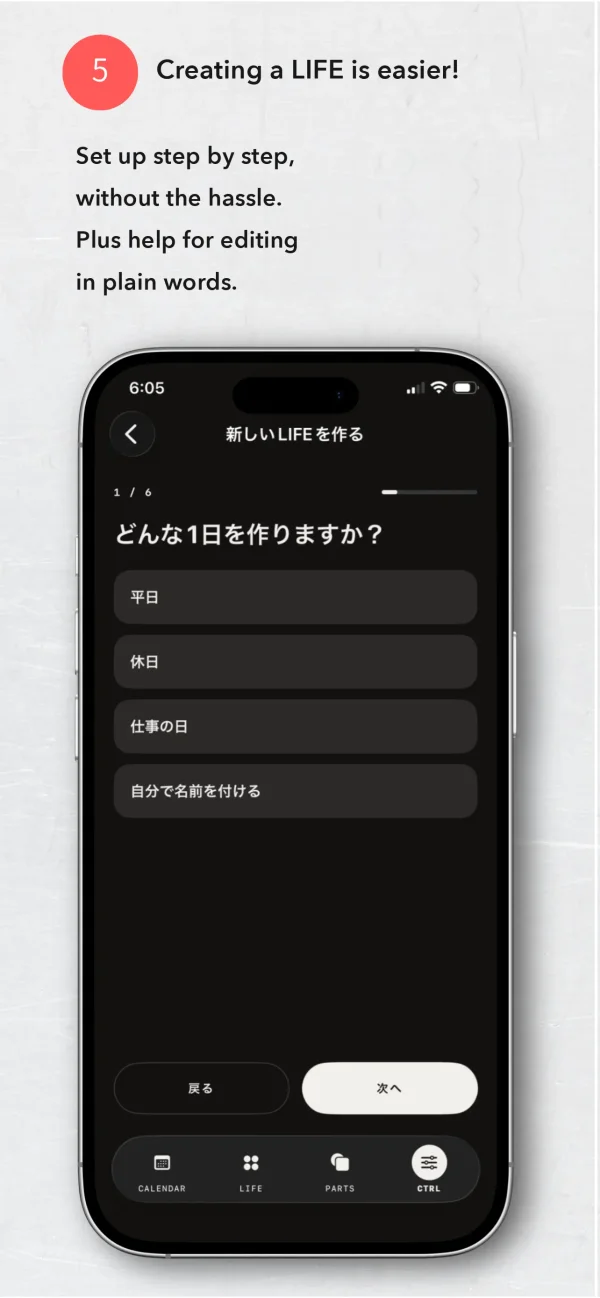
Answer a few questions and CTRL builds a day from wake-up to sleep. You can also type a request to adjust an existing LIFE, create a part, or add TODO items and alarms.
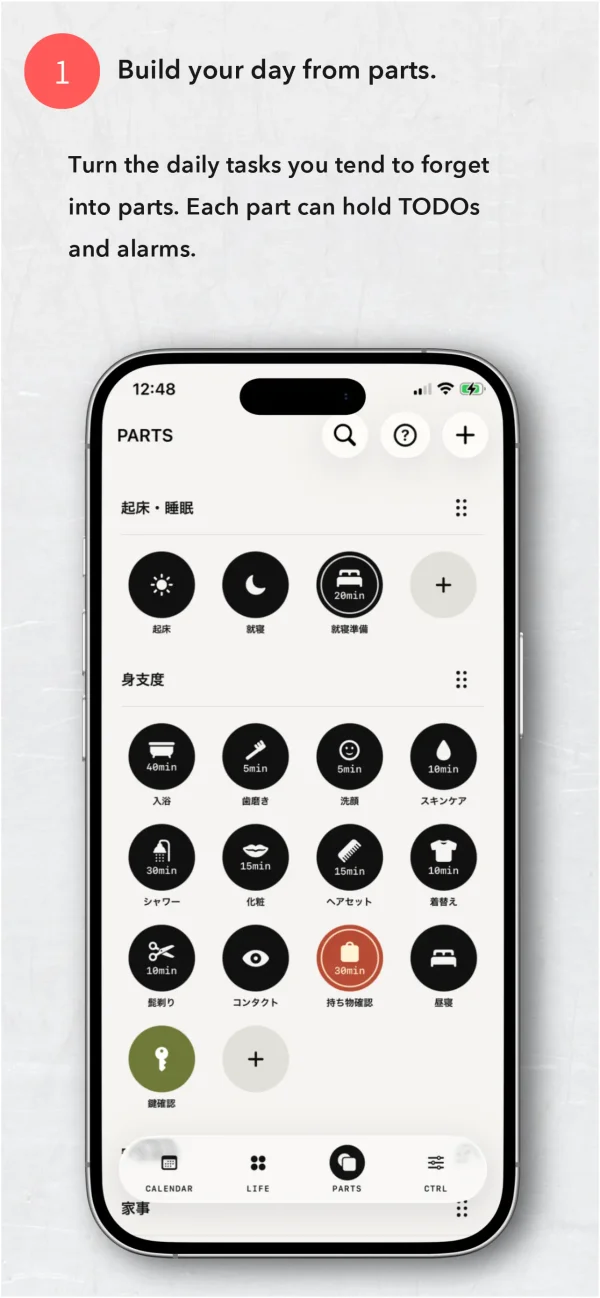
■ Build reusable parts
Turn brushing your teeth, meals, work, shopping and other activities into timed parts. Choose an icon and colour, then reuse each part across multiple LIFE templates.
■ Arrange your day
Place parts inside blocks such as WAKE, WORK, HOME and SLEEP. Since wake-up starts the day and sleep ends it, schedules that cross midnight, including night shifts, work naturally.
■ Assign LIFE templates to dates
Assign a LIFE to a calendar date to create that day. Keep settings that apply every time separate from changes for one specific date.
■ Run the day from widgets
Home Screen and Lock Screen widgets show the current block and its parts. Mark actions complete without opening the app.
■ TODO items and alarms
Store belongings or steps inside a part as TODO items. Alarms support sound, snooze and vibration-only options.
Available in Japanese, English, Simplified Chinese, Korean and Spanish.
Free, with no ads or in-app purchases. Your routine data is stored on your device. Only if you allow CTRL's input interpretation is the text you type sent through our server to Google Gemini.
Alarm features require iOS 26 or later.
Nouveautés
Version 1.6.2 · 08/10/2026
• You can now see what you ticked on past dates. Ticks are kept for each day, so ticking a part today no longer clears the day before.
* Ticks are kept by date from this update on. Because of an earlier bug, past ticks that were overwritten before this update cannot be restored. We apologize for the inconvenience.
• Parts and blocks can now tell you with a notification instead of an alarm. Choose it in their time settings. Notifications also reach your Apple Watch and work on iPhones before iOS 26.
• When editing a LIFE, parts set for other days of the week are now shown too, faded and labeled with their days.
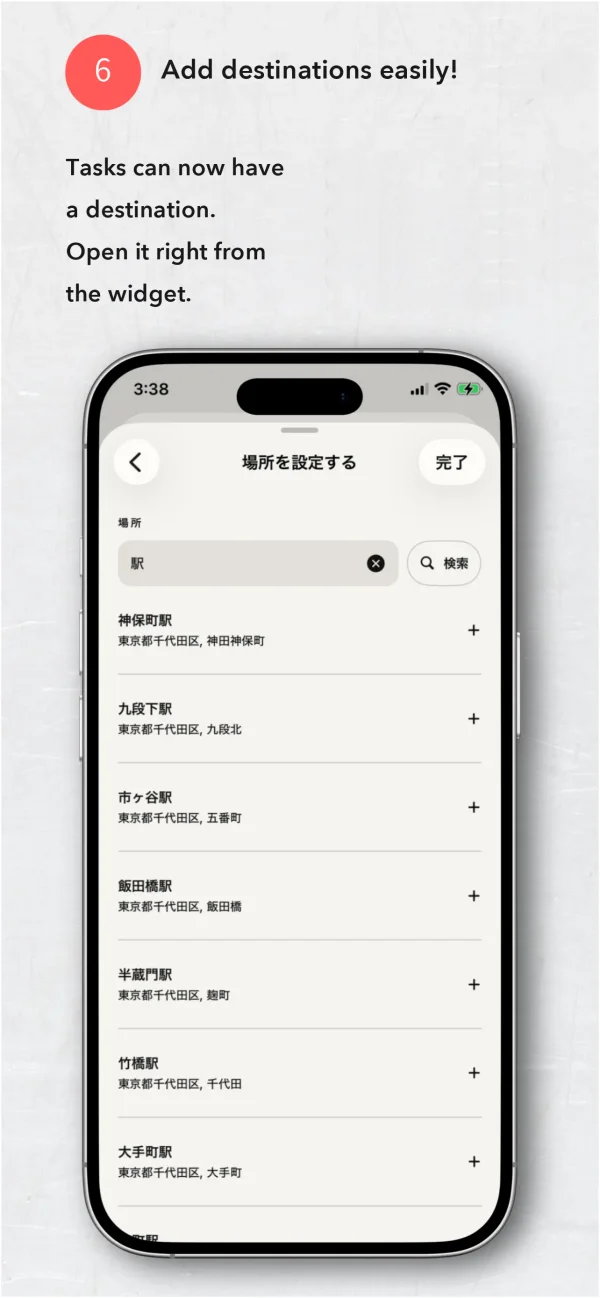
• Parts can now hold a contact (name, phone and email). Choose one from Contacts or share a card from a business card app, then call or email right from the board. You can also attach a contact when creating plans in CTRL.
Confidentialité de l’application
Ce que YUKIYA SHIMODA déclare sur l’App Store au sujet du traitement des données par cette application.
-
Données n’établissant aucun lien avec vous
Peuvent être collectées, mais ne sont pas liées à votre identité.
- Contenu utilisateur
Les pratiques en matière de confidentialité peuvent varier, notamment en fonction des fonctionnalités que vous utilisez ou de votre âge.
Informations
- Vendeur
- YUKIYA SHIMODA
- Catégorie
- Productivité
- Version
- 1.6.2
- Mis à jour
- 08/10/2026
- Publié
- 23/09/2026
- Taille
- 8,8 Mo
- Nécessite
- iOS 17.0 ou version ultérieure
- Classification d’âge
- 4+
- Prix
- Gratuit
- Langues
- Japonais, Espagnol, Chinois simplifié, Anglais, Coréen
- Copyright
- © 2026 GRAFF.
Vous aimerez peut-être aussi
-
 nonDo: Task & Habit ManagerProductivité
-
 easyDone Todo·Écran verrouilléTout voir sur Dynamic Island
-
 Logline : Journal et NotesTout, au fil de la journée
-
 SabologDes tâches pour les jours off
-
 MAMONAKU!Productivité
-
 easyDays : Calendrier et météoWidgets et écran verrouillé
-
 Wasurena : rappels et tâchesÉcrivez, planifiez, n’oubliez
-
 Nesk: タスク管理アプリProductivité
-
 Fin - 終わる時刻がわかるタスク管理Productivité
-
 Queue: Copy & PasteProductivité