TuneSheet
Track & organize your tunes
Conçue pour iPhone, iPad, iPod touch
Achats intégrés
- Classification d’âge4+
- CatégorieMusique
- DéveloppeurCarter Bancroft
- LanguesAnglais
- Taille53,3 Mo
TuneSheet n’est peut-être pas disponible sur App Store pour le moment
La fiche de la boutique était inaccessible lors de notre dernière vérification. Le lien mène toujours à la page App Store officielle.
Captures d’écran
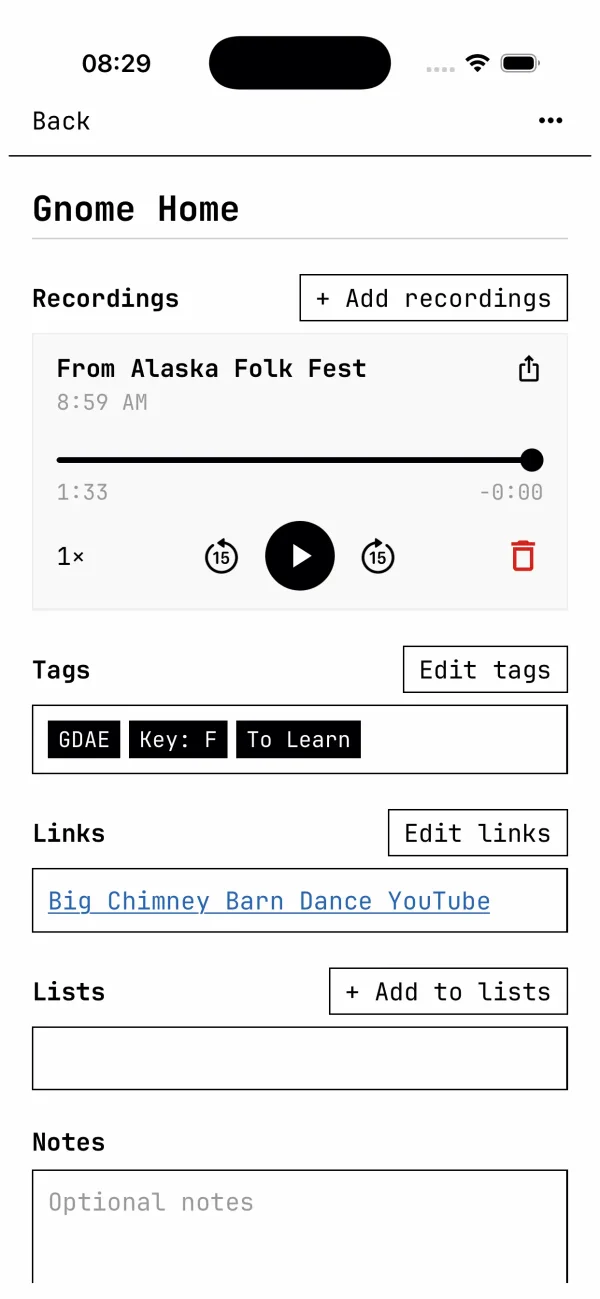
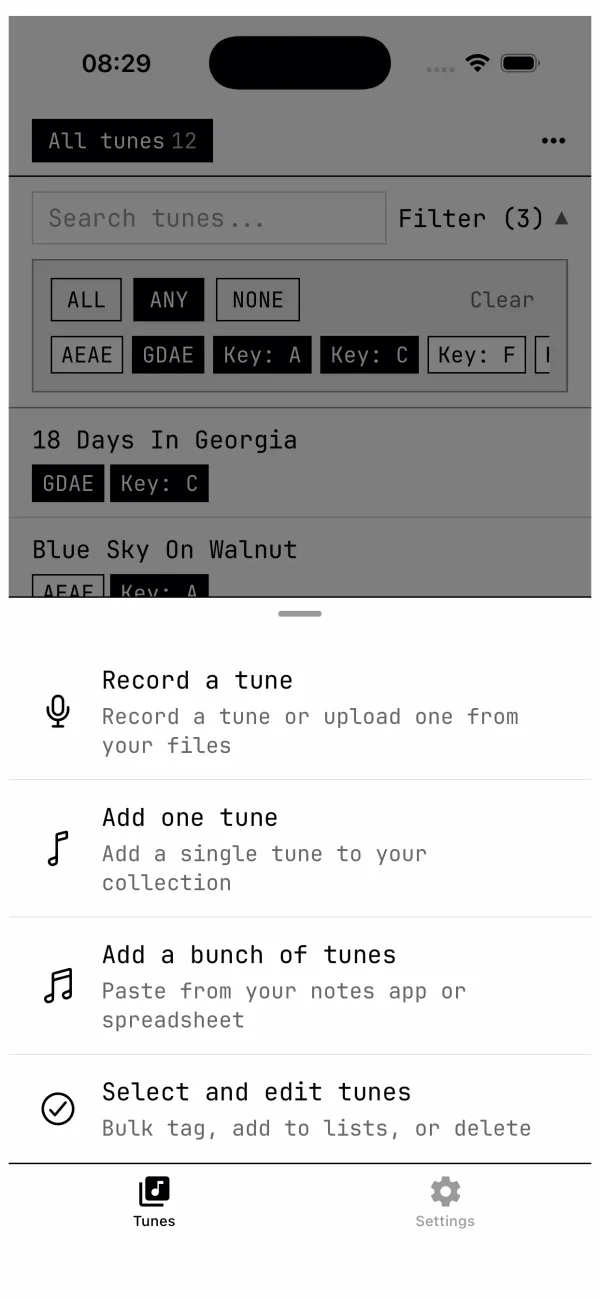

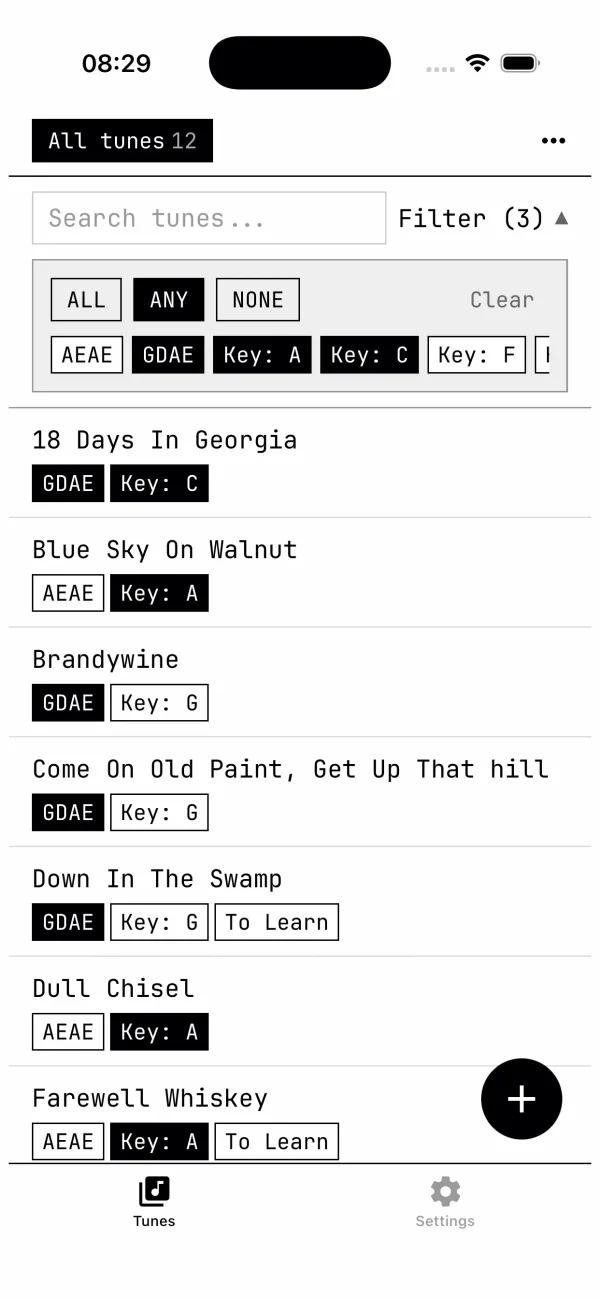
À propos
Le développeur n’a pas fourni ce texte dans votre langue.
TuneSheet is a personal catalog for your tunes — whatever trad or folk music you're learning and playing.
Add tunes one at a time or paste in a whole list at once. Organize them into lists, tag them however makes sense to you, and attach notes, links, and audio recordings. When you want to revisit something, search or filter by tag. When you can't decide what to play, shake your phone and let the app pick for you.
Features:
• Add tunes individually or in bulk
• Record yourself directly in the app and play back later
• Slow down recordings to 75% or 50% speed to learn at your own pace
• Shake your phone to get a random tune — super fun for jam roulette
• Organize with custom lists and tags
• Attach notes and web links to each tune
• Full offline support — works at Clifftop
• Share recordings as audio files
• Search and filter your tune collection instantly
• Share individual tunes, lists, or your entire collection via a public link
• Syncs across devices
Terms of Use: https://www.apple.com/legal/internet-services/itunes/dev/stdeula/
Nouveautés
Version 1.10.0 · 23/10/2026
Tunes now have a real key field (not just a tag) — browse, filter, and search by key across your whole library. I've already set keys automatically for any tune that had a key-like tag, so there's nothing you need to do. Just open the app and they'll be there. Keys sync automatically across your devices.
Also in this release: tags and lists are easier to delete from Settings — no more hunting for a hidden swipe gesture. If you want to delete your key tags now that keys are there, check out the manage section under settings.
One more thing... automatic capitalization for new tune titles is not an option you can disable/enable under the preferences section in settings in the mobile app.
Confidentialité de l’application
Ce que Carter Bancroft déclare sur l’App Store au sujet du traitement des données par cette application.
-
Données établissant un lien avec vous
Peuvent être collectées et liées à votre identité.
- Achats
- Coordonnées
- Contenu utilisateur
- Identifiants
- Diagnostic
Les pratiques en matière de confidentialité peuvent varier, notamment en fonction des fonctionnalités que vous utilisez ou de votre âge.
Informations
- Vendeur
- Carter Bancroft
- Catégorie
- Musique
- Version
- 1.10.0
- Mis à jour
- 23/10/2026
- Publié
- 16/04/2026
- Taille
- 53,3 Mo
- Nécessite
- iOS 15.1 ou version ultérieure
- Classification d’âge
- 4+
- Achats intégrés
- Oui
- Langues
- Anglais
- Copyright
- © 2026 Carter Bancroft
Vous aimerez peut-être aussi
-
 FR-1: Jam & Rehearsal RecorderMusique
-
 FretWizardMusique
-
 KRBD Community RadioMusique
-
 The Portland Collection Vol. 3Musique
-
 The Portland Collection Vol. 2Musique
-
 The Portland Collection Vol. 1Musique
-
 Session Whistle: Tin WhistleMusique
-
 TEFpadMusique
-
 MetroBPM - Détecteur de tempoTempo en direct et métronome
-
 Dust-to-Digital RadioMusique