- Classification d’âge4+
- CatégorieMusique
- DéveloppeurAlexander Douglass
- LanguesAnglais
- Taille26,6 Mo
Renvoie vers la page App Store officielle
Download.org n’héberge aucun fichier de FretWizard. Le bouton ouvre la page de l’application sur App Store, où Alexander Douglass la publie. Fiche vérifiée pour la dernière fois le 13/11/2026.
Captures d’écran
À propos
Le développeur n’a pas fourni ce texte dans votre langue.
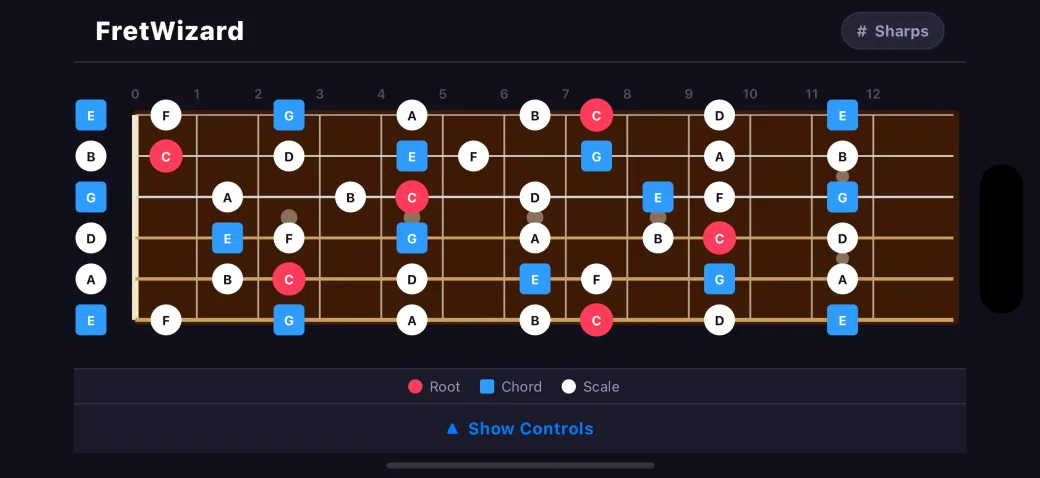
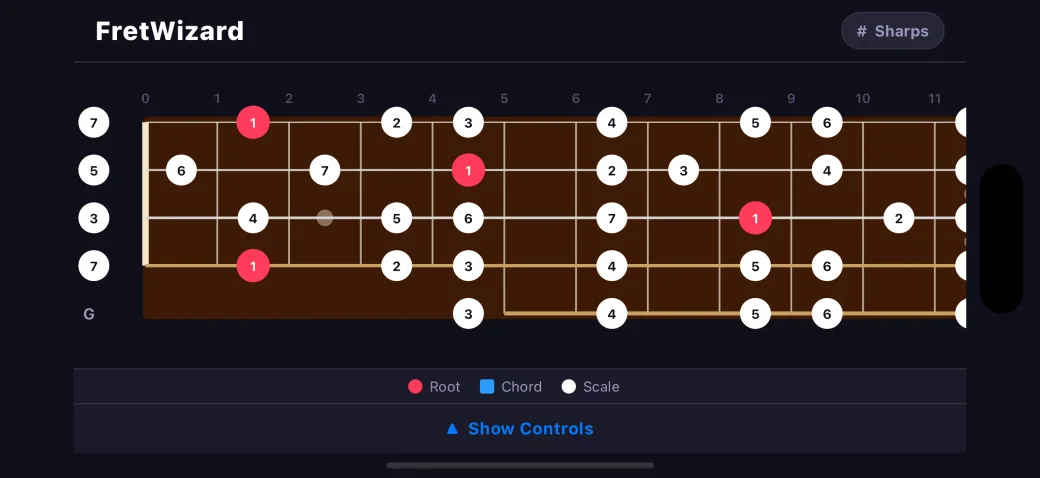
FretWizard is the ultimate fretboard visualization tool for guitarists, bassists, and players of all stringed instruments. Whether you're a beginner learning your first scales or an experienced player deepening your music theory knowledge, FretWizard makes it easy to see exactly where every note lives on the neck.
INSTRUMENTS
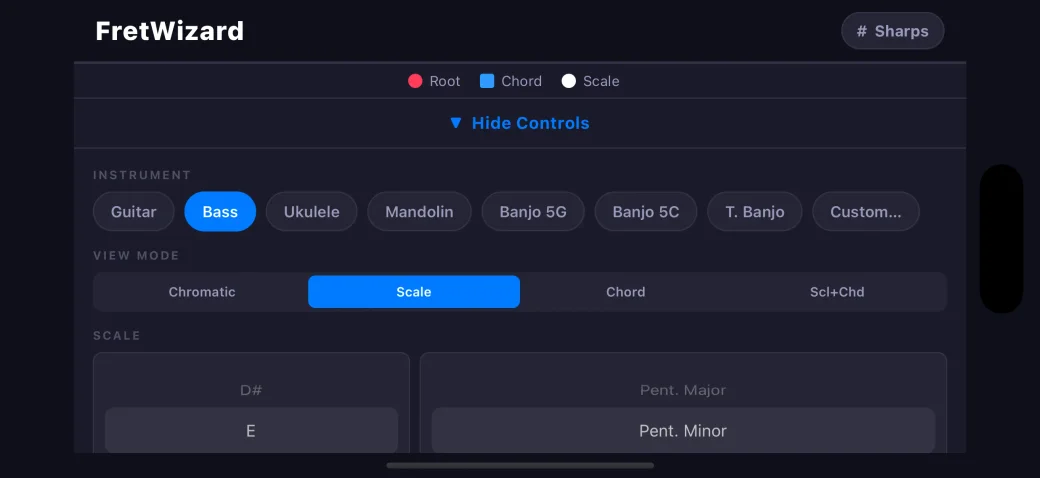
Visualize scales and chords across 7 pre-defined instruments, or create your own custom instrument or tuning:
• Guitar
• Bass Guitar
• Ukulele
• Mandolin
• 5-String Banjo (Open G)
• 5-String Banjo (Double C)
• Tenor Banjo
• Custom — build any instrument with your own tuning (up to 12 strings)
SCALES
• Major & Minor
• Pentatonic Major & Minor
• Blues
• Dorian, Phrygian, Lydian, Mixolydian
• Harmonic Minor
• Chromatic
CHORDS
• Major, Minor
• Dom 7, Maj 7, Min 7
• Augmented, Diminished
• Aug 7, Dim 7
• 6th, 9th, 11th, 13th
• Sus2, Sus4
POWERFUL VIEW MODES
Switch between four views to explore music theory your way:
• Chromatic — see all 12 notes across the entire neck
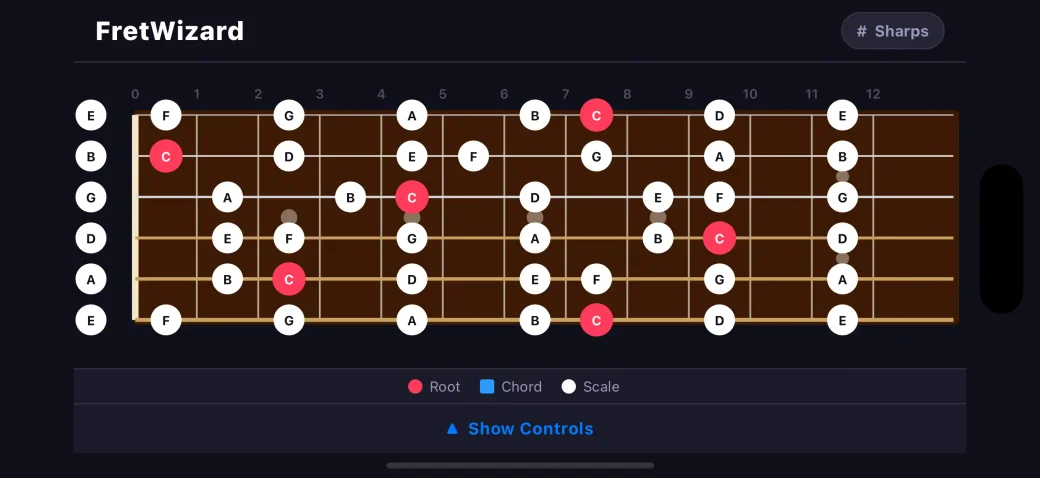
• Scale — highlight every note in your chosen scale
• Chord — see all chord tones up and down the fretboard
• Scale + Chord — overlay both at once to understand how chords live inside scales
FLEXIBLE NOTE LABELS
Choose how notes are labeled on the fretboard:
• Note Name (C, D, F#...)
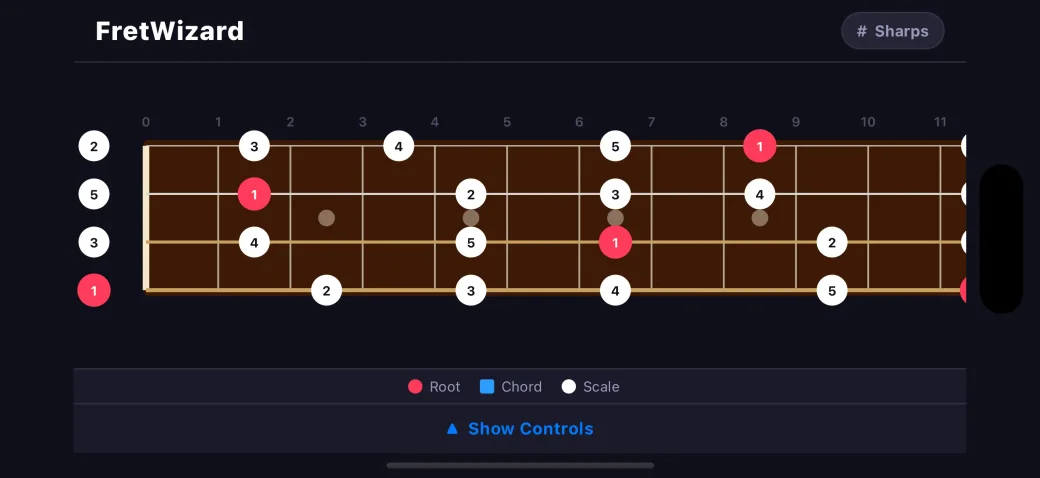
• Scale Degree (1, 2, 3, 4...)
• Interval (R, M3, P5...)
MORE FEATURES
• Sharp/flat toggle for your preferred notation
• Pinch-to-zoom for detailed fret inspection
• Landscape mode for a wider fretboard view
• Full tablet support
• Clean dark interface designed for readability on stage or in the studio
Nouveautés
Version 1.01 · 16/07/2026
Fixed a bug that did not update to "degrees" when in "chord" mode. Added the ability to name custom instruments and save them. Made the custom instrument field "sticky". Added a half diminished chord option. Changed the order that chords are listed in. Fixed a layout issue in landscape mode that sometimes cut off the top of an instrument fretboard.
Confidentialité de l’application
Ce que Alexander Douglass déclare sur l’App Store au sujet du traitement des données par cette application.
-
Données non collectées
Le développeur ne collecte aucune donnée à partir de cette application.
Les pratiques en matière de confidentialité peuvent varier, notamment en fonction des fonctionnalités que vous utilisez ou de votre âge.
Informations
- Vendeur
- Alexander Douglass
- Catégorie
- Musique
- Version
- 1.01
- Mis à jour
- 16/07/2026
- Publié
- 26/03/2026
- Taille
- 26,6 Mo
- Nécessite
- iOS 15.1 ou version ultérieure
- Classification d’âge
- 4+
- Prix
- Gratuit
- Langues
- Anglais
- Copyright
- © 2026 Alex Douglass