Vector3D: Math Plotter
Interactive 3D Math Visualizer
Conçue pour iPhone, iPad
Achats intégrés
- Classification d’âge4+
- CatégorieÉducation
- DéveloppeurTin Chi Chan
- LanguesAnglais
- Taille11,6 Mo
Vector3D: Math Plotter n’est peut-être pas disponible sur App Store pour le moment
La fiche de la boutique était inaccessible lors de notre dernière vérification. Le lien mène toujours à la page App Store officielle.
Captures d’écran
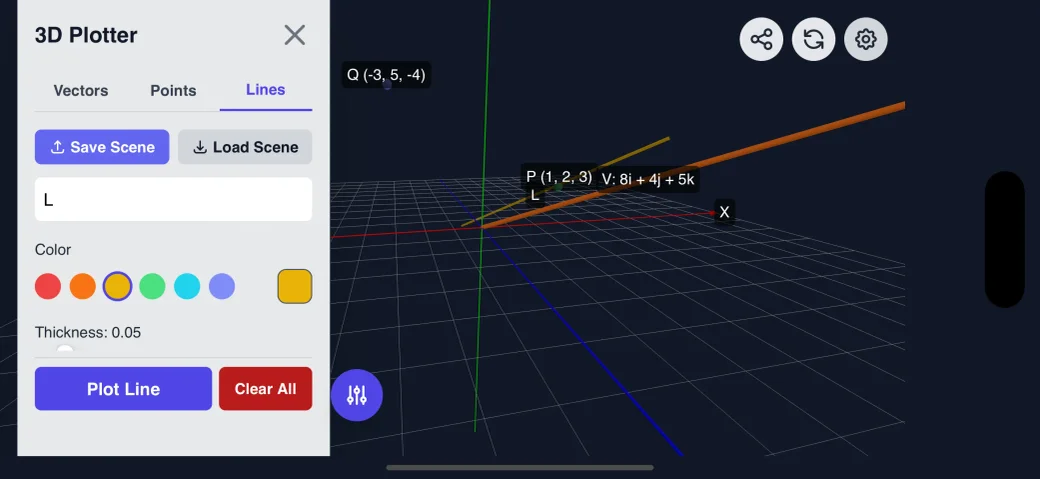
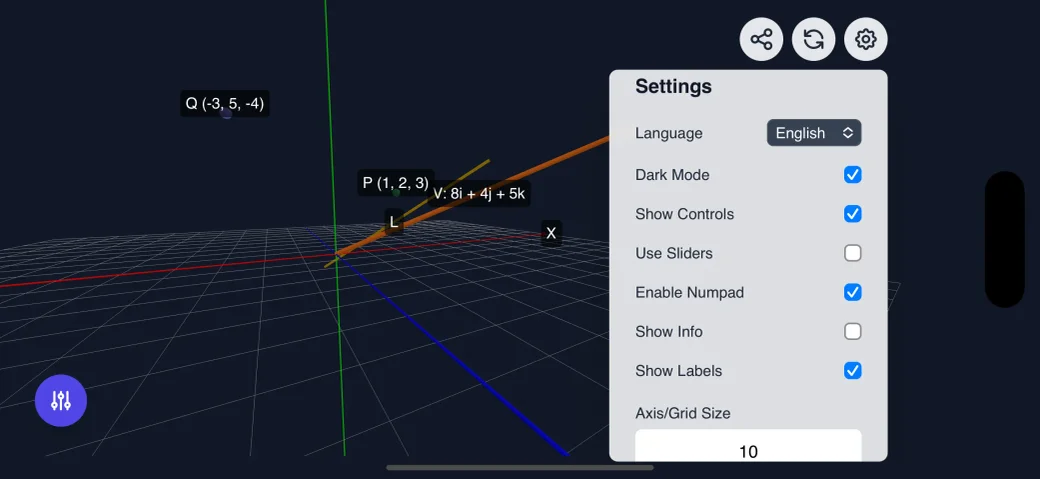
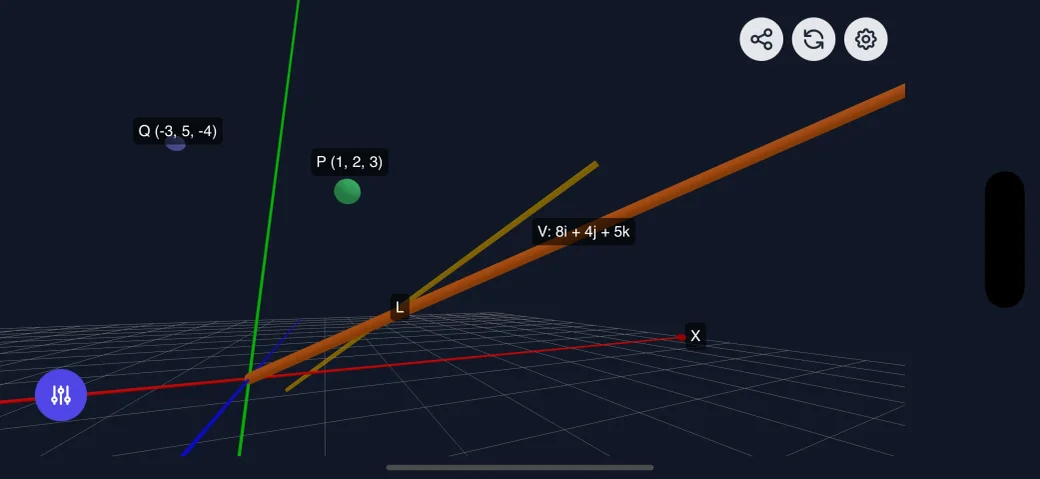
À propos
Le développeur n’a pas fourni ce texte dans votre langue.
Vector3D: Math Plotter brings your math to life — plot vectors, points, and line segments in interactive 3D space, right on your iPad or iPhone.
Whether you're a student tackling linear algebra, a teacher preparing classroom demonstrations, or a physics enthusiast exploring 3D geometry, Vector3D gives you an intuitive tool to visualise mathematical objects the way they really look.
FEATURES
• Plot vectors with custom start points, components, colours, and thickness
• Visualise points and line segments in full 3D
• Display vectors in i, j, k notation with automatic magnitude calculation
• Labels follow each object in 3D space for easy identification
• Adjust axis and grid size to fit any scale
• Save scenes as .vviz files and reload them anytime
• Share scenes via AirDrop, Files, or any app
• Capture and share screenshots of your 3D scene
• Dark mode and light mode support
• Available in English, Traditional Chinese, and Japanese
• Works completely offline — no account required, no data collected
FREE vs PRO
Free: Plot up to 10 objects per day, save up to 3 scenes
Pro (one-time purchase): Unlimited objects and unlimited scene saves
PRIVACY
Vector3D collects zero data. No analytics, no ads, no tracking. Everything stays on your device.
Perfect for:
• High school and university students studying vectors, linear algebra, or calculus
• Math and physics teachers creating visual aids
• STEM learners curious about 3D geometry
Nouveautés
Version 1.1 · 09/11/2026
Calculate vector sums, differences, dot products, cross products, and angles. Undo and redo scene edits, and switch between camera presets to see your work from different angles.
Pro now includes planes defined by an equation or three points, unit normals, and vector projections with their perpendicular components.
Plane labels preserve the coefficients you enter.
Confidentialité de l’application
Ce que Tin Chi Chan déclare sur l’App Store au sujet du traitement des données par cette application.
-
Données non collectées
Le développeur ne collecte aucune donnée à partir de cette application.
Les pratiques en matière de confidentialité peuvent varier, notamment en fonction des fonctionnalités que vous utilisez ou de votre âge.
Informations
- Vendeur
- Tin Chi Chan
- Catégorie
- Éducation
- Version
- 1.1
- Mis à jour
- 09/11/2026
- Publié
- 11/07/2026
- Taille
- 11,6 Mo
- Nécessite
- iOS 16.6 ou version ultérieure
- Classification d’âge
- 4+
- Achats intégrés
- Oui
- Langues
- Anglais
- Copyright
- © 2026 Tin Chi Chan
Vous aimerez peut-être aussi
-
 Vector FieldsÉducation
-
 Calculatrice 3DLes surfaces dans votre pièce
-
 SniplystCartes de maths avec LaTeX
-
 SnackLab: Math GraphingÉducation
-
 Complex Vector Calc-LITEÉducation
-
 Principia: 1 équation par jourMaths et sciences, simplement
-
 Diploma GDCÉducation
-
 Plott: Calculatrice GraphiqueGrapheur 3D & fonctions maths
-
 Clef Trainer GridÉducation
-
 Math Formulas with Flow ChartsÉducation