- Classification d’âge4+
- CatégorieProductivité
- DéveloppeurPatrick Liu
- LanguesAnglais
- Taille52,1 Mo
Voyage: Study & Focus Timer n’est peut-être pas disponible sur App Store pour le moment
La fiche de la boutique était inaccessible lors de notre dernière vérification. Le lien mène toujours à la page App Store officielle.
Captures d’écran

À propos
Le développeur n’a pas fourni ce texte dans votre langue.
Voyage turns a study session into a flight. For students, by students.
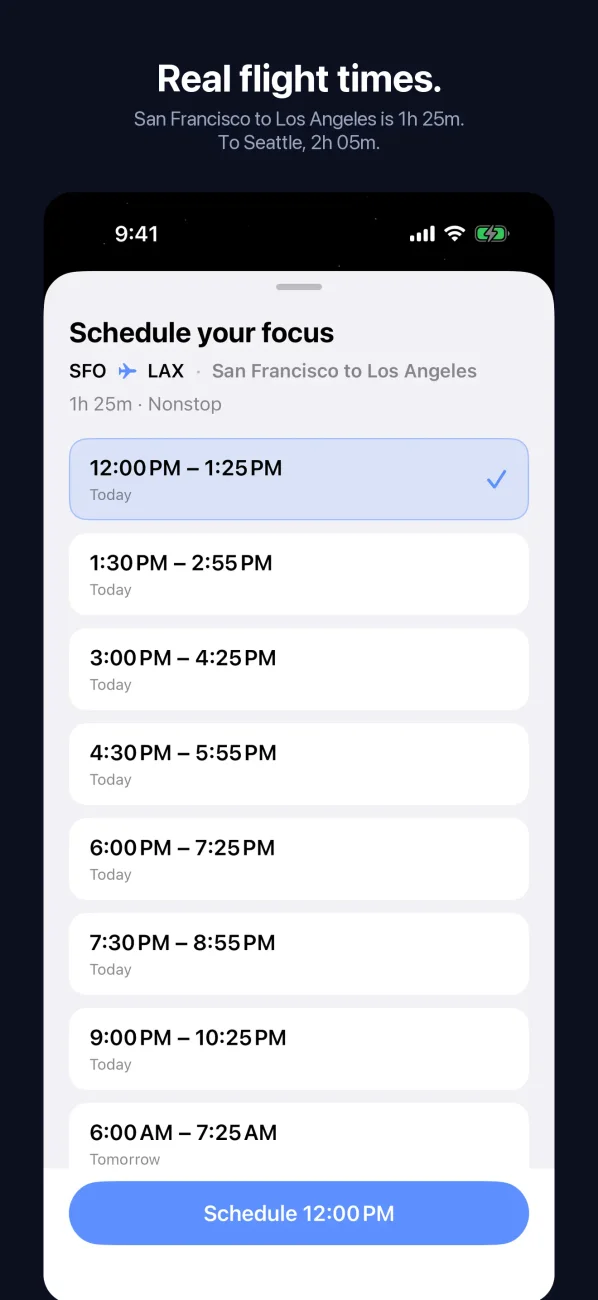
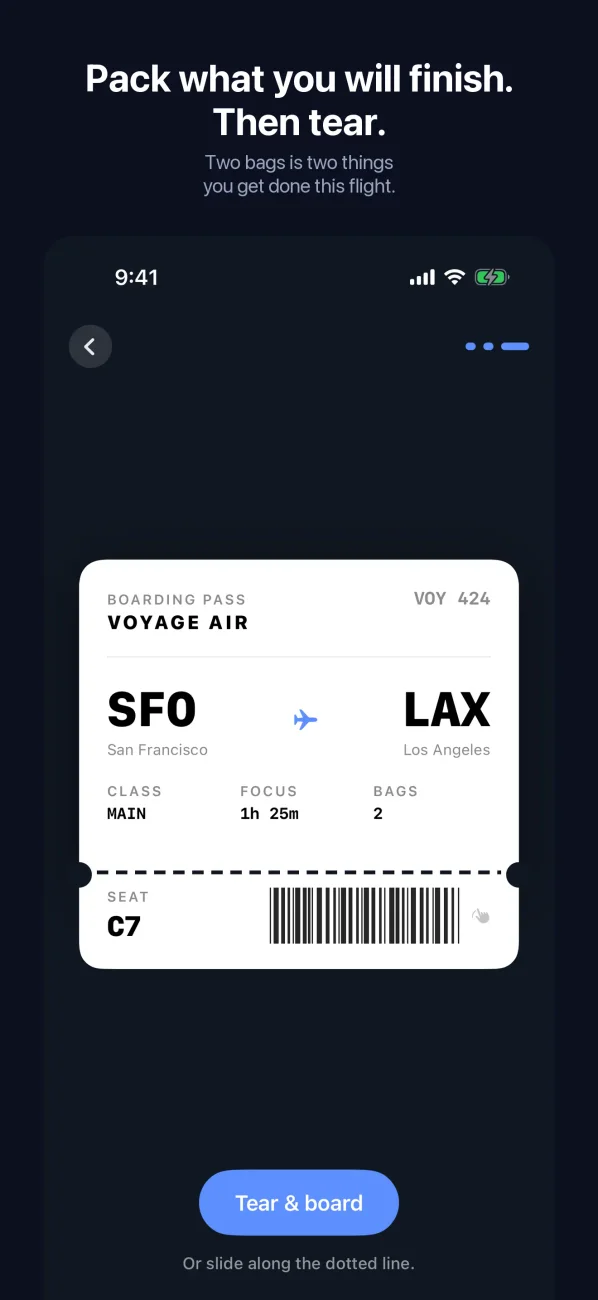
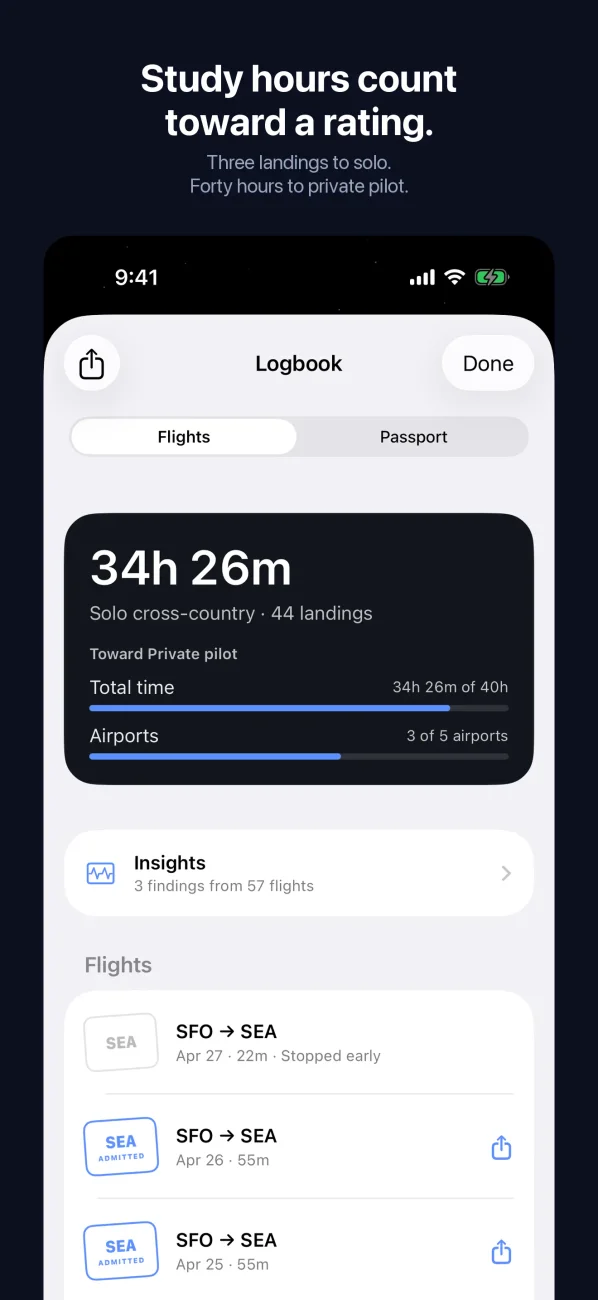
Pick a real route on the globe. The flight time is your study time. SFO to LAX is 1 hour 25 minutes. SFO to JFK is 5 hours 30. Pick a seat, write down up to three things to work on, and tear your boarding pass to take off.
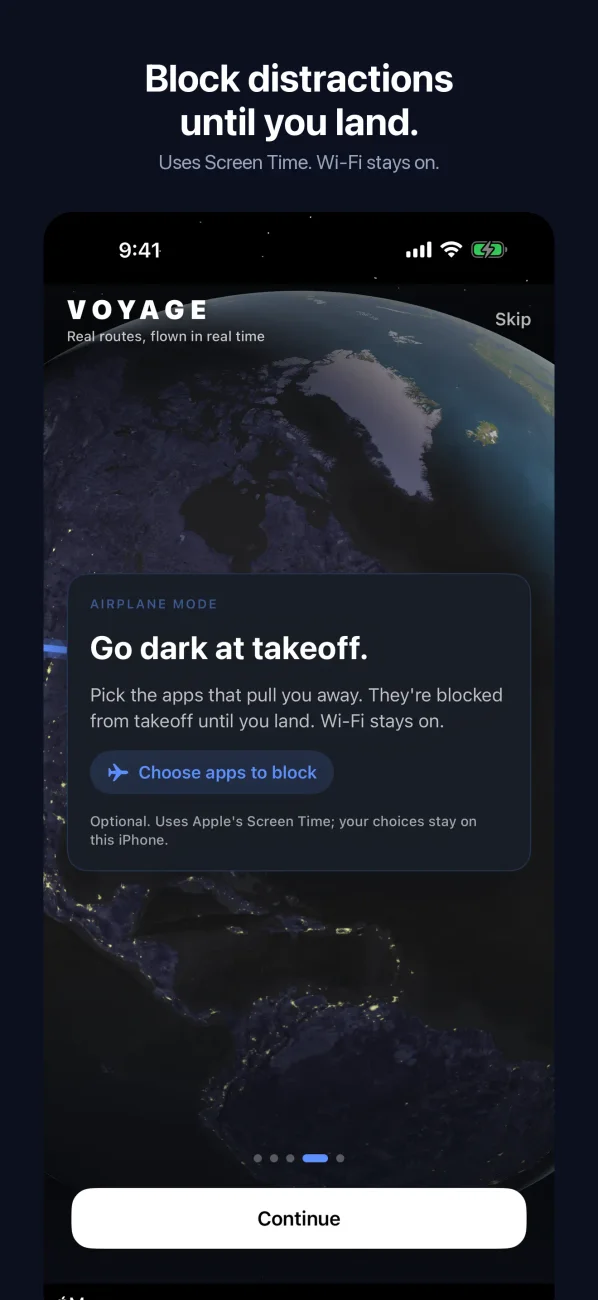
Turn on Airplane Mode and Voyage blocks the apps you pick, from takeoff until you land. It uses Apple's Screen Time, so your music and the map keep working. The list of apps stays on your phone.
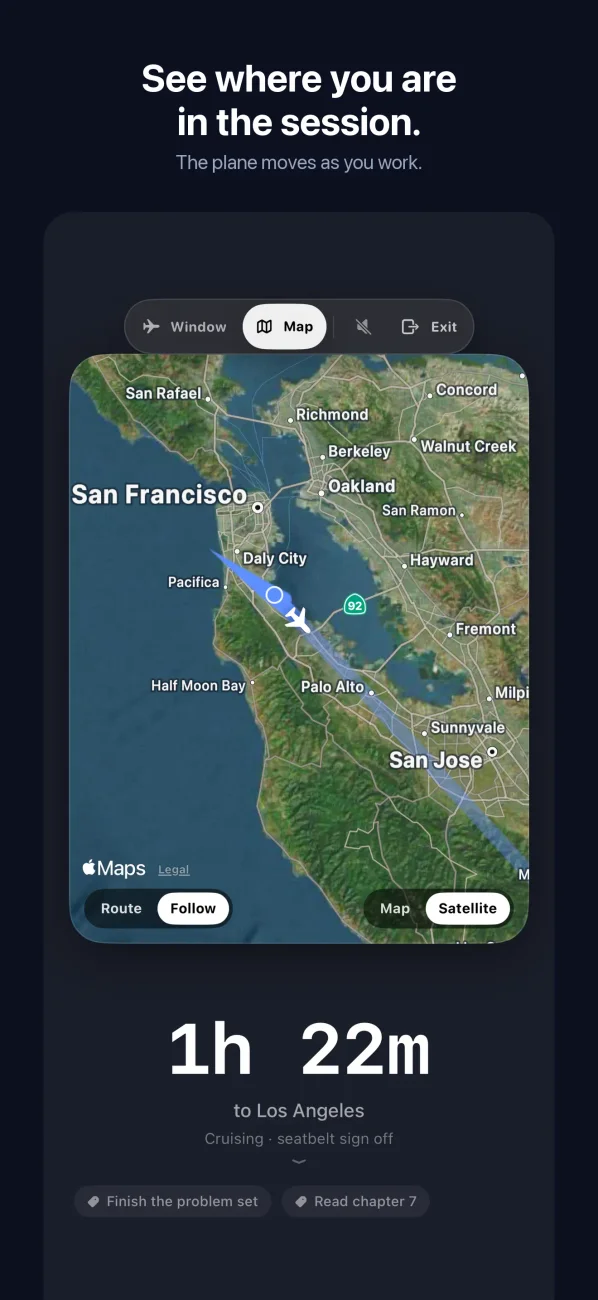
While you study you can look out the window, listen to the cabin, or follow your plane on the map. If you leave the app for more than 30 seconds, your flight stops early. It's a lot easier to stay when there's a plane to land.
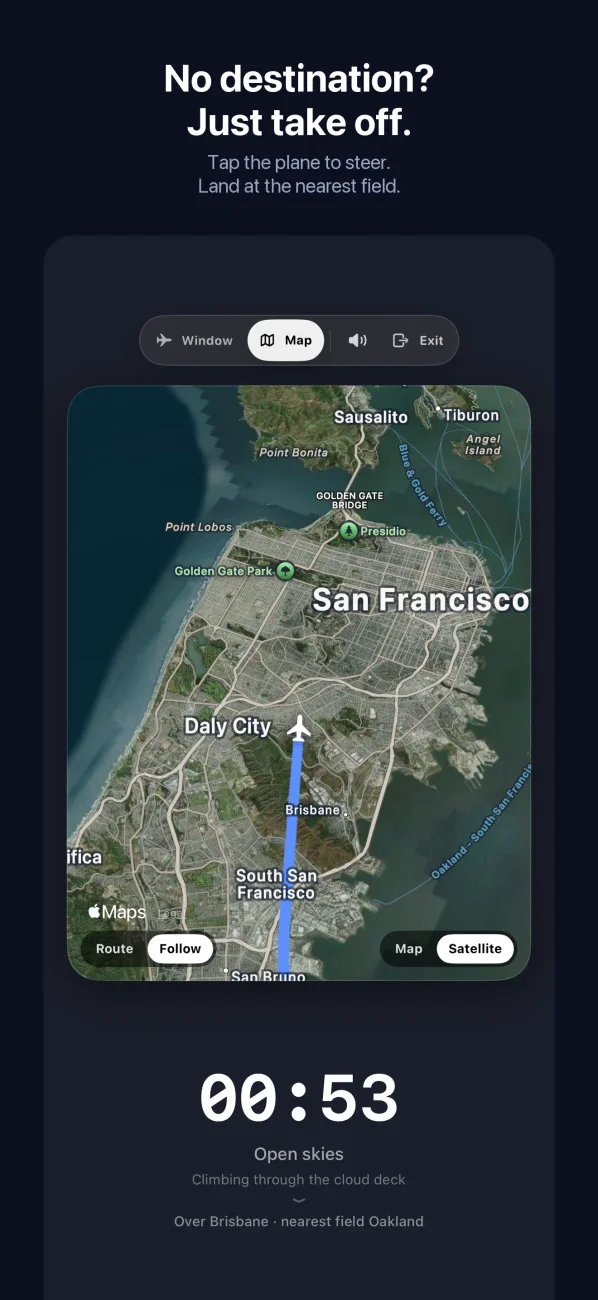
No destination in mind? Open skies takes off for 25 minutes with nowhere planned. Tap to fly it yourself, let go and the autopilot takes over, and it lands you at a real airport nearby.
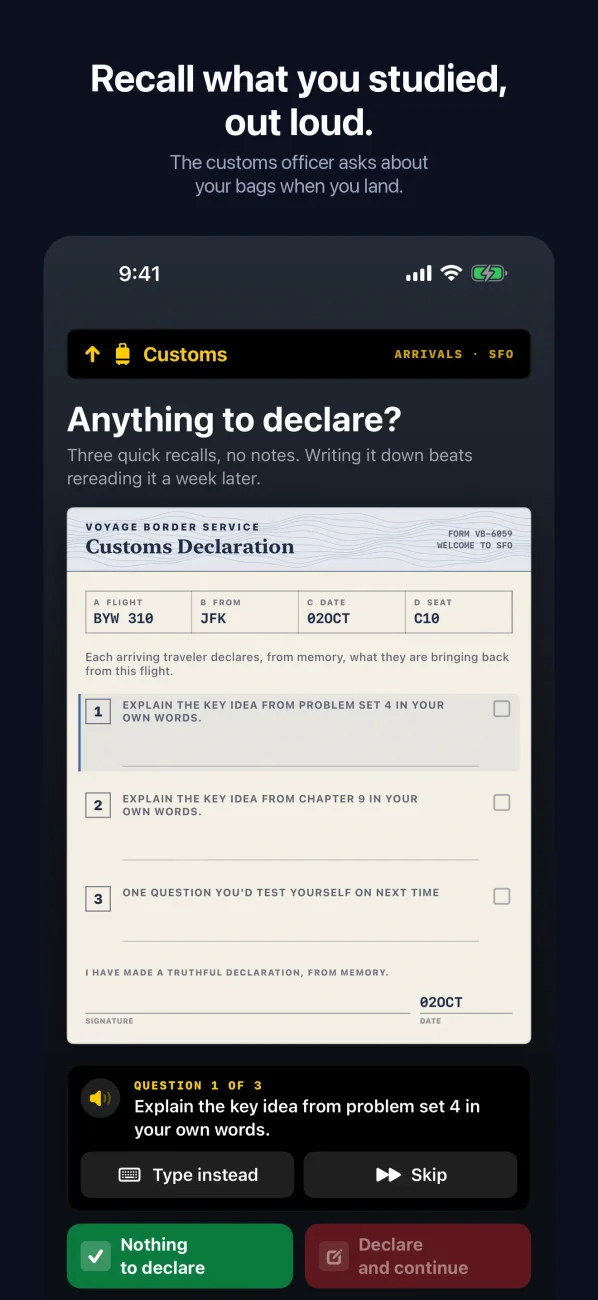
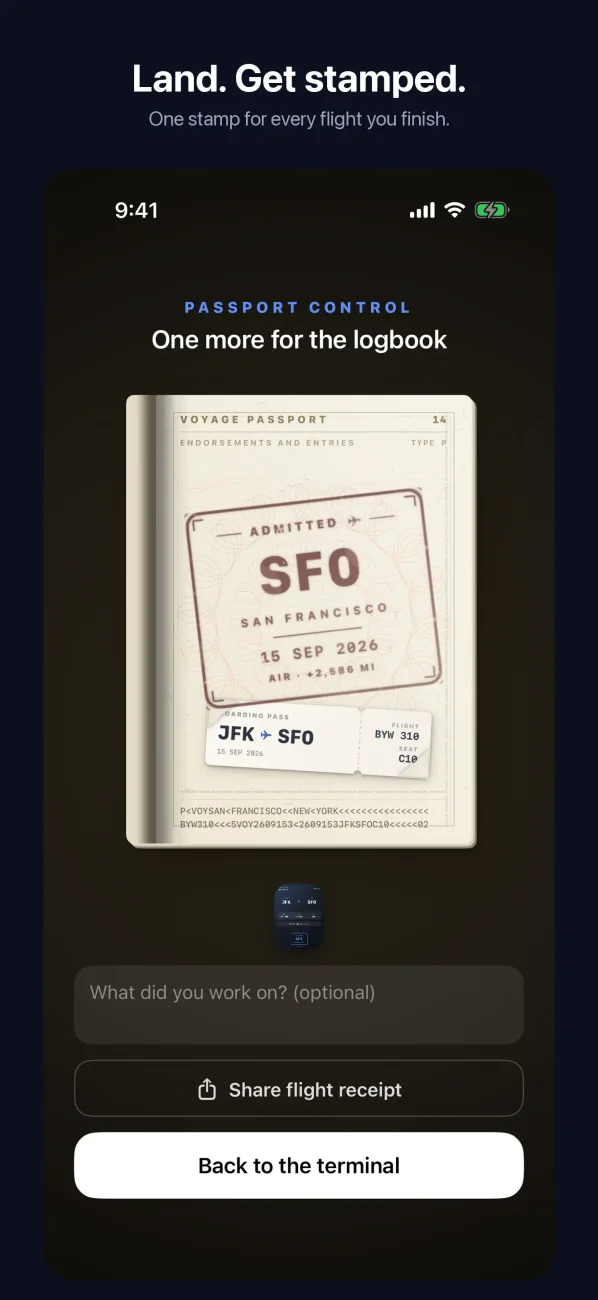
When you land, customs asks you three quick questions out loud about what you studied. It runs on your iPhone, and you can turn it off. Then you get a passport stamp and a logbook entry. You can replay any trip on the map and share it.
Long routes have real connections with a layover between legs. Widgets and a Live Activity show your flight on the Home Screen and Lock Screen.
I'm Patrick. I study electrical engineering at UCSB and I fly a lot. I love it. I built Voyage because I wanted studying to feel more like that.
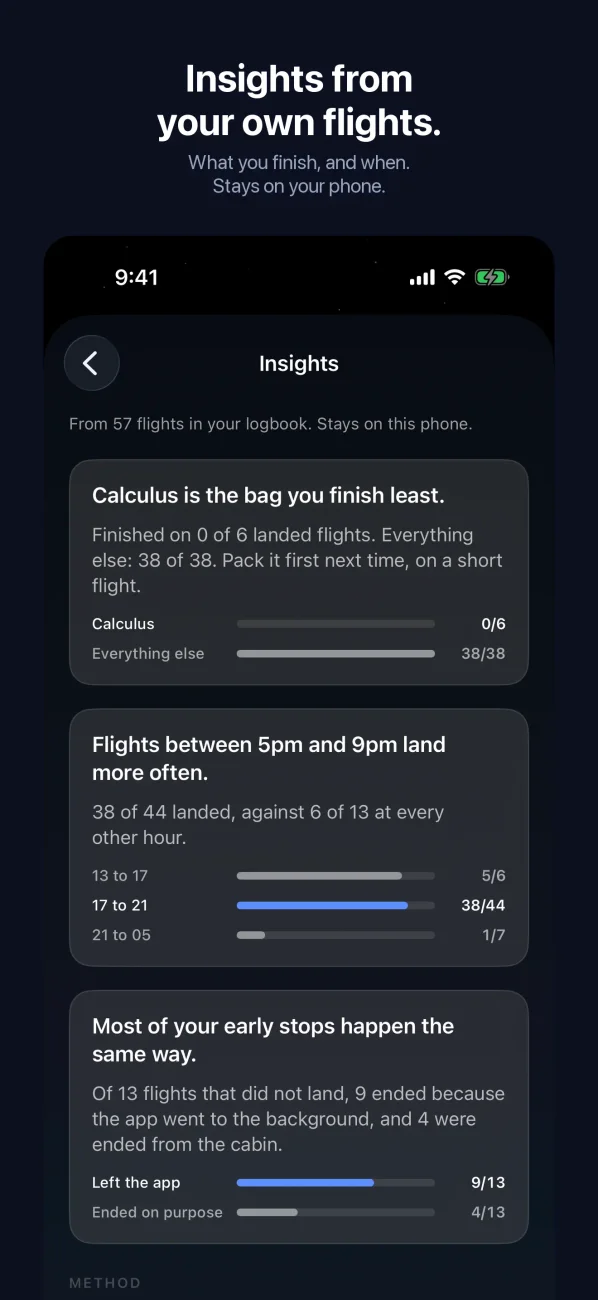
It's free. No ads, no subscription, no account. Your history stays on your phone. The code is open source at https://github.com/machmoon/Voyage. If something breaks or you want a route added, open an issue there.
Nouveautés
Version 1.7 · 13/10/2026
Airplane Mode, Open skies, a voice at customs, and a chase camera.
• Airplane Mode: pick the apps that distract you, and Voyage blocks them from takeoff until you land, with Screen Time. Set it up in a step when you start, or in Settings.
• Open skies: take off with no destination for 25 minutes. Tap to take the controls, let go and the autopilot takes over, then lands you at a real airport nearby.
• Customs by voice: after you land, three short questions are asked out loud from your bags and calendar, answered on this iPhone. Turn it off in Settings any time.
• Landed: a quick "Landed" moment on arrival, with a new line each time.
• Chase camera: Follow now flies behind your plane with the map turning as you do.
• Widgets: four styles for your Home Screen and a Live Activity while you fly.
• First class is earned after 8 focus hours over 5 days.
• Cleaner screens, a seat panel that sits in the sheet, and a reorganized Settings.
Confidentialité de l’application
Ce que Patrick Liu déclare sur l’App Store au sujet du traitement des données par cette application.
-
Données non collectées
Le développeur ne collecte aucune donnée à partir de cette application.
Les pratiques en matière de confidentialité peuvent varier, notamment en fonction des fonctionnalités que vous utilisez ou de votre âge.
Informations
- Vendeur
- Patrick Liu
- Catégorie
- Productivité
- Version
- 1.7
- Mis à jour
- 13/10/2026
- Publié
- 10/09/2026
- Taille
- 52,1 Mo
- Nécessite
- iOS 17.0 ou version ultérieure
- Classification d’âge
- 4+
- Langues
- Anglais
- Copyright
- © Patrick Liu
Vous aimerez peut-être aussi
-
 OnLock - Study TimerProductivité
-
 FlightWindow: Scenic FocusProductivité
-
 Focus Train: Pomodoro & ÉtudeMinuteur, concentration, Japon
-
 FocusAir: Minuteur focusBloquez les apps. Embarquez.
-
 Pomi FocusProductivité
-
 Focus Fly: Minuteur PomodoroÉtude, Concentration & Travail
-
 Train of Thought - Focus AppProductivité
-
 Focus Passport: Pomodoro TimerProductivité
-
 Vana: Study Timer, App BlockerProductivité
-
 AeroFocus: Study Flight TimerProductivité