- 対象年齢4+
- カテゴリ仕事効率化
- 開発元Patrick Liu
- 言語英語
- サイズ52.1 MB
App Storeの公式ページにリンクしています
Download.orgはVoyage: Study & Focus Timerのファイルを一切ホストしていません。ボタンを押すと、Patrick Liuが公開しているApp Storeのアプリページが開きます。ページの最終確認:2026/11/14。
スクリーンショット

概要
開発元はこのテキストをお使いの言語で提供していません。
Voyage turns a study session into a flight. For students, by students.
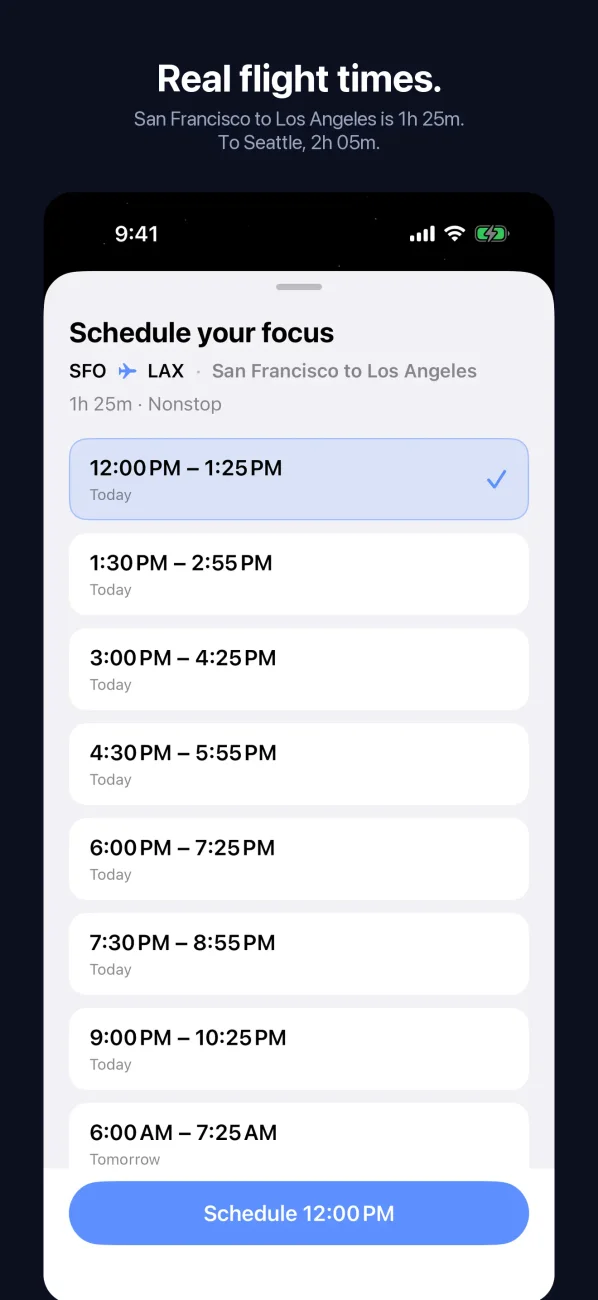
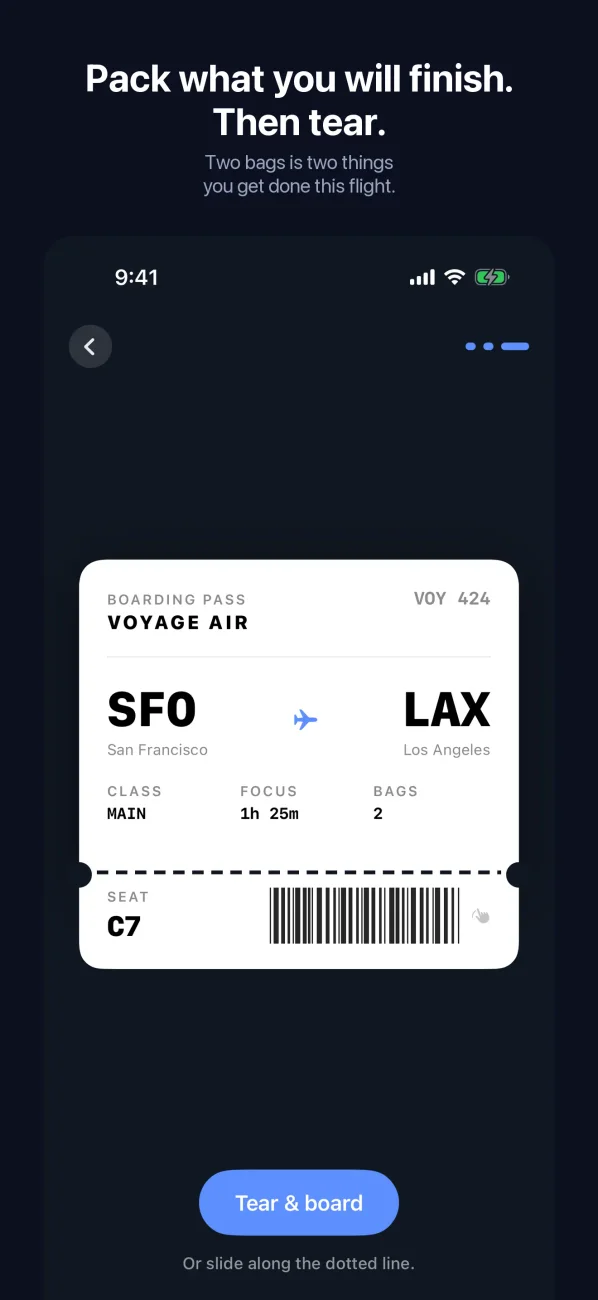
Pick a real route on the globe. The flight time is your study time. SFO to LAX is 1 hour 25 minutes. SFO to JFK is 5 hours 30. Pick a seat, write down up to three things to work on, and tear your boarding pass to take off.
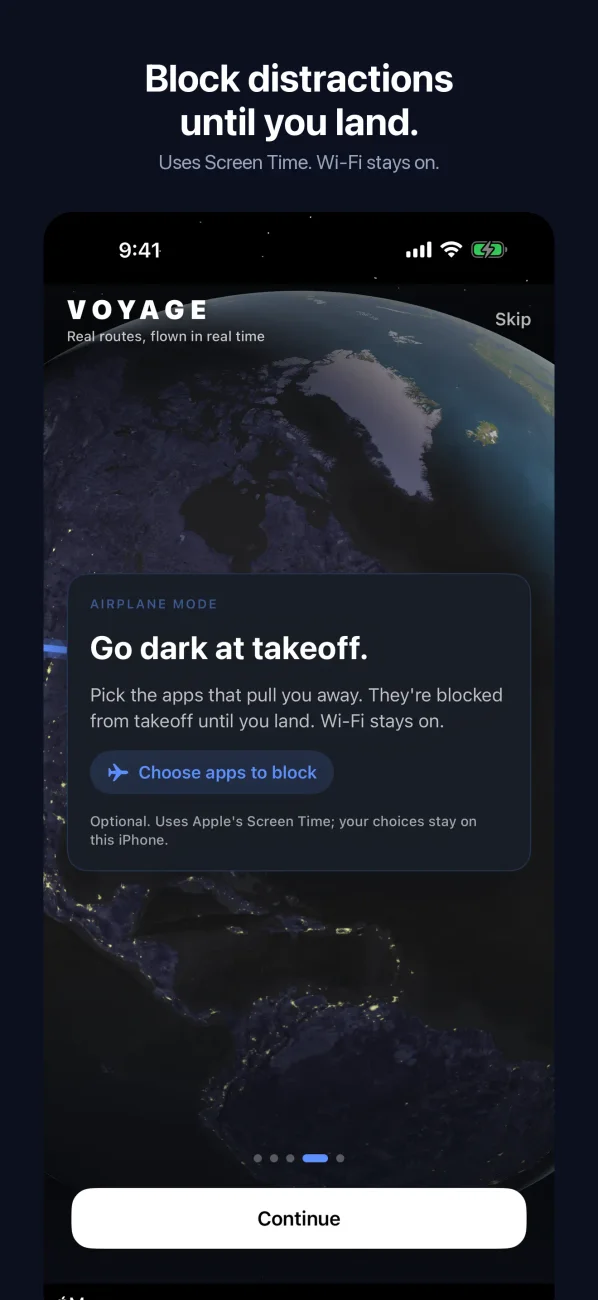
Turn on Airplane Mode and Voyage blocks the apps you pick, from takeoff until you land. It uses Apple's Screen Time, so your music and the map keep working. The list of apps stays on your phone.
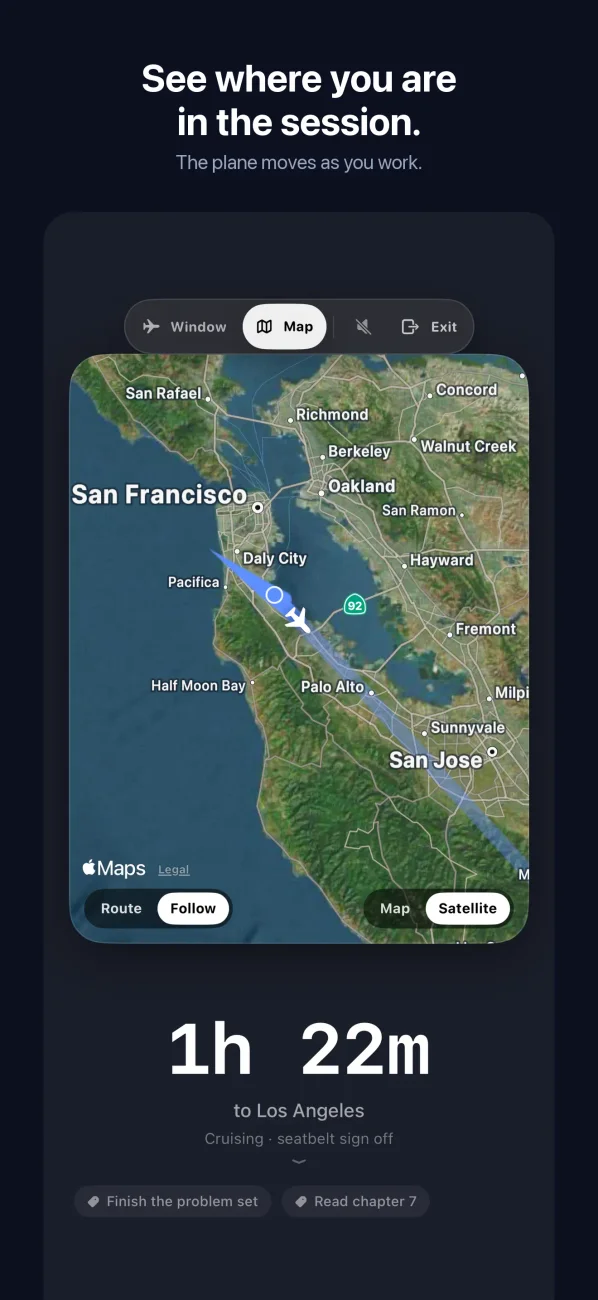
While you study you can look out the window, listen to the cabin, or follow your plane on the map. If you leave the app for more than 30 seconds, your flight stops early. It's a lot easier to stay when there's a plane to land.
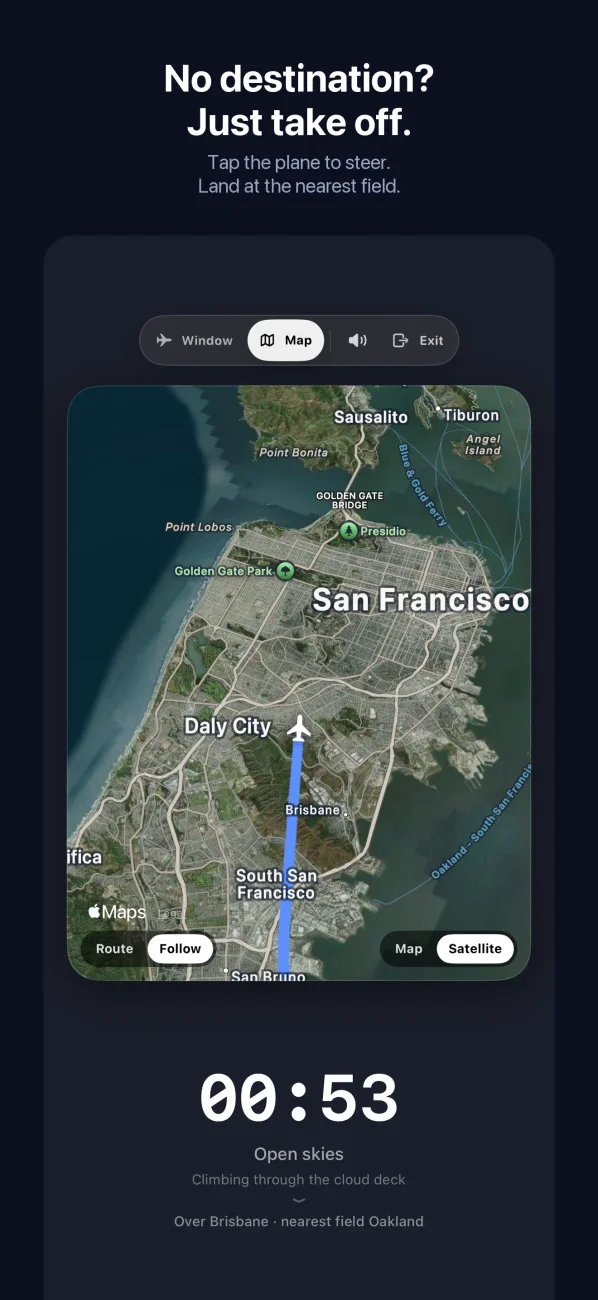
No destination in mind? Open skies takes off for 25 minutes with nowhere planned. Tap to fly it yourself, let go and the autopilot takes over, and it lands you at a real airport nearby.
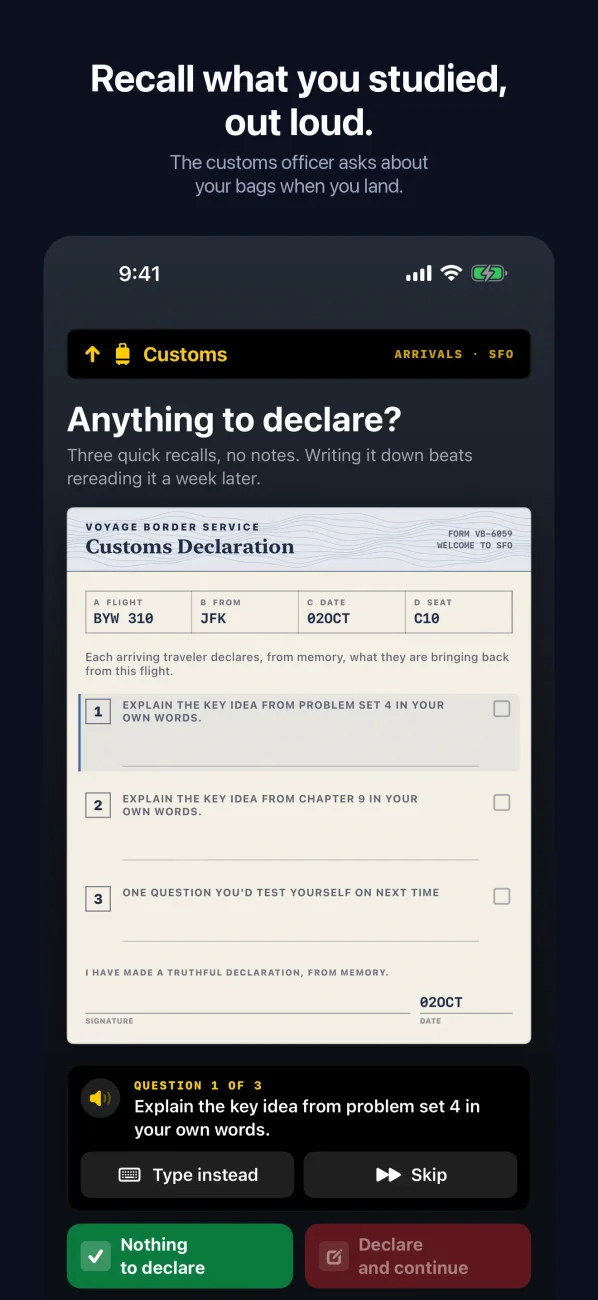
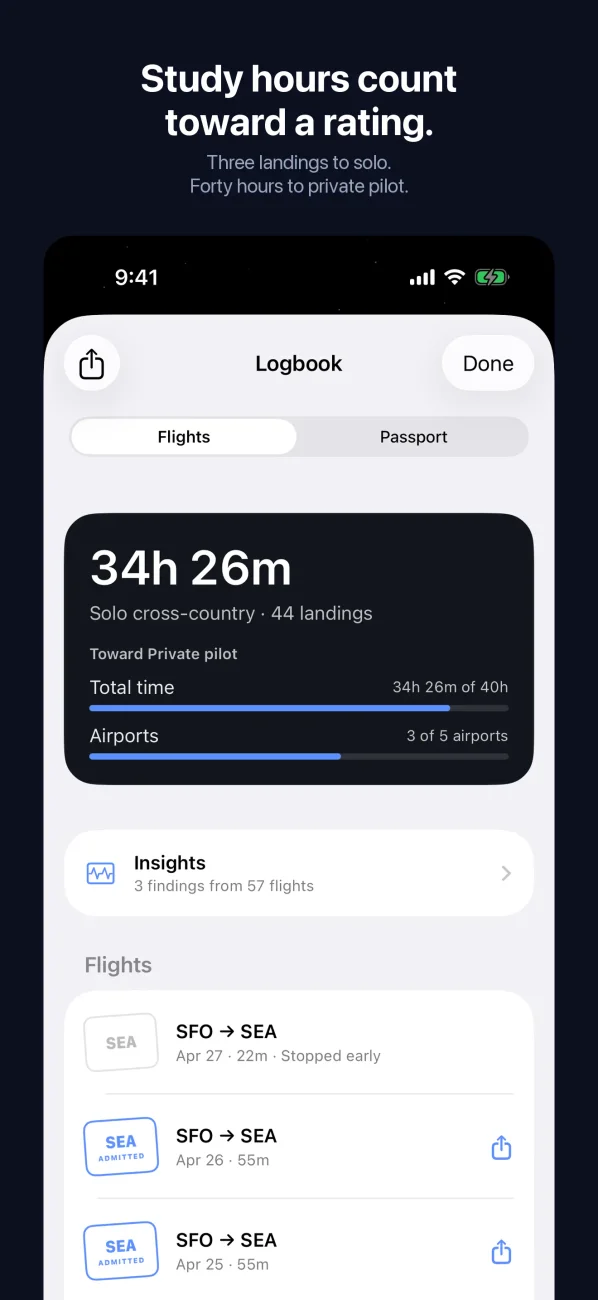
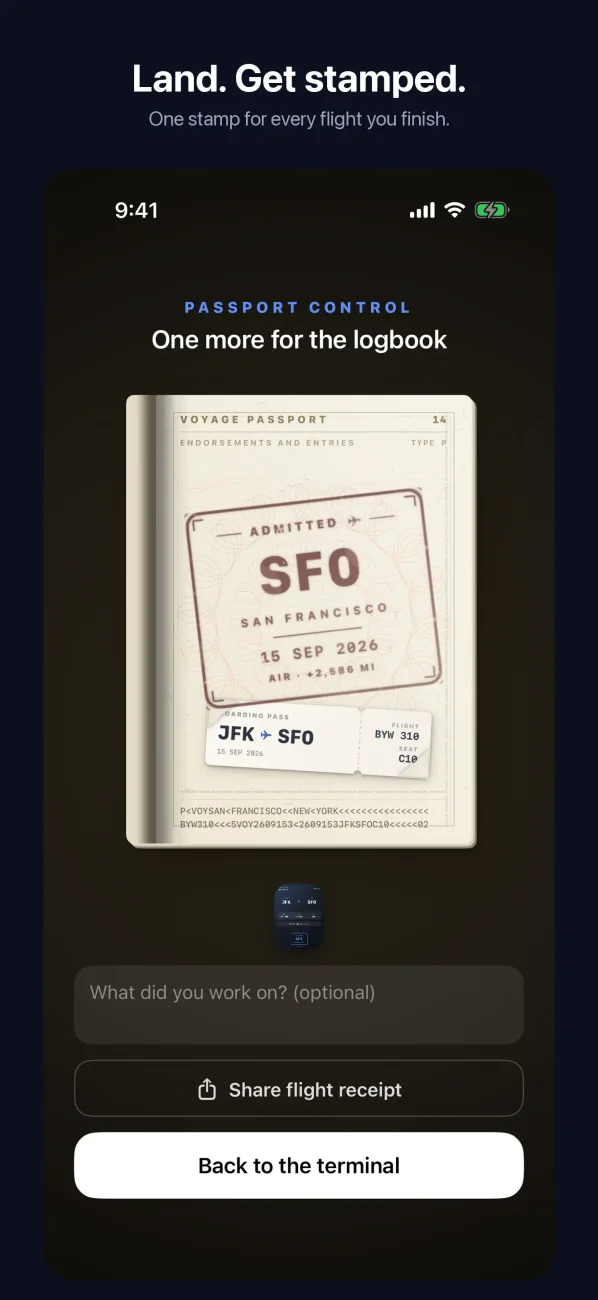
When you land, customs asks you three quick questions out loud about what you studied. It runs on your iPhone, and you can turn it off. Then you get a passport stamp and a logbook entry. You can replay any trip on the map and share it.
Long routes have real connections with a layover between legs. Widgets and a Live Activity show your flight on the Home Screen and Lock Screen.
I'm Patrick. I study electrical engineering at UCSB and I fly a lot. I love it. I built Voyage because I wanted studying to feel more like that.
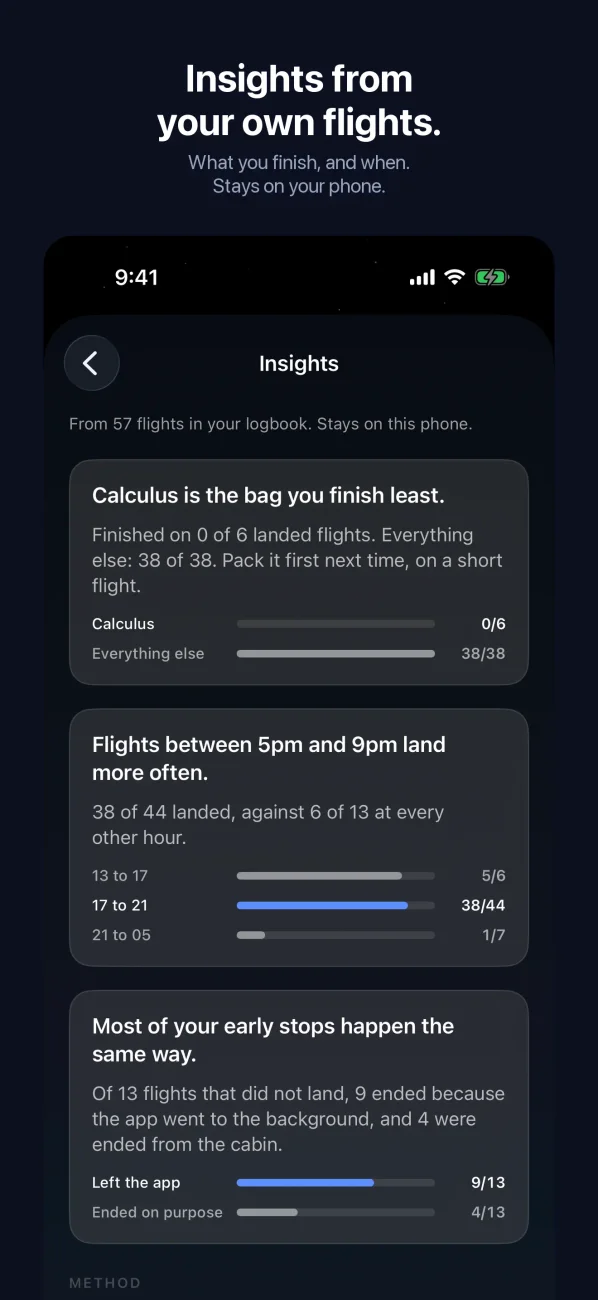
It's free. No ads, no subscription, no account. Your history stays on your phone. The code is open source at https://github.com/machmoon/Voyage. If something breaks or you want a route added, open an issue there.
新機能
バージョン 1.7 · 2026/10/13
Airplane Mode, Open skies, a voice at customs, and a chase camera.
• Airplane Mode: pick the apps that distract you, and Voyage blocks them from takeoff until you land, with Screen Time. Set it up in a step when you start, or in Settings.
• Open skies: take off with no destination for 25 minutes. Tap to take the controls, let go and the autopilot takes over, then lands you at a real airport nearby.
• Customs by voice: after you land, three short questions are asked out loud from your bags and calendar, answered on this iPhone. Turn it off in Settings any time.
• Landed: a quick "Landed" moment on arrival, with a new line each time.
• Chase camera: Follow now flies behind your plane with the map turning as you do.
• Widgets: four styles for your Home Screen and a Live Activity while you fly.
• First class is earned after 8 focus hours over 5 days.
• Cleaner screens, a seat panel that sits in the sheet, and a reorganized Settings.
アプリのプライバシー
このアプリのデータの取り扱いについて、Patrick LiuがApp Storeで申告している内容です。
-
データの収集なし
開発元はこのアプリからデータを収集しません。
プライバシーの取り扱いは、ご利用の機能やお客様の年齢などに応じて異なる場合があります。
情報
- 販売元
- Patrick Liu
- カテゴリ
- 仕事効率化
- バージョン
- 1.7
- 更新日
- 2026/10/13
- リリース
- 2026/9/10
- サイズ
- 52.1 MB
- 必要条件
- iOS 17.0以降
- 対象年齢
- 4+
- 価格
- 無料
- 言語
- 英語
- 著作権
- © Patrick Liu
こちらもおすすめ
-
 OnLock - Study Timer仕事効率化
-
 FlightWindow - 窓から世界を眺める集中タイマーファーストクラスの集中体験を始めよう
-
 Focus Train: 集中タイマーポモドーロ・勉強・仕事・日本旅
-
 FocusAir: 集中タイマーアプリをブロックして、搭乗。
-
 Pomi Focus仕事効率化
-
 Focus Fly: 勉強タイマー・集中ポモドーロで勉強記録とフライト
-
 Train of Thought - Focus App仕事効率化
-
 フォーカスパスポート:ポモドーロタイマーフライトテーマの学習タイマー
-
 Vana: Study Timer, App Blocker仕事効率化
-
 AeroFocus:集中フライトタイマー勉強がフライトになる集中タイマー