Wave Link Control
Remote Audio Mixer
Conçue pour iPhone, iPad, Mac
Gratuit · Achats intégrés
- Classification d’âge4+
- CatégorieUtilitaires
- DéveloppeurFTRBND, LLC
- LanguesAnglais+ 6 de plus
- Taille40,4 Mo
Renvoie vers la page App Store officielle
Download.org n’héberge aucun fichier de Wave Link Control. Le bouton ouvre la page de l’application sur App Store, où FTRBND, LLC la publie. Fiche vérifiée pour la dernière fois le 23/11/2026.
Captures d’écran

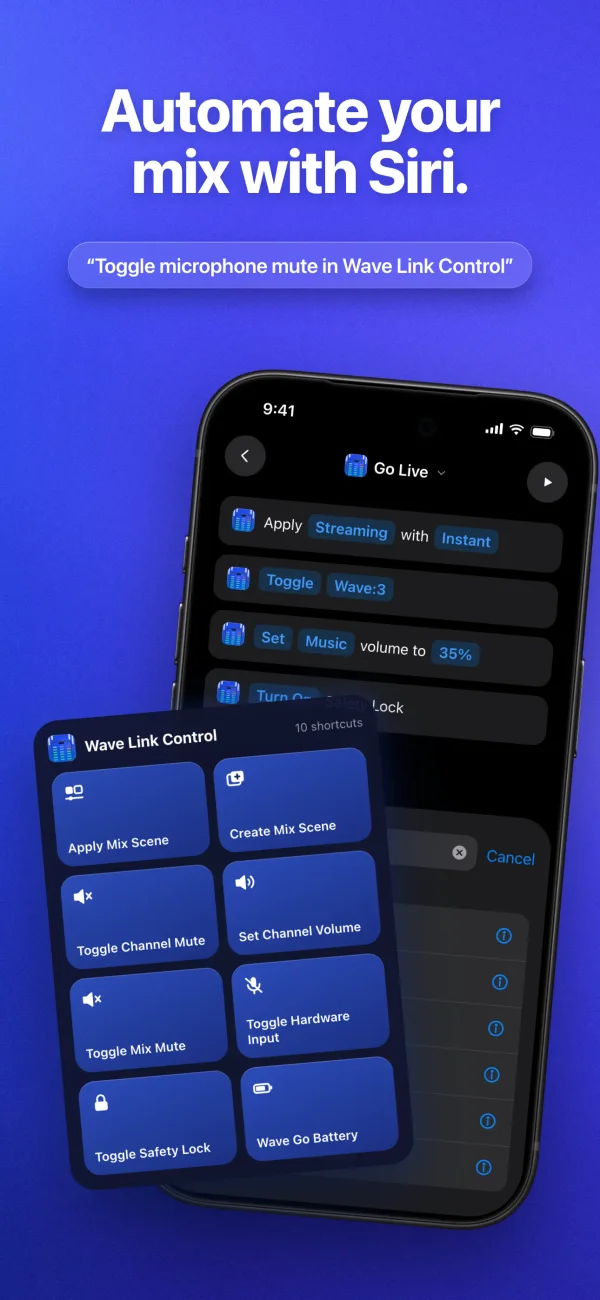
À propos
Le développeur n’a pas fourni ce texte dans votre langue.
Take control of your desktop mix and Wave Go mics with Wave Link Control.
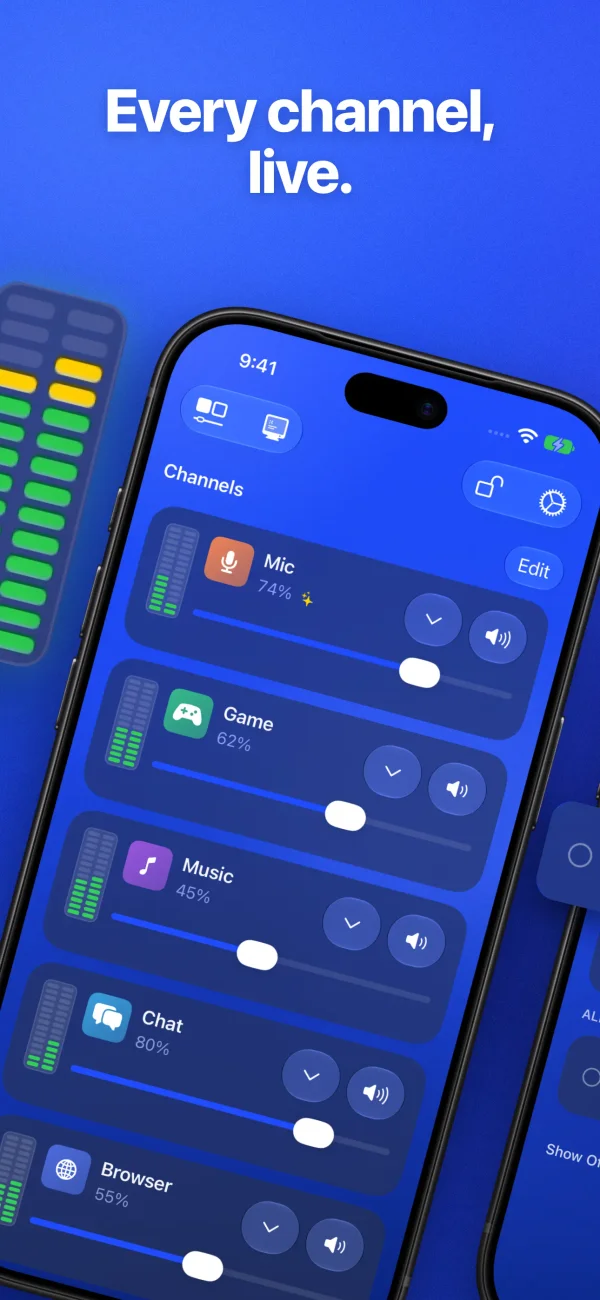
Keep your audio controls beside your keyboard, on your Home Screen or within reach while you record. Adjust your mix without switching windows, apply a saved Scene, or check your Wave Go battery at a glance.
WAVE GO BATTERY AND MIC CONTROLS
• Check battery levels for each mic and the Smart Handle
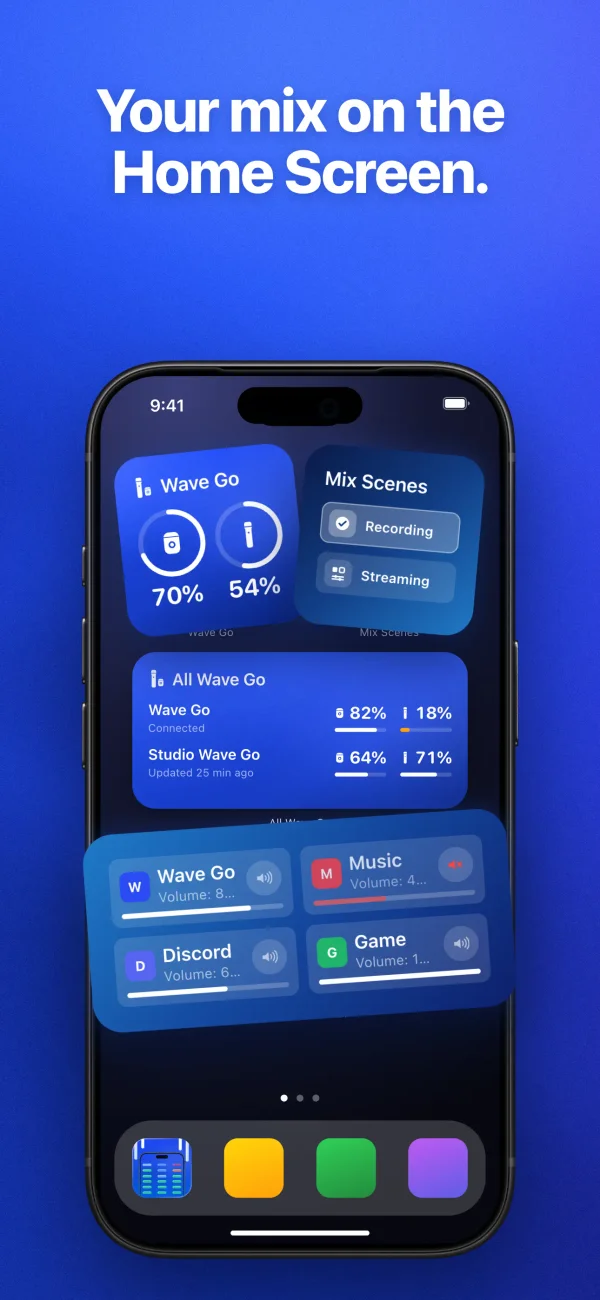
• Add battery widgets to your Home Screen and Lock Screen
• Keep battery levels visible during an On Air session with Live Activities
• Mute either mic and adjust gain, Auto Gain and noise cancellation
• Connect directly to your Wave Go receiver over Bluetooth, without a Mac or PC
• Use Siri and Shortcuts for supported Wave Go controls and status checks
YOUR DESKTOP MIX, WITHIN REACH
• Control Elgato Wave Link on your Mac or Windows PC
• Adjust channel and mix levels, mute channels and monitor your mix
• Save and apply Mix Scenes for streaming, recording, gaming and more
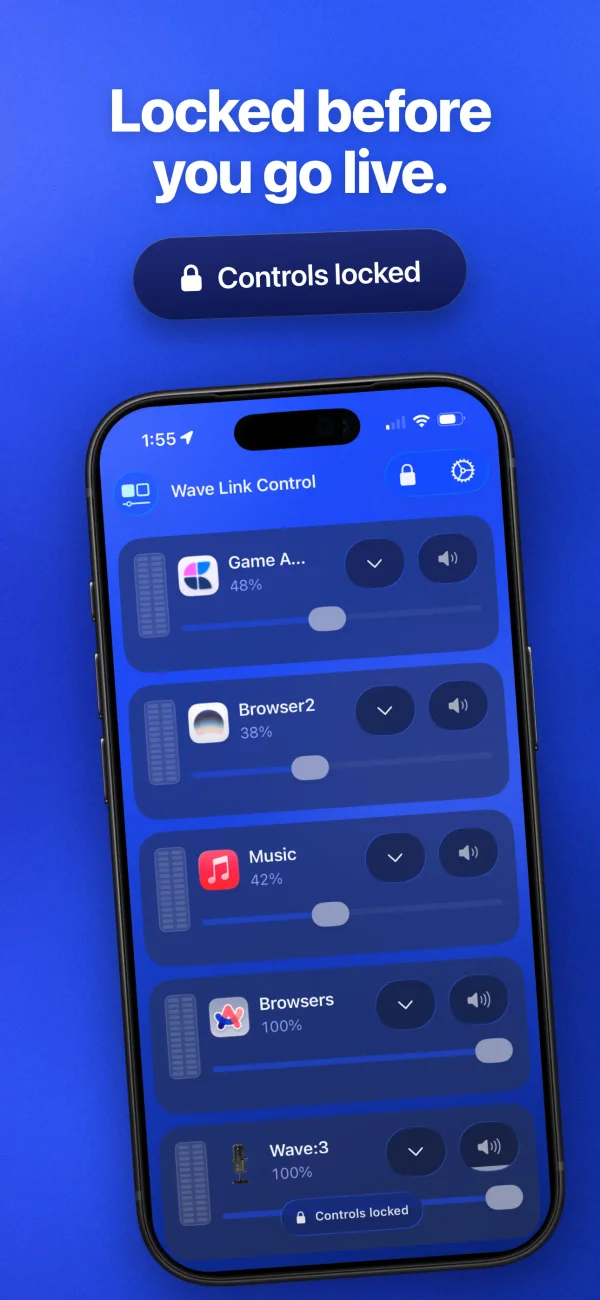
• Use Safety Lock to help prevent accidental changes
• Put channel controls and Mix Scenes on your Home Screen
• Automate your setup with Siri and Shortcuts
WHAT YOU NEED
Desktop mixer control requires Elgato Wave Link and the Wave Link Control companion app running on a supported Mac or Windows PC, with your devices on the same local network.
Wave Go battery and mic features require compatible Wave Go hardware. Direct Bluetooth control works without a desktop computer.
Some features require Wave Link Control Pro, available through in-app purchase.
Terms of Use (EULA): https://www.apple.com/legal/internet-services/itunes/dev/stdeula/
Nouveautés
Version 1.1 · 17/11/2026
Wave Link Control 1.1 brings Wave Go and Windows PC support, multiple computers, new layouts, and widgets.
Wave Go support
• Connect directly to a Wave Go receiver over Bluetooth without a Mac or PC.
• Check mic and Smart Handle battery levels and manage mic mute, gain, Auto Gain and noise cancellation.
Multiple computers and Windows PC support
• Connect to your Mac or Windows PC and switch between computers from the app.
• Keep Mix Scenes organized by computer, with shared Scenes available across your setups.
New layouts and iPhone Duo support
• Use the new horizontal mixer layout in landscape for a wider view of your channels and controls.
• Enjoy layouts adapted for iPhone Duo in portrait and landscape.
Shortcuts and Siri improvements
• More ways to automate channel volume, mute, mixes, Scenes and Safety Lock.
• Check Wave Go battery, control supported mic settings, and start or end an On Air Live Activity from Shortcuts.
Widgets and Live Activities
• New Wave Go battery widgets show mic and Smart Handle charge on your Home Screen and Lock Screen.
• Keep channel controls and Mix Scenes within reach with widgets.
• Follow Wave Go battery levels during an On Air session with a Live Activity on your Lock Screen and Dynamic Island.
Updated Settings and refinements
• Reorganized Settings make connection, Wave Go, On Air and control preferences easier to find.
• Improved computer discovery, connection handling, saved Scenes, interface contrast and localization.
Desktop mixing requires Elgato Wave Link and the Wave Link Control companion app on your Mac or PC. Wave Go features require compatible Wave Go hardware.
Confidentialité de l’application
Ce que FTRBND, LLC déclare sur l’App Store au sujet du traitement des données par cette application.
-
Données n’établissant aucun lien avec vous
Peuvent être collectées, mais ne sont pas liées à votre identité.
- Identifiants
- Données d’utilisation
Les pratiques en matière de confidentialité peuvent varier, notamment en fonction des fonctionnalités que vous utilisez ou de votre âge.
Informations
- Vendeur
- FTRBND, LLC
- Catégorie
- Utilitaires
- Version
- 1.1
- Mis à jour
- 17/11/2026
- Publié
- 30/10/2026
- Taille
- 40,4 Mo
- Nécessite
- iOS 26.2 ou version ultérieure
- Classification d’âge
- 4+
- Prix
- Gratuit
- Achats intégrés
- Oui
- Langues
- Anglais, Français, Allemand, Japonais, Coréen, Chinois simplifié, Espagnol
- Copyright
- © 2026 FTRBND, LLC
Vous aimerez peut-être aussi
-
 Elgato Wave GoUtilitaires
-
 Text to Speech PDF - AI ListenUtilitaires
-
 Larix Screencaster: LivestreamCapture d'écran : SRT, RTMP
-
 Step TwoVérification en 2 étapes
-
 HomeMate SmartUtilitaires
-
 Portable WiFi - Mobile HotspotUtilitaires
-
 ZIP Archiver - UnZIPOuvrir Fichier ZIP RAR
-
 iAnyGo Virtual LocationExplorer et Partager des Lieux
-
 Miroir d'écran : AirDroid CastDesktop Control pour PC et Mac
-
 WeCatch - Radar & MapBest Poke Helper