Wave Link Control
Remote Audio Mixer
Designed for iPhone, iPad, Mac
Free · In-app purchases
- Age rating4+
- CategoryUtilities
- DeveloperFTRBND, LLC
- LanguagesEnglish+ 6 more
- Size40.4 MB
Links to the official App Store page
Download.org hosts no file of Wave Link Control. The button opens its official App Store page, published by FTRBND, LLC. Listing last checked on Nov 23, 2026.
Screenshots

About
Take control of your desktop mix and Wave Go mics with Wave Link Control.
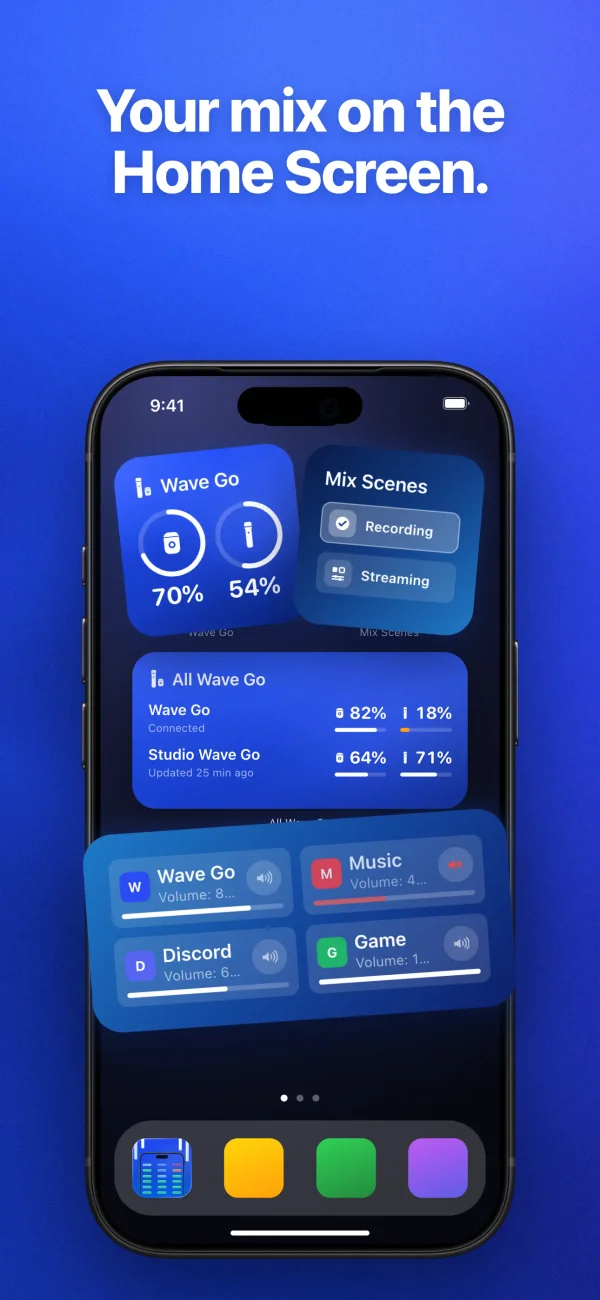
Keep your audio controls beside your keyboard, on your Home Screen or within reach while you record. Adjust your mix without switching windows, apply a saved Scene, or check your Wave Go battery at a glance.
WAVE GO BATTERY AND MIC CONTROLS
• Check battery levels for each mic and the Smart Handle
• Add battery widgets to your Home Screen and Lock Screen
• Keep battery levels visible during an On Air session with Live Activities
• Mute either mic and adjust gain, Auto Gain and noise cancellation
• Connect directly to your Wave Go receiver over Bluetooth, without a Mac or PC
• Use Siri and Shortcuts for supported Wave Go controls and status checks
YOUR DESKTOP MIX, WITHIN REACH
• Control Elgato Wave Link on your Mac or Windows PC
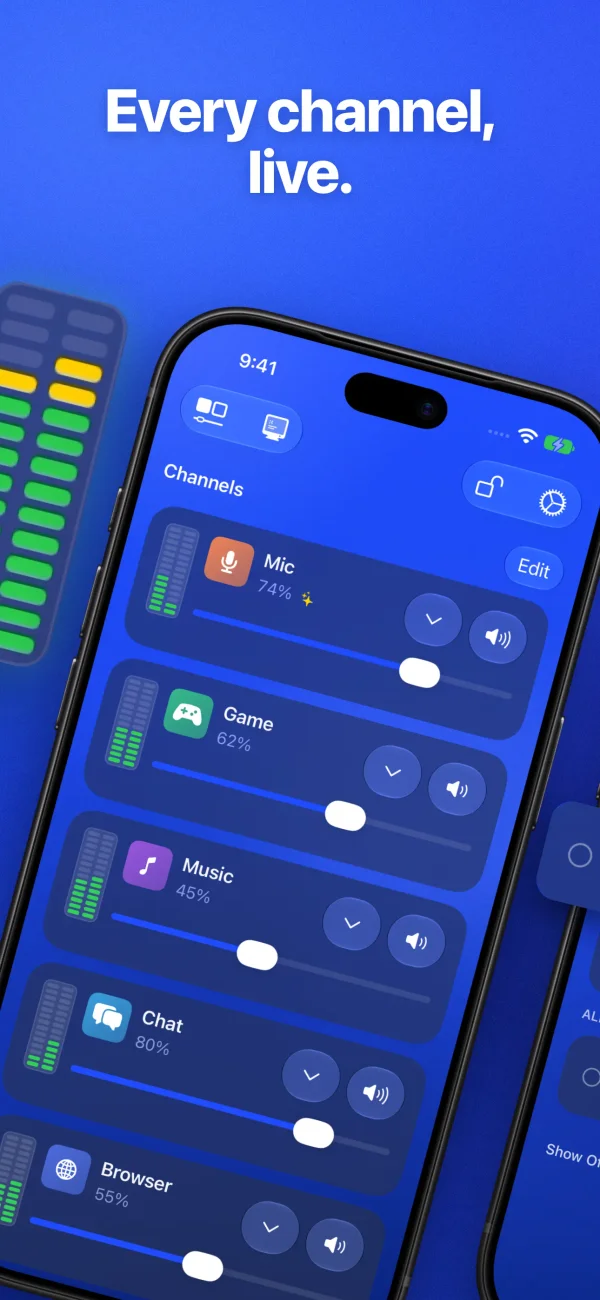
• Adjust channel and mix levels, mute channels and monitor your mix
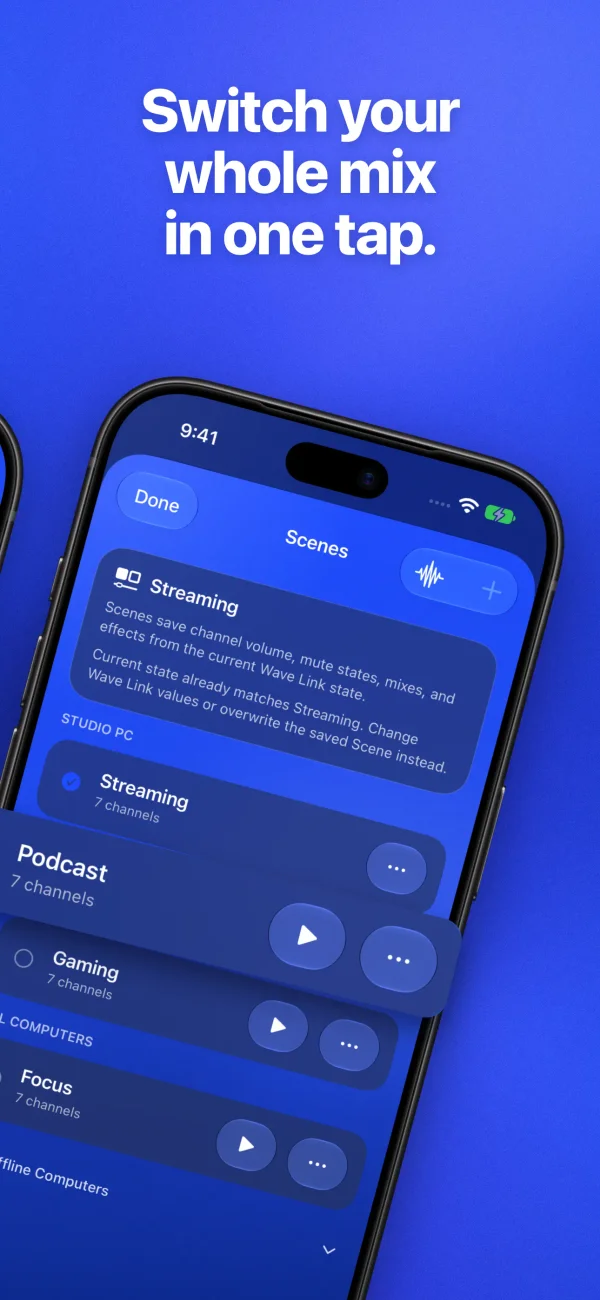
• Save and apply Mix Scenes for streaming, recording, gaming and more
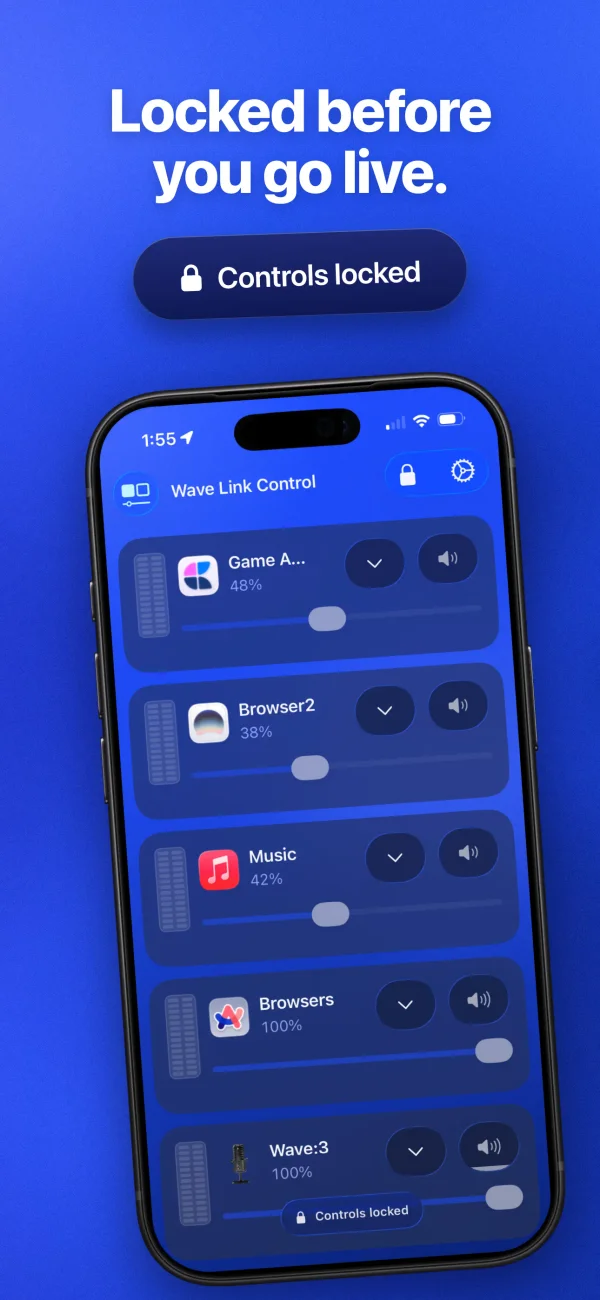
• Use Safety Lock to help prevent accidental changes
• Put channel controls and Mix Scenes on your Home Screen
• Automate your setup with Siri and Shortcuts
WHAT YOU NEED
Desktop mixer control requires Elgato Wave Link and the Wave Link Control companion app running on a supported Mac or Windows PC, with your devices on the same local network.
Wave Go battery and mic features require compatible Wave Go hardware. Direct Bluetooth control works without a desktop computer.
Some features require Wave Link Control Pro, available through in-app purchase.
Terms of Use (EULA): https://www.apple.com/legal/internet-services/itunes/dev/stdeula/
What’s new
Version 1.1 · Nov 17, 2026
Wave Link Control 1.1 brings Wave Go and Windows PC support, multiple computers, new layouts, and widgets.
Wave Go support
• Connect directly to a Wave Go receiver over Bluetooth without a Mac or PC.
• Check mic and Smart Handle battery levels and manage mic mute, gain, Auto Gain and noise cancellation.
Multiple computers and Windows PC support
• Connect to your Mac or Windows PC and switch between computers from the app.
• Keep Mix Scenes organized by computer, with shared Scenes available across your setups.
New layouts and iPhone Duo support
• Use the new horizontal mixer layout in landscape for a wider view of your channels and controls.
• Enjoy layouts adapted for iPhone Duo in portrait and landscape.
Shortcuts and Siri improvements
• More ways to automate channel volume, mute, mixes, Scenes and Safety Lock.
• Check Wave Go battery, control supported mic settings, and start or end an On Air Live Activity from Shortcuts.
Widgets and Live Activities
• New Wave Go battery widgets show mic and Smart Handle charge on your Home Screen and Lock Screen.
• Keep channel controls and Mix Scenes within reach with widgets.
• Follow Wave Go battery levels during an On Air session with a Live Activity on your Lock Screen and Dynamic Island.
Updated Settings and refinements
• Reorganized Settings make connection, Wave Go, On Air and control preferences easier to find.
• Improved computer discovery, connection handling, saved Scenes, interface contrast and localization.
Desktop mixing requires Elgato Wave Link and the Wave Link Control companion app on your Mac or PC. Wave Go features require compatible Wave Go hardware.
App privacy
What FTRBND, LLC declares on the App Store about how this app handles data.
-
Data not linked to you
May be collected but is not linked to your identity.
- Identifiers
- Usage data
Privacy practices may vary, for example with the features you use or your age.
Information
- Seller
- FTRBND, LLC
- Category
- Utilities
- Version
- 1.1
- Updated
- Nov 17, 2026
- Released
- Oct 30, 2026
- Size
- 40.4 MB
- Requires
- iOS 26.2 or later
- Age rating
- 4+
- Price
- Free
- In-app purchases
- Yes
- Languages
- English, French, German, Japanese, Korean, Simplified Chinese, Spanish
- Copyright
- © 2026 FTRBND, LLC
You might also like
-
 Elgato Wave GoManage your wireless mic
-
 Text to Speech PDF - AI ListenRead Audio Books, Docs & Files
-
 Larix Screencaster: LivestreamLive screen capture: SRT, RTMP
-
 Step TwoSimple two-step verification
-
 HomeMate SmartUtilities
-
 Portable WiFi - Mobile HotspotMobile Hotspot WiFi, Portable
-
 ZIP Archiver - UnZIPZIP RAR File Extractor
-
 iAnyGo Virtual LocationExplore and save Location
-
 AirDroid Cast-screen mirroringCross-network mirror to pc
-
 WeCatch - Radar & MapBest Poke Helper