
Well Read
Speed reading with Ai tools
Conçue pour iPhone, iPad, iPod touch
Gratuit · Achats intégrés
- Classification d’âge17+
- CatégorieÉducation
- DéveloppeurASIM ABBAS SHAH
- LanguesAnglais
- Taille29,4 Mo
Renvoie vers la page App Store officielle
Download.org n’héberge aucun fichier de Well Read. Le bouton ouvre la page de l’application sur App Store, où ASIM ABBAS SHAH la publie. Fiche vérifiée pour la dernière fois le 18/11/2026.
Captures d’écran

À propos
Le développeur n’a pas fourni ce texte dans votre langue.
Well Read isn’t just another reader—it’s a reading assistant, learning coach, and brain trainer all in one.
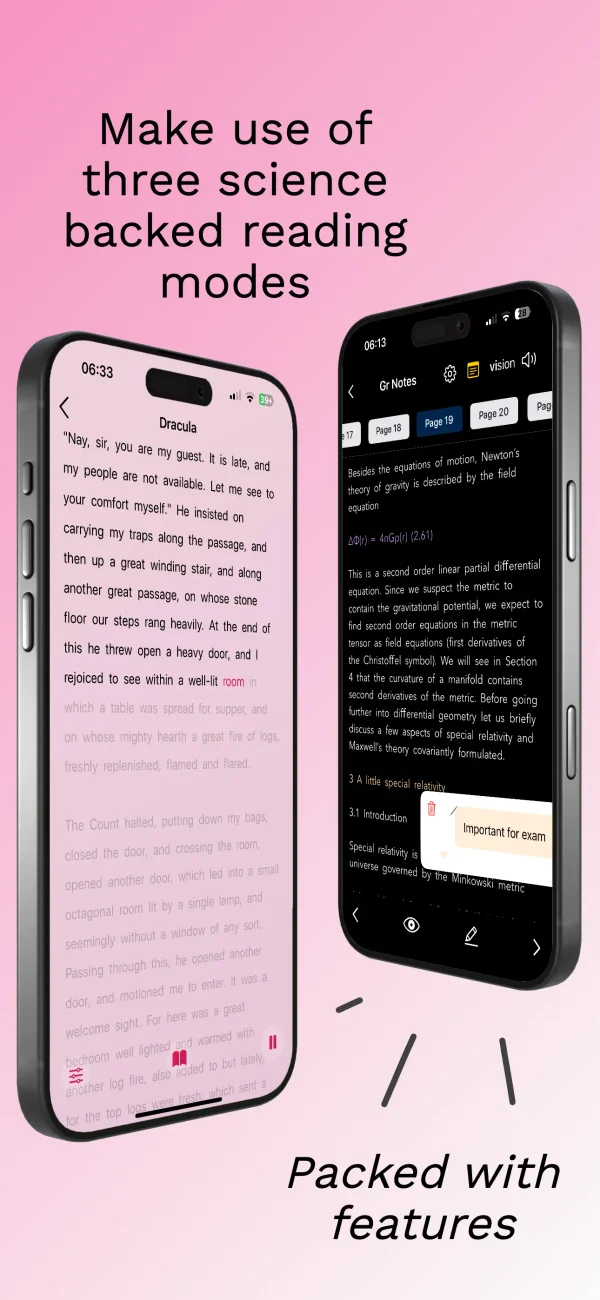
All reading modes are available in the free tier, with unlimited usage and uploads. Well Read offers three powerful reading modes to match your preference and material:
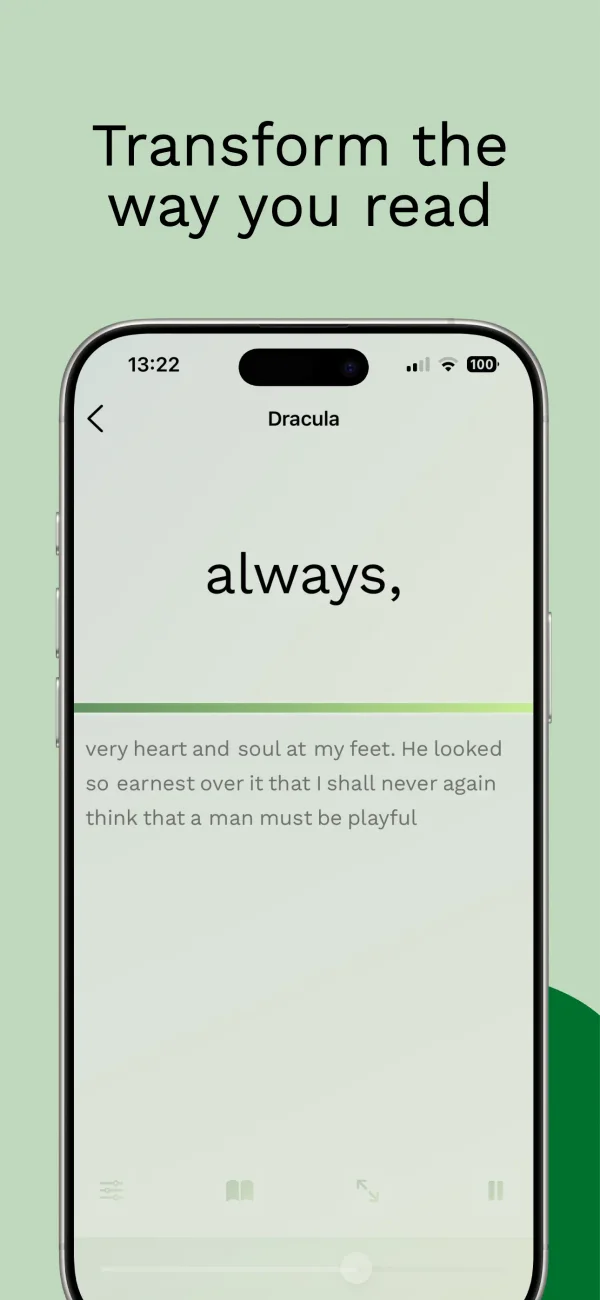
RSVP Mode – Rapidly flashes words with an adjustable speed slider, allowing you to easily double your reading speed. Reading a 10-hour book in just 5 hours is now feasible.
• History View: If you miss a word or want to re-read a sentence, simply look below the flashing word. Alternatively, tap any word to resume reading from that point.
• Context-aware Reading: The app detects dialogue, action, and descriptive passages to automatically adjust speed, improving your reading experience. Easily toggle this feature on or off.
• Smart Reading: Automatically slows down for difficult words and speeds up for common, easy-to-read words. Easily toggle this feature on or off.
• Dyslexia-friendly Fonts: Completely customize your reading experience.
• Scientifically proven to improve reading for individuals with ADD/ADHD.
Scan Mode – Guides your eyes through text by highlighting words, removing distractions for a clutter-free reading experience.
• Tap any word to begin reading from that position.
• Easily adjust speed with the speed slider.
• Choose character length to tailor your reading experience.
• Context-aware Reading: The app detects dialogue, action, and descriptive passages to automatically adjust speed, enhancing your experience. Easily toggle this feature on or off.
• Mimics the natural reading patterns of skilled readers.
Normal Mode – Read naturally with advanced features designed to enhance your reading sessions.
• Hi-note Feature: Attach notes directly to highlights. Tap the highlight to view the associated note.
• Text-to-speech: Give your eyes a break and listen to your content instead.
• Vision Enhancement: Emphasize the most important part of each word in bold to improve readability.
• Fully customize fonts, spacing, and colors, and easily switch to other reading modes.
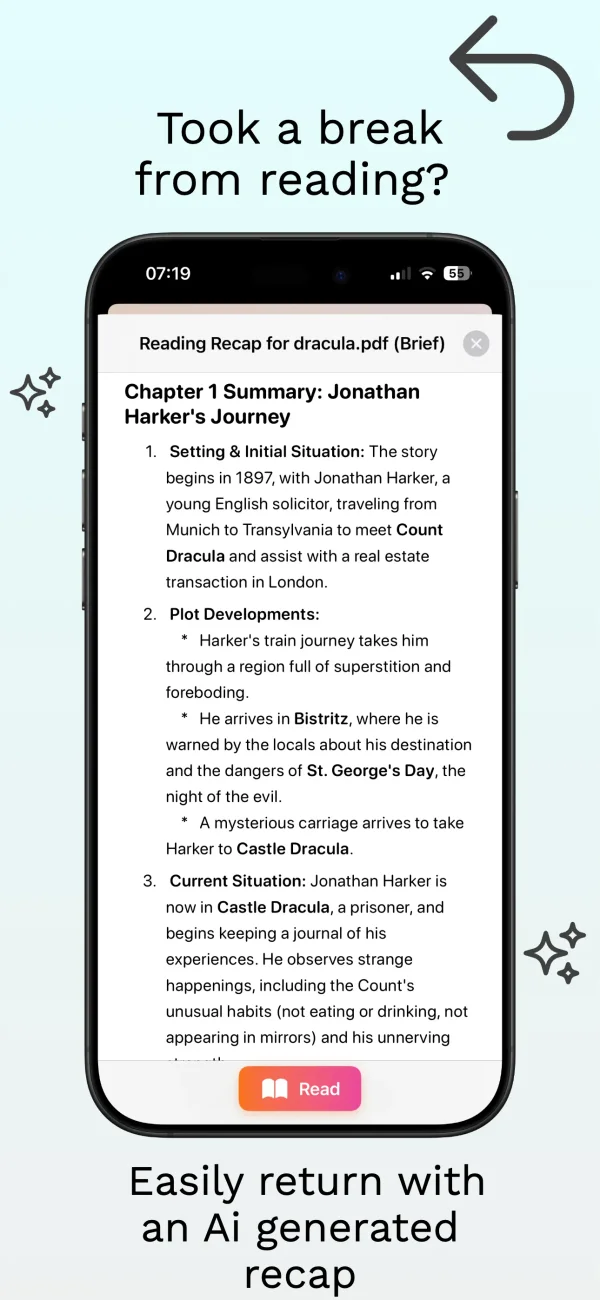
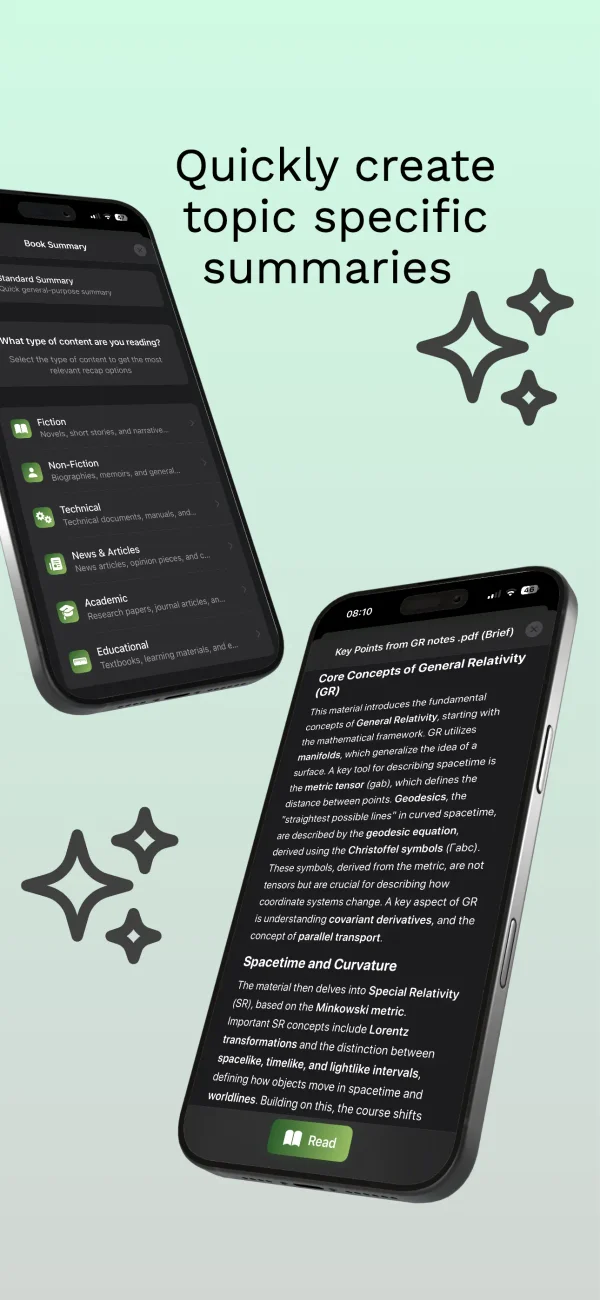
AI Tools – Utilize next-generation AI features to enhance your reading and learning.
• Recaps: Quickly generate specific recaps of your reading. For example, if you’re reading fiction and want a refresher on characters introduced so far, simply tap Recap, then select Fiction and Character Focus.
• Summaries: Create content-specific summaries for quick overviews. For example, after uploading a news article, tap Summarize, select News & Articles and Key Events. Then speed-read the summary or have it read aloud.
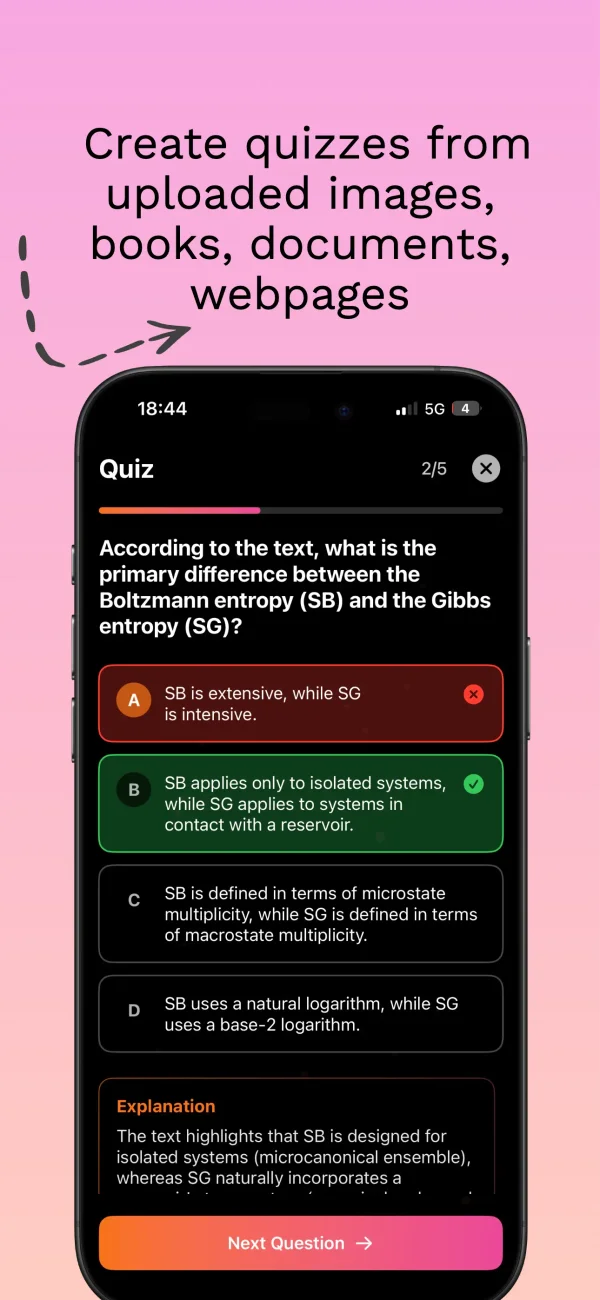
• Quizzes: Create advanced quizzes based on your content. For example, after uploading 30 textbook images to test your knowledge, tap Create Quiz and select either general or high-level questions. Generate and answer multiple-choice questions, save quizzes to retry later, and track your progress.
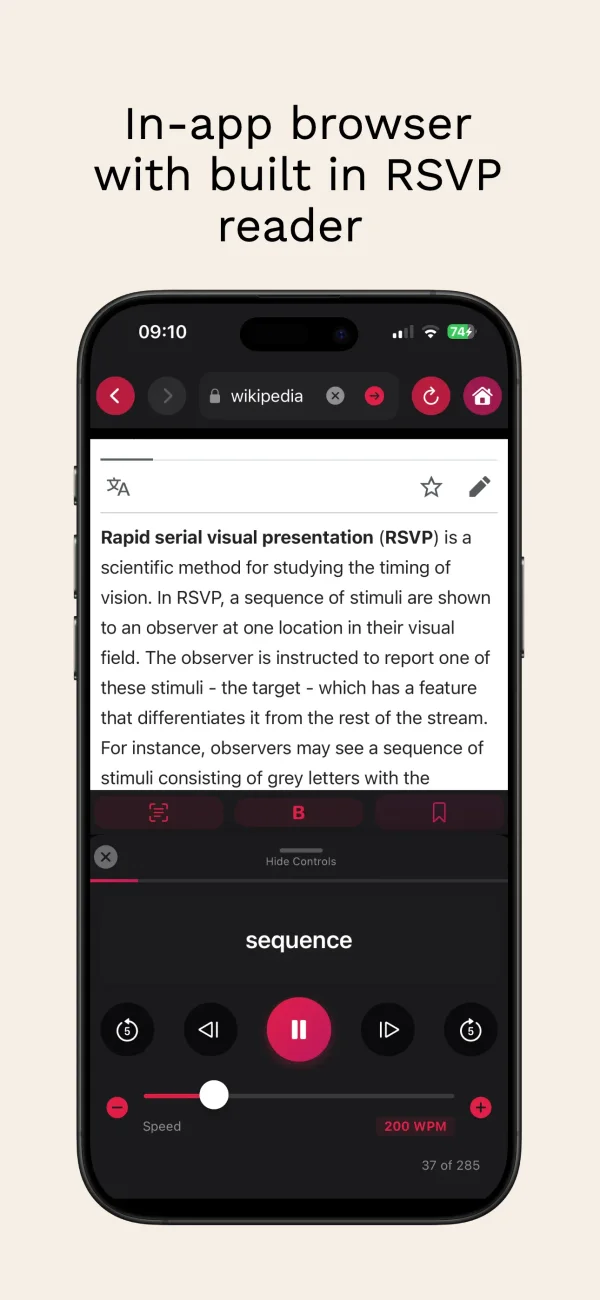
In-app Web Browser – Browse the web within the app using the built-in RSVP reader.
• Tap RSVP in the toolbar, then select any paragraph to begin reading.
• Tap Save to bookmark the webpage to your homepage for quick access later.
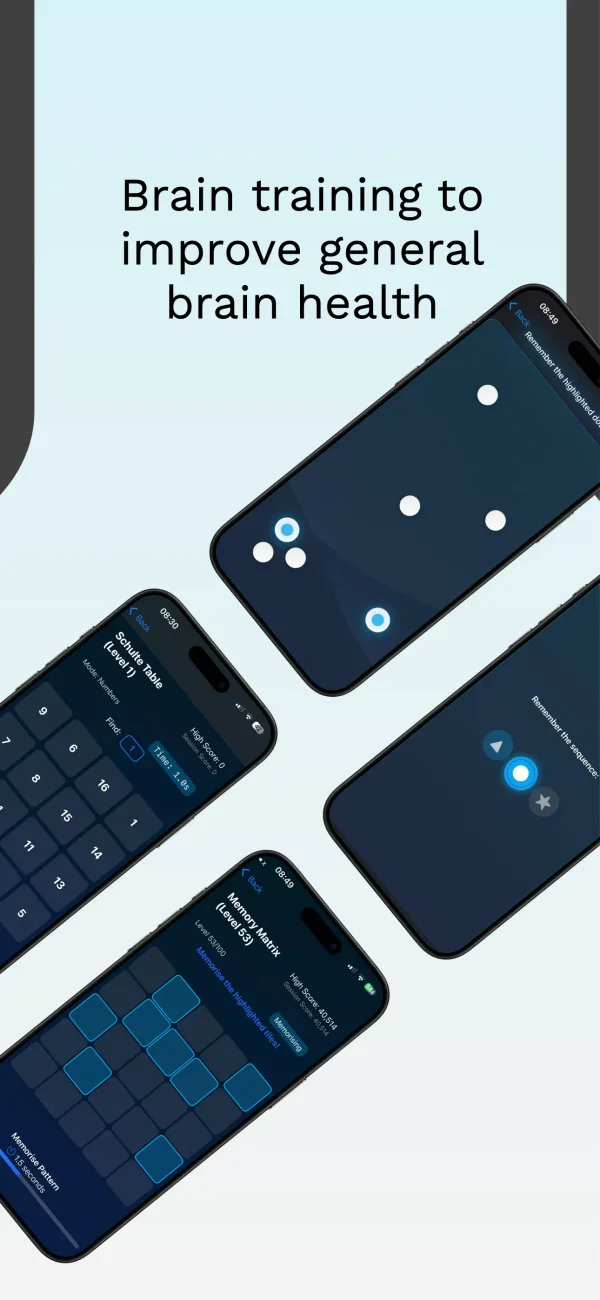
Brain Training – Seven brain-training games designed to improve overall cognitive health:
• Tracker: Improve visual attention by tracking multiple moving objects.
• WordMem: Enhance visual recall and spelling skills.
• Schulte Tables: Develop peripheral vision and visual perception.
• Pattern Recall: Strengthen visual memory.
• Memory Matrix: Boost spatial memory.
• Dual Trace: Sharpen multitasking abilities.
• Math Fall: Increase mental agility.
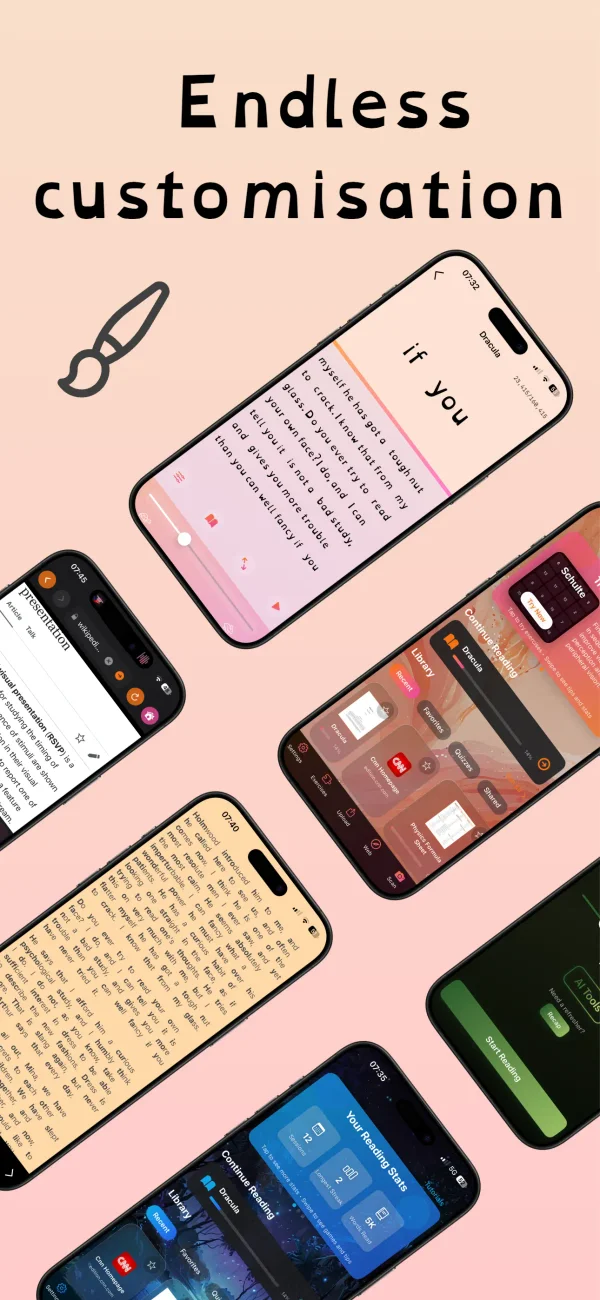
Complete Customization – A beautiful interface designed to suit your preferences.
• Set personalized backgrounds or choose from a variety of beautiful app themes.
• Adjust fonts, size, word spacing, line spacing, and more.
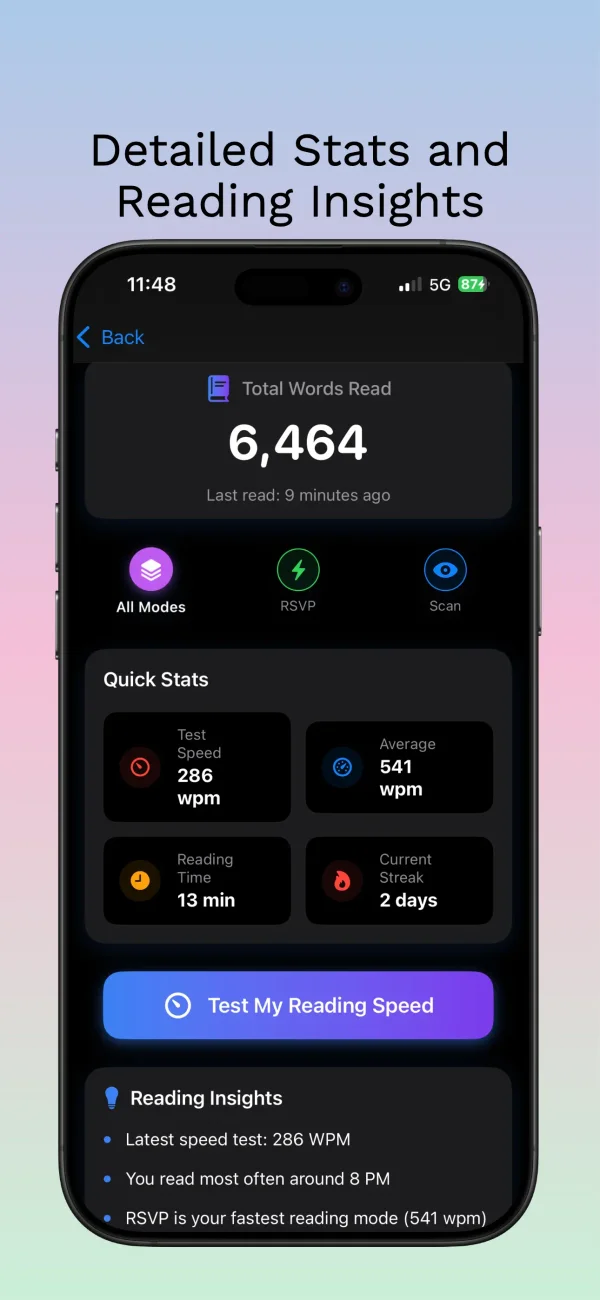
Detailed statistics and reading insights help track your progress.
Nouveautés
Version 1.0.3 · 20/04/2025
Upload 50 images in one go and create a high-level quiz or summary!
bug fixes
Confidentialité de l’application
Ce que ASIM ABBAS SHAH déclare sur l’App Store au sujet du traitement des données par cette application.
-
Données n’établissant aucun lien avec vous
Peuvent être collectées, mais ne sont pas liées à votre identité.
- Achats
- Identifiants
- Données d’utilisation
- Diagnostic
Les pratiques en matière de confidentialité peuvent varier, notamment en fonction des fonctionnalités que vous utilisez ou de votre âge.
Informations
- Vendeur
- ASIM ABBAS SHAH
- Catégorie
- Éducation
- Version
- 1.0.3
- Mis à jour
- 20/04/2025
- Publié
- 18/04/2025
- Taille
- 29,4 Mo
- Nécessite
- iOS 16 ou version ultérieure
- Classification d’âge
- 17+
- Prix
- Gratuit
- Achats intégrés
- Oui
- Langues
- Anglais
- Copyright
- © 2025 Asim Shah
Vous aimerez peut-être aussi
-
 Speed Reading BootcampÉducation
-
 FlowRead: Speed ReadingÉducation
-
 TurboRead - Speed Reading AppÉducation
-
 Speed Reading - RiveÉducation
-
 Speed Reading: SpebleÉducation
-
 PolyLingualVocabulary in Many Languages
-
 Safina : l'islam pour enfantsCoran, histoires, douas, jeux
-
 Sandymount Park ETSSÉducation
-
 Physics for the Leaving CertÉducation
-
 QBytesÉducation