Well Read
Speed reading with Ai tools
Được thiết kế cho iPhone, iPad, iPod touch
Miễn phí · Mua hàng trong ứng dụng
- Độ tuổi17+
- Danh mụcGiáo Dục
- Nhà phát triểnASIM ABBAS SHAH
- Ngôn ngữTiếng Anh
- Kích thước29,4 MB
Liên kết đến trang App Store chính thức
Download.org không lưu trữ tệp nào của Well Read. Nút này mở trang ứng dụng trên App Store, nơi ASIM ABBAS SHAH phát hành ứng dụng. Trang được kiểm tra lần cuối: 18/11/2026.
Ảnh chụp màn hình

Giới thiệu
Nhà phát triển chưa cung cấp nội dung này bằng ngôn ngữ của bạn.
Well Read isn’t just another reader—it’s a reading assistant, learning coach, and brain trainer all in one.
All reading modes are available in the free tier, with unlimited usage and uploads. Well Read offers three powerful reading modes to match your preference and material:
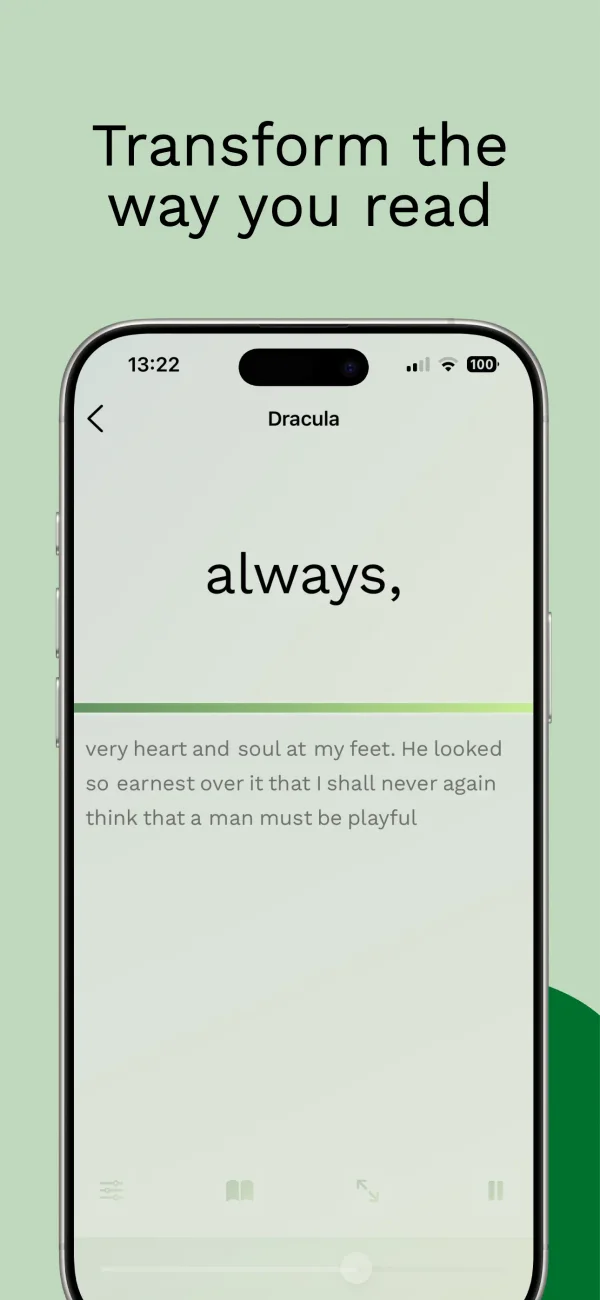
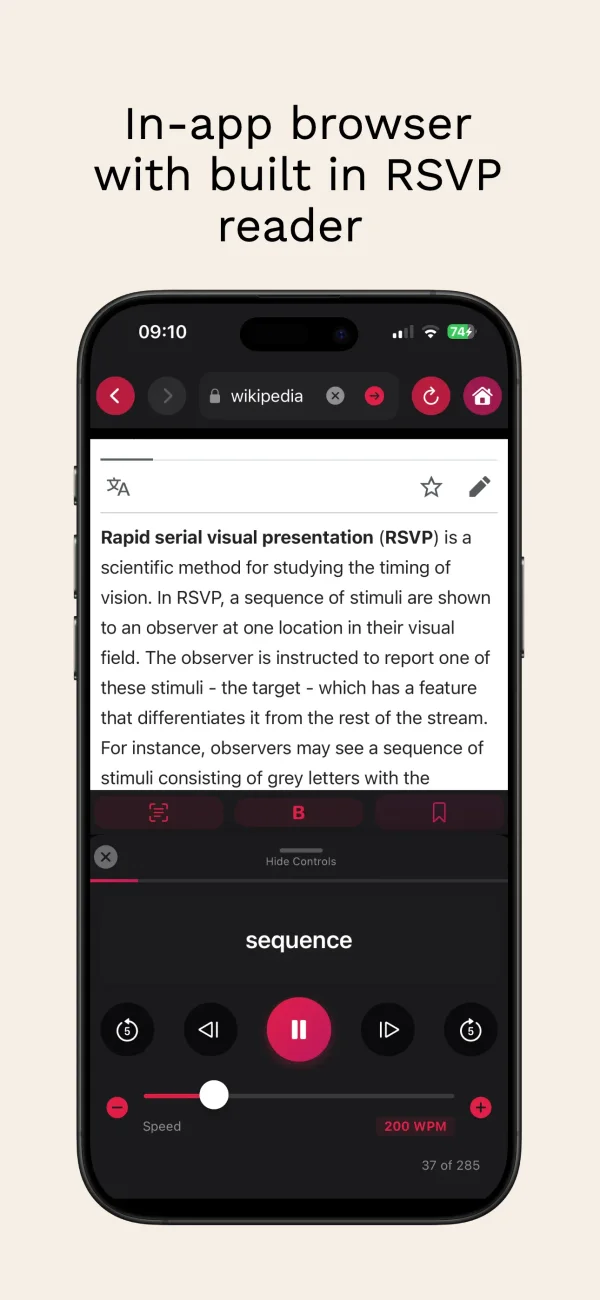
RSVP Mode – Rapidly flashes words with an adjustable speed slider, allowing you to easily double your reading speed. Reading a 10-hour book in just 5 hours is now feasible.
• History View: If you miss a word or want to re-read a sentence, simply look below the flashing word. Alternatively, tap any word to resume reading from that point.
• Context-aware Reading: The app detects dialogue, action, and descriptive passages to automatically adjust speed, improving your reading experience. Easily toggle this feature on or off.
• Smart Reading: Automatically slows down for difficult words and speeds up for common, easy-to-read words. Easily toggle this feature on or off.
• Dyslexia-friendly Fonts: Completely customize your reading experience.
• Scientifically proven to improve reading for individuals with ADD/ADHD.
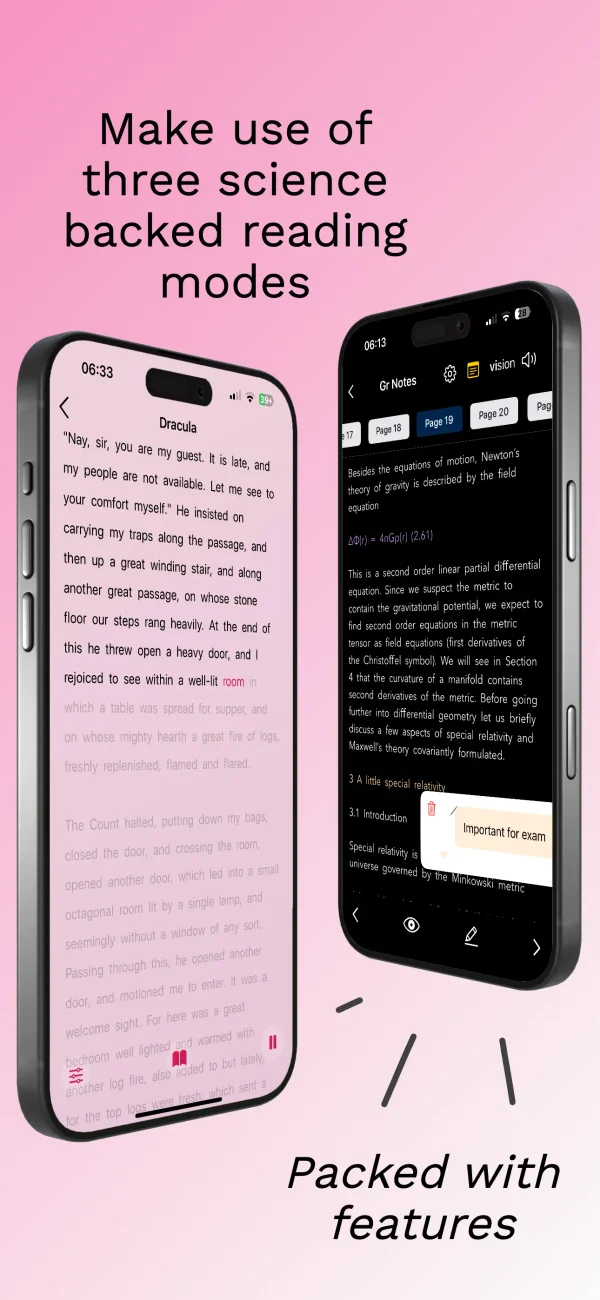
Scan Mode – Guides your eyes through text by highlighting words, removing distractions for a clutter-free reading experience.
• Tap any word to begin reading from that position.
• Easily adjust speed with the speed slider.
• Choose character length to tailor your reading experience.
• Context-aware Reading: The app detects dialogue, action, and descriptive passages to automatically adjust speed, enhancing your experience. Easily toggle this feature on or off.
• Mimics the natural reading patterns of skilled readers.
Normal Mode – Read naturally with advanced features designed to enhance your reading sessions.
• Hi-note Feature: Attach notes directly to highlights. Tap the highlight to view the associated note.
• Text-to-speech: Give your eyes a break and listen to your content instead.
• Vision Enhancement: Emphasize the most important part of each word in bold to improve readability.
• Fully customize fonts, spacing, and colors, and easily switch to other reading modes.
AI Tools – Utilize next-generation AI features to enhance your reading and learning.
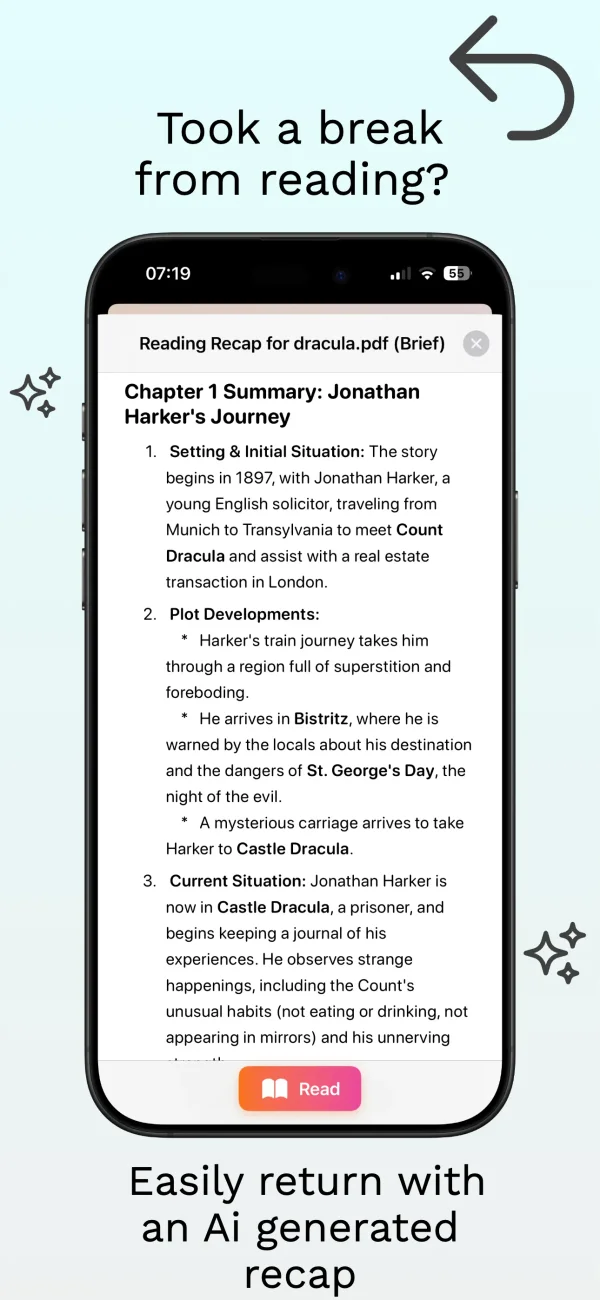
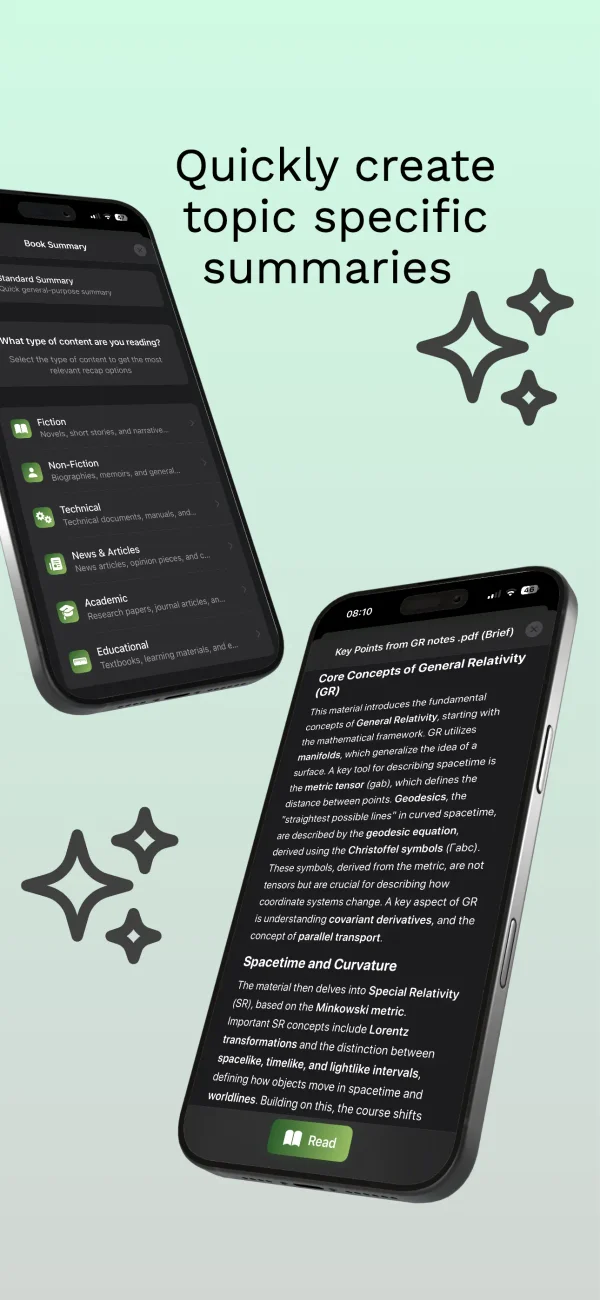
• Recaps: Quickly generate specific recaps of your reading. For example, if you’re reading fiction and want a refresher on characters introduced so far, simply tap Recap, then select Fiction and Character Focus.
• Summaries: Create content-specific summaries for quick overviews. For example, after uploading a news article, tap Summarize, select News & Articles and Key Events. Then speed-read the summary or have it read aloud.
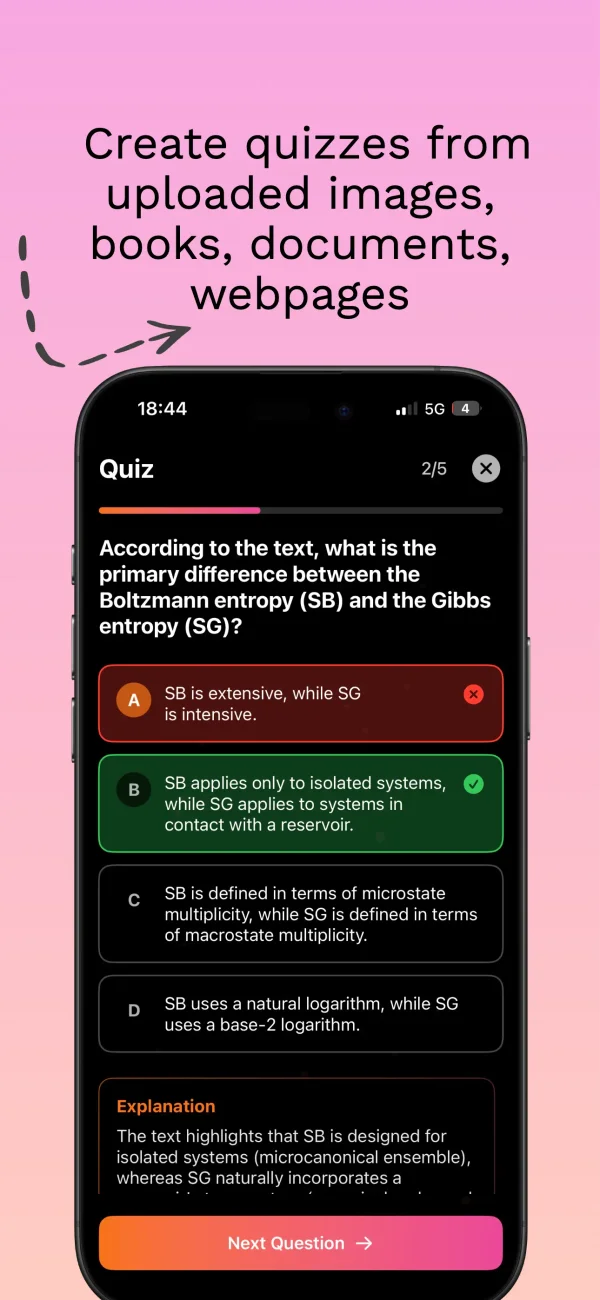
• Quizzes: Create advanced quizzes based on your content. For example, after uploading 30 textbook images to test your knowledge, tap Create Quiz and select either general or high-level questions. Generate and answer multiple-choice questions, save quizzes to retry later, and track your progress.
In-app Web Browser – Browse the web within the app using the built-in RSVP reader.
• Tap RSVP in the toolbar, then select any paragraph to begin reading.
• Tap Save to bookmark the webpage to your homepage for quick access later.
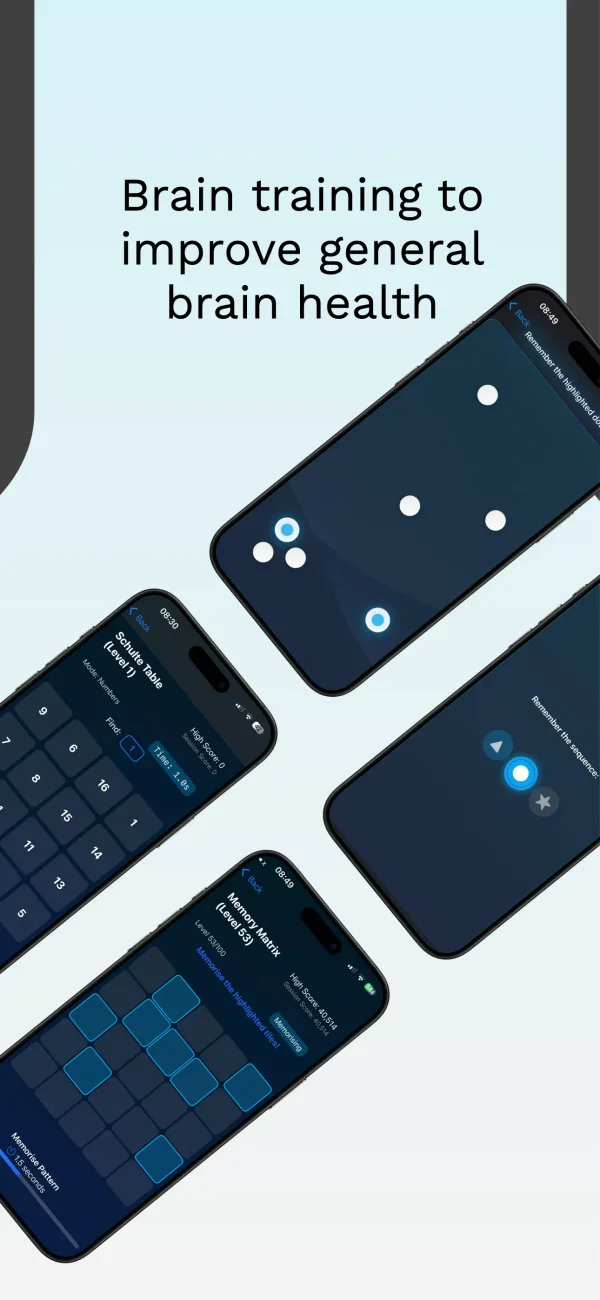
Brain Training – Seven brain-training games designed to improve overall cognitive health:
• Tracker: Improve visual attention by tracking multiple moving objects.
• WordMem: Enhance visual recall and spelling skills.
• Schulte Tables: Develop peripheral vision and visual perception.
• Pattern Recall: Strengthen visual memory.
• Memory Matrix: Boost spatial memory.
• Dual Trace: Sharpen multitasking abilities.
• Math Fall: Increase mental agility.
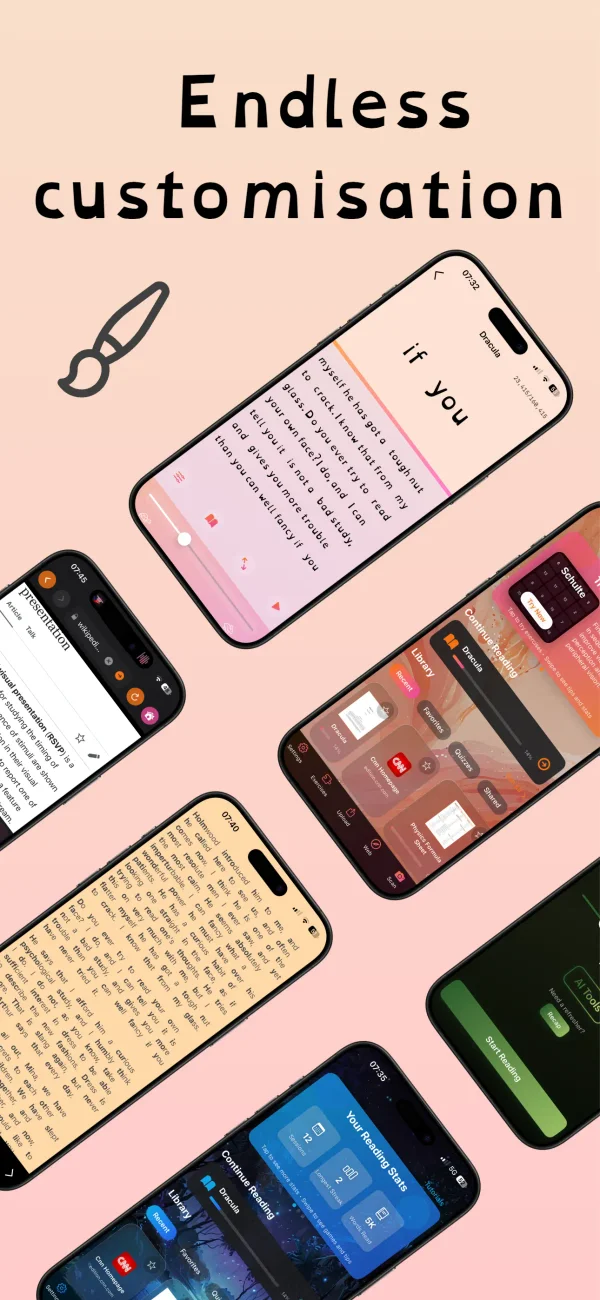
Complete Customization – A beautiful interface designed to suit your preferences.
• Set personalized backgrounds or choose from a variety of beautiful app themes.
• Adjust fonts, size, word spacing, line spacing, and more.
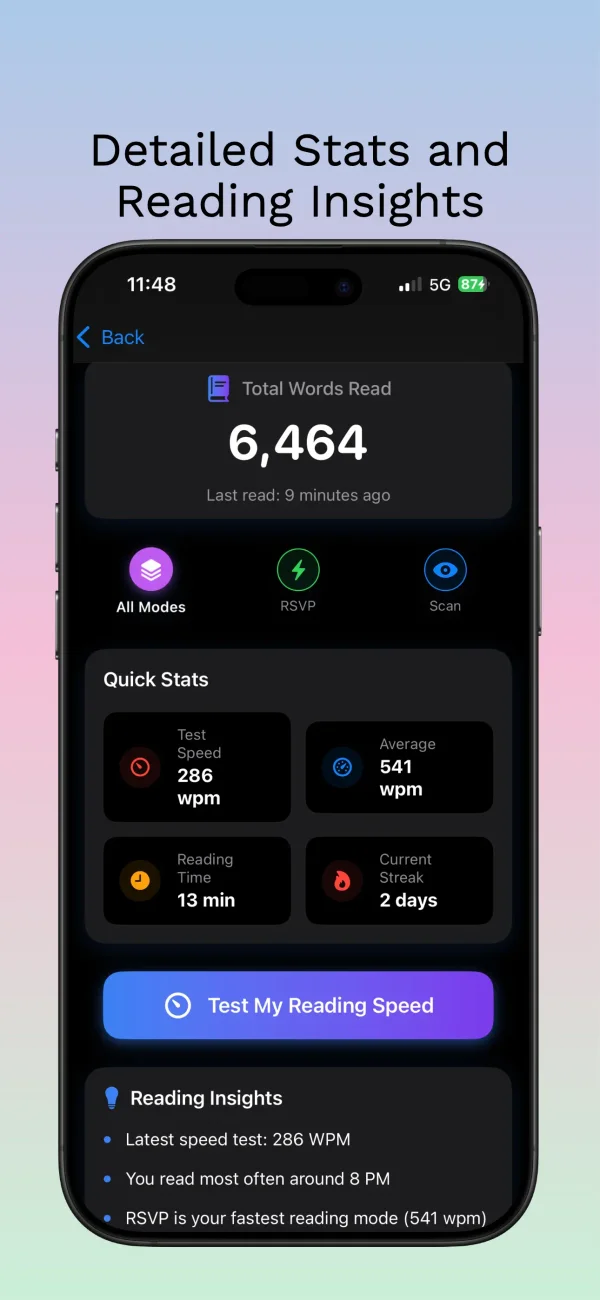
Detailed statistics and reading insights help track your progress.
Có gì mới
Phiên bản 1.0.3 · 20/04/2025
Upload 50 images in one go and create a high-level quiz or summary!
bug fixes
Quyền riêng tư của ứng dụng
Những gì ASIM ABBAS SHAH khai báo trên App Store về cách ứng dụng này xử lý dữ liệu.
-
Dữ liệu không liên kết với bạn
Có thể được thu thập nhưng không liên kết với danh tính của bạn.
- Mục mua
- Mã định danh
- Dữ liệu sử dụng
- Chẩn đoán
Phương thức đảm bảo quyền riêng tư có thể khác nhau, chẳng hạn như tuỳ theo các tính năng bạn sử dụng hoặc độ tuổi của bạn.
Thông tin
- Người bán
- ASIM ABBAS SHAH
- Danh mục
- Giáo Dục
- Phiên bản
- 1.0.3
- Cập nhật
- 20/04/2025
- Phát hành
- 18/04/2025
- Kích thước
- 29,4 MB
- Yêu cầu
- iOS 16 trở lên
- Độ tuổi
- 17+
- Giá
- Miễn phí
- Mua hàng trong ứng dụng
- Có
- Ngôn ngữ
- Tiếng Anh
- Bản quyền
- © 2025 Asim Shah