Wireless Debug
Wireless Debug&Shell Terminal
Conçue pour iPhone
Gratuit · Achats intégrés
- Classification d’âge4+
- CatégorieOutils de développement
- Développeur先练 华
- LanguesAnglais
- Taille23,7 Mo
Renvoie vers la page App Store officielle
Download.org n’héberge aucun fichier de Wireless Debug. Le bouton ouvre la page de l’application sur App Store, où 先练 华 la publie. Fiche vérifiée pour la dernière fois le 12/11/2026.
Captures d’écran
À propos
Le développeur n’a pas fourni ce texte dans votre langue.
A Wi-Fi device management toolkit for power users, developers, testers, and technicians.
Connect to supported devices over your local network and access practical tools for everyday workflows. Browse files, manage installed packages, run shell commands, view device information, inspect logs, and use utilities designed for wireless device control.
Key Features:
• Wi-Fi device connection
Connect to supported devices on the same local network.
• File manager
Browse folders, preview files, transfer files, and manage device storage.
• Package manager
View installed packages, check details, and perform common management actions.
• Shell terminal
Run command-line tasks directly from your iPhone or iPad.
• Device utilities
Access device information, quick actions, logs, screen tools, and performance utilities.
• Mobile workflow
Designed for users who need convenient device tools on iOS.
This is an independent utility and is not affiliated with any platform provider, device manufacturer, or third-party app developer.
Turn your iPhone or iPad into a portable wireless debugging console. Work without cables, without a Mac or PC, and without modifying the handset you’re developing for.
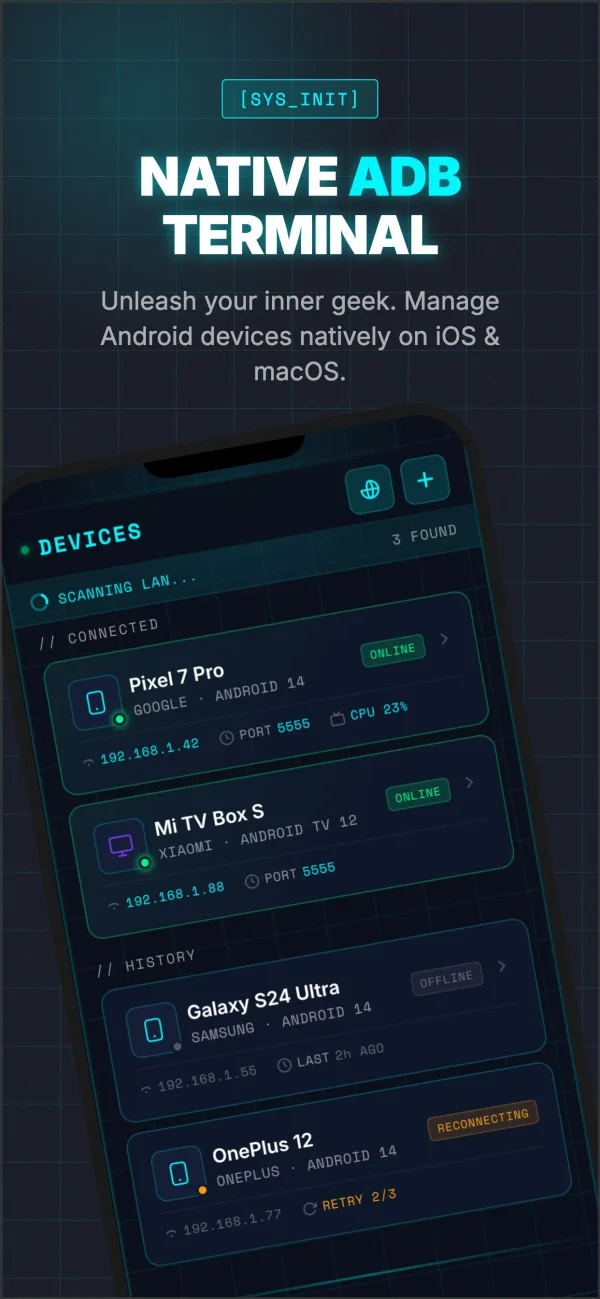
ADBolt is a professional utility for developers, QA, and power users who need full ADB capabilities from an iOS device. On the go—meetings, travel, or field testing—you can pair, manage, and troubleshoot handsets you build and test against over the same Wi‑Fi LAN, using the standard Device Debug Bridge (ADB) protocol.
CORE FEATURES
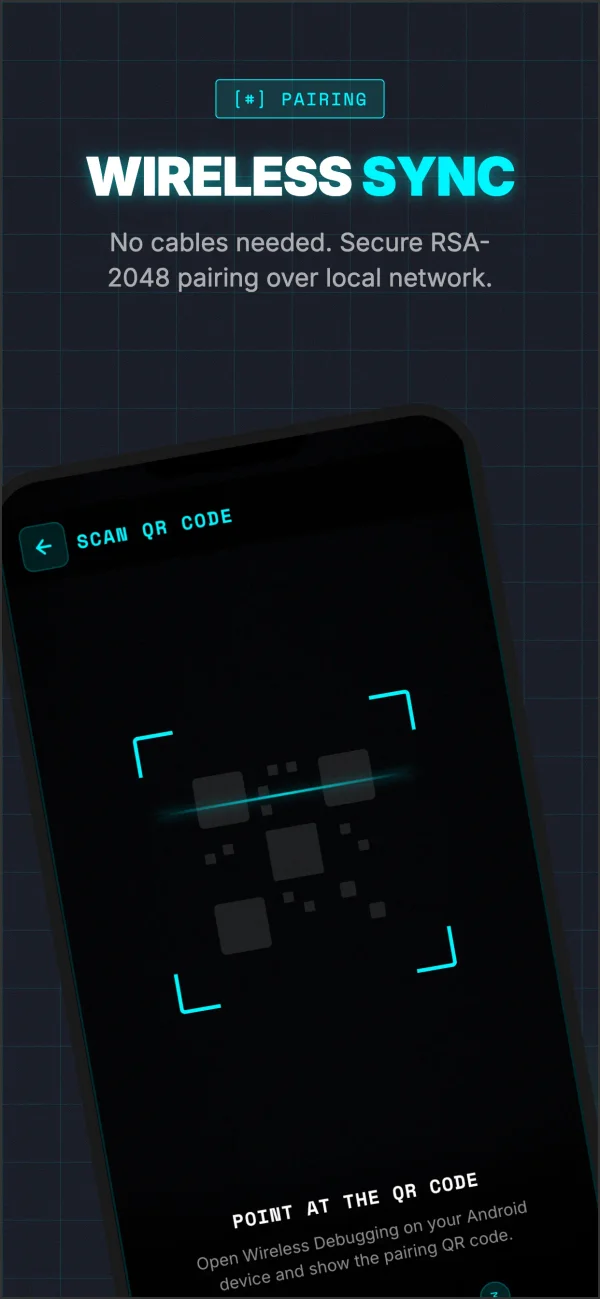
Wireless pairing & connection
• Pair quickly with handsets running OS 11 or later using built‑in QR code pairing.
• Connect manually by IP and port for classic wireless ADB.
• Discover ADB endpoints on your LAN via mDNS.
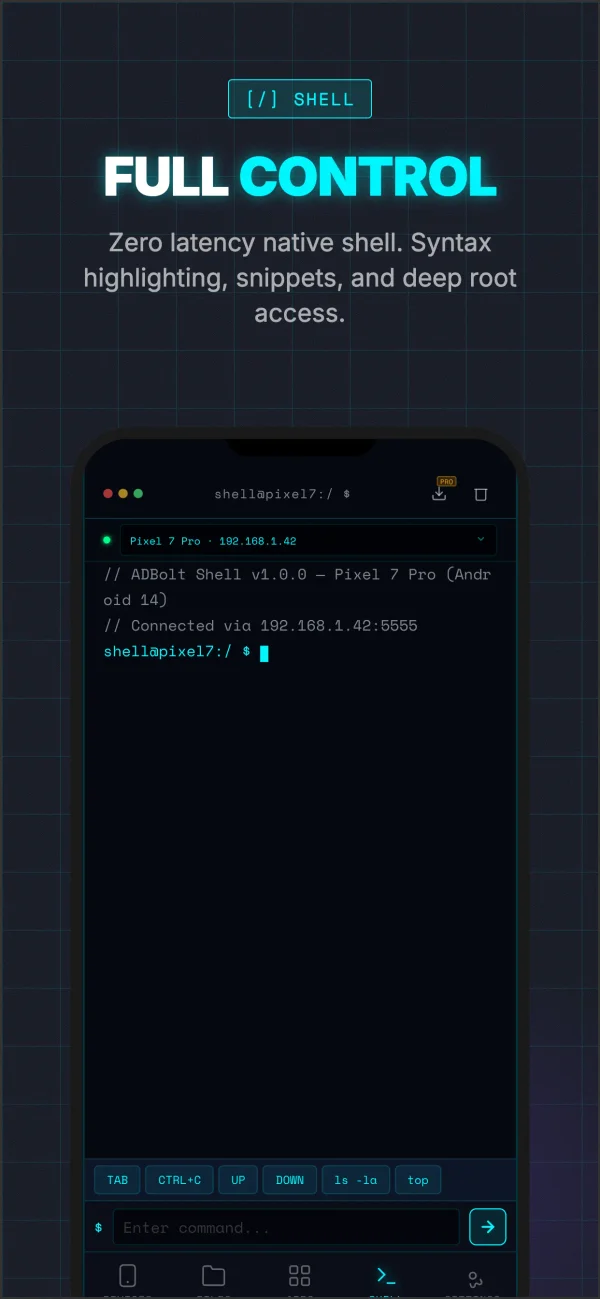
Interactive shell
• Full interactive ADB shell on your iPhone or iPad.
• Run typical device‑side commands with live output.
• History, shortcuts, and snippets for common checks (CPU, memory, network, and more).
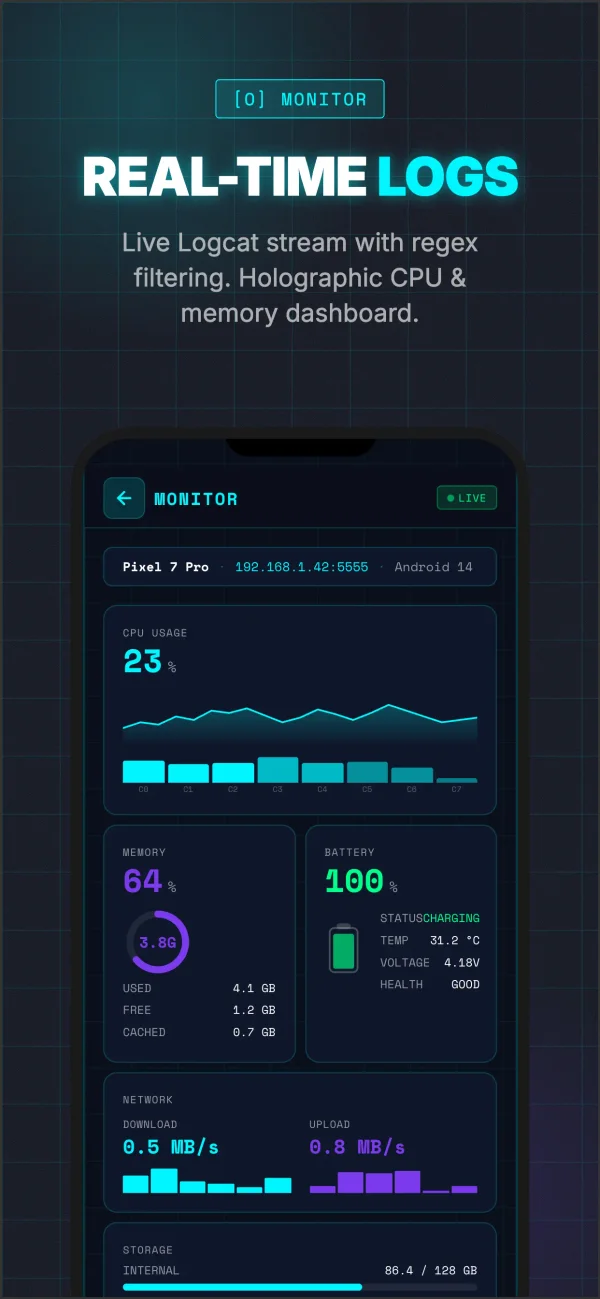
Live log stream
• Stream system logs and crash output in real time.
• Filter by priority (Verbose through Fatal).
• Search by tag or keyword to isolate issues fast.
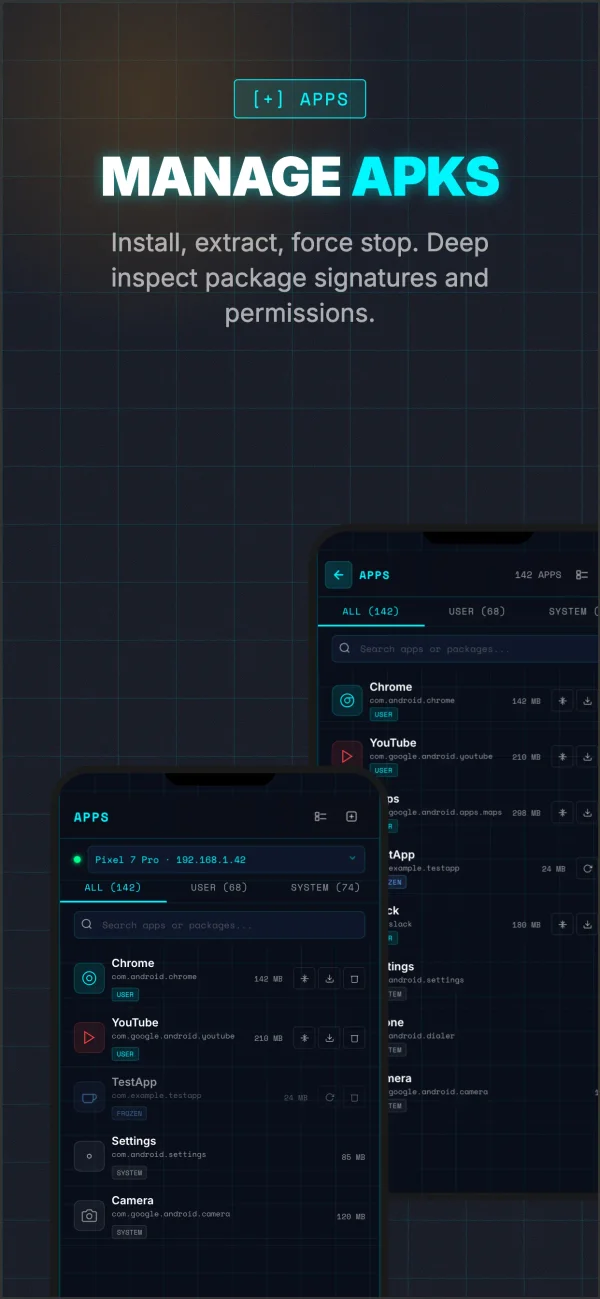
App management
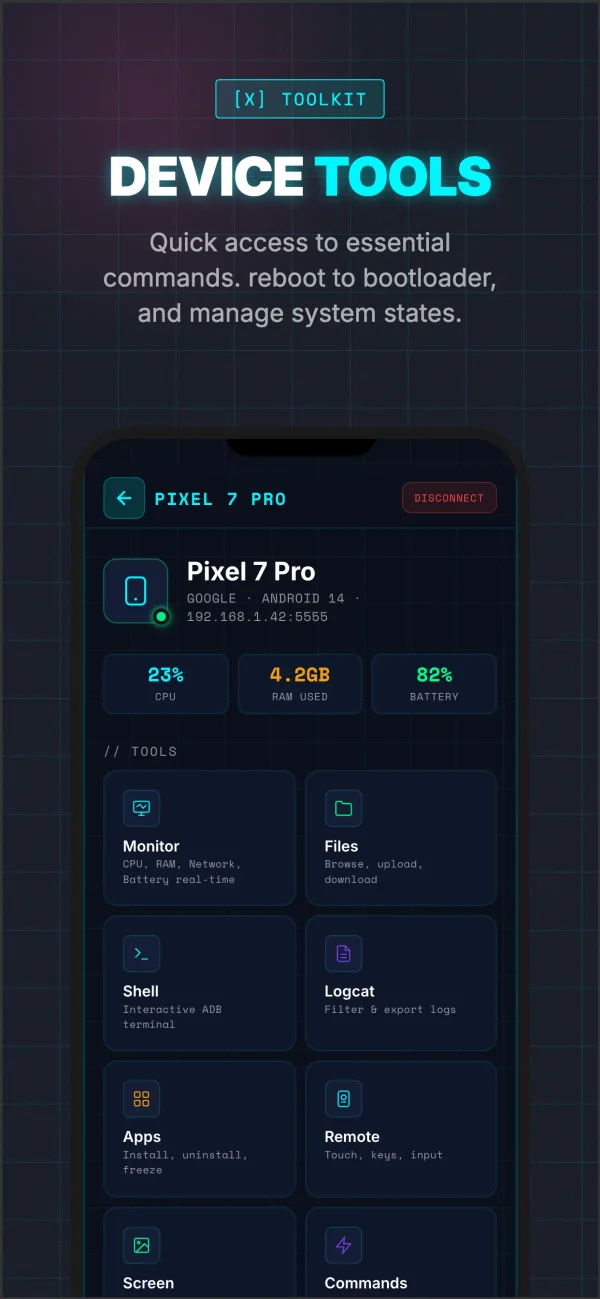
• Browse installed user and system packages with readable names and versions.
• Install APK, XAPK, and APKS from the iOS Files app.
• Uninstall, force stop, or disable packages with minimal friction.
File access
• Browse onboard storage and removable media on the connected handset.
• Push files from iOS to the device, or pull files back to iOS.
• Organize files without a desktop workflow.
Device overview
• At a glance: model, OS version, API level, battery, and storage.
IMPORTANT
• ADBolt is for iPhone and iPad. Both your iOS device and the handset you’re debugging must be on the same Wi‑Fi.
• On the target device, enable Wireless debugging in Developer options.
• QR pairing requires the target handset to run OS 11 or newer.
Take your mobile debugging workflow with you—on iOS. Download ADBolt today.
SUBSCRIPTION
ADBolt offers auto‑renewing subscriptions for Pro features. Payment is charged to your Apple ID at purchase. Subscription renews unless canceled at least 24 hours before the period ends. Renewal may be charged within 24 hours before the current period ends. Manage or cancel in App Store account settings after purchase.
Privacy Policy: https://www.aivoxx.com/privacy.html
Terms of Use (EULA): https://www.aivoxx.com/terms.html
Nouveautés
Version 1.0.3 · 12/06/2026
Bug fixes and experience improvements.
We fixed several issues.
improved app stability.
and polished the overall user experience to make ADBolt smoother and more reliable.
Confidentialité de l’application
Ce que 先练 华 déclare sur l’App Store au sujet du traitement des données par cette application.
-
Données utilisées pour vous suivre
Peuvent être utilisées pour vous suivre sur des applications et des sites web appartenant à d’autres sociétés.
- Identifiants
- Données d’utilisation
-
Données n’établissant aucun lien avec vous
Peuvent être collectées, mais ne sont pas liées à votre identité.
- Achats
- Identifiants
- Données d’utilisation
Les pratiques en matière de confidentialité peuvent varier, notamment en fonction des fonctionnalités que vous utilisez ou de votre âge.
Informations
- Vendeur
- 先练 华
- Catégorie
- Outils de développement
- Version
- 1.0.3
- Mis à jour
- 12/06/2026
- Publié
- 14/04/2026
- Taille
- 23,7 Mo
- Nécessite
- iOS 17.0 ou version ultérieure
- Classification d’âge
- 4+
- Prix
- Gratuit
- Achats intégrés
- Oui
- Langues
- Anglais
- Copyright
- © ADBolt Inc.
Vous aimerez peut-être aussi
-
 HelloAndro: APK & TélécommandeMiroir, transfert, installer
-
 DevMate - Connect & DebugOutils de développement
-
 App Debug AssistantOutils de développement
-
 GX Bluetooth ToolAnalyse et débogage BLE
-
 DroidShellOutils de développement
-
 LogCat Analyzer: Debug ToolkitOutils de développement
-
 39ToolsOutils de développement
-
 HelloBT: Débogueur BluetoothScanner BLE & explorateur GATT
-
 VVTerm: Client SSH natifTerminal SSH, SFTP, Mosh
-
 Bluetooth DeveloperOutils de développement