- 対象年齢4+
- カテゴリ開発ツール
- 開発元先练 华
- 言語英語
- サイズ23.7 MB
App Storeの公式ページにリンクしています
Download.orgはWireless Debugのファイルを一切ホストしていません。ボタンを押すと、先练 华が公開しているApp Storeのアプリページが開きます。ページの最終確認:2026/11/12。
スクリーンショット
概要
開発元はこのテキストをお使いの言語で提供していません。
A Wi-Fi device management toolkit for power users, developers, testers, and technicians.
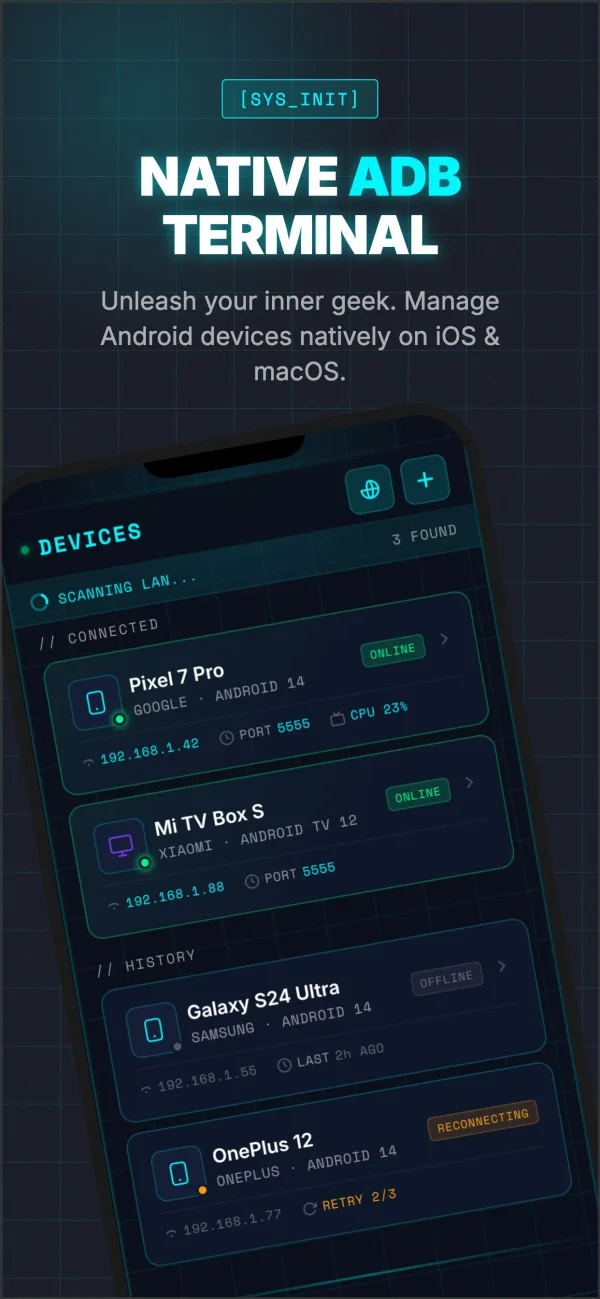
Connect to supported devices over your local network and access practical tools for everyday workflows. Browse files, manage installed packages, run shell commands, view device information, inspect logs, and use utilities designed for wireless device control.
Key Features:
• Wi-Fi device connection
Connect to supported devices on the same local network.
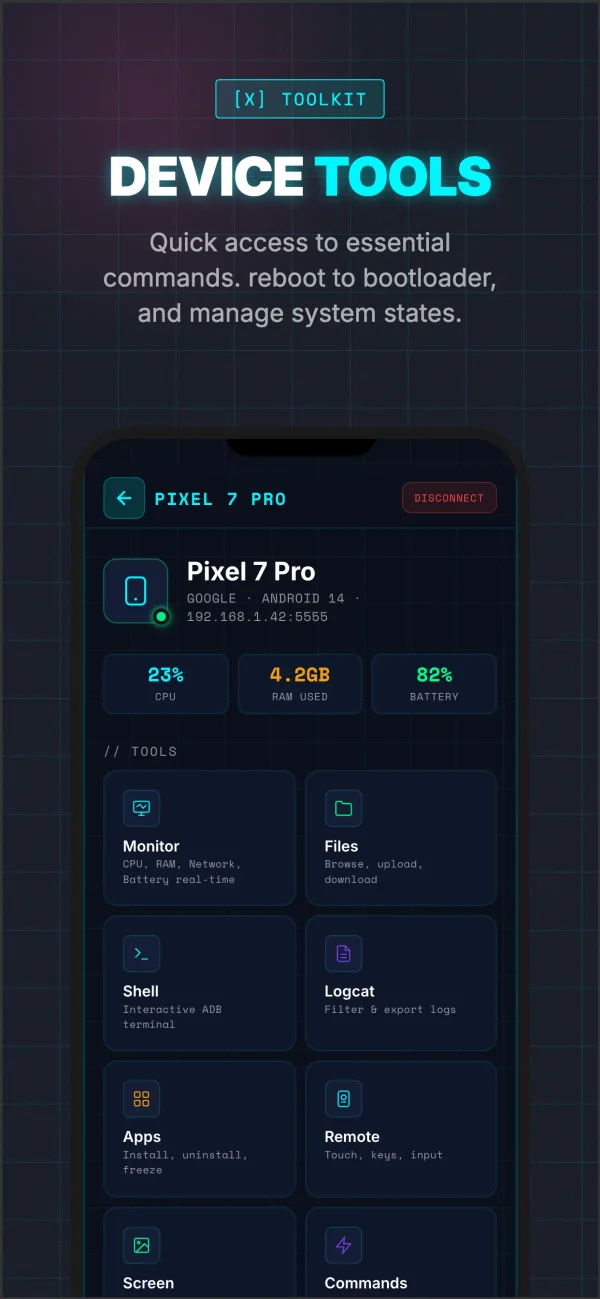
• File manager
Browse folders, preview files, transfer files, and manage device storage.
• Package manager
View installed packages, check details, and perform common management actions.
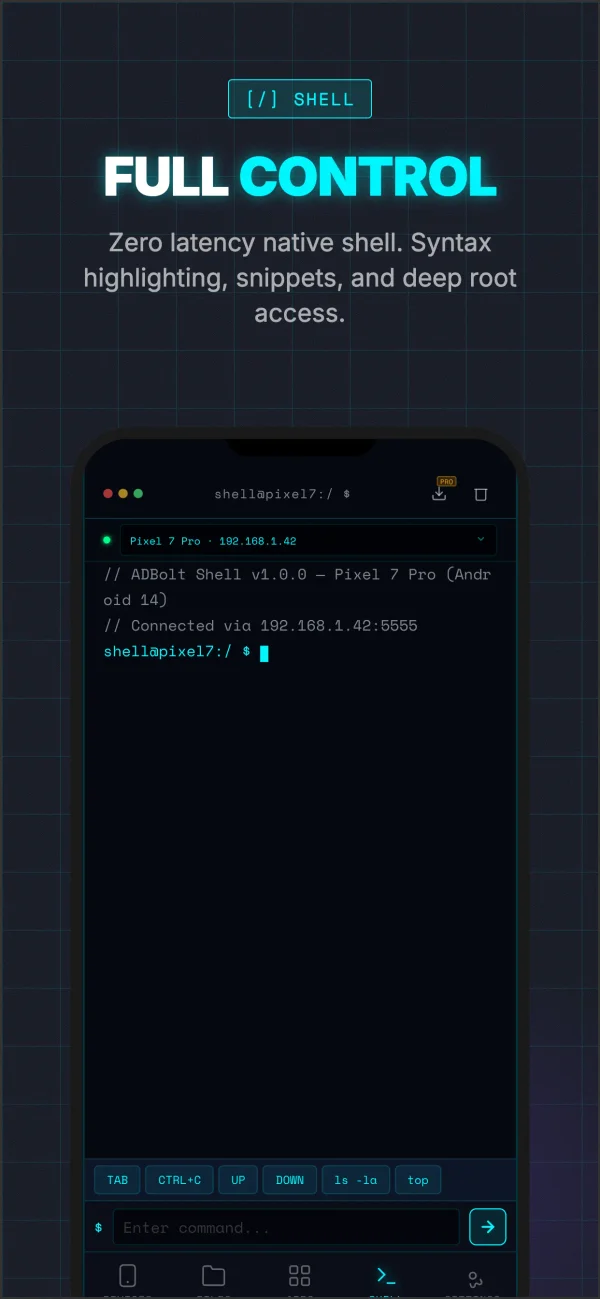
• Shell terminal
Run command-line tasks directly from your iPhone or iPad.
• Device utilities
Access device information, quick actions, logs, screen tools, and performance utilities.
• Mobile workflow
Designed for users who need convenient device tools on iOS.
This is an independent utility and is not affiliated with any platform provider, device manufacturer, or third-party app developer.
Turn your iPhone or iPad into a portable wireless debugging console. Work without cables, without a Mac or PC, and without modifying the handset you’re developing for.
ADBolt is a professional utility for developers, QA, and power users who need full ADB capabilities from an iOS device. On the go—meetings, travel, or field testing—you can pair, manage, and troubleshoot handsets you build and test against over the same Wi‑Fi LAN, using the standard Device Debug Bridge (ADB) protocol.
CORE FEATURES
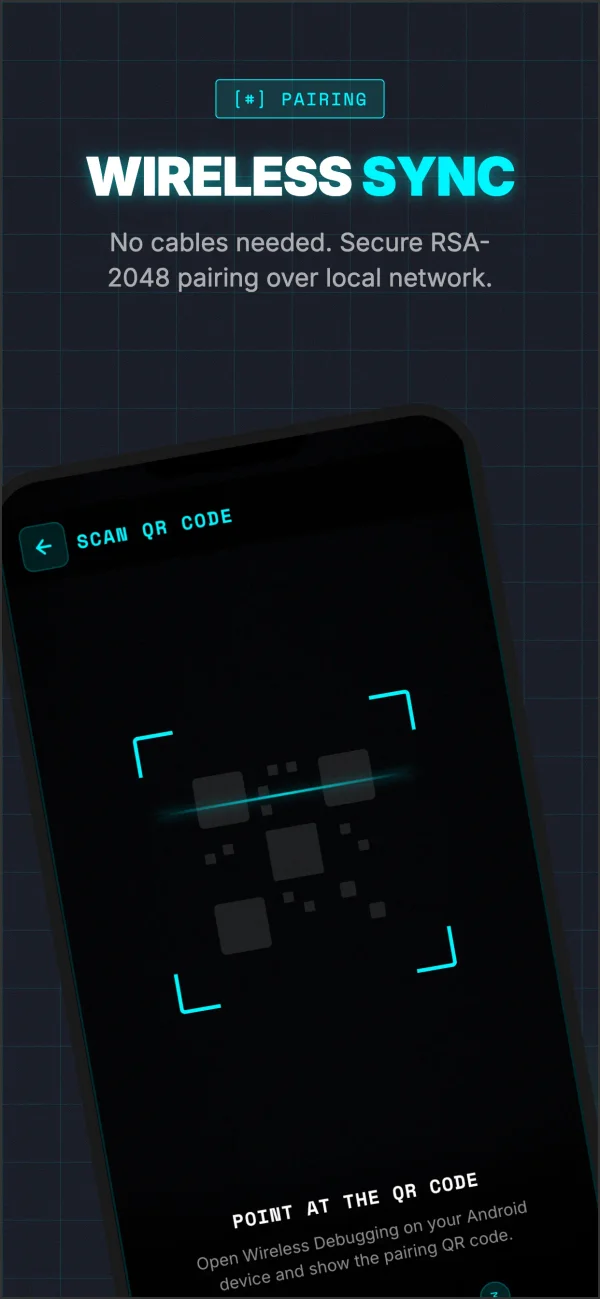
Wireless pairing & connection
• Pair quickly with handsets running OS 11 or later using built‑in QR code pairing.
• Connect manually by IP and port for classic wireless ADB.
• Discover ADB endpoints on your LAN via mDNS.
Interactive shell
• Full interactive ADB shell on your iPhone or iPad.
• Run typical device‑side commands with live output.
• History, shortcuts, and snippets for common checks (CPU, memory, network, and more).
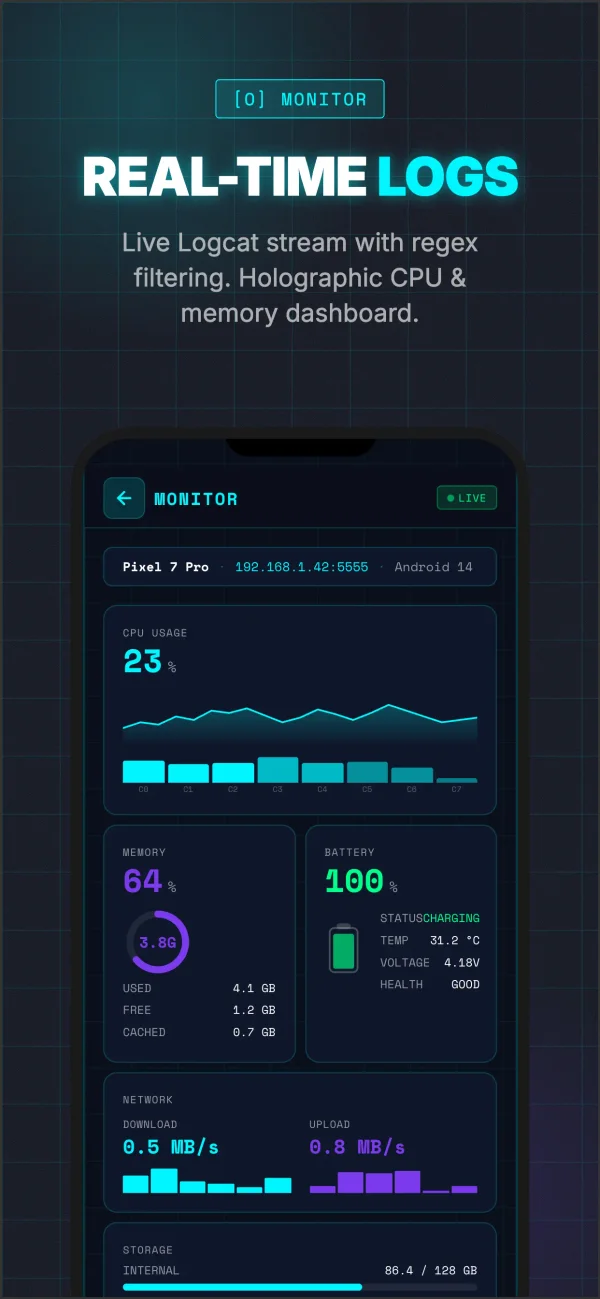
Live log stream
• Stream system logs and crash output in real time.
• Filter by priority (Verbose through Fatal).
• Search by tag or keyword to isolate issues fast.
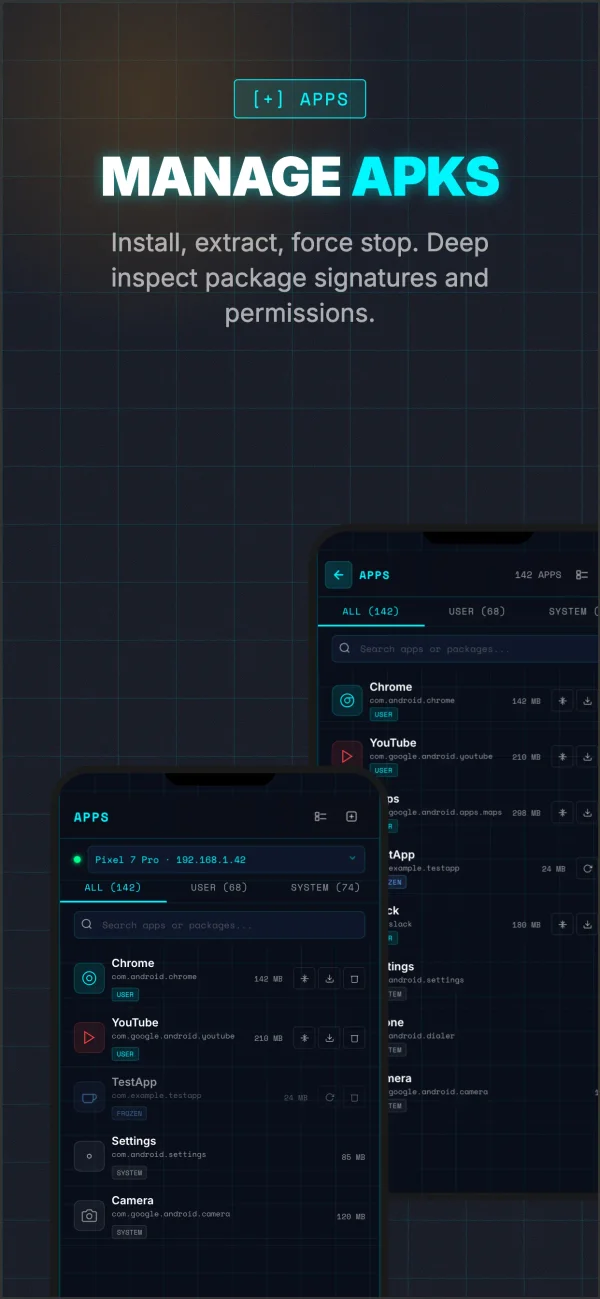
App management
• Browse installed user and system packages with readable names and versions.
• Install APK, XAPK, and APKS from the iOS Files app.
• Uninstall, force stop, or disable packages with minimal friction.
File access
• Browse onboard storage and removable media on the connected handset.
• Push files from iOS to the device, or pull files back to iOS.
• Organize files without a desktop workflow.
Device overview
• At a glance: model, OS version, API level, battery, and storage.
IMPORTANT
• ADBolt is for iPhone and iPad. Both your iOS device and the handset you’re debugging must be on the same Wi‑Fi.
• On the target device, enable Wireless debugging in Developer options.
• QR pairing requires the target handset to run OS 11 or newer.
Take your mobile debugging workflow with you—on iOS. Download ADBolt today.
SUBSCRIPTION
ADBolt offers auto‑renewing subscriptions for Pro features. Payment is charged to your Apple ID at purchase. Subscription renews unless canceled at least 24 hours before the period ends. Renewal may be charged within 24 hours before the current period ends. Manage or cancel in App Store account settings after purchase.
Privacy Policy: https://www.aivoxx.com/privacy.html
Terms of Use (EULA): https://www.aivoxx.com/terms.html
新機能
バージョン 1.0.3 · 2026/6/12
Bug fixes and experience improvements.
We fixed several issues.
improved app stability.
and polished the overall user experience to make ADBolt smoother and more reliable.
アプリのプライバシー
このアプリのデータの取り扱いについて、先练 华がApp Storeで申告している内容です。
-
ユーザーのトラッキングに使用されるデータ
他社のアプリやウェブサイトを横断してユーザーをトラッキングする目的で使用される場合があります。
- ID
- 使用状況データ
-
ユーザーに関連付けられないデータ
収集される場合がありますが、ユーザーの識別情報には関連付けられません。
- 購入
- ID
- 使用状況データ
プライバシーの取り扱いは、ご利用の機能やお客様の年齢などに応じて異なる場合があります。
情報
- 販売元
- 先练 华
- カテゴリ
- 開発ツール
- バージョン
- 1.0.3
- 更新日
- 2026/6/12
- リリース
- 2026/4/14
- サイズ
- 23.7 MB
- 必要条件
- iOS 17.0以降
- 対象年齢
- 4+
- 価格
- 無料
- アプリ内課金
- あり
- 言語
- 英語
- 著作権
- © ADBolt Inc.
こちらもおすすめ
-
 HelloAndro: APK・TVリモコンミラー・転送・インストール
-
 DevMate - Connect & Debug開発ツール
-
 App Debug Assistant開発ツール
-
 GX Bluetooth ToolBLE通信ログ・解析・自動テスト
-
 DroidShell開発ツール
-
 LogCat Analyzer: Debug Toolkit開発ツール
-
 39ToolsSSH MYSQL TCP MQTT BLE
-
 HelloBT: Bluetoothデバッガースキャン・接続・データ読み書き
-
 VVTerm: ネイティブSSHクライアントSSHターミナル、SFTP、Mosh
-
 Bluetooth Developer開発ツール