- Classification d’âge4+
- CatégorieUtilitaires
- DéveloppeurDavid Roux
- LanguesAnglais
- Taille6,9 Mo
Renvoie vers la page App Store officielle
Download.org n’héberge aucun fichier de Yonder: Text Display. Le bouton ouvre la page de l’application sur App Store, où David Roux la publie. Fiche vérifiée pour la dernière fois le 16/11/2026.
Captures d’écran
À propos
Le développeur n’a pas fourni ce texte dans votre langue.
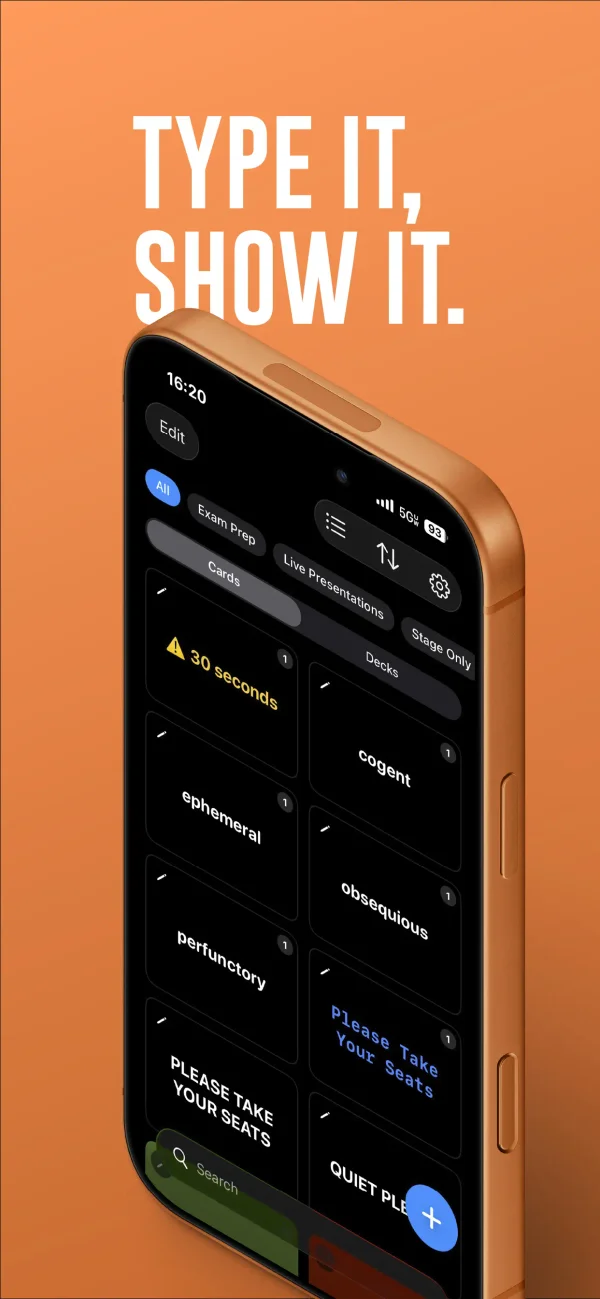
Yonder displays your text in large, bold type across the full screen of your iPhone or iPad — designed to be read clearly from across a room.
Whether you're holding up a sign, running a cue card, or prompting a speaker, Yonder gets your message seen.
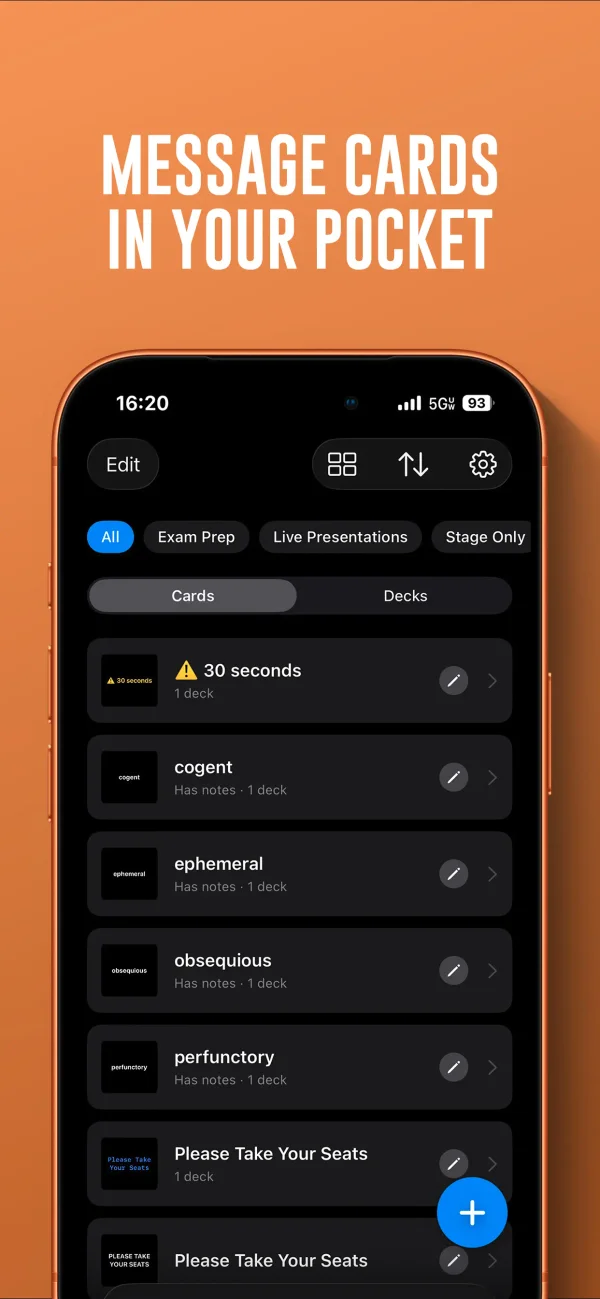
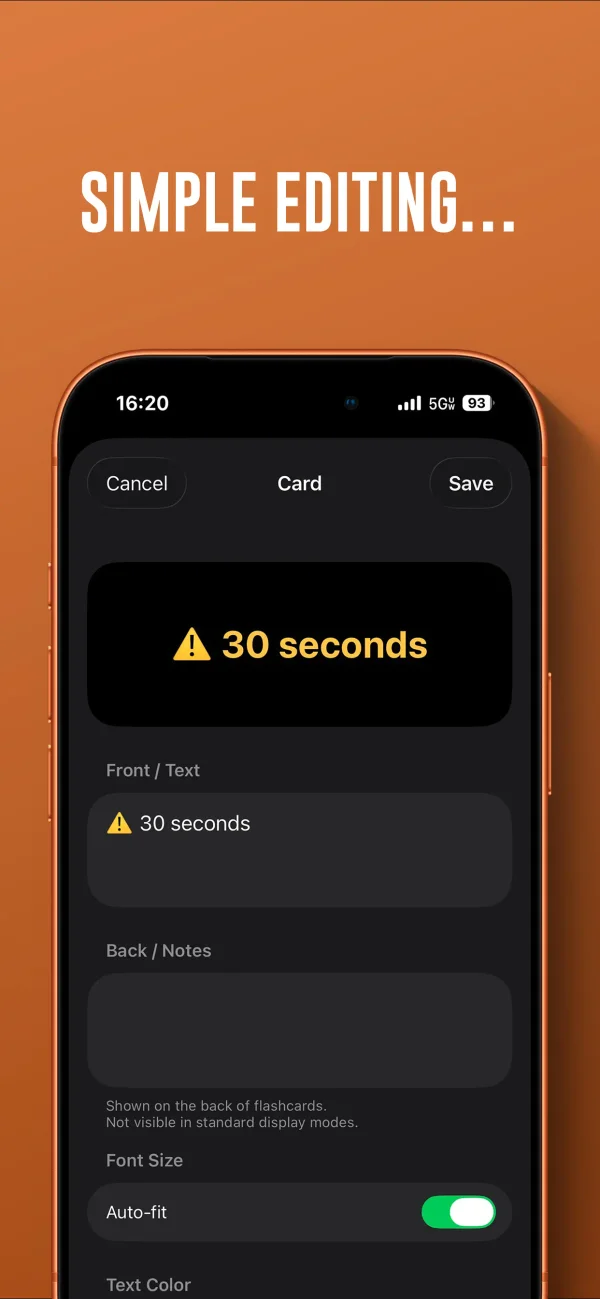
• Cards – Create cards with custom text, colors, fonts and styles. Every card is full screen, high contrast, and built for distance.
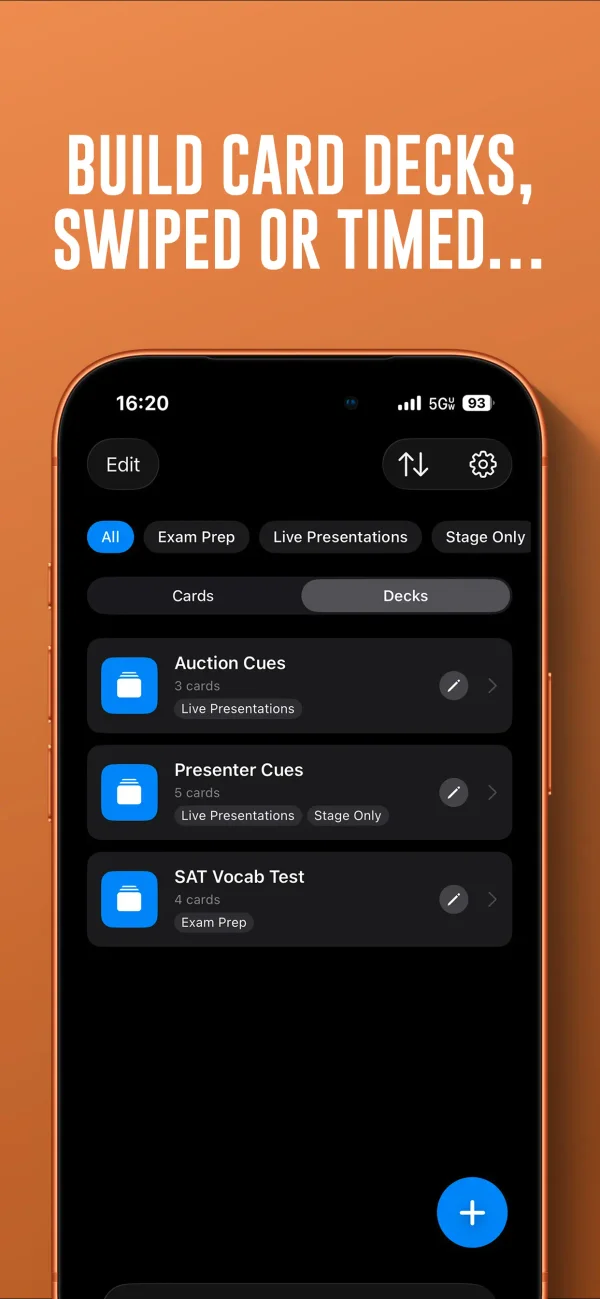
• Decks – Group cards into decks and present them in sequence. Swipe manually, let a timer advance them automatically, or set a time for each card.
• Teleprompter – Scroll mode moves your text smoothly up the screen at the speed you choose.
• Flashcards – Flip cards to reveal presenter notes on the back — ideal for rehearsal, Q&A, or cued responses.
• External Display – Connect to a TV or projector, wired or with AirPlay. Your audience sees the card while your iPhone shows your notes and what's next.
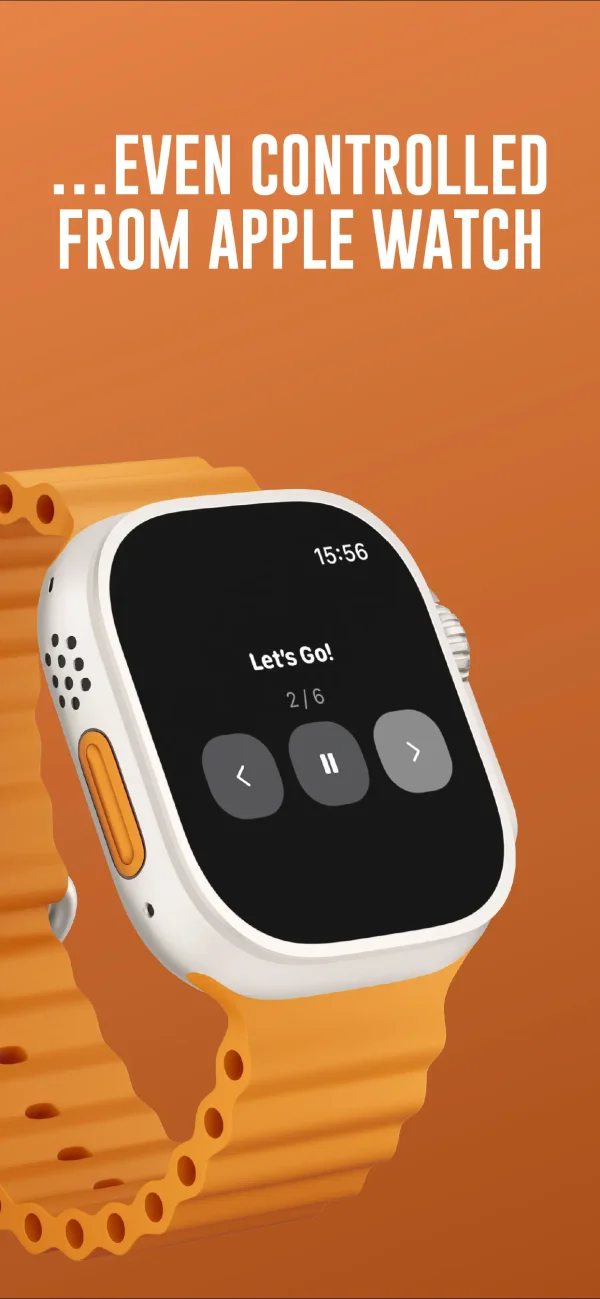
• Apple Watch Remote – Control your deck from your wrist. Advance, go back, pause, and flip from your Apple Watch, with a gentle tap before each timed advance.
• Lock Screen Controls – Pause or skip ahead from the Lock Screen or Dynamic Island while a deck plays.
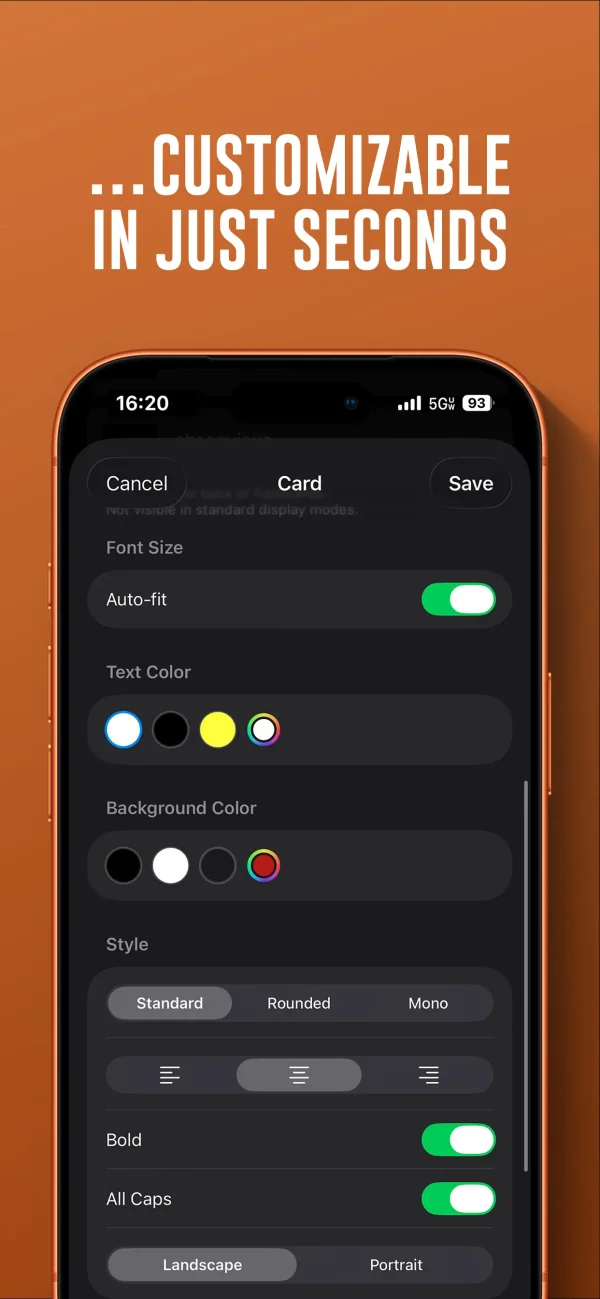
• Customization – Choose your font, color, alignment, and size. Enable all-caps for impact. Save your defaults for instant consistency across every card.
• Import & Share – Turn text or Markdown files into decks, send text from other apps, and share cards and decks with other Yonder users via AirDrop, Messages, or Files.
• Backup – Back up your whole library and restore it any time.
Nouveautés
Version 1.0.1 · 06/10/2026
New
• Scroll mode: a teleprompter-style advance mode with adjustable speed per deck.
• Per-card timer durations that override the deck's interval.
• Live Activity and Dynamic Island during playback, with Pause and Next.
• External display support (wired or AirPlay): the audience sees the card while your phone shows notes and the next card.
• iPad split view: tap a card or deck to see it in a detail column with Edit and Play.
• Import text and Markdown files: paragraphs become cards, and a # Title names the deck.
• Share extension: send text to Yonder from other apps.
• Import preview: see what a .yonder file contains, then Replace Existing or Keep Both.
• Library backup and restore (Settings › Backup).
• Recent colours in the colour picker.
• Apple Watch: Flip for flashcards, a wrist tap 3 seconds before a timed advance, Pause for Scroll decks, and a Smart Stack widget.
• Keyboard and foot-pedal control, Digital Crown, double-tap for Next, and Duplicate with Card Copies.
Improved
• Editors no longer keep unsaved changes when you close without saving.
• Text fitting avoids breaking words mid-line.
• Cards wait for the screen to finish rotating before appearing.
• A recovery screen appears if the library can't be opened, with options to export or reset.
• iPad layout and VoiceOver refinements.
Fixed
• A crash when using Clear All Data.
• Empty or unreadable text files now show an error instead of failing silently.
• Orientation not restoring correctly after playback.
• A Back button appearing over cards opened from search.
Confidentialité de l’application
Ce que David Roux déclare sur l’App Store au sujet du traitement des données par cette application.
-
Données non collectées
Le développeur ne collecte aucune donnée à partir de cette application.
Les pratiques en matière de confidentialité peuvent varier, notamment en fonction des fonctionnalités que vous utilisez ou de votre âge.
Informations
- Vendeur
- David Roux
- Catégorie
- Utilitaires
- Version
- 1.0.1
- Mis à jour
- 06/10/2026
- Publié
- 05/05/2026
- Taille
- 6,9 Mo
- Nécessite
- iOS 18.0 ou version ultérieure
- Classification d’âge
- 4+
- Prix
- Gratuit
- Langues
- Anglais
- Copyright
- © 2026 David Roux. All rights reserved.
Vous aimerez peut-être aussi
-
 StorySheetUtilitaires
-
 Simple Photo Transfer WirelessUtilitaires
-
 PING: Send notificationsUtilitaires
-
 Wavelet Network MonitorUtilitaires
-
 PrintStream: Imprimante & ScanImprimer photos, PDF, docs
-
 Claud BoardUtilitaires
-
 Promptly - TeleprompterUtilitaires
-
 QR ArtUtilitaires
-
 Day-to-day Expenses TrackerMoney Tracker & Budget Manager
-
 Nexora ExplorerUtilitaires