
- Classification d’âge4+
- CatégoriePhoto et vidéo
- DéveloppeurSalvatore Sanfilippo
- LanguesAnglais
- Taille295,2 Mo
Renvoie vers la page App Store officielle
Download.org n’héberge aucun fichier de YouRec. Le bouton ouvre la page de l’application sur App Store, où Salvatore Sanfilippo la publie. Fiche vérifiée pour la dernière fois le 23/11/2026.
Captures d’écran



À propos
Le développeur n’a pas fourni ce texte dans votre langue.
Film a take, pause for a day, and pick up where you left off. YouRec keeps the original recordings together in one project and gives you a multitrack timeline to turn them into a finished movie on iPhone or iPad. On iPad in landscape, the preview and editing tools sit side by side above the timeline.
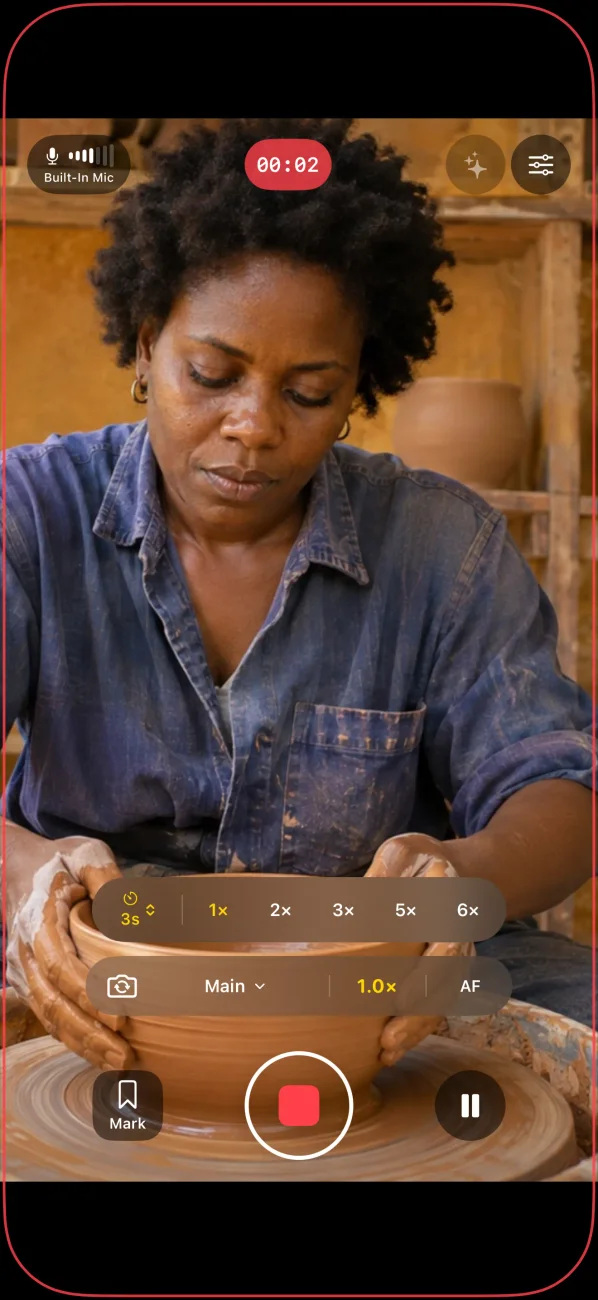
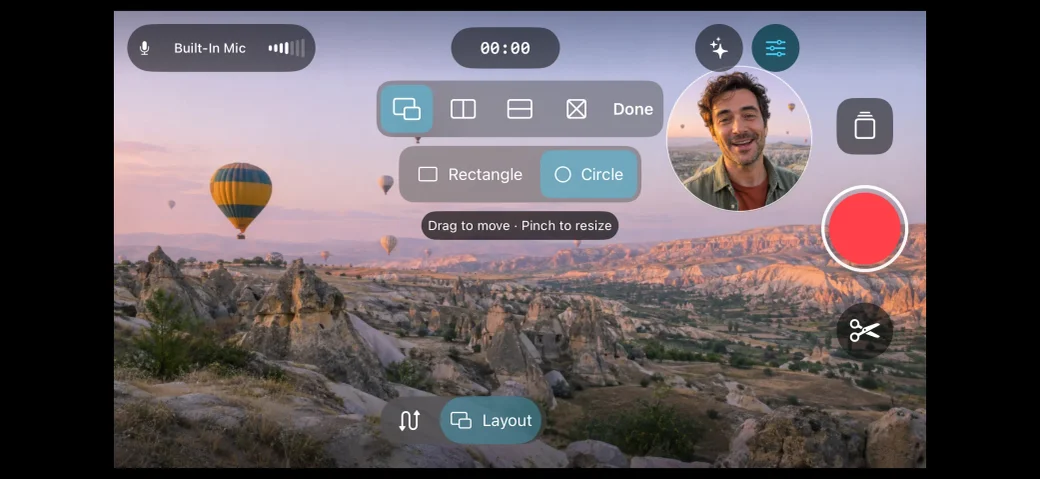
Record both sides of a conversation using two cameras on supported devices. Choose a split screen or a picture-in-picture layout, frame each view, set a smooth zoom, and mark a moment while recording so you can find it later. Choose your microphone, adjust its level, and use manual focus, stabilization or Apple Log where your camera supports them.
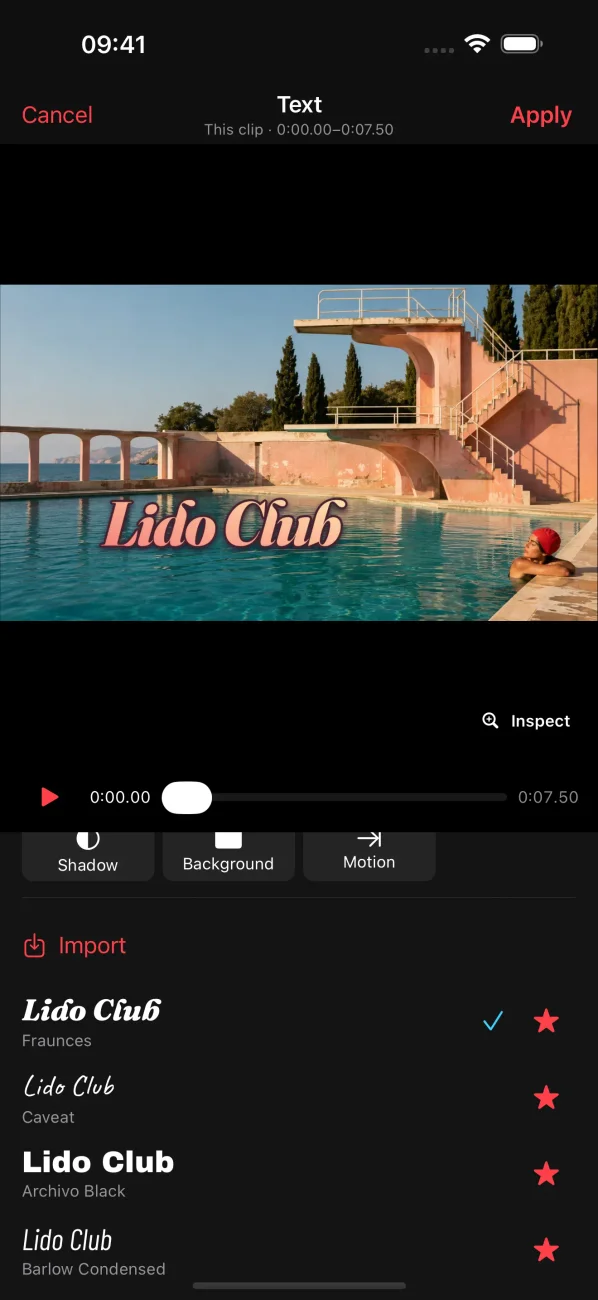
In the editor, trim and rearrange clips, unlink sound from picture, record a voice-over or find pauses in dialogue. Add titles, transitions and color grades, import your own LUTs and fonts, or animate the crop and framing across part of a shot.
Create and edit subtitles on your device with an optional speech model download of about 713 MB. Once downloaded, transcription works offline. Your recordings and transcripts stay on your device unless you choose to share them.
Export your movie to Photos or Files, share a frame as a cover image, or zip the project with its source media and an OpenTimelineIO timeline to continue editing elsewhere.
Nouveautés
Version 1.0.2 · 20/11/2026
• The recording microphone reconnects after a phone call. You can resume recording from the camera screen.
• The front and rear camera switch is easier to tap. The preview keeps its framing more reliably when you rotate your phone or switch cameras.
• Overlapping clips now appear below the main video and its waveform only for the time they overlap. Single-track sections use the full thumbnail height.
• Change the speed of a video or audio clip from 5% to 1000% in Tools → Speed.
• Fixed a crash when previewing transitions on older versions of iOS.
Confidentialité de l’application
Ce que Salvatore Sanfilippo déclare sur l’App Store au sujet du traitement des données par cette application.
-
Données établissant un lien avec vous
Peuvent être collectées et liées à votre identité.
- Emplacement
- Données d’utilisation
- Diagnostic
Les pratiques en matière de confidentialité peuvent varier, notamment en fonction des fonctionnalités que vous utilisez ou de votre âge.
Informations
- Vendeur
- Salvatore Sanfilippo
- Catégorie
- Photo et vidéo
- Version
- 1.0.2
- Mis à jour
- 20/11/2026
- Publié
- 13/11/2026
- Taille
- 295,2 Mo
- Nécessite
- iOS 17.0 ou version ultérieure
- Classification d’âge
- 4+
- Prix
- Gratuit
- Langues
- Anglais
- Copyright
- © 2026 Salvatore Sanfilippo
Vous aimerez peut-être aussi
-
 E-Log - Log Camera & LUTsPhoto et vidéo
-
 Holo - Spatial Video ConverterPhoto et vidéo
-
 SnapVault: Sauvegarde photo S3Stockage cloud de vos vidéos
-
 Ghost EditorTeleprompter & captions auto
-
 Phosphene RemotePhoto et vidéo
-
 Remove BG & Background EraserEffaceur de Fond Photo & Gomme
-
 PhotoLens: Astro Photo EditorPhoto et vidéo
-
 Supprimer Photos en DoubleNettoyer Photos en Double
-
 CertyclickPhoto et vidéo
-
 Sticker Plus - Studio MakerPhoto et vidéo