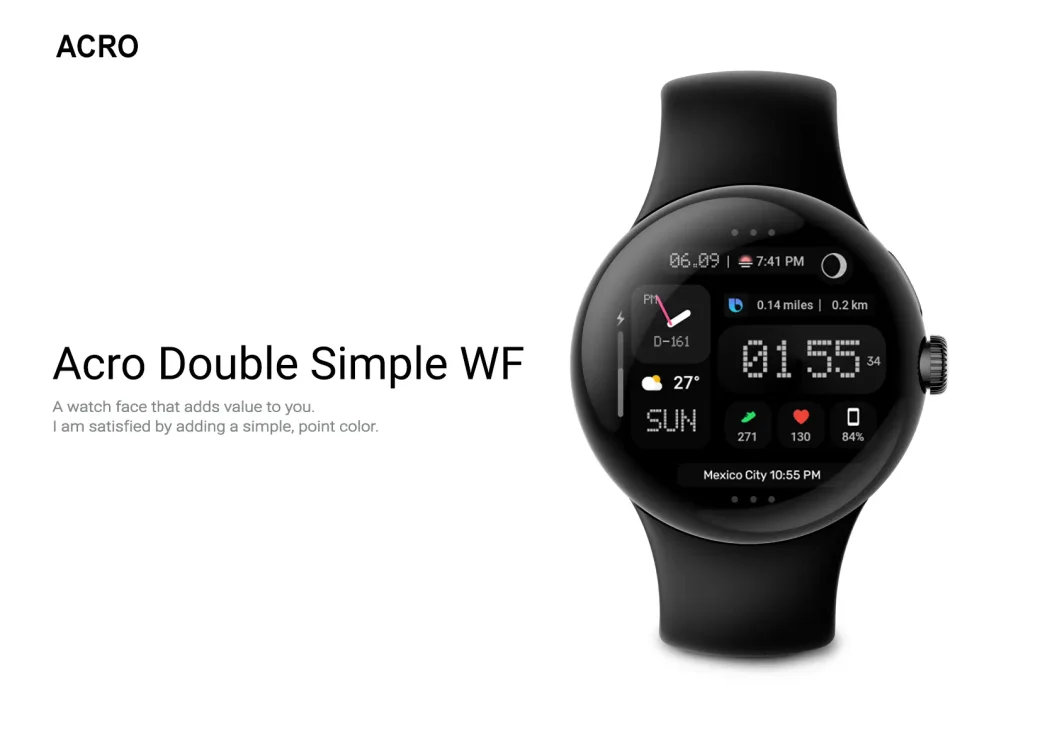
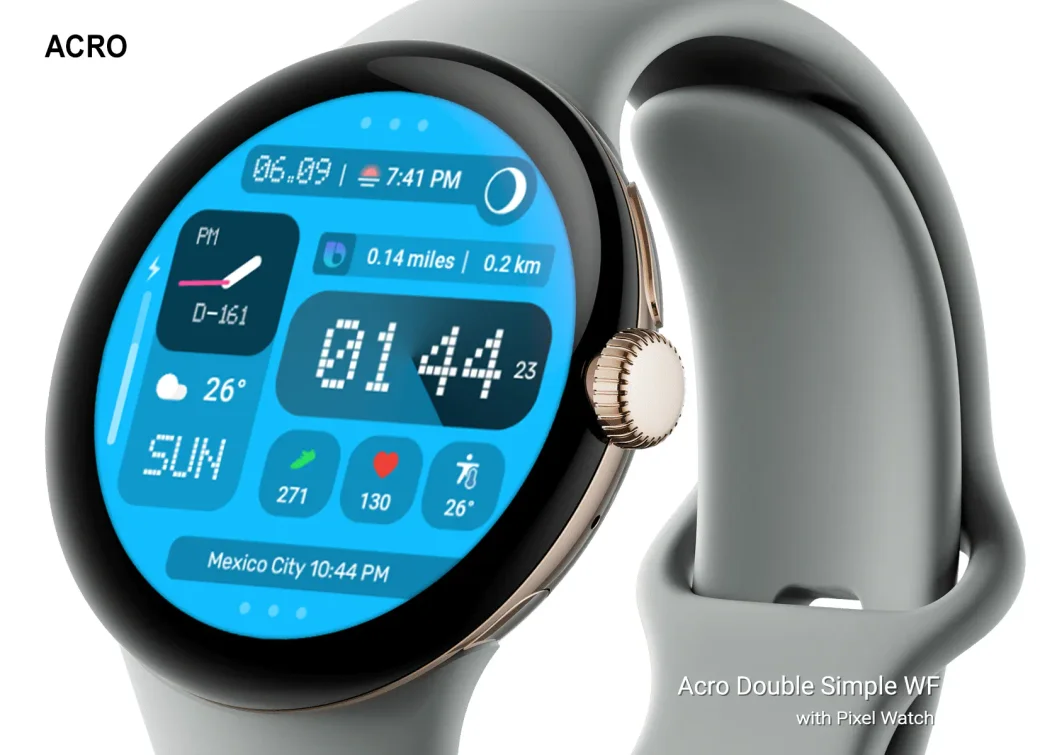
ACRO Double Simple Watchface
ACROWatch- Rating 3+Batasan usia
- PersonalisasiKategori
- 14/10/2026Diperbarui
- Rp 18.000Harga
Tertaut ke halaman resmi com.watchfacestudio.acro_double_simple_watch di Google Play. Terakhir diperiksa pada 14/11/2026.
Tangkapan layar



Tentang aplikasi ini
Terjemahan otomatis oleh Google. Bahasa asli: Inggris (Amerika Serikat).
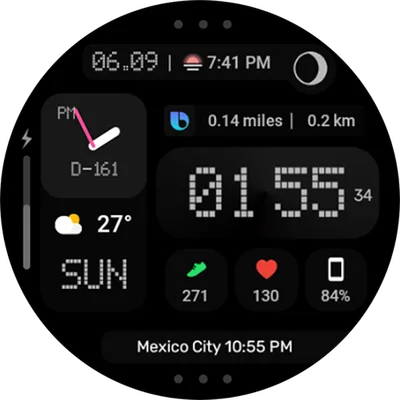
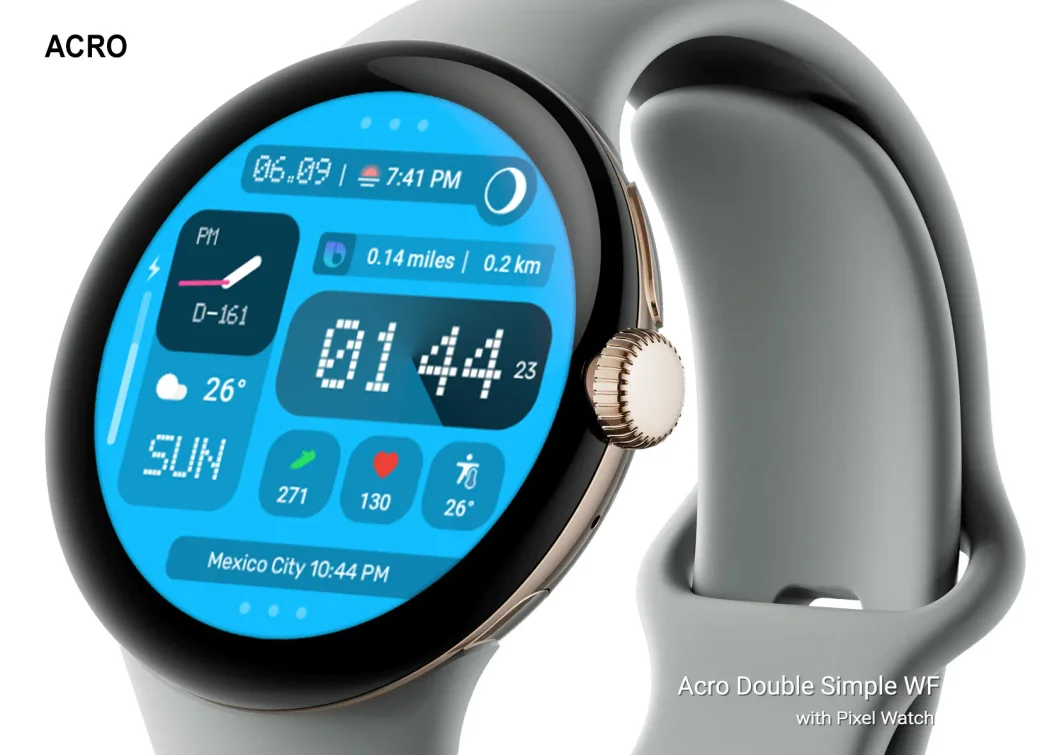
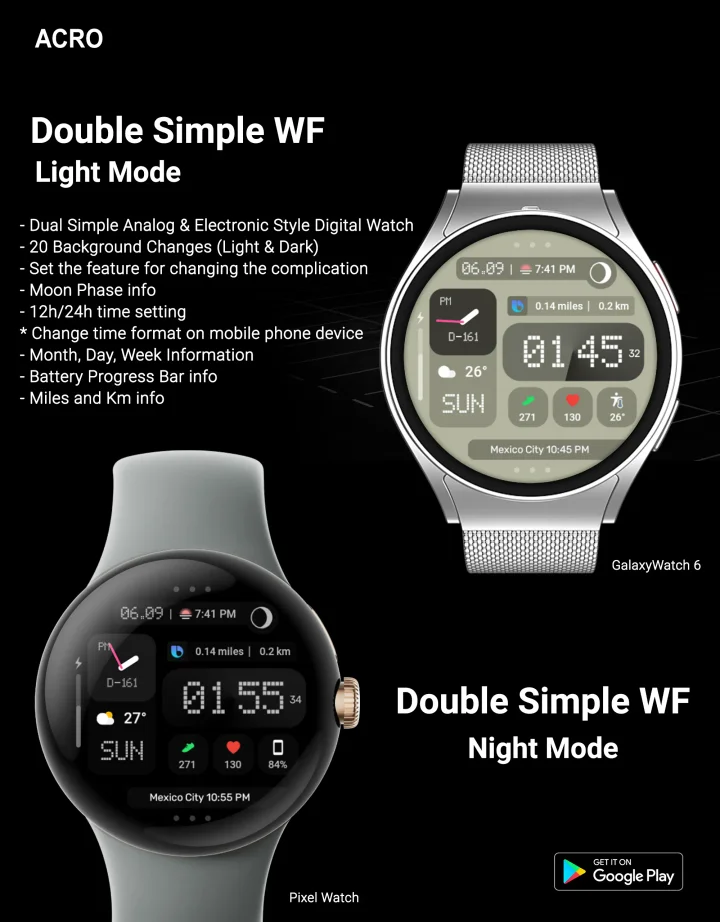
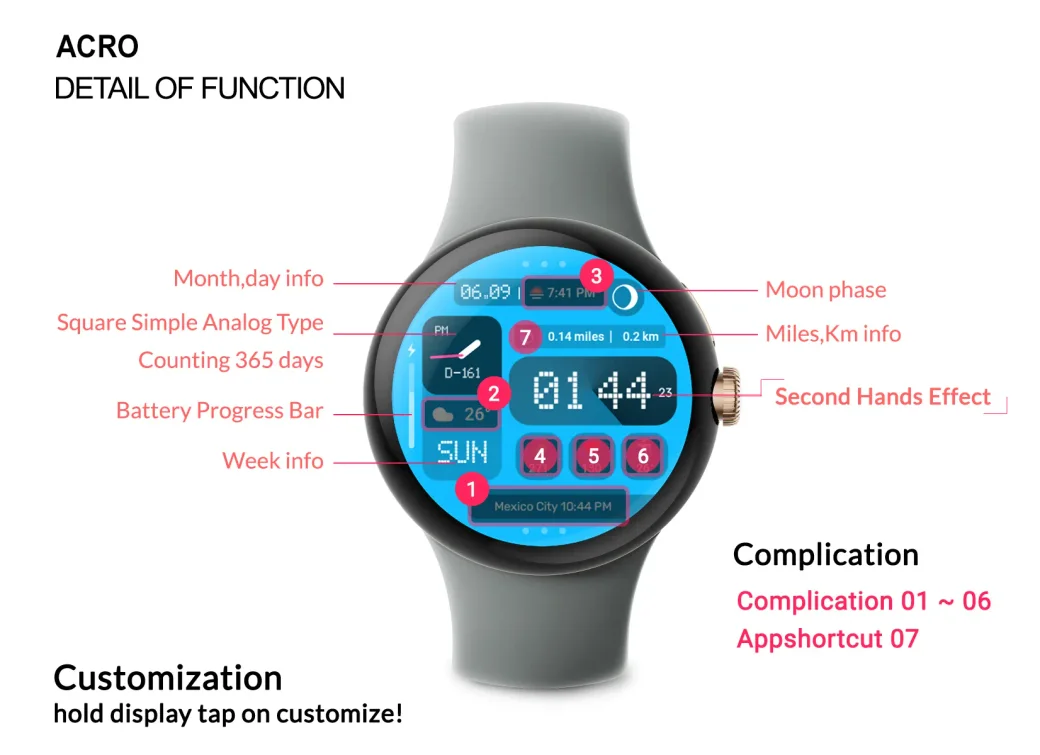
Tampilan jam digital sederhana
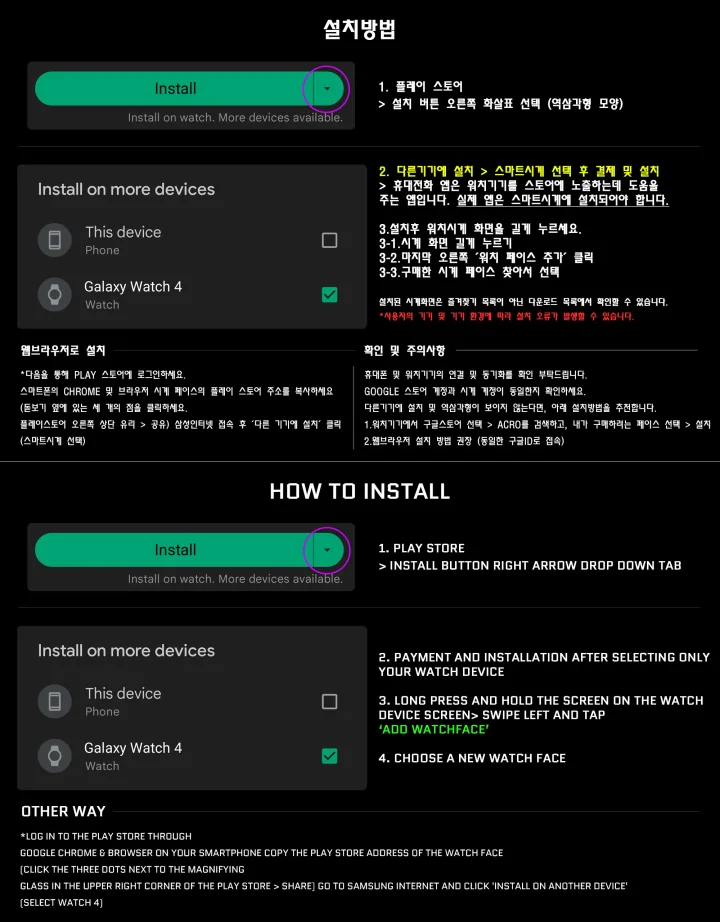
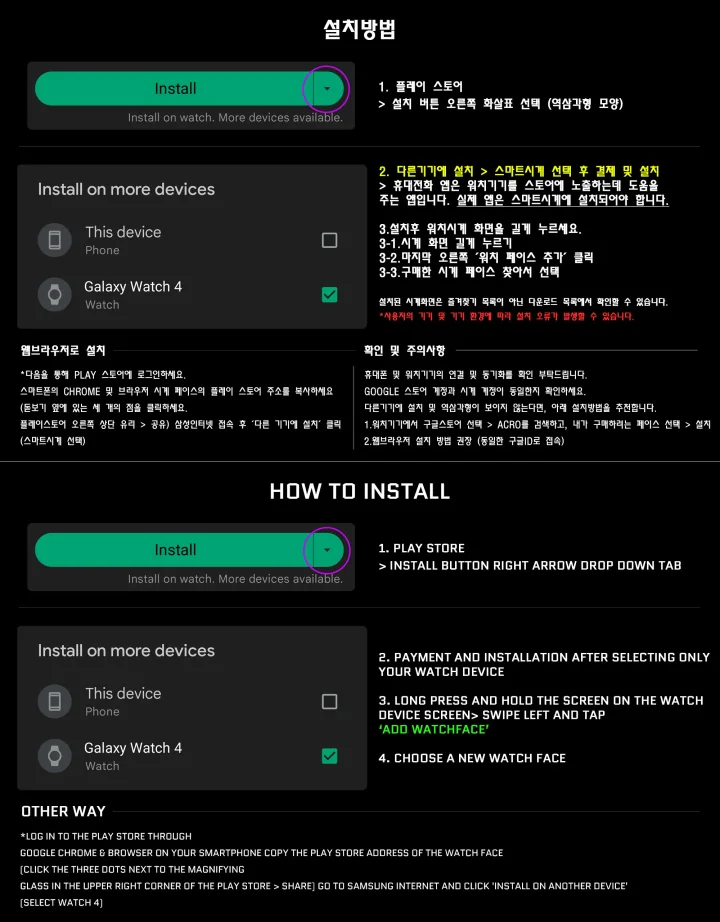
*Bagaimana cara meng-install
Beli dan instal aplikasi Play Store di ponsel cerdas Anda (sentuh panah kanan untuk menginstal di perangkat jam tangan Anda).
> Periksa koneksi antara badan arloji dan telepon.
*Instalasi menggunakan browser web
Salin alamat Play Store tampilan jam (Klik 3 titik di sebelah kaca pembesar di kanan atas Play Store > Bagikan)
Buka Samsung Internet dan klik 'Instal di perangkat lain' > pilih perangkat jam tangan
- Cuplikan layar tampilan jam pada aplikasi ponsel cerdas mungkin berbeda dari cuplikan layar tampilan jam sebenarnya yang diunduh.
- Persetujuan untuk menggunakan sensor diperlukan untuk menggunakan semua fungsi.
- Beberapa fitur mungkin tidak tersedia di semua jam tangan.
- Jika aplikasi Play Store tidak kompatibel, instal menggunakan browser web di PC/laptop Anda selain aplikasi di ponsel Anda.
Tampilan jam ini mendukung perangkat Wear OS.
Aplikasi komplikasi baterai ponsel
Setelah menginstal aplikasi tambahan dari tautan di bawah ke jam tangan dan ponsel cerdas Anda, atur kerumitannya.
Cari aplikasi 'Komplikasi Baterai Ponsel' dan instal. https://play.google.com/store/apps/details?id=com.weartools.phonebattcomp
Semua kredit diberikan kepada pembuat aplikasi asli.
tampilan jam amoled - https://play.google.com/store/apps/dev?id=5591589606735981545
Temukan tampilan jam yang terpasang
1. Tekan dan tahan tampilan jam > 2. Klik tombol Hiasi > 3. Klik kanan terakhir 'Tambahkan Tampilan Jam' > Konfirmasi tampilan jam yang dibeli
*Tampilan jam yang terpasang dapat ditemukan di daftar Unduhan, bukan di daftar Favorit.
Temukan tampilan jam baru di ACRO Store
https://play.google.com/store/apps/dev?id=7728319687716467388
Untuk pertanyaan tentang aplikasi, silakan hubungi kami melalui email di bawah.
Surat: help.acro@gmail.com
Tampilkan teks asli
*How to install
Purchase and install the Play Store app on your smartphone (touch the right arrow to install on your watch device).
> Check the connection between the watch body and the phone.
*Installation using web browser
Copy the Play Store address of the watch face (Click the 3 dots next to the magnifying glass at the top right of the Play Store > Share)
Go to Samsung Internet and click 'Install on another device' > select watch device
- The watch face screen shot of the smartphone app may differ from the actual downloaded watch face screen shot.
- A consent to use the sensor is required to use all functions.
- Some features may not be available on all watches.
- If the Play Store app is not compatible, install it using the web browser on your PC/laptop in addition to the app on your phone.
This watch face supports Wear OS devices.
Mobile phone battery complication app
After installing the additional app from the link below to your watch and smartphone, set the complication.
Search for the 'Phone Battery Complication' app and install it. https://play.google.com/store/apps/details?id=com.weartools.phonebattcomp
All credits go to original app creator.
amoledwatchfaces - https://play.google.com/store/apps/dev?id=5591589606735981545
Find installed watchfaces
1. Press and hold the watch face > 2. Click the Decorate button > 3. Click the last right 'Add Watch Face' > Confirm the purchased watch face
*Installed watchfaces can be found in the Downloads list, not in the Favorites list.
Discover new watch faces in the ACRO Store
https://play.google.com/store/apps/dev?id=7728319687716467388
For inquiries about the app, please contact us by email below.
Mail: help.acro@gmail.com
Keamanan data
Yang dinyatakan ACROWatch di Google Play tentang data yang dikumpulkan dan dibagikan aplikasi ini.
- Tidak ada data yang dibagikan kepada pihak ketigaPelajari lebih lanjut cara developer menyatakan pembagian data
- Tidak ada data yang dikumpulkanPelajari lebih lanjut cara developer menyatakan pengumpulan data
Kontak pengembang
- Emailhelp.acro@gmail.com
- Kebijakan Privasiblog.naver.com
- Alamat명지국제3로 97 명지삼성그린코아더베스트, 104동 2803호 강서구, 부산광역시 46726 South Korea
Informasi
- Ditawarkan oleh
- ACROWatch
- Kategori
- Personalisasi
- Diperbarui
- 14/10/2026
- Dirilis
- 12/6/2024
- Batasan usia
- Rating 3+
- Harga
- Rp 18.000
- Nama paket
- com.watchfacestudio.acro_double_simple_watch