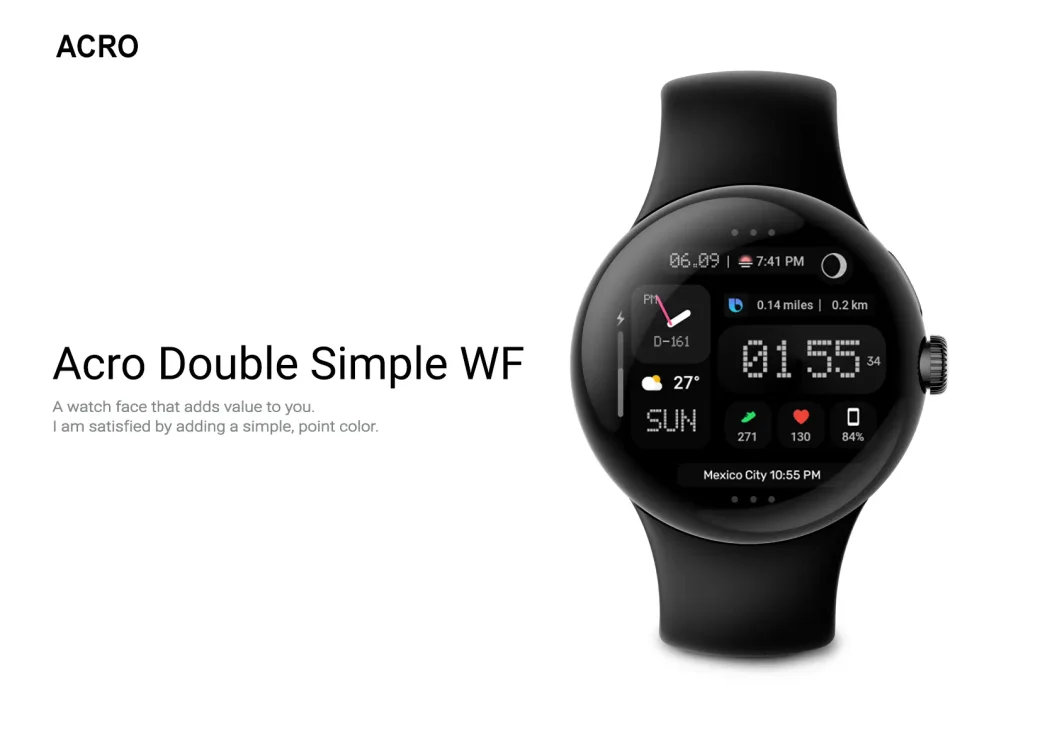
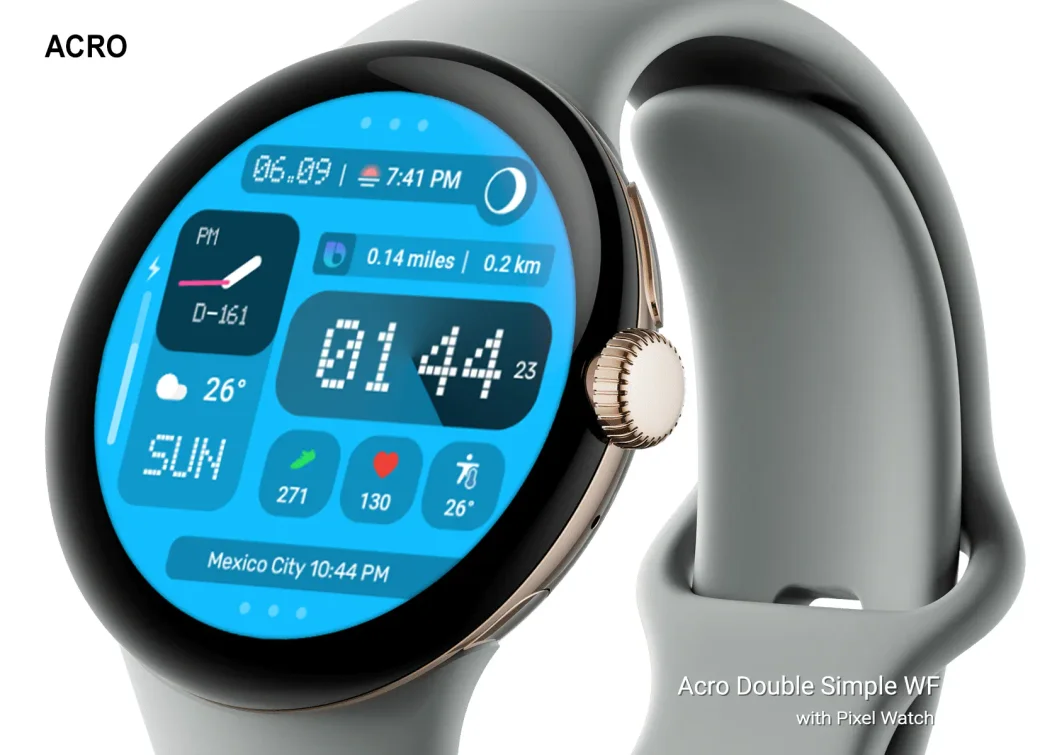
ACRO Double Simple Watchface
ACROWatch- 3 歳以上対象年齢
- カスタマイズカテゴリ
- 2026/10/14更新日
- ¥170価格
com.watchfacestudio.acro_double_simple_watchのGoogle Play公式ページにリンクしています。最終確認:2026/11/14。
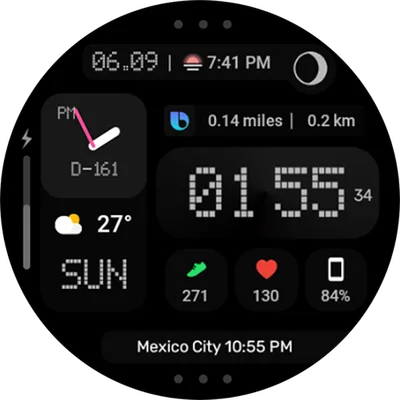
スクリーンショット



このアプリについて
Googleによる英語 (アメリカ合衆国)からの自動翻訳です。
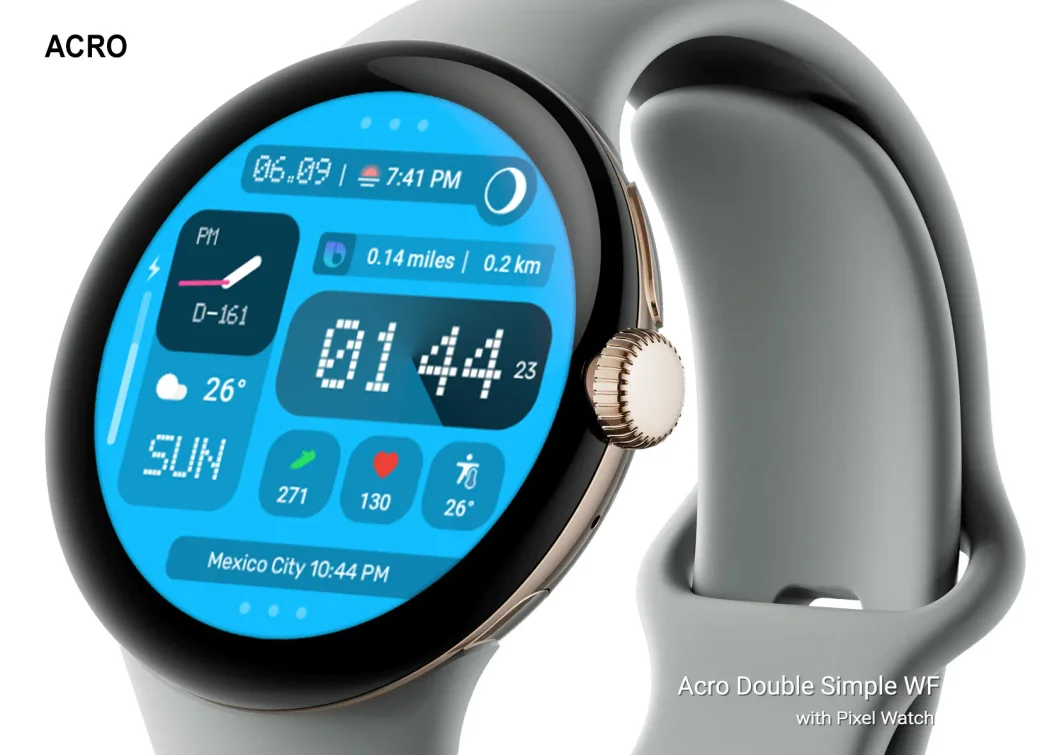
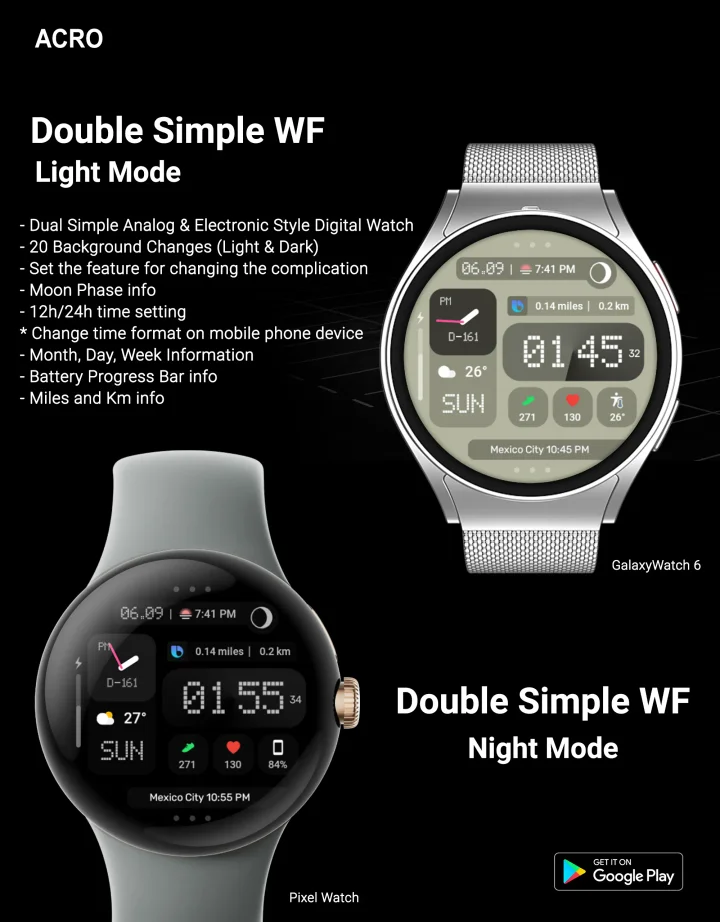
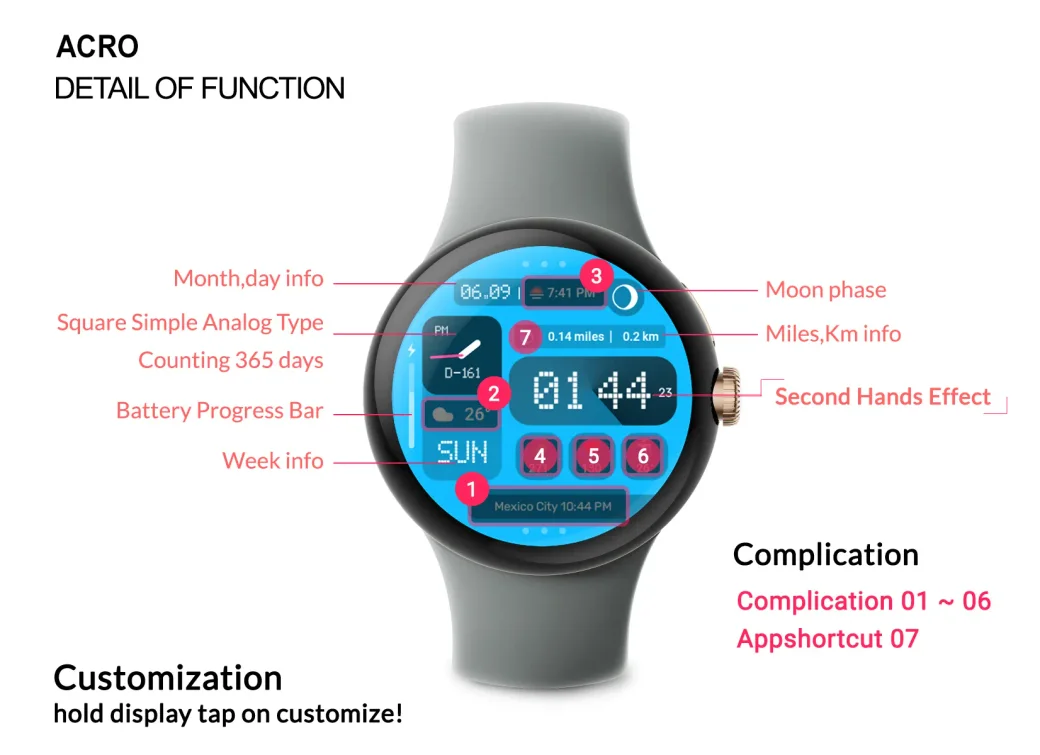
シンプルなデジタルウォッチフェイス
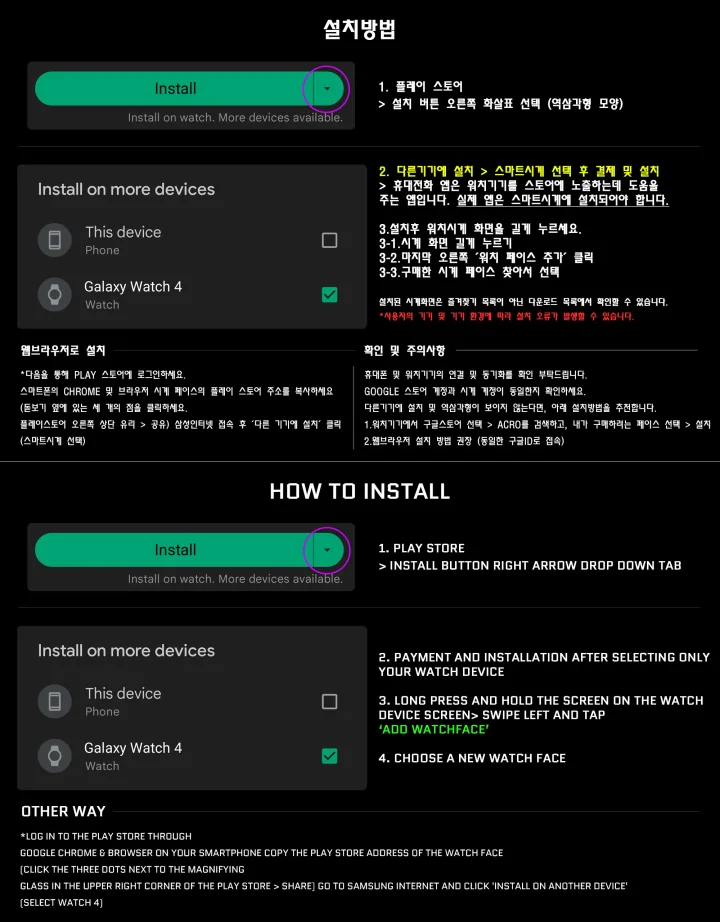
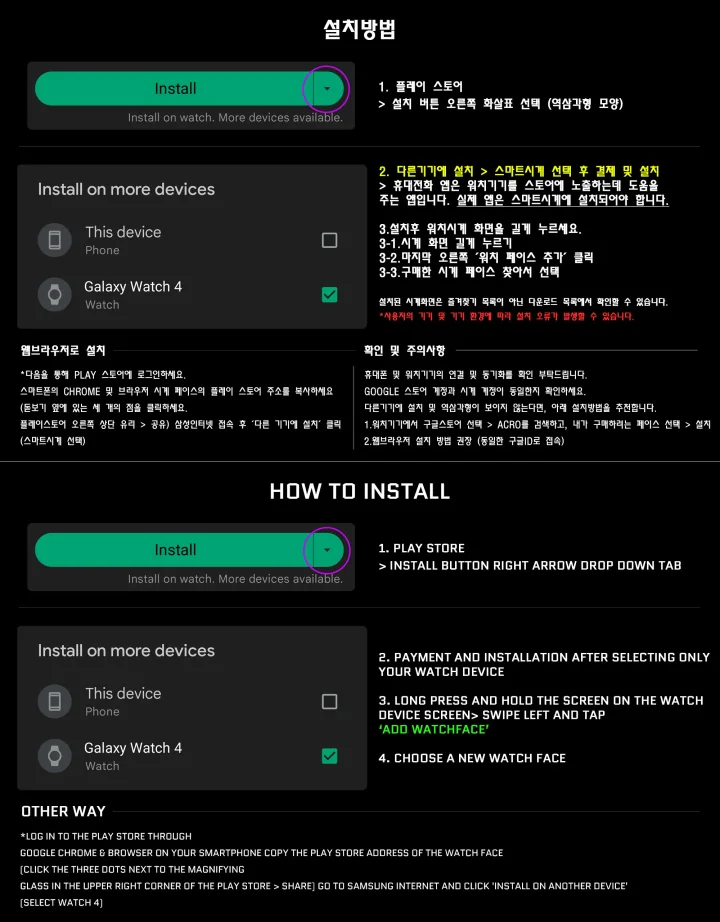
*インストールする方法
Play ストア アプリを購入してスマートフォンにインストールします (右矢印をタップして時計デバイスにインストールします)。
> 時計本体と携帯電話の接続を確認してください。
※Webブラウザを使用したインストール
ウォッチフェイスの Play ストア アドレスをコピーします ([Play ストア] > [共有] の右上にある虫眼鏡の横にある 3 つの点をクリックします)。
Samsung Internet に移動し、「別のデバイスにインストール」をクリックし、時計デバイスを選択します
・スマホアプリのウォッチフェイスのスクリーンショットは、実際にダウンロードしたウォッチフェイスのスクリーンショットと異なる場合があります。
・全ての機能を利用するにはセンサーの使用への同意が必要です。
- 一部の機能は時計によっては利用できない場合があります。
- Play ストア アプリに互換性がない場合は、携帯電話のアプリに加えて、PC/ラップトップの Web ブラウザーを使用してアプリをインストールします。
このウォッチフェイスは Wear OS デバイスをサポートしています。
携帯電話のバッテリーコンプリケーションアプリ
以下のリンクから追加アプリを時計とスマートフォンにインストールした後、コンプリケーションを設定してください。
「Phone Battery Complication」アプリを検索してインストールします。 https://play.google.com/store/apps/details?id=com.weartools.phonebattcomp
すべてのクレジットは元のアプリ作成者に与えられます。
amoledwatchfaces - https://play.google.com/store/apps/dev?id=5591589606735981545
インストールされているウォッチフェイスを検索する
1. ウォッチフェイスを長押し > 2. 装飾ボタンをクリック > 3. 最後の右の「ウォッチフェイスを追加」をクリック > 購入したウォッチフェイスを確認
*インストールされたウォッチフェイスは、お気に入りリストではなく、ダウンロード リストに表示されます。
ACRO ストアで新しいウォッチフェイスを発見してください
https://play.google.com/store/apps/dev?id=7728319687716467388
アプリに関するお問い合わせは下記メールにてお願いいたします。
メール: help.acro@gmail.com
原文を表示
*How to install
Purchase and install the Play Store app on your smartphone (touch the right arrow to install on your watch device).
> Check the connection between the watch body and the phone.
*Installation using web browser
Copy the Play Store address of the watch face (Click the 3 dots next to the magnifying glass at the top right of the Play Store > Share)
Go to Samsung Internet and click 'Install on another device' > select watch device
- The watch face screen shot of the smartphone app may differ from the actual downloaded watch face screen shot.
- A consent to use the sensor is required to use all functions.
- Some features may not be available on all watches.
- If the Play Store app is not compatible, install it using the web browser on your PC/laptop in addition to the app on your phone.
This watch face supports Wear OS devices.
Mobile phone battery complication app
After installing the additional app from the link below to your watch and smartphone, set the complication.
Search for the 'Phone Battery Complication' app and install it. https://play.google.com/store/apps/details?id=com.weartools.phonebattcomp
All credits go to original app creator.
amoledwatchfaces - https://play.google.com/store/apps/dev?id=5591589606735981545
Find installed watchfaces
1. Press and hold the watch face > 2. Click the Decorate button > 3. Click the last right 'Add Watch Face' > Confirm the purchased watch face
*Installed watchfaces can be found in the Downloads list, not in the Favorites list.
Discover new watch faces in the ACRO Store
https://play.google.com/store/apps/dev?id=7728319687716467388
For inquiries about the app, please contact us by email below.
Mail: help.acro@gmail.com
データ セーフティ
このアプリが収集・共有するデータについて、ACROWatchがGoogle Playで申告している内容です。
- 第三者と共有されるデータはありません詳しくは、デベロッパーが共有を申告する方法についての説明をご覧ください
- データは収集されません詳しくは、デベロッパーが収集を申告する方法についての説明をご覧ください
開発元の連絡先
- メールhelp.acro@gmail.com
- プライバシーポリシーblog.naver.com
- 住所명지국제3로 97 명지삼성그린코아더베스트, 104동 2803호 강서구, 부산광역시 46726 South Korea
情報
- 提供元
- ACROWatch
- カテゴリ
- カスタマイズ
- 更新日
- 2026/10/14
- リリース
- 2024/6/12
- 対象年齢
- 3 歳以上
- 価格
- ¥170
- パッケージ名
- com.watchfacestudio.acro_double_simple_watch