Cover Photo Maker : Post Maker
Nilesh JainBerisi iklan
- Rating 3+Batasan usia
- Seni & DesainKategori
- 16/3/2026Diperbarui
- GratisHarga
Tertaut ke halaman resmi com.sk.socialmediapostmaker di Google Play. Terakhir diperiksa pada 26/11/2026.
Tangkapan layar
Tentang aplikasi ini
Terjemahan otomatis oleh Google. Bahasa asli: Inggris (Amerika Serikat).
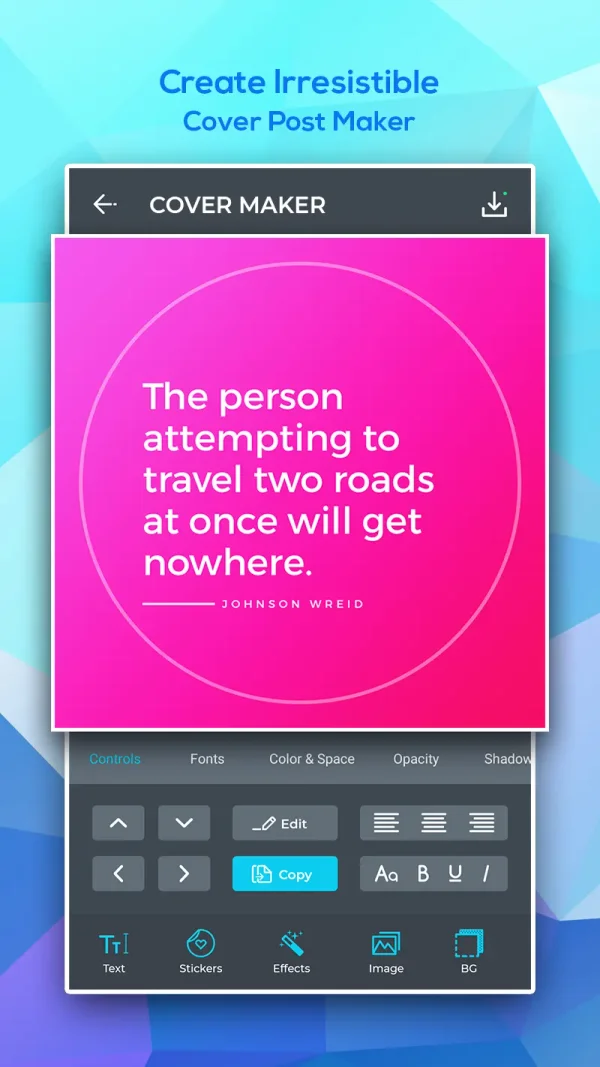
Buat dengan mudah! Pembuat sampul dan desain grafis, aplikasi pos media sosial.
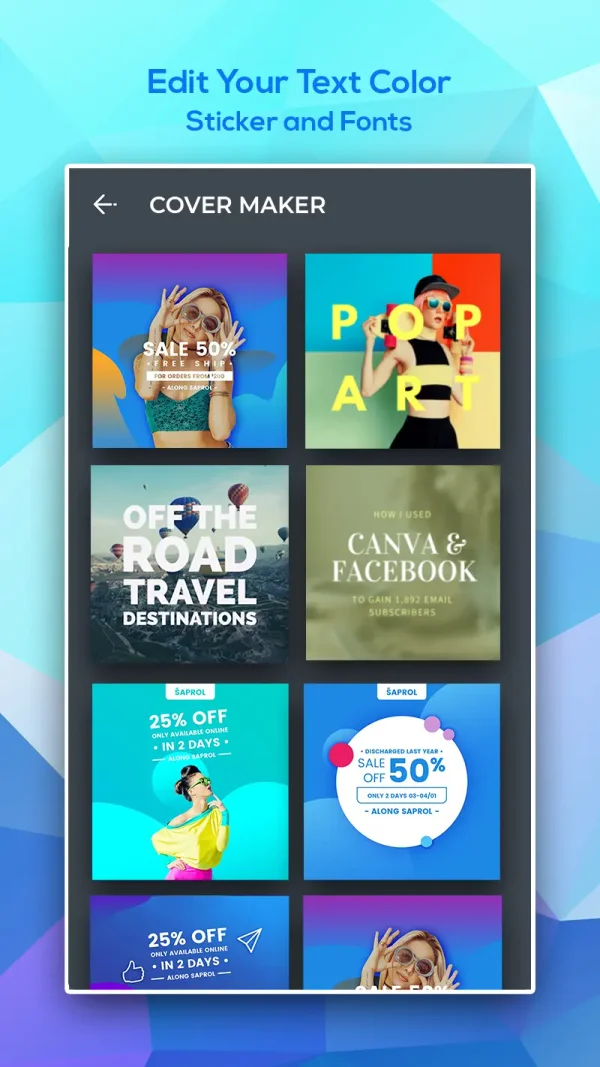
Cover Maker adalah editor foto, pembuat poster media sosial, dan aplikasi desain grafis gratis Anda! Buat pamflet yang menakjubkan, posting media sosial dari template yang dapat disesuaikan. Tingkatkan keterampilan desain grafis Anda atau bangun band Anda dengan pembuat pos!
Pembuat Foto Sampul sederhana & mudah bagi siapa saja yang tertarik dengan desain grafis.
Rancang atau Buat Foto Sampul Anda sendiri Seni, Spanduk, dan Gambar Kecil dalam sekejap.
Foto Sampul Media Sosial, Spanduk, Thumbnail, posting untuk Facebook, YouTube seperti jabat tangan: mereka memberikan kesan pertama yang bisa positif atau negatif. Apakah foto sampul Anda mendorong pemirsa untuk terus membaca profil Anda atau berkontribusi pada kurangnya energi yang menyebabkan pengunjung berpindah dengan cepat?
Cover Photo Maker & Post Maker adalah aplikasi khusus untuk mendesain postingan media sosial. Dengan satu klik, Anda dapat memilih ukuran yang diskalakan dengan sempurna untuk foto sampul Facebook & ukuran kotak pos, jadi Anda tidak perlu repot mengubah ukuran gambar.
Pembuat foto sampul ini sangat cepat dan sangat mudah, menjadikannya ideal bagi mereka yang memiliki sedikit pengalaman desain. Dalam hitungan detik Anda akan memiliki foto sampul profesional yang ramping untuk meningkatkan gambar Facebook Anda dan mendesain gambar mini profesional untuk video youtube guna meningkatkan tampilan Anda.
Cara membuat foto sampul
1. Rempah-rempah itu
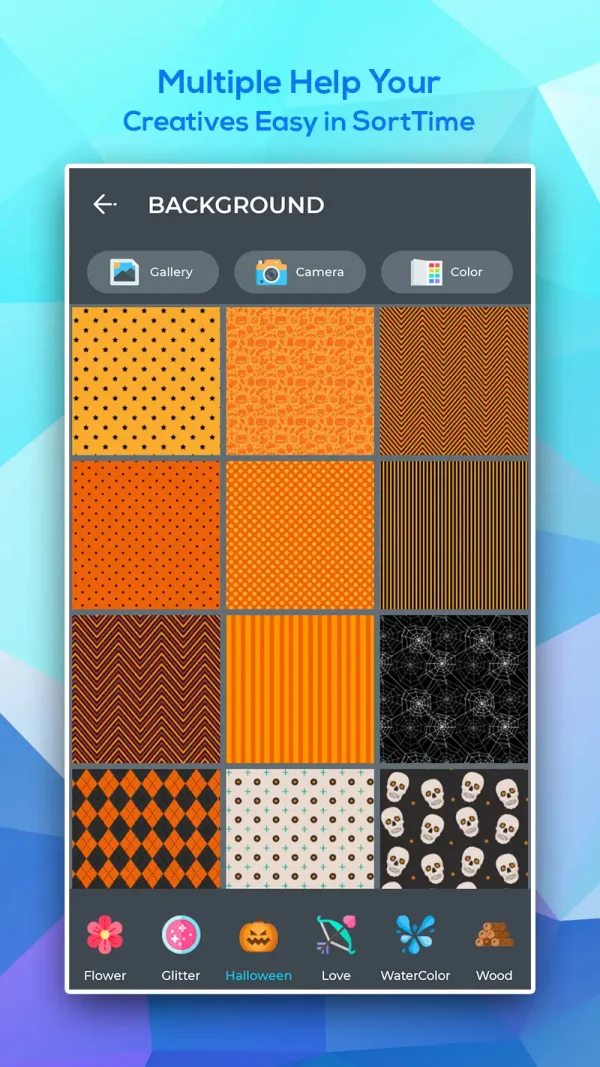
Sekarang berkreasilah dengan mengklik "Latar Belakang". Unggah foto Anda sendiri, pilih salah satu dari ribuan gambar stok, atau gunakan warna solid. Pilih tema yang sesuai dengan merek Anda. Ada berbagai desain berbeda yang masing-masing mengekspresikan suasana hati yang unik, tetapi jika Anda tidak yakin mana yang harus dipilih - pilih saja satu dan Anda selalu dapat mengubahnya nanti.
2. Pilih ukuran (rasio) sesuai kebutuhan Anda
Pilih Ukuran yang Anda inginkan - atau pilih rasio. Suka untuk Instagram pilih 1:1, untuk halaman sampul Facebook pilih - Ukuran Sampul. (Ada lebih dari 10 preset yang hampir sesuai untuk setiap kebutuhan tetapi Anda juga memiliki pilihan untuk Foto Sampul Kustom - pilih ukuran khusus.)
3. Tambahkan gambar dan stiker yang menarik.
Tetap sederhana dan elegan - pilih dari 100 stiker stok atau Anda dapat memilih gambar Anda sendiri. Ubah Hue mereka, ukuran dan letakkan di latar belakang.
4. Tingkatkan pesan Anda dengan font
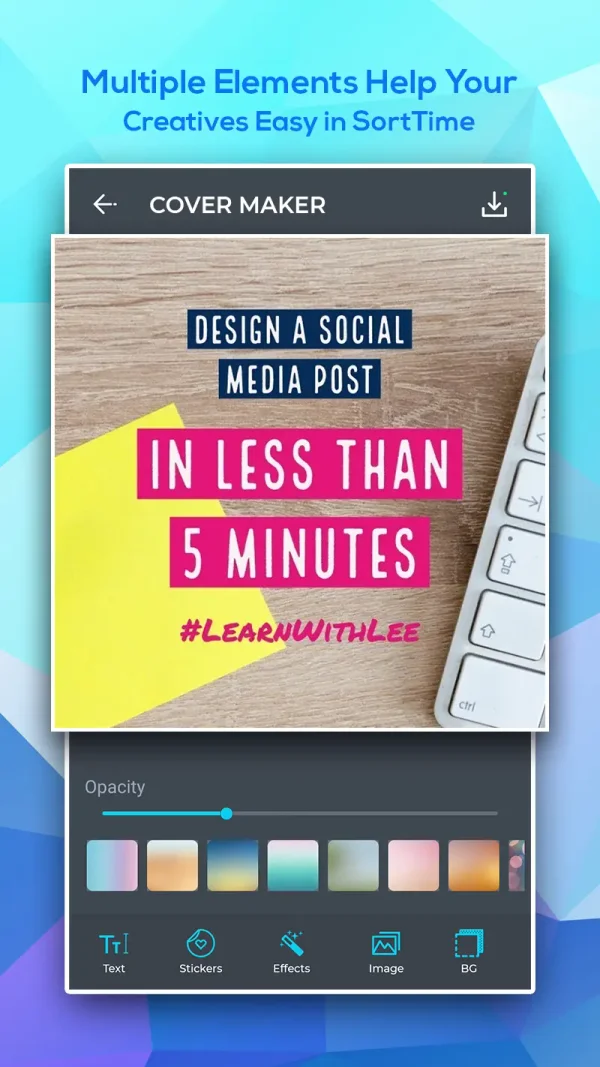
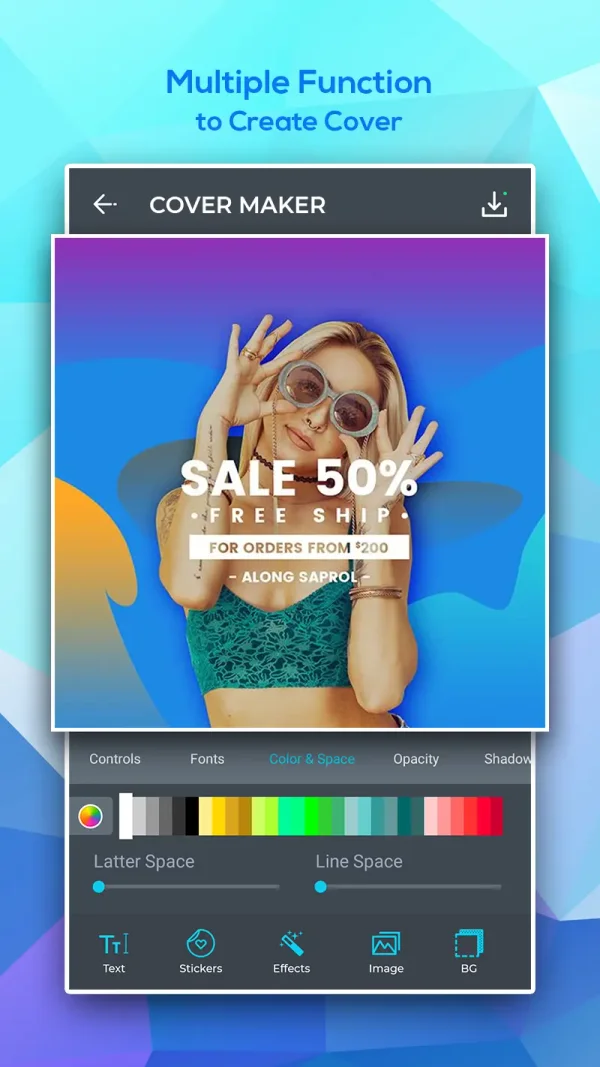
Setiap spanduk/Foto Sampul yang bagus membutuhkan tipografi yang menarik. Pilih "Teks", Tulis pesan Anda. Kemudian Anda dapat mengubah - Font Teks (100 font indah gratis), warna, Teks Kurva, Bayangan, Ukuran, dan banyak lagi.
5. Sebarkan berita
Setelah Anda menyesuaikan dan mengutak-atik keinginan hati Anda dan Anda merasa puas dengan citra Anda, inilah saatnya untuk membaginya dengan dunia. Klik tombol "Bagikan" di bagian atas halaman dan Anda dapat mengunduh grafik Anda, lalu mengunggahnya sebagai foto sampul Facebook Anda.
Siap untuk mempercantik saluran Facebook / YouTube / Bisnis Anda? Cobalah Posting Pembuat Foto Sampul dan rancang sampul Facebook gratis yang akan meningkatkan citra Anda dan membantu Anda memajukan merek Anda.
- Tipografi yang indah
Pilih dari berbagai font gratis yang dirancang secara profesional untuk setiap kesempatan.
- Latar Belakang/Stiker/Seni Ikon
Pilih dari ribuan foto/Latar Belakang/Ubin dari aplikasi atau pilih dari koleksi pribadi Anda.
Tema profesional
- Opsi penyesuaian tanpa batas
Pilihan personalisasi di Cover Photo Art tidak hanya banyak, tetapi juga sangat mudah digunakan. Masing-masing opsi ini dapat diterapkan dengan mengklik tombol, jadi Anda tidak perlu menghabiskan waktu berjam-jam untuk menyempurnakan gambar Anda.
- Kekuatan unik Seni Foto Sampul / Seni Spanduk
Pembuat Foto Sampul dibuat untuk membantu mereka yang memiliki sedikit atau tanpa pengalaman desain, membuatnya sangat mudah digunakan.
Jelajahi berbagai macam tata letak, warna, dan font terbaik di kelasnya. Tweak dengan mudah dengan teks, foto, dan ikon yang paling sesuai dengan kebutuhan Anda. Terbaik untuk Spanduk, Kartu, Tanggal, Sampul, Pamflet, Undangan, Kolase Foto, Brosur, Menu, Pamflet, dan Desain Lainnya
Tampilkan teks asli
Cover Maker is your free photo editor, social media poster maker and graphics design app! Make stunning flyer, social media posts from customisable templates. Boots your graphics design skills or build your band with the post maker!
Cover Photo Maker is simple & easy for anyone interested in graphic design.
Design or Create your own Cover photos Art, Banners and Thumbnails in a snap.
Social Media Cover photos, Banner, Thumbnail, post for Facebook, YouTube are like handshakes: they provide a first impression that can either be positive or negative. Is your cover photo encouraging viewers to keep reading your profile or contributing to a lack of energy that causes visitors to quickly navigate away?
Cover Photo Maker & Post Maker is an app specifically for designing social media posts. With one click, you can select sizing that's perfectly scaled for a Facebook cover photo & post square size, so you don't have to hassle with resizing an image.
This cover photo maker is super fast and super easy, making it ideal for those with little design experience. In seconds you'll have a sleek, professional cover photo to boost your Facebook's image and design professional thumbnail for youtube video to boost your view.
How to make a cover photo
1. Spice it up
Now get creative by click on "Background". Either upload your own photo, choose one of thousands of stock images, or go with a solid color. Choose a theme that fits your brand. There are a variety of different designs that each express a unique mood, but if you're not sure which to choose - just choose one and you can always change later.
2. Select the size (ratio) as per your needs
Select the Size you want - or choose a ratio. Like for Instagram choose 1:1 , for Facebook cover page choose - Cover Size. ( There are more than 10 presets that almost fit for every need but you also have a choice for Custom Cover Photos - choose custom size.)
3. Add an eye-catching images and stickers.
Keep it simple and elegant - choose from 100s of stock stickers or you can select your own images. Change their Hue, size it and place it on the backgrounds.
4. Amp up your message with fonts
Every good banner/Cover Photo needs compelling typography. Select "Text", Write your message. Then you can change - Text Fonts ( 100's of beautiful fonts for free), color, Curve Text, Shadow, Size and much more.
5. Spread the word
Once you've tweaked and tinkered to your heart's desire and you feel satisfied with your image, it's time to share it with the world. Click the "Share" button at the top of the page and you can download your graphic, then upload it as your Facebook cover photo.
Ready to give your Facebook / YouTube channel / Business a face-lift? Try out Cover Photo Maker Post and design free Facebook covers that will boost your image and help you further your brand.
- Beautiful typography
Choose from a variety of free professionally designed fonts for every occasion.
- Iconic Backgrounds/Stickers/Art
Select from thousands of photos/Backgrounds/Tiles from the app or pick from your personal collections.
Professional themes
- Limitless customization options
The personalizing options in Cover Photo Art are not only many, they are also incredibly easy to use. Each of these options can be applied with the click of a button, so you don't have to spend hours fine-tuning your image.
- The unique power of Cover Photo Art / Banner Art
Cover Photo Maker was created to be an aid to those with little or no design experience, making it completely straightforward to use.
Explore our wide variety of best-in-class layouts, colors, and fonts. Easily tweak them with the text, photos, and icons that best fit your needs. Best for Banners, Cards, Dates, Covers, Flyers, Invitations,Photo Collages, Brochures, Menus, Pamphlets and Other Designs
Keamanan data
Yang dinyatakan Nilesh Jain di Google Play tentang data yang dikumpulkan dan dibagikan aplikasi ini.
- Tidak ada data yang dibagikan kepada pihak ketigaPelajari lebih lanjut cara developer menyatakan pembagian data
- Tidak ada data yang dikumpulkanPelajari lebih lanjut cara developer menyatakan pengumpulan data
- Data tidak dienkripsi
- Data tidak dapat dihapus
Yang baru
Versi 1.1.9 · 16/3/2026
1. Improve User Experience
2. Add New Cover Photo Templates
3. Minior Bug Fixing
4. Performance Enhancement
5. Add New Banner Backgrounds
6. Improve editing tools for cover photo design
Thank You for using the Cover Photo Maker app! We regularly update our app to fix bugs, improve performance and add new features to help you connect with your friends.
Kontak pengembang
- Situs webnileshjain92.blogspot.com
- Emailnilesh.sanghavi92@gmail.com
- Kebijakan Privasisites.google.com
- AlamatA-1104, 11FL, KEDAR HEIGHTS, NEAR TIRTH HERITAGE, ABRAMA RD, MOTA VARACHHA SURAT, Gujarat 394101 India
Informasi
- Ditawarkan oleh
- Nilesh Jain
- Kategori
- Seni & Desain
- Versi
- 1.1.9
- Diperbarui
- 16/3/2026
- Dirilis
- 2/11/2018
- Memerlukan
- Android 6.0 atau yang lebih baru
- Batasan usia
- Rating 3+
- Harga
- Gratis
- Nama paket
- com.sk.socialmediapostmaker