Cover Photo Maker : Post Maker
Nilesh Jain広告を含む
- 3 歳以上対象年齢
- アート&デザインカテゴリ
- 2026/3/16更新日
- 無料価格
com.sk.socialmediapostmakerのGoogle Play公式ページにリンクしています。最終確認:2026/11/26。
スクリーンショット
このアプリについて
Googleによる英語 (アメリカ合衆国)からの自動翻訳です。
簡単に作成!カバー メーカーとグラフィック デザイン、ソーシャル メディア投稿アプリ。
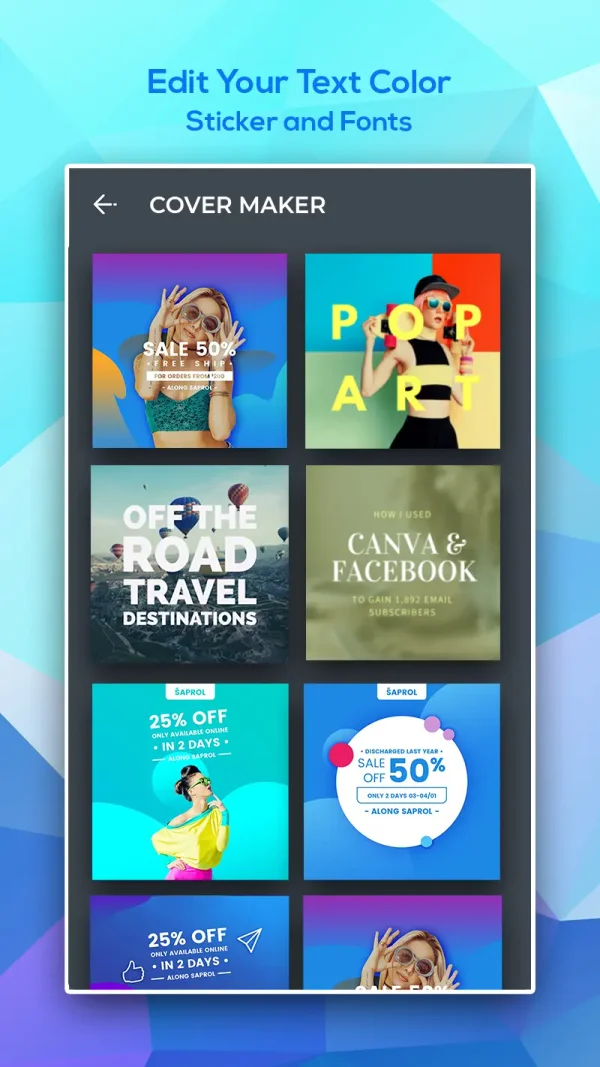
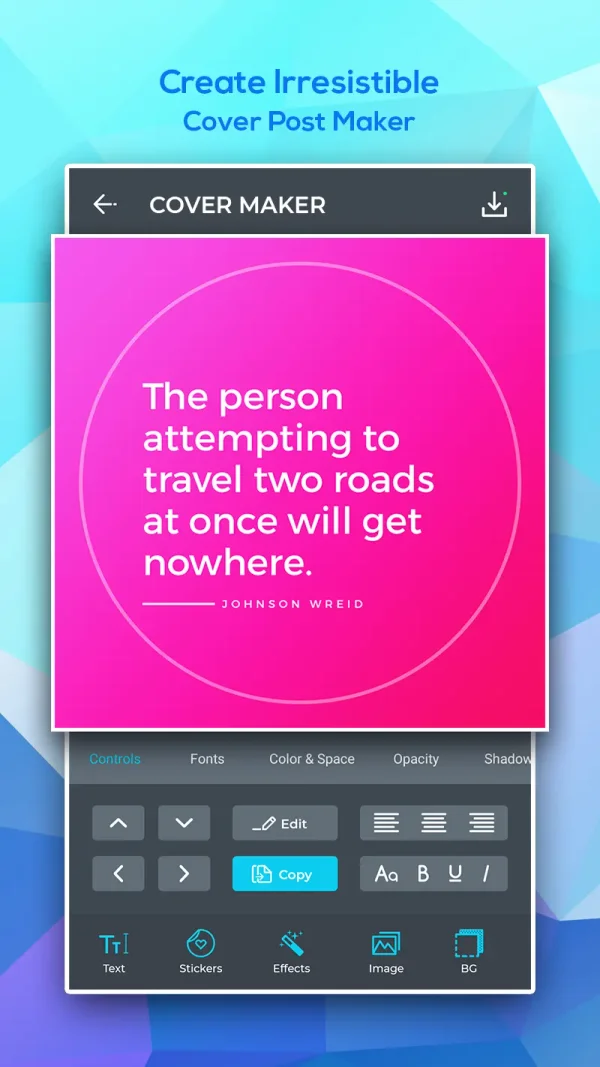
Cover Makerは、無料の写真編集者、ソーシャルメディアポスターメーカー、グラフィックデザインアプリです。カスタマイズ可能なテンプレートから見事なチラシやソーシャルメディアの投稿を作成します。グラフィックデザインスキルを起動するか、ポストメーカーでバンドを構築してください!
Cover Photo Makerは、グラフィックデザインに興味のある人にとってシンプルで簡単です。
独自のカバー写真アート、バナー、サムネイルをすばやくデザインまたは作成します。
ソーシャルメディアのカバー写真、バナー、サムネイル、Facebookへの投稿、YouTubeは握手のようなもので、ポジティブにもネガティブにもなり得る第一印象を提供します。あなたのカバー写真は、視聴者があなたのプロフィールを読み続けることを奨励していますか、それとも訪問者がすぐに離れていく原因となるエネルギーの不足に貢献していますか?
Cover Photo Maker&Post Makerは、ソーシャルメディアの投稿をデザインするためのアプリです。ワンクリックで、Facebookのカバー写真と投稿の正方形のサイズに完全に合わせたサイズを選択できるため、画像のサイズ変更に煩わされる必要はありません。
このカバーフォトメーカーは超高速で超簡単なので、デザインの経験が少ない人に最適です。数秒で、Facebookの画像を強調するための洗練されたプロのカバー写真を作成し、YouTubeビデオのプロのサムネイルをデザインしてビューを増やすことができます。
カバー写真の作り方
1.スパイスを効かせます
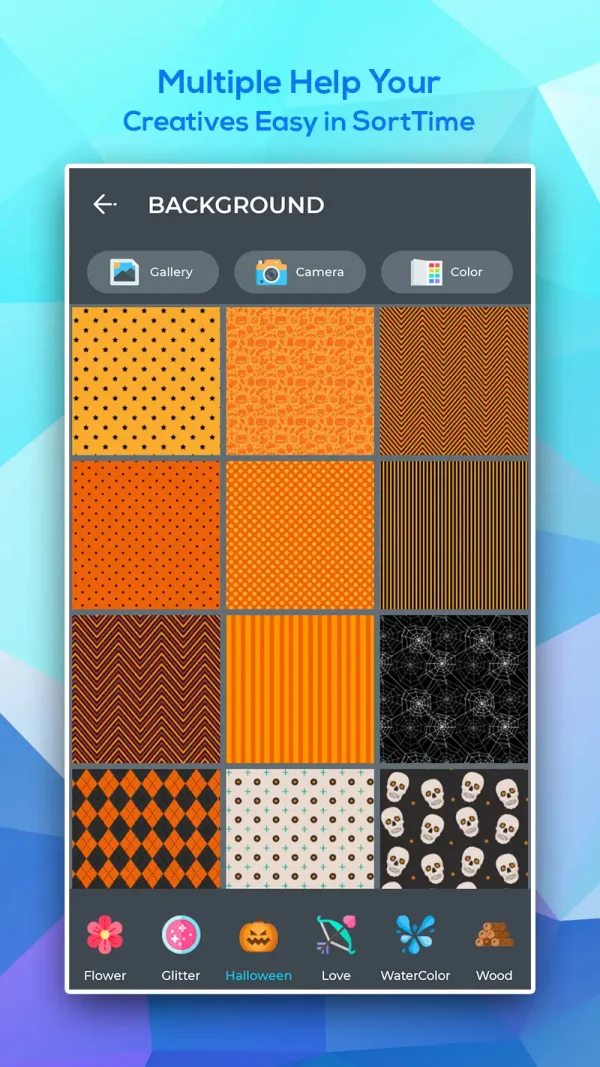
「背景」をクリックしてクリエイティブになりましょう。自分の写真をアップロードするか、何千ものストック画像から1つを選択するか、単色で移動します。ブランドに合ったテーマを選択してください。それぞれが独特のムードを表現するさまざまな異なるデザインがありますが、どれを選択するかわからない場合は、1つを選択するだけで、後でいつでも変更できます。
2.必要に応じてサイズ(比率)を選択します
必要なサイズを選択するか、比率を選択します。 Instagramの場合は1:1を選択し、Facebookのカバーページの場合は-カバーサイズを選択します。 (ほぼすべてのニーズに合う10以上のプリセットがありますが、カスタムカバー写真の選択肢もあります-カスタムサイズを選択してください。)
3.人目を引く画像とステッカーを追加します。
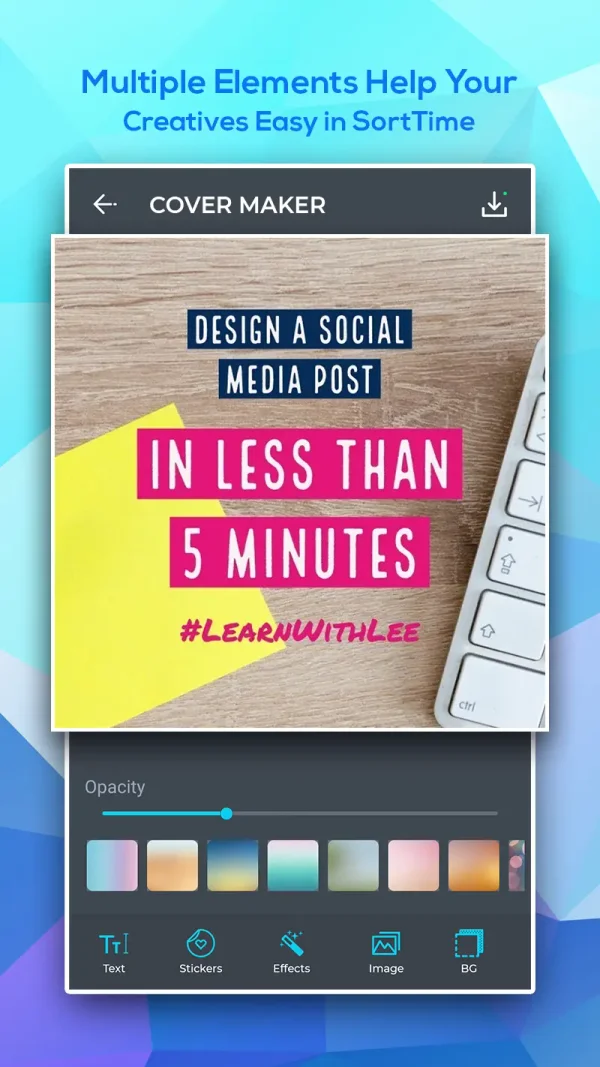
シンプルでエレガントに保ちましょう。何百ものストックステッカーから選択するか、独自の画像を選択できます。色相を変更し、サイズを変更して、背景に配置します。
4.フォントでメッセージを強化します
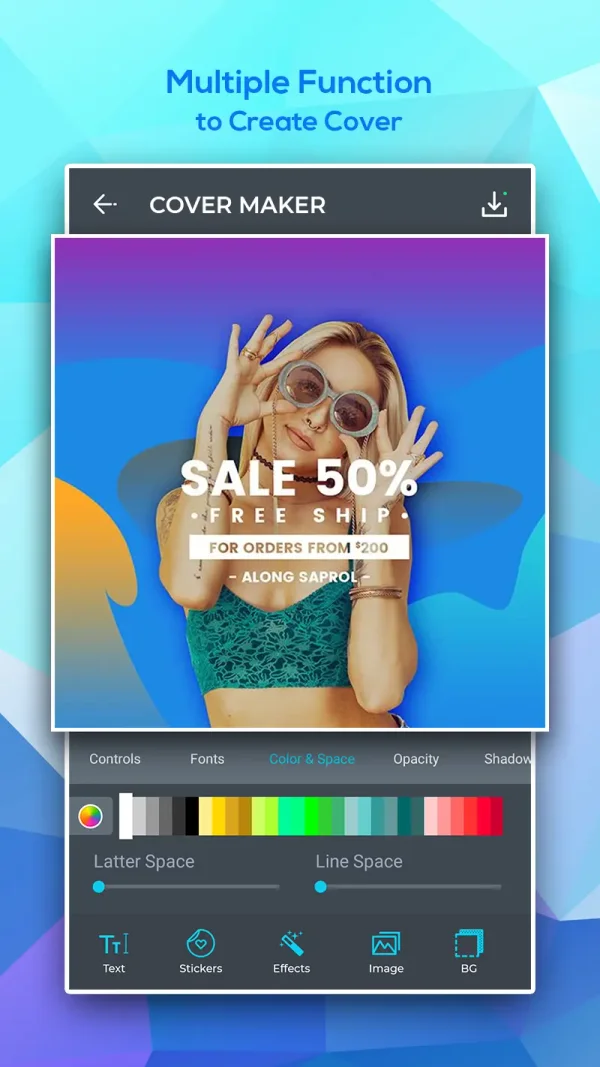
すべての優れたバナー/カバー写真には、説得力のあるタイポグラフィが必要です。 「テキスト」を選択し、メッセージを書きます。次に、テキストフォント(数百の美しいフォントを無料で)、色、カーブテキスト、シャドウ、サイズなどを変更できます。
5.言葉を広める
自分の心の欲望を微調整し、いじくり回して、自分のイメージに満足したと感じたら、それを世界と共有する時が来ました。ページ上部の「共有」ボタンをクリックすると、グラフィックをダウンロードして、Facebookのカバー写真としてアップロードできます。
Facebook / YouTubeチャンネル/ビジネスを一新する準備はできていますか? Cover Photo Maker Postを試して、無料のFacebookカバーをデザインして、イメージを高め、ブランドをさらに発展させましょう。
-美しいタイポグラフィ
あらゆる機会にプロがデザインしたさまざまな無料のフォントからお選びいただけます。
-象徴的な背景/ステッカー/アート
アプリから何千もの写真/背景/タイルから選択するか、個人のコレクションから選択します。
プロのテーマ
-無制限のカスタマイズオプション
Cover Photo Artのパーソナライズオプションは多数あるだけでなく、非常に使いやすいものです。これらの各オプションはボタンをクリックするだけで適用できるため、画像を微調整するために何時間も費やす必要はありません。
-カバーフォトアート/バナーアートのユニークな力
Cover Photo Makerは、デザインの経験がほとんどまたはまったくない人を支援するために作成されたもので、完全に簡単に使用できます。
クラス最高のさまざまなレイアウト、色、フォントをご覧ください。ニーズに最適なテキスト、写真、アイコンで簡単に調整できます。バナー、カード、日付、表紙、チラシ、招待状、写真のコラージュ、パンフレット、メニュー、パンフレット、その他のデザインに最適
原文を表示
Cover Maker is your free photo editor, social media poster maker and graphics design app! Make stunning flyer, social media posts from customisable templates. Boots your graphics design skills or build your band with the post maker!
Cover Photo Maker is simple & easy for anyone interested in graphic design.
Design or Create your own Cover photos Art, Banners and Thumbnails in a snap.
Social Media Cover photos, Banner, Thumbnail, post for Facebook, YouTube are like handshakes: they provide a first impression that can either be positive or negative. Is your cover photo encouraging viewers to keep reading your profile or contributing to a lack of energy that causes visitors to quickly navigate away?
Cover Photo Maker & Post Maker is an app specifically for designing social media posts. With one click, you can select sizing that's perfectly scaled for a Facebook cover photo & post square size, so you don't have to hassle with resizing an image.
This cover photo maker is super fast and super easy, making it ideal for those with little design experience. In seconds you'll have a sleek, professional cover photo to boost your Facebook's image and design professional thumbnail for youtube video to boost your view.
How to make a cover photo
1. Spice it up
Now get creative by click on "Background". Either upload your own photo, choose one of thousands of stock images, or go with a solid color. Choose a theme that fits your brand. There are a variety of different designs that each express a unique mood, but if you're not sure which to choose - just choose one and you can always change later.
2. Select the size (ratio) as per your needs
Select the Size you want - or choose a ratio. Like for Instagram choose 1:1 , for Facebook cover page choose - Cover Size. ( There are more than 10 presets that almost fit for every need but you also have a choice for Custom Cover Photos - choose custom size.)
3. Add an eye-catching images and stickers.
Keep it simple and elegant - choose from 100s of stock stickers or you can select your own images. Change their Hue, size it and place it on the backgrounds.
4. Amp up your message with fonts
Every good banner/Cover Photo needs compelling typography. Select "Text", Write your message. Then you can change - Text Fonts ( 100's of beautiful fonts for free), color, Curve Text, Shadow, Size and much more.
5. Spread the word
Once you've tweaked and tinkered to your heart's desire and you feel satisfied with your image, it's time to share it with the world. Click the "Share" button at the top of the page and you can download your graphic, then upload it as your Facebook cover photo.
Ready to give your Facebook / YouTube channel / Business a face-lift? Try out Cover Photo Maker Post and design free Facebook covers that will boost your image and help you further your brand.
- Beautiful typography
Choose from a variety of free professionally designed fonts for every occasion.
- Iconic Backgrounds/Stickers/Art
Select from thousands of photos/Backgrounds/Tiles from the app or pick from your personal collections.
Professional themes
- Limitless customization options
The personalizing options in Cover Photo Art are not only many, they are also incredibly easy to use. Each of these options can be applied with the click of a button, so you don't have to spend hours fine-tuning your image.
- The unique power of Cover Photo Art / Banner Art
Cover Photo Maker was created to be an aid to those with little or no design experience, making it completely straightforward to use.
Explore our wide variety of best-in-class layouts, colors, and fonts. Easily tweak them with the text, photos, and icons that best fit your needs. Best for Banners, Cards, Dates, Covers, Flyers, Invitations,Photo Collages, Brochures, Menus, Pamphlets and Other Designs
データ セーフティ
このアプリが収集・共有するデータについて、Nilesh JainがGoogle Playで申告している内容です。
- 第三者と共有されるデータはありません詳しくは、デベロッパーが共有を申告する方法についての説明をご覧ください
- データは収集されません詳しくは、デベロッパーが収集を申告する方法についての説明をご覧ください
- データは暗号化されません
- データを削除できません
新機能
バージョン 1.1.9 · 2026/3/16
1. Improve User Experience
2. Add New Cover Photo Templates
3. Minior Bug Fixing
4. Performance Enhancement
5. Add New Banner Backgrounds
6. Improve editing tools for cover photo design
Thank You for using the Cover Photo Maker app! We regularly update our app to fix bugs, improve performance and add new features to help you connect with your friends.
開発元の連絡先
- ウェブサイトnileshjain92.blogspot.com
- メールnilesh.sanghavi92@gmail.com
- プライバシーポリシーsites.google.com
- 住所A-1104, 11FL, KEDAR HEIGHTS, NEAR TIRTH HERITAGE, ABRAMA RD, MOTA VARACHHA SURAT, Gujarat 394101 India
情報
- 提供元
- Nilesh Jain
- カテゴリ
- アート&デザイン
- バージョン
- 1.1.9
- 更新日
- 2026/3/16
- リリース
- 2018/11/2
- 必要条件
- Android 6.0以降
- 対象年齢
- 3 歳以上
- 価格
- 無料
- パッケージ名
- com.sk.socialmediapostmaker