GRBL Nothing Watch Face
Grubel- Rating 3+Batasan usia
- PersonalisasiKategori
- 8/10/2026Diperbarui
- Rp 21.000Harga
Tertaut ke halaman resmi com.grubel.grblnothingwatchface di Google Play. Terakhir diperiksa pada 20/11/2026.
Tentang aplikasi ini
Terjemahan otomatis oleh Google. Bahasa asli: Inggris (Amerika Serikat).
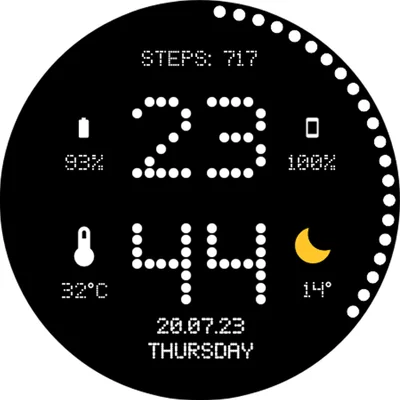
Ramping & Minimal: GRBL Nothing Watch Face Dirancang untuk Wear OS
Fitur:
Dirancang untuk Wear OS
1. Mendukung format AM/PM dan 12H/24H
2. Penghitung langkah
3. Detik bertitik
4. Tanggal
5. Empat komplikasi yang dapat diubah
6. AOD dengan semua komplikasi terlihat
7. 30 tema
HARAP DIINGAT BAHWA APLIKASI PENDAMPING TIDAK MENGINSTAL WATCH FACE PADA JAM TANGAN. HARAP BACA PETUNJUK DI BAWAH INI.
Ada dua cara untuk menginstal watchface ini ke perangkat WearOS Anda:
Dari APLIKASI PLAY STORE:
1. Gunakan menu tarik-turun dan pilih perangkat target
di APLIKASI PLAY STORE:
setelah beberapa menit, tampilan jam akan ditransfer ke
jam tangan.
2- AKTIFKAN WATCH FACE:
Setelah terinstal, Anda perlu mengaktifkan tampilan jam.
Tekan lama layar, geser ke kiri, dan ketuk "TAMBAHKAN WATCH FACE" untuk mengaktifkannya.
Dari SITUS WEB PLAY STORE:
1 - Buka tautan tampilan jam melalui Peramban Web di
PC/Mac seperti Chrome, Safari (dll.). Anda dapat mencari
nama tampilan jam di Play Store.
Klik "Instal di perangkat lain" dan pilih
perangkat target:
Setelah beberapa menit, tampilan jam akan ditransfer ke
jam.
2- AKTIFKAN TAMPILAN JAM:
Setelah terpasang, Anda perlu mengaktifkan tampilan jam.
Tekan lama layar, geser ke kiri, dan ketuk "TAMBAHKAN TAMPILAN JAM" untuk mengaktifkannya.
Sebelum memberikan ulasan negatif (1 bintang) di Play Store,
karena alasan ini, harap baca panduan dengan saksama atau
hubungi saya:
grubel.watchfaces@gmail.com
untuk API 33+
Ingat, jika Anda ingin jam tangan Anda menampilkan status baterai ponsel, Anda harus menginstal aplikasi Phone Battery Complication
Tampilkan teks asli
Features:
Designed for Wear OS
1. Supports AM/PM and 12H/24H format
2. Steps counter
3. Dotted seconds
4. Date
5. Four changeable complications
6. AOD with all complications visible
7. 30 themes
PLEASE KEEP IN MIND THAT THE COMPANION APP DOESN'T INSTALL WATCHFACE ON THE WATCH. PLEASE READ INSTRUCTIONS BELOW.
There are two ways to install this watchaface to your WearOS device:
From PLAY STORE APP:
1. Use the drop-down menu and select the target
device on the PLAY STORE APP:
after a few minutes the watch face will transferred on
watch.
2- ACTIVATE WATCH FACE:
Once installed, you need to activate the watch face.
Long press screen, swipe left and tap "ADD WATCH
FACE" to activate it.
From PLAY STORE WEBSITE:
1 - Go to the watch face link through a Web Browser on
PC / Mac such as Chrome, Safari (etc.). You can search
the watch face name on Play Store.
Click on "Install on more devices" and select the target
device:
after a few minutes the watch face will transferred on
watch.
2- ACTIVATE WATCH FACE:
Once installed, you need to activate the watch face.
Long press screen, swipe left and tap "ADD WATCH
FACE" to activate it.
Before drop a negative feedback (1 star) on Play Store
for these reasons, please read the guide carefully or
contact me:
grubel.watchfaces@gmail.com
for API 33+
Remember , if you want your watch to show phone's battery status, you should install Phone Battery Complication app
Keamanan data
Yang dinyatakan Grubel di Google Play tentang data yang dikumpulkan dan dibagikan aplikasi ini.
- Tidak ada data yang dibagikan kepada pihak ketigaPelajari lebih lanjut cara developer menyatakan pembagian data
- Tidak ada data yang dikumpulkanPelajari lebih lanjut cara developer menyatakan pengumpulan data
Kontak pengembang
- Emailgrubel.watchfaces@gmail.com
- Kebijakan Privasisites.google.com
- AlamatJuliana Tuwima 20/8a 90-002 Łódź Poland
Informasi
- Ditawarkan oleh
- Grubel
- Kategori
- Personalisasi
- Diperbarui
- 8/10/2026
- Dirilis
- 25/7/2023
- Batasan usia
- Rating 3+
- Harga
- Rp 21.000
- Nama paket
- com.grubel.grblnothingwatchface
Aplikasi serupa
-
 GRBL Nothing Weather Watchface
Personalisasi
-
 HMKWatch Digital 371
Personalisasi
-
 LCD Watch face
Personalisasi
-
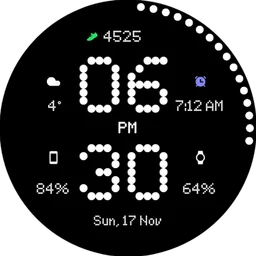 GRBL Nothing (2) Watchface
Personalisasi
-
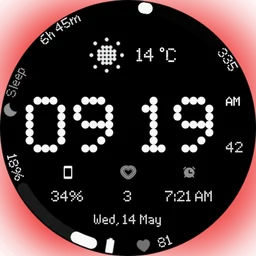 GRBL Nothing Weather 2
Personalisasi
-
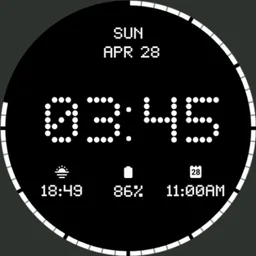 Nothing Inspired 2A Watch Face
Personalisasi
-
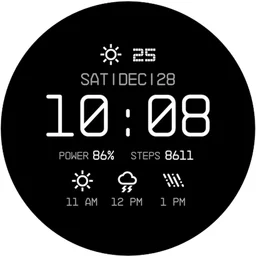 MW44 Digital Watch
Personalisasi
-
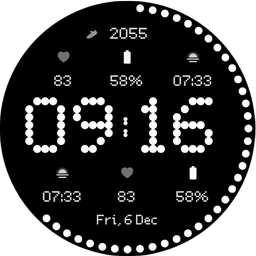 GRBL Nothing (2) H Watchface
Personalisasi
-
 BRN119 Dot-matrix Watch Face
Personalisasi
-
 MW19 Minimal Digital Watch
Personalisasi
-
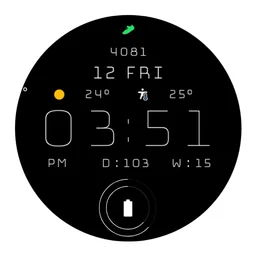 AI Thin D
Personalisasi
-
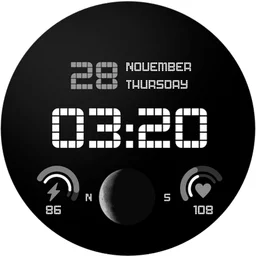 MW20 Minimal Digital Watch
Personalisasi